
B52 PE ADJUST (ASF)/B53 PE ADJUST (REAR ASF)
Overview
Use software to correct the paper detection position offset caused by variations in the PE sensor attachment position and print head position.
Paper and feed tray
- PE adjustment (ASF)
- Paper size: A4, Letter
- Paper type: Plain paper
- Paper feed tray: Paper Cassette1st (C1)
- PE adjustment (Rear ASF)
- Paper size: A4, Letter
- Paper type: Plain paper
- Paper feed tray: Rear ASF Unit
Adjustment Procedure
Start the printer in the service mode.
Select "B52 PE Adjust (ASF)" or "B53 PE Adjust (Rear ASF)" refer to "How to select an Adjustment item".
Load paper into the specified paper feed tray.
- Confirm the current setting and print the adjustment pattern.
When changing the print setting, select and change the item following the instruction on the screen.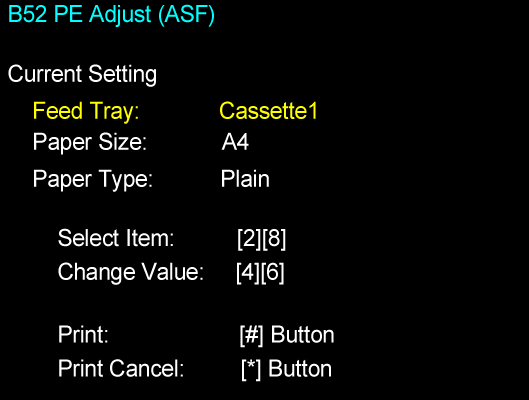
The adjustment results are automatically saved in the printer.