
Service mode menu configuration
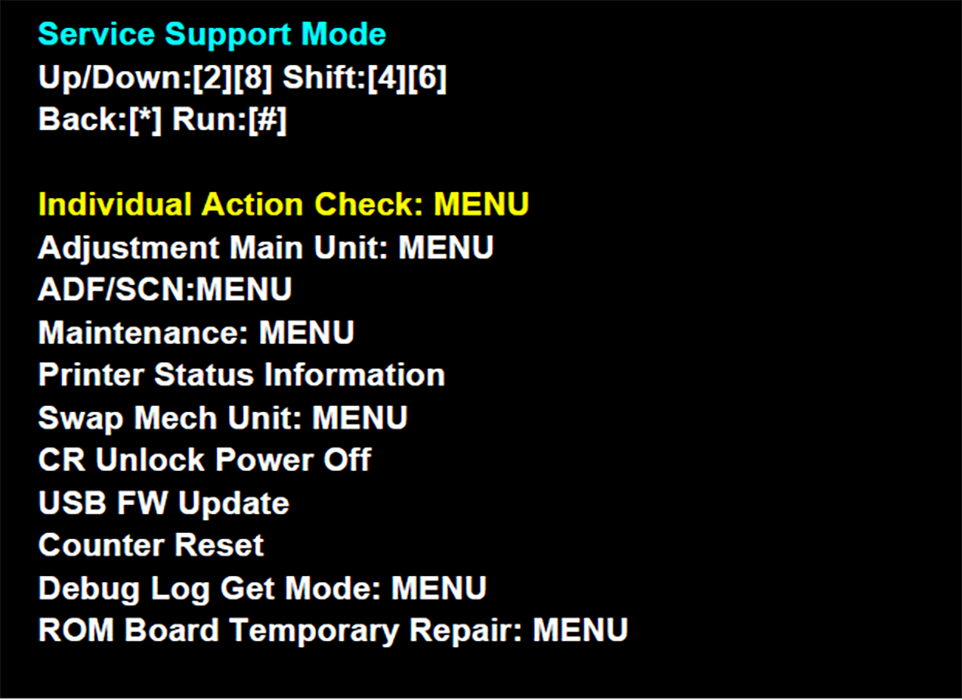
| Display | Overview | Use scene | details |
|---|---|---|---|
| Individual Action Check: Menu | Allows you to check whether or not the various motors, sensors, and solenoids are operating normally. | Troubleshooting | Individual Action Check Function |
| Adjustment Main Unit: Menu | Allows you to make the adjustments required when replacing parts. | When performing repair work | Adjustment and Additional Operations |
| ADF/SCN: Menu | |||
| Maintenance: Menu | Perform ink filling, cleaning, and other maintenance inside the ink supply system. | ||
| Printer Status Information | The printer status information can be displayed on the panel. | Before troubleshooting and repair work | USB F/W Update |
| Swap Mech Unit: Menu | Use this to back up the data from the old machine and restore the data on the new machine when exchanging the product. | When exchanging product | Machine Swapping |
| CR Unlock Power OFF | Turn off the power of the printer in the CR unlock state. | When performing repair work | Disassembly / Assembly |
| USB FW Update | When updating the firmware, use this to update the firmware using external storage media such as a USB memory device. | When updating firmware | USB F/W Update |
| Counter reset | The periodic replacement part usage status can be checked in a list. The counter can be reset individually for specific selected parts. | When performing repair work | Periodic Replacement Parts |
| Debug Log Get Mode: Menu | When performing analysis, copy the debug Log data to external storage media such as a USB memory device connected to the main unit. (Do not use this menu unless instructed otherwise by a person in charge of analysis in the service support department.) | When performing troubleshooting analysis | --- |
| ROM Board Restore Menu | Temporarily restore a machine with a failed ROM board. |
When recovering a broken ROM temporarily | TJ19-0269 |