
ADF Board
- Remove the 5 screws, then remove the Rear ADF Cover Assy (A).
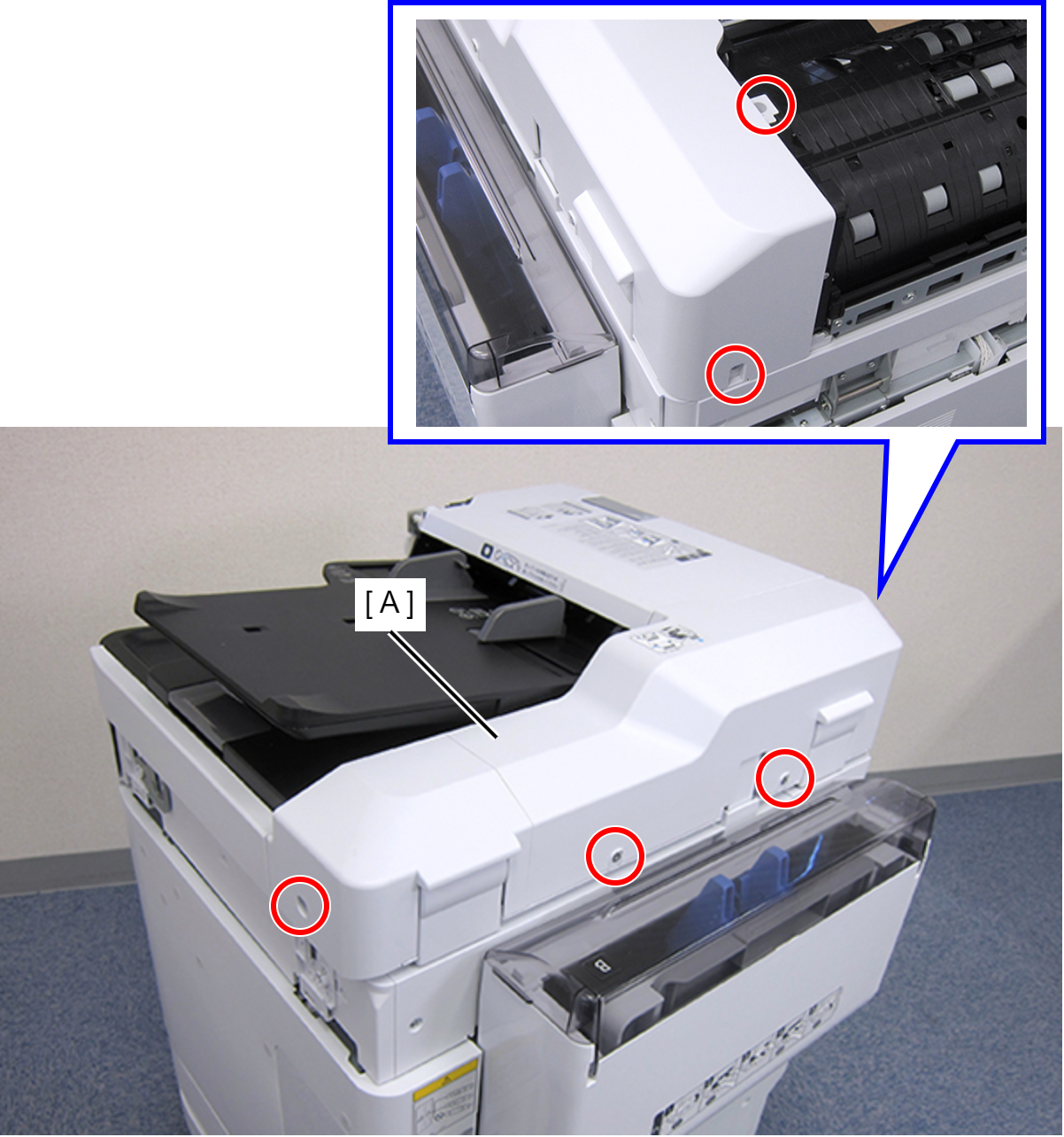
 : C.SHOULDER S-TITE,3X5
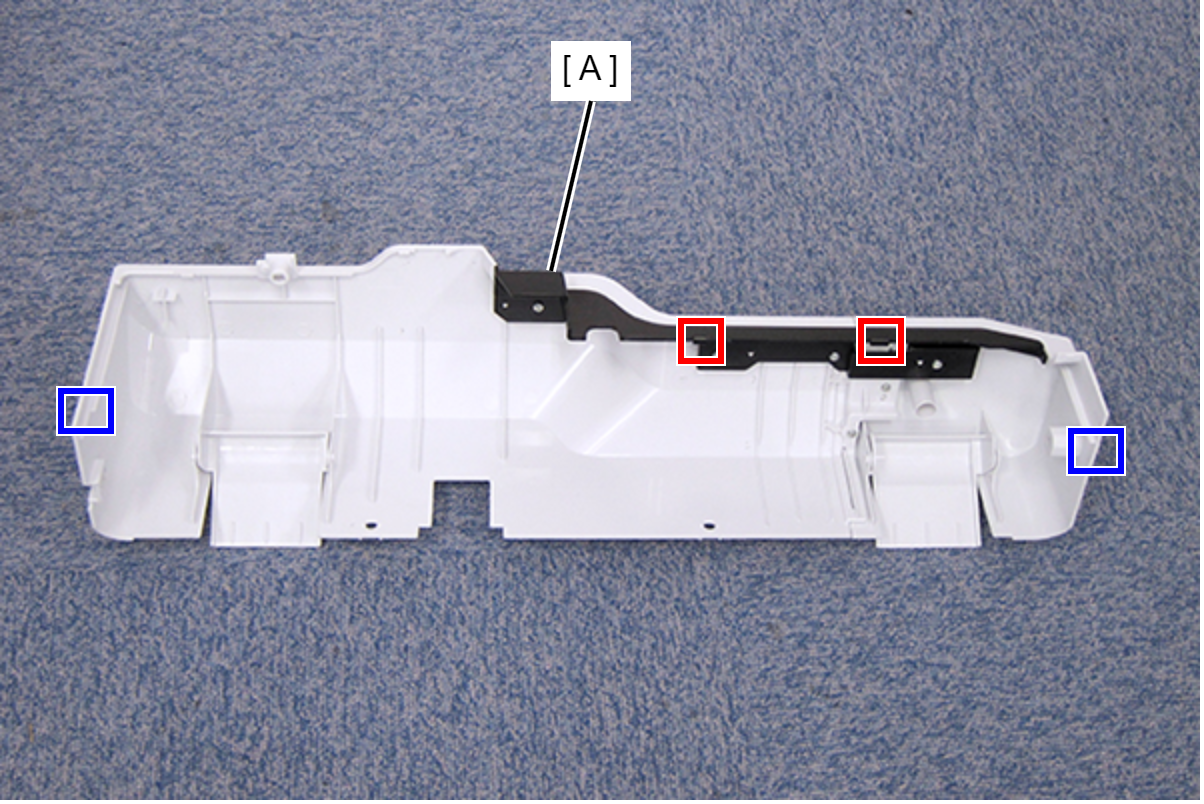
- Disengage the two hooks and the two tabs, then remove the Rear ADF Cover Assy (A).
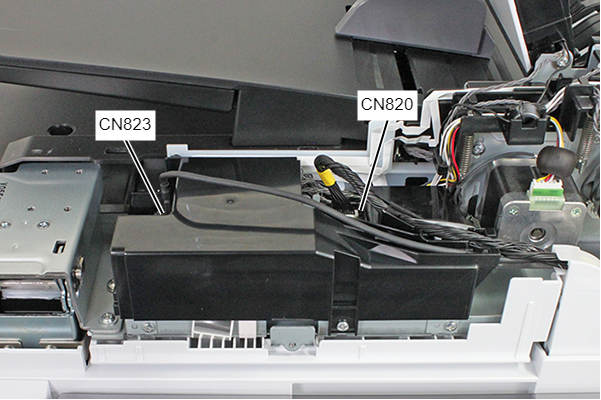
- Remove the cables listed below from the connectors of the ADF Board.
- Cable (USB) (CN823) (With hook)
- Cable (CN820)
- Remove the screw.
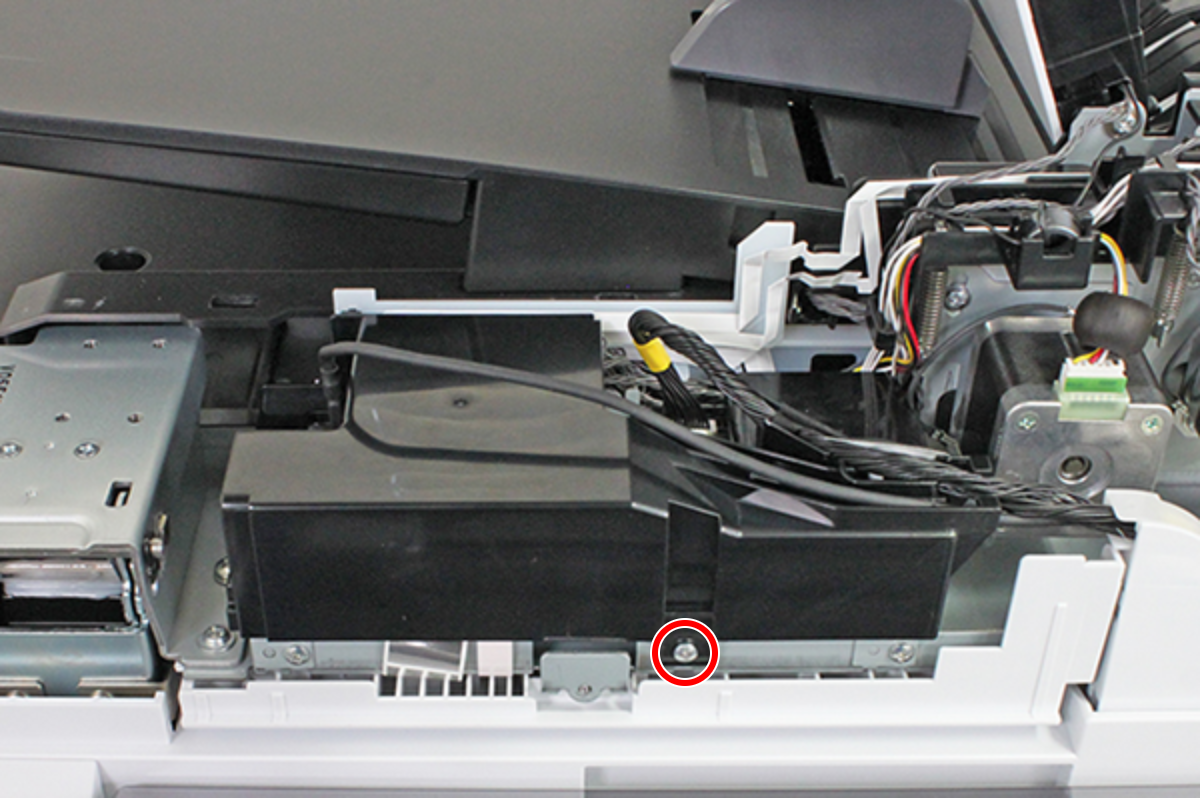
- : C.B.S-TITE-SCREW-3x8-F.ZN-3C
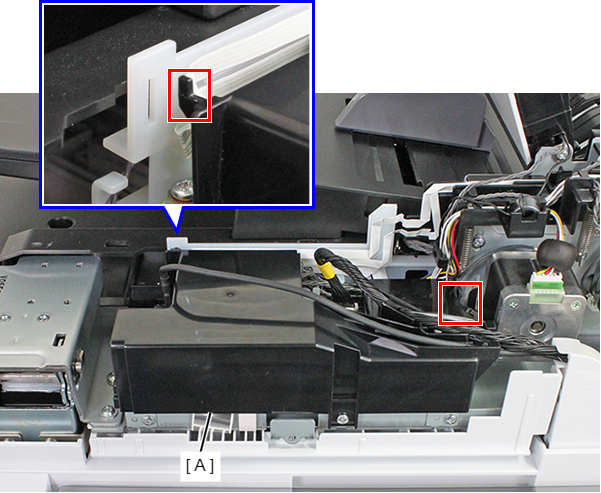
- Remove the ADF Board Cover (A) while releasing the hook.
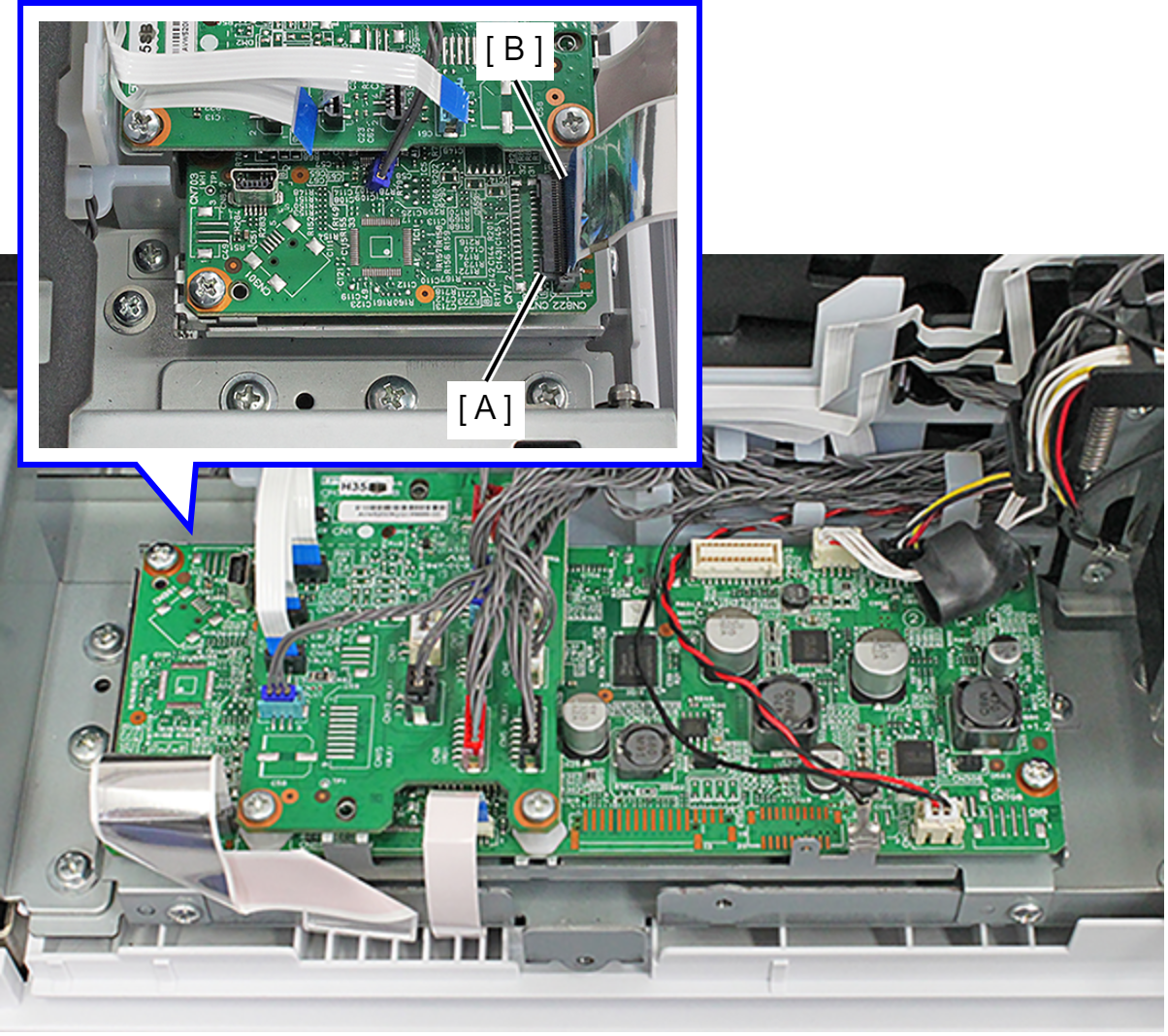
- Raise the Connector Lock (A), and remove the FFC (CN822) (B).
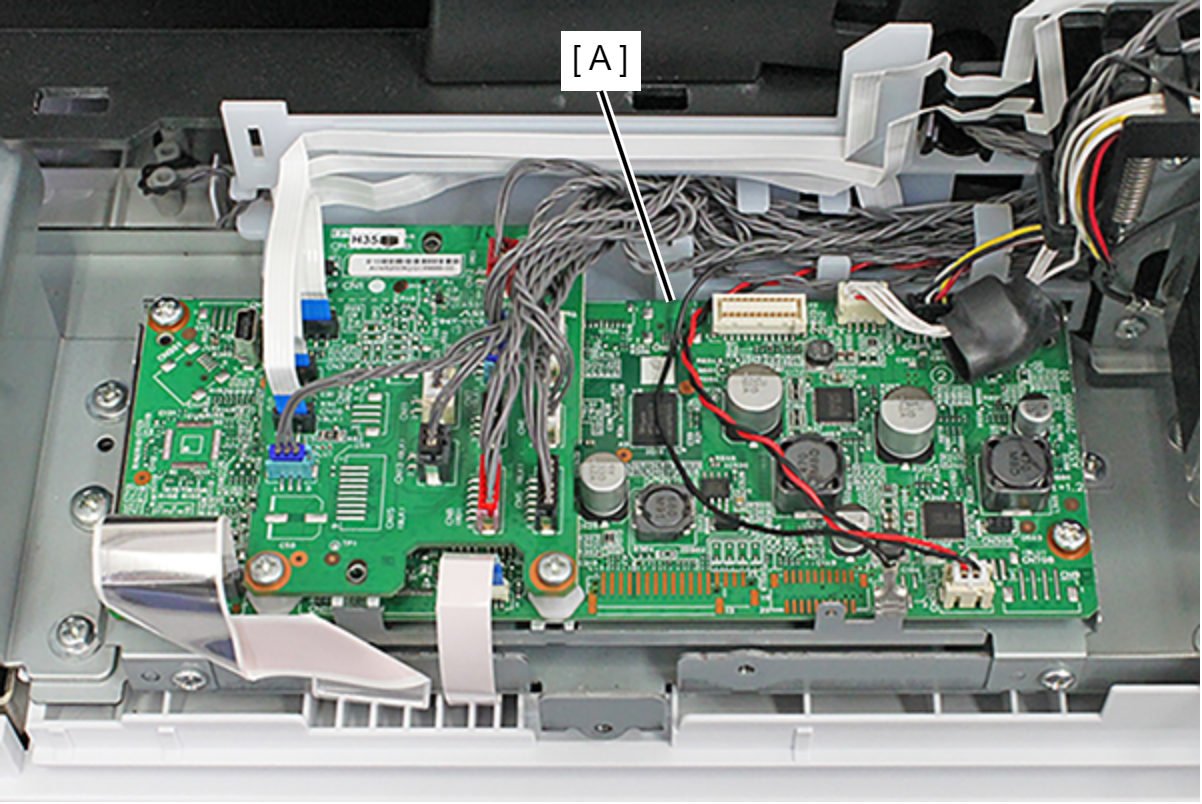
- Remove the cable/FFC from all connectors of the ADF Board (A).
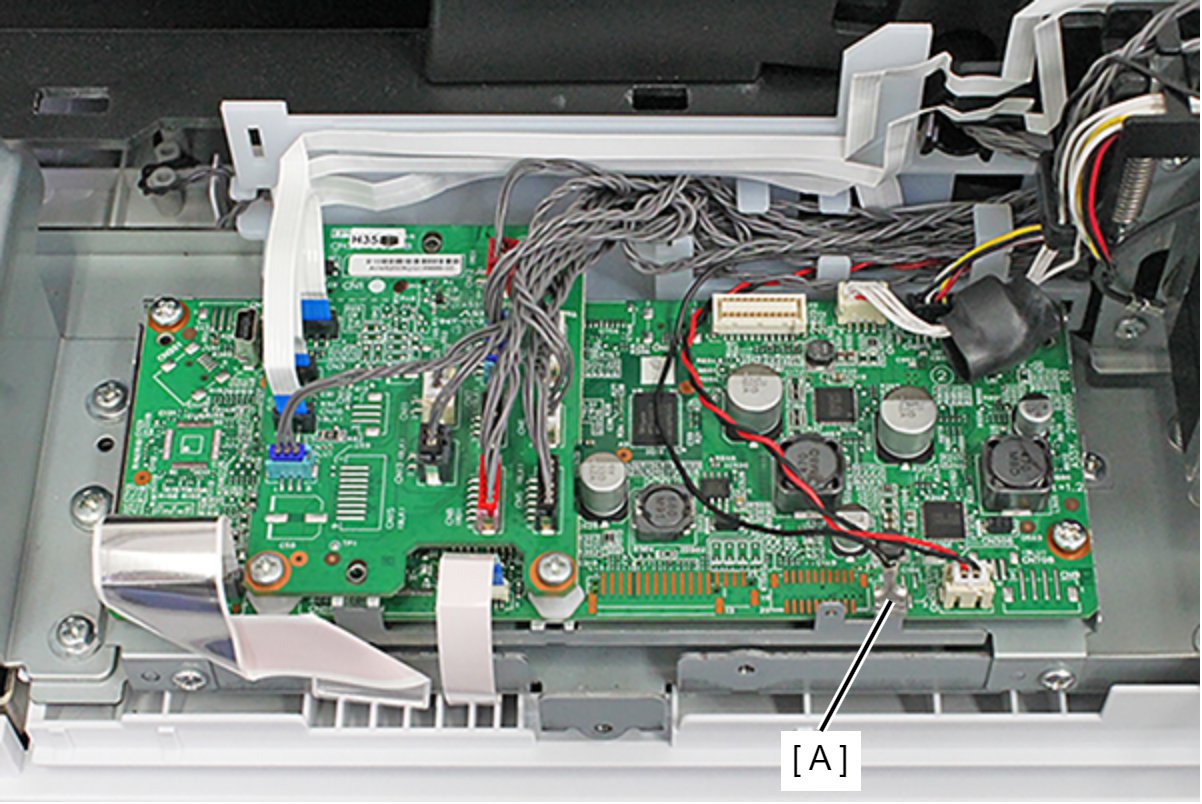
- Remove the Ground Terminal (A).
- Remove the four screws, and remove the ADF Board (A).
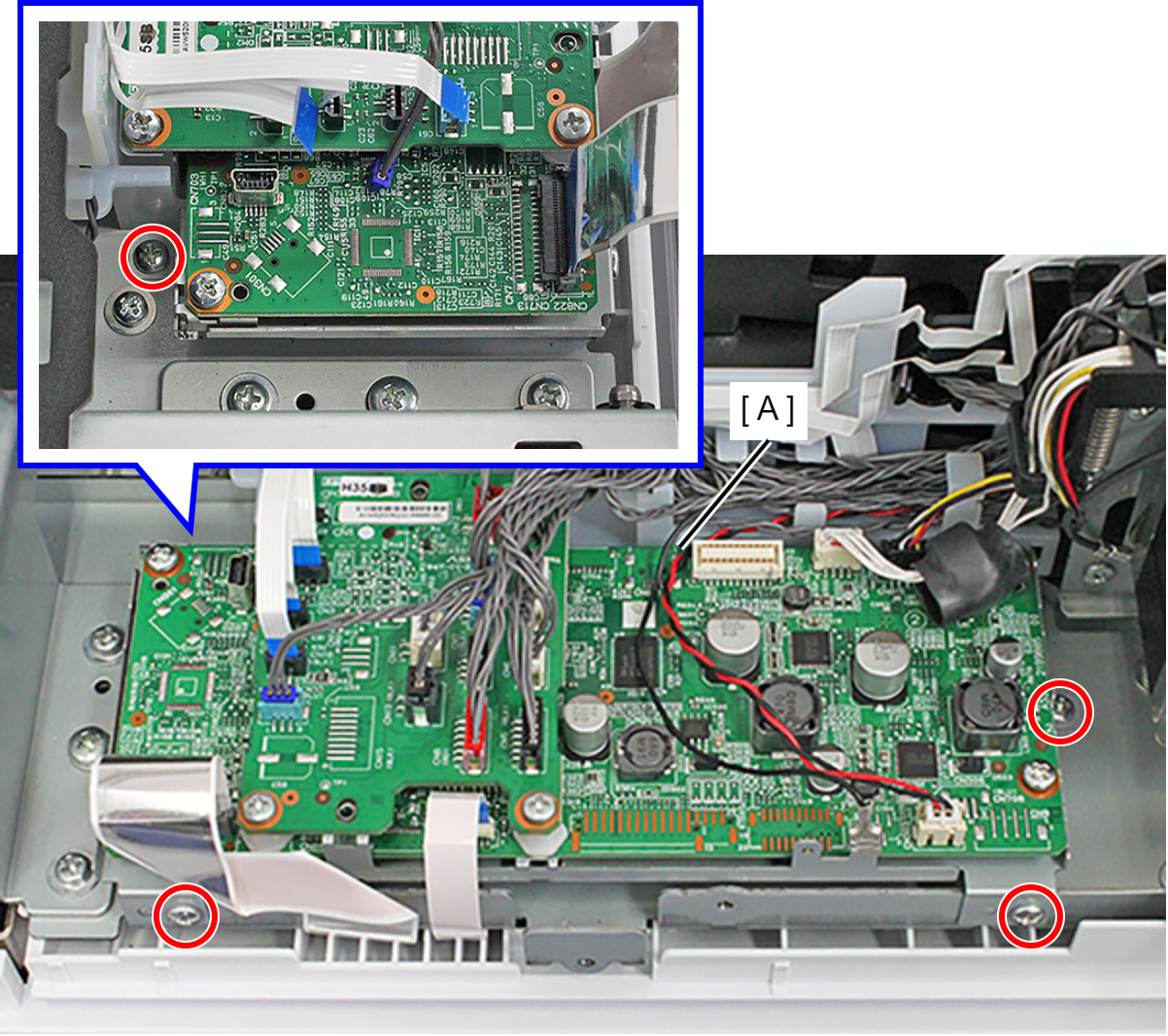
- : C.B.S-TITE-SCREW-3x8-F.ZN-3C