Installation Procedure

Caution / 注意

When moving the main unit, be sure to perform the work in accordance with the following points.

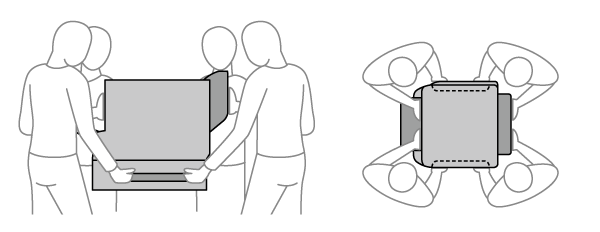
  • The printer is heavy so the work to unpack and move it must be carried out by at least four people.

  • When lifting up the printer, lift it up with your hands placed in the locations indicated in the diagram below. Be sure to hold the printer as indicated because there is a risk of dropping it or trapping your fingers when lowering it if other parts are held when lifting up the printer.

  • To prevent the printer from dropping or falling, do not tilt the printer when moving it.


Unpacking and checking items included in package

Removing the protective tape and protective material

Installation

Firmware Update

Main unit settings

Printing/operation checks

Attaching authentication device stand

Installing the Cabinet

Main Unit Settings

Ink Information Display Setting