Network setting
 Caution / 注意 Caution / 注意 |
|
 Check Point / チェックポイント Check Point / チェックポイント |
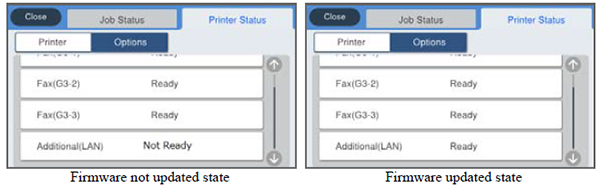
The state of the additional network board is “unavailable” until the firmware is next updated. This state is enabled (set to normal) by updating the firmware.
|

| Caution / 注意 |
|
| Check Point / チェックポイント |
The state of the additional network board is “unavailable” until the firmware is next updated. This state is enabled (set to normal) by updating the firmware.
|