Additional network setting method (only when additional network functions are enabled)
IP address setting of additional network
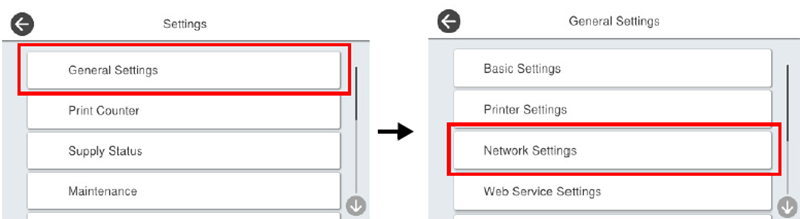
- From the home screen, select [Settings] - [General Settings] – [Network Settings].
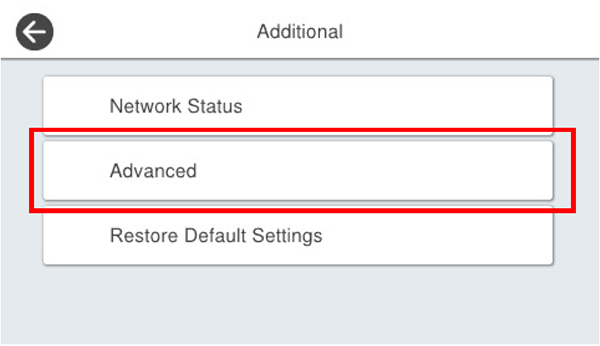
- Select [Additional].
* When a standard network is set, select [Standard].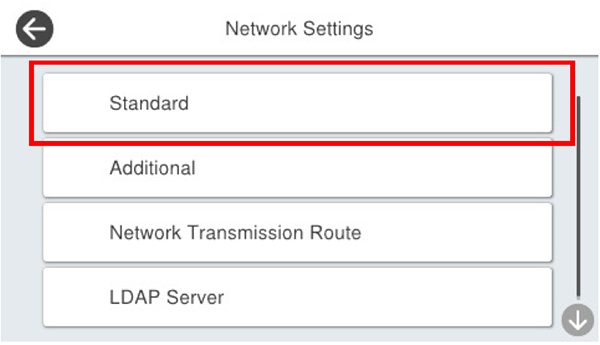
- Select [Advanced].
When the password entry screen is displayed, enter the administrator's password for the additional network.
 Check Point / チェックポイント
- The initial password is the “last 8 digits of the MAC address” of the Additional network interface.
(Example: “92E0A084” for 38: 9D: 92: E0: A0: 84) - The MAC address can be confirmed either on the network information of the additional network, the network status sheet, optional unit packaging, or the label on the additional network board.
- The initial password is the “last 8 digits of the MAC address” of the Additional network interface.
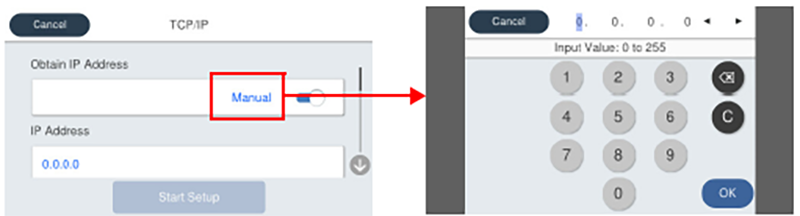
- Select [TCP/IP].
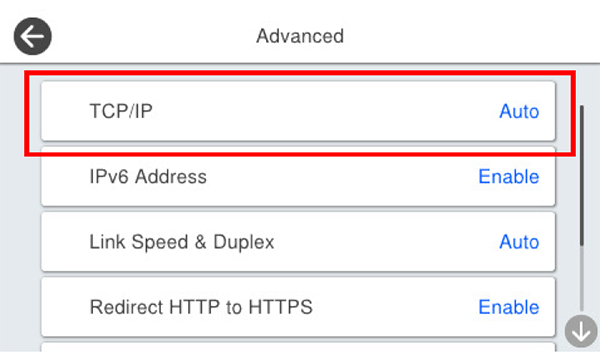
- After selecting [Manual], select [IP Address] and enter the IP address.