Normal Errors
 Check Point / チェックポイント Check Point / チェックポイント |
|
| Error code | Error | Error details | Error solution | |
|---|---|---|---|---|
| Name | Path / ink color | |||
| 920000 | Paper jam error | --- | Displayed when paper is jammed inside the machine. | Refer to Paper jam error. |
| 920001 | CR protective material removal forgotten error | --- | Occurs if mechanism initialization was not performed normally because removal of the CR protective material or protective tape had been forgotten when the power was first turned on. | Remove the CR protective material and protective tape. |
| 920021 | Not feeding error | Paper Cassette (C1) | Occurs if the paper did not reach the feed sensor when paper feeding was executed. | Refer to Not feeding error. |
| 920022 | Paper Cassette (C2) | |||
| 920023 | Paper Cassette (C3) | |||
| 920024 | Paper Cassette (C4) | |||
| 920025 | Rear tray | |||
| 920041 | Not feeding error (paper feed roller replacement) | Paper Cassette (C1) | Occurs if the paper did not reach the feed sensor when paper feeding was executed. |
Check the feed roller attachment state and reattach the feed roller. |
| 920042 | Paper Cassette (C2) | |||
| 920043 | Paper Cassette (C3) | |||
| 920044 | Paper Cassette (C4) | |||
| 920061 | Stack collapsed error | Paper Cassette (C1) | Occurs if separation of the paper with the separation roller could not be performed well, so the second sheet is in a half fed state and in a position different from the original paper feed start position. | Load paper into the corresponding cassette or tray. |
| 920062 | Paper Cassette (C2) | |||
| 920063 | Paper Cassette (C3) | |||
| 920064 | Paper Cassette (C4) | |||
| 920201 | No paper error | Paper Cassette (C1) | Occurs if there is determined to be no paper when printing is executed. | Load paper into the corresponding cassette or tray. |
| 920202 | Paper Cassette (C2) | |||
| 920203 | Paper Cassette (C3) | |||
| 920204 | Paper Cassette (C4) | |||
| 920205 | Rear tray | |||
| 920221 | No cassette/tray error | Paper Cassette (C1) | Occurs if the specified paper cassette is determined to be not attached. | Attach the paper cassette. |
| 920222 | Paper Cassette (C2) | |||
| 920223 | Paper Cassette (C3) | |||
| 920224 | Paper Cassette (C4) | |||
| 920241 | Double feeding error | Paper Cassette (C1) | Occurs if multiple sheets are fed at the same time when manual duplex printing. | Reload the paper and then try again. |
| 920242 | Paper Cassette (C2) | |||
| 920243 | Paper Cassette (C3) | |||
| 920244 | Paper Cassette (C4) | |||
| 920245 | Rear tray | |||
| 920261 | Automatic duplex paper size mismatch error | Paper Cassette (C1) | Occurs if the length of the paper loaded when automatic duplex printing differs from that of the setting. | Match the main unit setting and actual paper size. |
| 920262 | Paper Cassette (C2) | |||
| 920263 | Paper Cassette (C3) | |||
| 920264 | Paper Cassette (C4) | |||
| 920265 | Rear tray | |||
| 920281 | Fax paper length mismatch error | Paper Cassette (C1) | Occurs if the paper size when fax printing is determined to not match. | Match the main unit setting and actual paper size. |
| 920282 | Paper Cassette (C2) | |||
| 920283 | Paper Cassette (C3) | |||
| 920284 | Paper Cassette (C4) | |||
| 920285 | Rear tray | |||
| 920301 | Paper size mismatch error | Paper Cassette (C1) | Occurs if paper corresponding to the paper size setting of the driver, etc. is not set on the main unit. | Match the paper size setting of the driver, etc. and the actual paper size. |
| 920302 | Paper Cassette (C2) | |||
| 920303 | Paper Cassette (C3) | |||
| 920304 | Paper Cassette (C4) | |||
| 920305 | Rear tray | |||
| 920321 | Paper type mismatch error | Paper Cassette (C1) | Occurs if paper corresponding to the paper type setting of the driver, etc. is not set on the main unit. | Match the paper type setting of the driver, etc. and the actual paper type. |
| 920322 | Paper Cassette (C2) | |||
| 920323 | Paper Cassette (C3) | |||
| 920324 | Paper Cassette (C4) | |||
| 920325 | Rear tray | |||
| 920341 | Paper size and type mismatch error | Paper Cassette (C1) | Occurs if the paper size and paper type mismatches occur at the same time. | Match the paper settings (size and type) of the driver, etc. and the actual paper (size and type). |
| 920342 | Paper Cassette (C2) | |||
| 920343 | Paper Cassette (C3) | |||
| 920344 | Paper Cassette (C4) | |||
| 920345 | Rear tray | |||
| 920361 | Paper size setting error | Paper Cassette (C1) | Displayed when the loaded paper size does not match the printer settings. Occurs when the paper size detected during printing, such as by paper width detection, differs from the set size. |
Match the main unit setting / print settings and actual paper size. |
| 920362 | Paper Cassette (C2) | |||
920363 |
Paper Cassette (C3) | |||
| 920364 | Paper Cassette (C4) | |||
| 920365 | Rear tray | |||
| 920381 | Duplex printing not possible error | Paper Cassette (C1) | Occurs if a paper size or paper type mismatch occurs and the duplex reverse process is determined to be physically impossible. | Match the main unit setting / print settings and actual paper size. |
| 920382 | Paper Cassette (C2) | |||
| 920383 | Paper Cassette (C3) | |||
| 920384 | Paper Cassette (C4) | |||
| 920385 | Rear tray | |||
| 920401 | Cassette failure error | Paper Cassette (C1) | Displayed when the lift-up operation cannot be performed normally when the cassette is installed. | Refer to Cassette failure error. |
| 920402 | Paper Cassette (C2) | |||
| 920403 | Paper Cassette (C3) | |||
| 920404 | Paper Cassette (C4) | |||
| 920421 | Feed roller end of life reached error | Paper Cassette (C1) | Occurs when printing ends or the power turns on if the print count of the corresponding cassette has reached the number of pages for its life. |
|
| 920422 | Paper Cassette (C2) | |||
| 920423 | Paper Cassette (C3) | |||
| 920424 | Paper Cassette (C4) | |||
| 920425 | Rear tray | |||
| 920500 | Front cover open error | --- | Displayed when the cover is open. | Close the cover with a error. |
| 920501 | Rear cover open error | --- | ||
| 920502 | Rear cover open error (optional cassette) |
--- | ||
| 920503 | Ink case open error (P1) | --- | ||
| 920527 | RIPS rear cover open error | --- | ||
| 920550 | Left outside CAP error | --- | The CR Unit was left in a stopped state out of the home position for at least 30 minutes and the process was canceled. | Press the [OK] button in the Warning screen. |
| 920566 | Error waiting - paper reset during manual duplex printing | --- | Occurs when printer is in paper reset waiting state while performing backside printing of manual duplex printing. | Loads paper. |
| 920601 | Ink end error | Black | Occurs if the remaining amount of ink goes below the limit value. | Ink Pack replacement |
| 920602 | Cyan | |||
| 920603 | Magenta | |||
| 920604 | Yellow | |||
| 920621 | Ink recognition read error | Black | Occurs if the ink pack is in a state in which it cannot be recognized | Refer to Ink recognition error (non-genuine). |
| 920622 | Cyan | |||
| 920623 | Magenta | |||
| 920624 | Yellow | |||
| 920641 | Ink recognition write error | Black | ||
| 920642 | Cyan | |||
| 920643 | Magenta | |||
| 920644 | Yellow | |||
| 920661 | Ink not attached error | Black | Occurs if the ink pack is not attached. | Attach the ink pack. |
| 920662 | Cyan | |||
| 920663 | Magenta | |||
| 920664 | Yellow | |||
| 920681 | Remaining amount of ink for initial filling insufficient warning error | Black | Occurs if there is less than the amount of ink required for filling when initial filling starts. | Attach an ink pack for initial filling. |
| 920682 | Cyan | |||
| 920683 | Magenta | |||
| 920684 | Yellow | |||
| 920701 | Error for initial filling I/C | Black | Occurs if an ink cartridge supplied with the product was used for ink replacement for other than initial ink filling. | Attach other than the ink pack for initial filling (ASP ink pack). |
| 920702 | Cyan | |||
| 920703 | Magenta | |||
| 920704 | Yellow | |||
| 920721 | Ink recognition error (non-genuine) | Black | Occurs if the inserted ink is unrecognizable because it is non-genuine ink. | Attach the correct ink pack. |
| 920722 | Cyan | |||
| 920723 | Magenta | |||
| 920724 | Yellow | |||
| 920741 | Remaining amount of ink insufficient error | Black | Occurs if the remaining amount of ink is insufficient when executing strong cleaning. | Attach an ink pack with the amount required for cleaning. |
| 920742 | Cyan | |||
| 920743 | Magenta | |||
| 920744 | Yellow | |||
| 920900 | Maintenance box full error | --- | Occurs if the usage amount of the maintenance box exceeded the limit value. | Replace the maintenance box. |
| 920901 | No maintenance box error | --- | Displayed when the Maintenance Box is not installed. | Install the Maintenance box. |
| 920902 | Maintenance box recognition error (read) | --- | Displayed when the Maintenance box cannot be recognized. | Refer to Maintenance Box Recognition Error. |
| 920903 | Maintenance box detection error (Write) | --- | ||
| 920904 | Remaining amount of maintenance box insufficient error | --- | Occurs if the remaining amount of the maintenance box is insufficient when executing strong cleaning or Ink Replacement. | Attach a maintenance box with the amount required for cleaning. |
| 920930 | Maintenance Unit end error | --- | Occurs when the following three conditions are met when the number of print sides of the I/S Maintenance Unit are at a certain threshold value or below.
|
|
| 920980 | Memory full error | --- | Occurs if page data that uses a large amount of memory is sent and the main unit memory capacity is exceeded. | Reduce the memory usage of print page data by sending it in several batches etc. before printing. |
| 920981 | Memory insufficient error | --- | Displayed when the memory capacity of main unit becomes insufficient due to receiving a large amount of page data. | |
| 920982 | Memory insufficient error (number of print copies) | --- | Displayed when the memory capacity of main unit has reached its limit due to receiving an excessive data size of multiple copies. | |
| 920983 | Memory insufficient error (resolution reduction) | --- | ||
| 920984 | Memory insufficient error (reverse printing) | --- | ||
| 920985 | Manual Feed error | --- | Displayed when printing from PCL driver with "Manual Feed". | Loads paper to Rear Tray. |
| 920987 | Driver mismatch error | --- | Occurs when driver that is not corresponded to the printer is used. | Use corresponding driver. |
| 921001 | Feed roller end of life approaching warning | Paper Cassette (C1) | Displayed at the point in time when the number of sheets for replacement of a periodically replaced part has reached 97%. |
Press the [OK] button in the Error screen. |
| 921002 | Paper Cassette (C2) | |||
| 921003 | Paper Cassette (C3) | |||
| 921004 | Paper Cassette (C4) | |||
| 921005 | Rear tray (B) | |||
| 921021 | Feed roller end of life reached warning | Paper Cassette (C1) | Occurs when printing ends or the power turns on if the print count of the corresponding cassette has reached the number of pages for its life. * “B roller” displayed on the panel indicates the rear paper feed tray (Rear ASF Unit) roller. |
|
| 921022 | Paper Cassette (C2) | |||
| 921023 | Paper Cassette (C3) | |||
| 921024 | Paper Cassette (C4) | |||
| 921025 | Rear tray (B) | |||
| 921201 | Ink low | Black | Occurs if the remaining amount of the ink pack has become near the limit value. | --- |
| 921202 | Cyan | |||
| 921203 | Magenta | |||
| 921204 | Yellow | |||
| 921400 | Maintenance box nearly full | --- | Occurs if the usage amount of the maintenance box has become near the limit value. | --- |
| 921426 | No staple warning (side stitch) | --- | Notified if the finisher judges that the remaining amount of staples in the staple cartridge is "none". (Some finishers also sometimes judge "none" even though the remaining amount of staples is approximately between 40 to 50.) | Press the release key. |
| 921428 | Maintenance Unit near end warning |
--- | When the product life of replacement parts (I/S Maintenance Unit) reaches below a certain threshold Near end value (threshold): 291,000 sheets |
|
| 921429 | Maintenance Unit end warning | --- | Occurs when the following three conditions are met when the number of print sides of the I/S Maintenance Unit are at a certain threshold value or below.
|
(This is a warning and continued use is permissible. After replacement of periodic replacement parts, the error will still occur if the counter is not reset.) |
| 921607 | Product life near end warning | --- | Occurs when the number of print sides is near the product life. Is repeated at regular intervals after it occurs. |
Close the message display, or set the life warning display setting to OFF. |
| 921608 | Product life end warning | --- | Occurs when the number of print sides has exceeded the product life. Is repeated at regular intervals after it occurs. |
Close the message display, or set the life warning display setting to OFF. |
| 921610 | Standard paper output tray failure warning | --- | Occurs when the sensor or motor has failed, and the paper output tray extension operation and reset operation could not be performed normally. | When this warning occurs, printing continues without being stopped. |
| 930000 | ADF paper jam | --- | Displayed when a paper jam occurs at ADF unit. | Solve the cause of paper jam. |
| 930001 | ADF cover open error | --- | Displayed when the cover is open. | Close the ADF cover. |
| 930010 | Gap sensor dirty error | --- | An error occurs when paper present only at gap detection is detected when the power is turned on. | Open the ADF Cover, wipe dirt off the gap sensor, and close the cover. |
| 931000 | Near end - ADF feed roller | --- | Occurs when the ADF Paper Feed Roller counter has exceeded a certain threshold value. | --- |
| 931001 | End - ADF feed roller | --- | Occurs when the ADF Paper Feed Roller counter has exceeded a limit. | --- |
| 940000 | Send memory storage error | --- | Occurs if there is no memory remaining when fax scanning. | Send the documents in several batches. Enable the direct sent setting to send it. |
| 940001 | Receive memory storage error | --- | The available memory is insufficient to receive a fax, or received a document of more than 100 pages. |
Process the in box data (print, cancel, or delete). |
| 940002 | Fax job incomplete (No dial tone) | --- | Occurs if dialing the other party's fax number failed because a dial tone could not be detected. | Make sure the phone line is connected correctly, and try to send the fax again. |
| 940003 | Fax job incomplete (Busy) | --- | Dial failed because the recipient machine was busy. | Wait for a moment, and try again. |
| 940004 | Fax job incomplete (No answer) | --- | Occurs if dialing the other party's fax number failed because there was no response. | Wait for a moment, and try again. |
| 940005 | Fax job incomplete (Reverse insertion) | --- | Displayed when the phone cable is incorrectly connected to the LINE and EXT port of the product. | Connect "LINE" and "EXT" correctly. |
| 940006 | Fax job incomplete (Line is not connected) | --- | Displayed when the module cable is not connected to the phone line. | Check the telephone line and connect the modular cord. |
| 940007 | DNS error (e-mail) | --- | Displayed when the DNS server settings are invalid. | Check the DNS settings of the printer. Check the DNS server settings. |
| 940008 | DNS error (folder) | --- | Displayed when the DNS settings of the destination are invalid. | |
| 940009 | Authentication error (e-mail) | --- | Displayed when the authentication settings of the mail server are invalid. |
|
| 940010 | Authentication error (folder) | --- | Any of the following setting is invalid.
|
Check the following.
|
| 940011 | Communication error (e-mail) | --- | A communication error occurs during e-mail transfer. |
|
| 940012 | Communication error (folder) | --- | Occurs if a communication error occurred during folder forwarding. |
|
| 940013 | Invalid destination error (folder) | --- | Displayed when the specified destination does not exist. | Check that the following save destination settings are correct.
|
| 940014 | Save destination space insufficient error | --- | Displayed when save failed due to insufficient space in the destination folder. | Provide free space at the storage destination. |
| 940015 | No received data | --- | Occurs if the received data the user is attempting to print again has been discarded. | --- |
| 940016 | Preview error | --- | Displayed when the preview button is pressed while the direct send is enabled. | Disable the direct transmission. |
| 940017 | Color transmission not possible - transmission at specified time | --- | Displayed when the color start button is pressed while the scheduled sending is selected. | Hereafter, respond according to the intended use.
|
| 940018 | Color transmission not possible for polling transmission | --- | Occurs if polling transmission is specified and then the color start key is pressed. | Select black and white and then transmit. |
| 940019 | Color not possible when pending document storage | --- | Occurs if storage of pending documents is specified and then the color start key is pressed. | |
| 940020 | Color transmission to multiple destinations not possible | --- | Displayed when the color start button is pressed while multiple contacts are selected. | Hereafter, respond according to the intended use.
|
| 940021 | 2-sided color sending error | --- | Displayed when the color start button is pressed while 2-sided scan is enabled. | Hereafter, respond according to the intended use.
|
| 940022 | Color transmission not possible when ECM off | --- | Displayed when the color start button is pressed while ECM setting is disabled. | Hereafter, respond according to the intended use.
|
| 940023 | Duplex direct transmission not possible | --- | Occurs if the duplex scanning setting is enabled and the direct transmission setting is enabled and then the color start key is pressed. | Disable either the duplex scanning setting or direct transmission setting. |
| 940024 | Hook operation disabled | --- | Occurs if the on-hook dial button is pressed when the line is in use. | Wait for the line to be free and try again. |
| 940025 | Dial buffer | --- | Occurs if a number is input when the dial buffer is full with on-hook dialing. | Wait for the entered dial data to be processed so that space can be created in the buffer. |
| 940026 | Off-hook fax use prohibited | --- | --- | --- |
| 940027 | Transmission not possible error | --- | Occurs if manual transmission is started in the state in which transmission is not possible (during printing, while waiting to transmit at a specified time, during scanning, etc.) because of another function. | Wait for the function to end and then try again. |
| 940028 | Starting fax printing not possible | --- | Occurs if manually print report of print function diagnosis results during printing. | Wait until printing ends and then try again. |
| 940029 | Paper size mismatch | --- | Occurs if fax printing is started when the set paper size is smaller than the paper size of the fax data to be printed. | Load paper of the correct size. |
| 940030 | Media error (media removed) | --- | Displayed when the Media is removed while saving or creating a folder. | Connect the media and try again. |
| 940031 | Media error (memory full) | --- | Displayed when the media that has not enough space is inserted to save received faxes. | Connect media with free space and try again. |
| 940032 | Media error (write-protected) | --- | Displayed when the write-protected media is connected for saving received faxes, or a storage folder for received faxes is to be created in a write-protected media. |
|
| 940033 | Media error (fail) | --- | Occurs if a write error occurred during saving received faxes. |
|
| 940034 | FAX configuration change are invalid (Fax function is in use) | --- | Displayed when the Fax settings are to be changed while fax function is used. | After confirming that the fax has been used, change the settings. |
| 940035 | FAX configuration change are invalid (PC is in use) | --- | Displayed when the Fax settings are to be changed while changing the fax settings through the PC. | Confirm that the fax setting change from the PC has been completed, and then change the setting. |
| 940036 | Email server not set | --- | Displayed when the mail is selected in transfer settings without setting the mail server. | Configure the mail server settings. |
| 940037 | Fax configuration are invalid (Mail server is not connected) | --- | Displayed when the mail is selected in transfer settings while mail server is not connected. | Check the connection with the mail server and establish the connection. |
| 940038 | Fatal - Fax Board failure - FAX Board | --- | Occurs when the FAX Board is broken. | Replace the Fax Board. |
| 940040 | [Multiport] Fax extension unit, failure | --- | Occurs when the connected fax extension unit fails. |
Replace and restore by contacting service support. |
| 940041 | [Multiport] Fax extension unit, firmware version mismatch |
--- | Occurs when the firmware version of the connected fax extension unit does not match the printer firmware. |
Execute the firmware update by contacting service support or by user operation. |
| 940042 | [Multiport] Fax extension unit, disconnection during operation |
--- | Occurs when the connected fax extension unit was physically disconnected during operation. |
Repair and restore by contacting service support. |
| 940043 | [Multiport] Fax extension unit, update required |
--- | Occurs when an operation defect occurs during startup, for example, by a power interruption during writing of the fax extension unit firmware. |
If this is not restored after the update, replace and restore by contacting service support. |
| 950000 | Scan to Email - DNS error | --- | Displayed when the DNS server settings are invalid. |
|
| 950001 | Scan to Email - Communication error | --- | Occurs if a communication error occurred during Scan to Email execution. |
|
| 950002 | Scan to Email - Authentication error | --- | Displayed when the authentication settings of the mail server are invalid. |
|
| 950003 | Scan to Email - File size over | --- | Displayed when the scan data to be attached exceeds the maximum size for attached files. |
|
| 950004 | Scan to Email - Insufficient memory | --- | Occurs if insufficient memory during Scan to Email execution. | Make sure the running job has finished and try again. |
| 950005 | Scan to Email - ADF document removal required | --- | Displayed when the document in the ADF unit is required to be removed during Scan to Email. | Remove the document from the ADF. |
| 950006 | Scan to Email - ADF document loading required | --- | Occurs if a document needs to be loaded in the ADF unit during Scan to Email execution. | Load the document in the ADF. |
| 950007 | Scan to Email - Addition limit exceeded | --- | Displayed when the number of added page to scan has reached its upper limit. | Send and save the scanned data, and scan the remaining documents as separate jobs. |
| 950010 | Scan to Email - S/MIME encryption certificate error |
--- | Occurs when the encryption certificate has expired in the encryption use settings. |
Register a certificate with a valid expiry date as the encryption certificate. |
| 950011 | Scan to Email - S/MIME signature certificate error |
--- | Occurs when the signature certificate has expired in the signature use settings. |
Register a certificate with a valid expiry date as the signature certificate. |
| 950020 | Scan to Folder - DNS error | --- | Displayed when the DNS settings of the destination are invalid. |
|
| 950021 | Scan to Folder - Communication error | --- | Displayed when the communication error has occurred during Scan to Folder. |
|
| 950022 | Scan to Folder - Authentication error | --- | Occurs if any of the user name and password settings for accessing the specified save destination is invalid. | Check that the following save destination settings are correct.
|
| 950023 | Scan to Folder - File size over | --- | Occurs if the scanned data did not fit in the folder of the save destination. |
|
| 950024 | Scan to Folder - Insufficient memory | --- | Occurs if insufficient memory during Scan to folder execution. | Make sure the running job has finished and try again. |
| 950025 | Scan to Folder - ADF document removal required | --- | Occurs if a document needs to be removed from the ADF unit during Scan to Folder execution. | Remove the document from the ADF. |
| 950026 | Scan to Folder - ADF document loading required | --- | Occurs if a document needs to be loaded in the ADF unit during Scan to Folder execution. | Load the document in the ADF. |
| 950027 | Scan to Folder - Addition limit exceeded | --- | Displayed when the number of added page to scan has reached its upper limit. | Send and save the scanned data, and scan the remaining documents as separate jobs. |
| 950028 | Scan to Folder - Destination invalid | --- | Displayed when the specified destination does not exist. | Check that the following save destination settings are correct.
|
| 950029 | Scan to Folder - Same file name already exists | --- | Displayed when the file name is duplicated in the save destination |
|
| 950030 | Scan to folder - File size excess |
Occurs when the data size of one file has reached its upper limit for a PDF/multi-page TIFF. |
Either lower the resolution or set a higher compression ratio. |
|
| 950040 | Scan to Cloud - Communication error | --- | Displayed when a communication error occurs while acquiring an address. | Check that there is a connection to the network. |
| 950041 | Scan to Cloud - Out of service | --- | Occurs when the Epson Connect service of the printer is paused. | Enable the service in Epson Connect settings of the setup. |
| 950042 | Scan to Cloud - No service registered | --- | Occurs if the Epson Connect service is not registered. | Register the printer in the Epson Connect service. |
| 950043 | Scan to Cloud - Not logged in | --- | Occurs if not connected to the Epson Connect server due to one of the following reasons.
|
|
| 950044 | Scan to Cloud - ADF document removal required | --- | Occurs if a document needs to be removed from the ADF unit during Scan to Cloud execution. | Remove the document from the ADF. |
| 950045 | Scan to Cloud - ADF document loading required | --- | Occurs if a document needs to be loaded in the ADF unit during Scan to Cloud execution. | Load the document in the ADF. |
| 950046 | Scan to Cloud - File size excess | --- | Occurs if the scanned data exceeded the size of data that can be transmitted. | Reduce the number of manuscripts and try again. |
| 950047 | Scan to Cloud - Destination invalid | --- | Displayed when the destination is incorrect. |
Reset the destination. |
| 950048 | Scan to Cloud - Destination not registered | --- | Occurs if not even one destination is registered to the server. | Register a destination to the Epson Connect service. |
| 950049 | Scan to Cloud - Addition limit exceeded | --- | Displayed when the number of added page to scan has reached its upper limit. | Send and save the scanned data, and scan the remaining documents as separate jobs. |
| 950060 | Communication Error AirPrint(eSCL) Scan | --- | Displayed when a communication error has occurred while executing a function. | Check that there is a connection to the network. |
| 950070 | Scan to WSD - Communication error | --- | ||
| 950080 | Scan to Document Capture Pro - Communication error | --- | ||
| 950081 | Scan to Document Capture Pro - PC in use error | --- | Occurs if the destination PC is busy. | Check that the destination PC is not communicating with another printer. (If communication is in progress, confirm that the communication has been completed and try again.) |
| 950082 | Scan to Document Capture Pro - No applicable PC | --- | Occurs if not connected with a PC compatible with Document Capture Pro. | Connect with a PC compatible with Document Capture Pro. |
| 950090 | Scan to Document Capture Pro Server - Communication error |
--- | Displayed when a communication error has occurred during Scan to Document Capture Pro Server | Check that there is a connection to the network. |
| 950091 | Scan to Document Capture Pro Server - Server unavailable | --- | Occurs if the server is busy. | Wait for a moment, and try again. |
| 950092 | Scan to Document Capture Pro Server - No respond error | --- | Occurs if a server compatible with Document Capture Pro Server could not be found. | Connect with a server compatible with Document Capture Pro Server. |
| 950093 | Scan to Document Capture Pro Server - No job error | --- | Occurs if not even one job is registered to the server. | Register a job on Document Capture Pro Server. |
| 950100 | Communication error - SMTP Server | --- | Occurs if a communication error occurred during communication to SMTP Server. |
|
| 950101 | Communication error - POP3 Server | --- | Occurs if a communication error occurred during communication to POP3 Server. |
|
| 950102 | DNS error - mail server (SMTP) | --- | Occurs if trouble occurred during connection to SMTP Server. |
|
| 950103 | DNS error - mail server (POP3) | --- | Occurs if trouble occurred during connection to POP3 Server. |
|
| 950104 | Authentication error - SMTP Server | --- | Occurs if authentication process is failure on SMTP Server. | Check following mail server setting.
|
| 950105 | Authentication error - POP3 Server | --- | Occurs if authentication process is failure on POP3 Server. | |
| 950106 | Certificate error (date and time) | --- | Occurs if printer's date and time setting is incorrect, or if you have a root certificate for the server, but it has expired. | Check date and time setting of printer. |
| 950107 | Certificate error (CA certificate) | --- | Occurs if printer does not have a root certificate corresponding to the server or if the CA certificate for verifying the partner server is not imported. |
|
| 950108 | Certificate error (others) | --- | Occurs if certificate obtained from the server is broken. | Check that certificate obtained from the server is correctly. |
| 950109 | Protocol unmatch to SMTP Server (Server is No SSL) - Mail Server | --- | Occurs if mismatch SMTP connection setting on server and Client, or server is not support SMTP Secure Connection (SSL Connection). | Check that secure connection setting on Sever and Client are matched. |
| 950110 | Protocol unmatch to SMTP Server (Server is SSL/TLS) - Mail Server | --- | Occurs if mismatch SMTP connection setting on server and client, or if Server request the SSL/TLS connection to SMTP Secure Connection. | |
| 950111 | Protocol unmatch to SMTP Server (Server is STARTTLS) - Mail Server | --- | Occurs if mismatch SMTP connection setting on server and client, or if Server request the STARTTLS connection to SMTP Secure Connection. | |
| 950112 | Communication error to SMTP Server (Failed to connect server or it is not SMTP server) - Mail server | --- | Occurs if printer communication by using the no support protocol. | Check following mail server setting.
|
| 950113 | Invalid authentication method (SMTP-Auth is required) - Mail Server | --- | Occurs if mismatch the authentication method on Server and client. | Change the Authentication method of printer to SMTP Authentication. |
| 950114 | Invalid authentication method (SMTP-Auth is not required) - Mail Server | --- | Change the Authentication method of printer to POP before SMTP. | |
| 950115 | Sender address designation error | --- | Occurs if source address specification is mistake. | Check source address. |
| 950120 | Option Ether version mismatch | --- | Occurs when the version of Option Ether is older than the version requested by the product. |
Update the product version with Option Ether connected. |
| 950121 | Option Ether failing | --- | Occurs when Option Ether startup processing is not completed normally. |
Remove Option Ether and submit it for repair. |
| 950130 | Password encryption TPM chip failing | --- | Occurs when a failure-related error response is returned from the TPM chip and encryption/decryption processing is not possible. |
Replace the TPM chip during repair. Perform initialization after TPM chip failure or perform a USB memory import after TPM chip failure. |
| 950131 | Fully initialize and restore after replacing password encryption TPM chip |
--- | Occurs when initialization after TPM chip failure is listed only once as a history log. |
Occurs when initialization after TPM chip failure is listed only once as a history log. |
| 950132 | Perform a USB memory import and restore after replacing password encryption TPM chip |
--- | Occurs when execution of a USB memory import after TPM chip failure is listed only once as a history log. |
Occurs when execution of a USB memory import after TPM chip failure is listed only once as a history log. |
| 950133 | Data failure during encryption/decode |
--- | Recorded only once as history when a power failure occurs during encryption / decryption |
Recorded only once as history when a power failure occurs during encryption / decryption |
| 990000 | Scan to External Memory - Capacity shortage | --- | The storage media space for scanning data is insufficient. |
|
| 990001 | Scan to External Memory - Write-protected | --- | Displayed when the destination memory is write protected. | Disable the write protection on the memory. |
| 990002 | Scan to External Memory - Folder creation | --- | Occurs if a folder cannot be created in the storage media. | Connect another media. |
| 990003 | Scan to External Memory - Card removed | --- | The storage media was removed during Scan to External Media execution. | Connect the media. |
| 990004 | Scan to External Memory - Insufficient memory | --- | Occurs if insufficient memory during Scan to External Memory execution. | Make sure the running job has finished and try again. |
| 990005 | Scan to External Memory - Others | --- | Displayed when save is failed due to the error other than above | Try again.(If the trouble is not resolved, contact Epson Service Support department.) |
| 990006 | Scan to External Memory - Addition limit exceeded | --- | Displayed when the number of added page to scan has reached its upper limit. | Send and save the scanned data, and scan the remaining documents as separate jobs. |
| 990100 | External memory recognition not possible | --- | Displayed when the connected memory is not formatted or the format is not supported. | Connect another media. |
| 990101 | Simultaneous operation execution error - USB Memory print | --- | Occurs if attempted to execute the external memory printing function when a function that cannot be executed at the same time is running. | Make sure the running function has ended, and then try again. |
| 990200 | Security (User restriction) print control | --- | Occurs if user authentication was successful but there is no PC printing privilege for that user. | Assign the PC printing authority to the target user under Web Config, Net Config. |
| 990201 | Security (User restriction) authentication error | --- |
|
|
| 990300 | Copy memory full error | --- | Displayed when the number of scanned pages exceeds the limit of the memory. | Scan the documents in several jobs. |
| 990400 | Invalid HDD connection | --- | Occurs when an invalid model of HDD was connected at startup. | Turn the power OFF, connect the correct model of HDD and restart. |
| 990401 | Replacement of HDD | --- | Occurs when an HDD different to the model connected at the previous startup was connected at startup. | Press the close button. This error is displayed only once. |
| 990402 | HDD failure_at startup | --- | Occurs when an HDD failure was detected at startup. | Turn the power OFF, connect a valid HDD and restart. |
| 990403 | HDD failure_at job execution | --- | Occurs when HDD accessing during job execution failed. | Turn the power OFF then back ON again. |
| 990500 | Stapler cover open error | --- | Occurs when an open optional stapler cover is detected and clinching is impossible. | Close the stapler cover. |
| 990501 | Stapler staple end error | --- | Occurs when a "no staple" state in the optional stapler is detected and clinching is impossible. | Load a new staple cartridge, and close the stapler cover. |
| 991000 | Reboot notification warning by changing settings | --- | Displayed when the printer needs to be restarted due to a change in settings. | Restart the printer. |
| 991100 | Non-genuine HDD warning | --- | --- | --- |
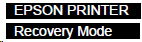
| --- | “Recovery Mode” is displayed | --- |
If firmware update fails. (e.g.) The printer turned off during the update, USB or network communication was interrupted, poor connection between boards, etc. <Recovery mode types>
|
(If the trouble is not resolved, inquire at service support) |