
Service mode startup and operating procedures
How to start up from a power-off state
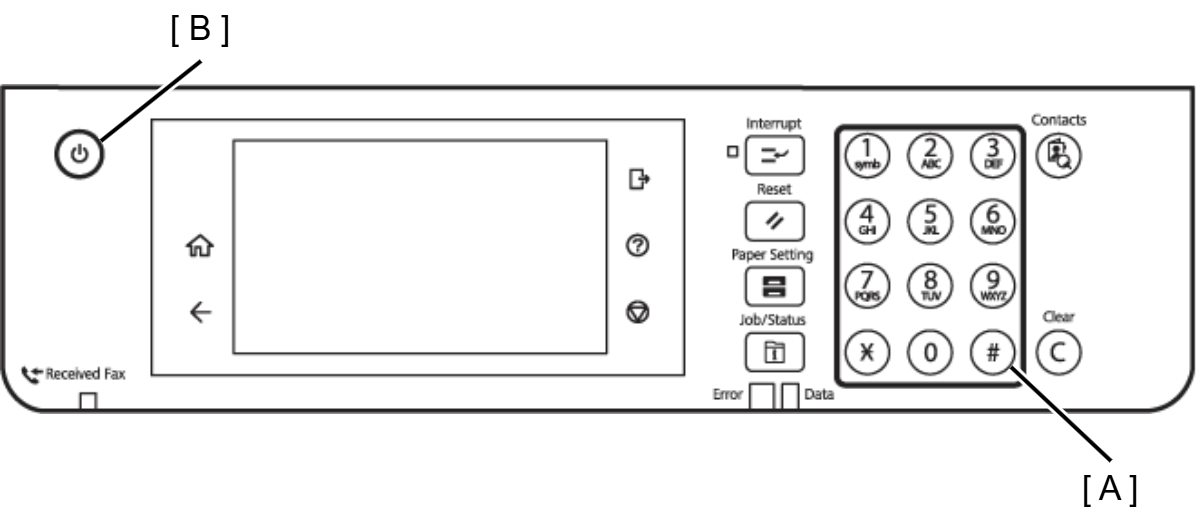
- Press and hold down the power button (B) while pressing the [#] button (A) from the power-off state until a message appears on the panel LCD.
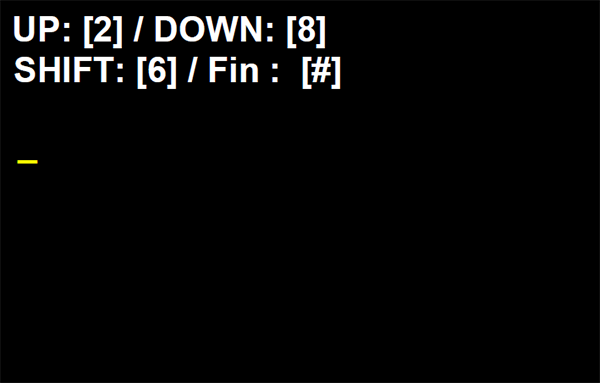
Enter ID number of Service Support Mode, and start the service support mode.
 Check Point / チェックポイント
Enter "98308" when starting service support mode
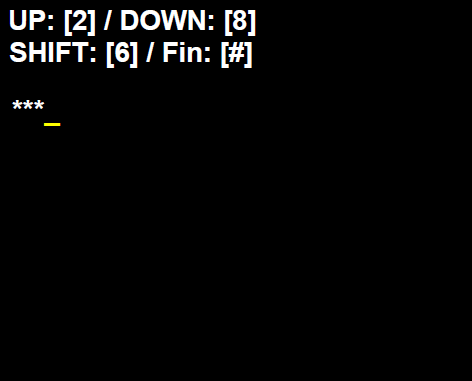
Operating procedure
Number input (move in ascending order) : [2] button
Number input (move in descending order) : [8] button
Input digit shift : [6] button
- Execute : [#] button
ID number input procedure
Press a number input button ([2] button or [8] button) to enter a number from 1 to 9.
Press the input digit shift button ([6] button) to shift to the next digit.
Check Point / チェックポイント- It is not possible to return to the previous digit after shifting digits. If you wish to correct the number of the previous digit, proceed with the steps until after step 5 and then perform input again.
- Please note that the execute button is not enabled until at least two digits have been entered.
- Press a number input button ([2] button or [8] button) to enter a number from 1 to 9.
- Repeat the above procedure to enter the specified ID number.
- When all of the ID number is entered, press the execute button ([#] button). (A confirmation message appears.)
- Press the execute button ([#] button) to execute or press the input digit shift button ([6] button) to enter the number again.
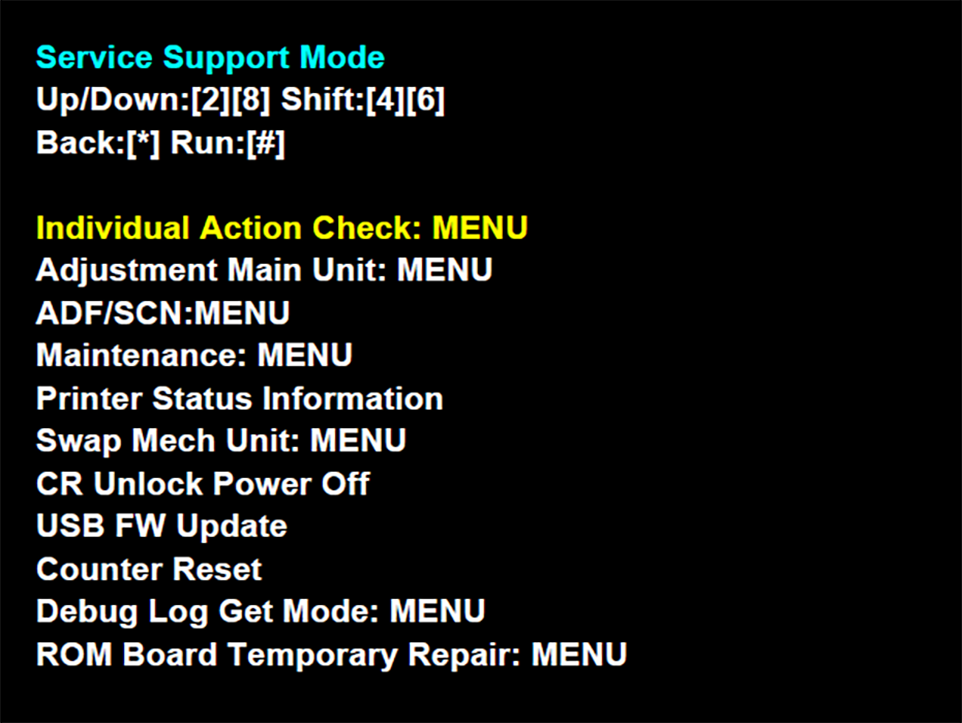
How to start up from the normal mode
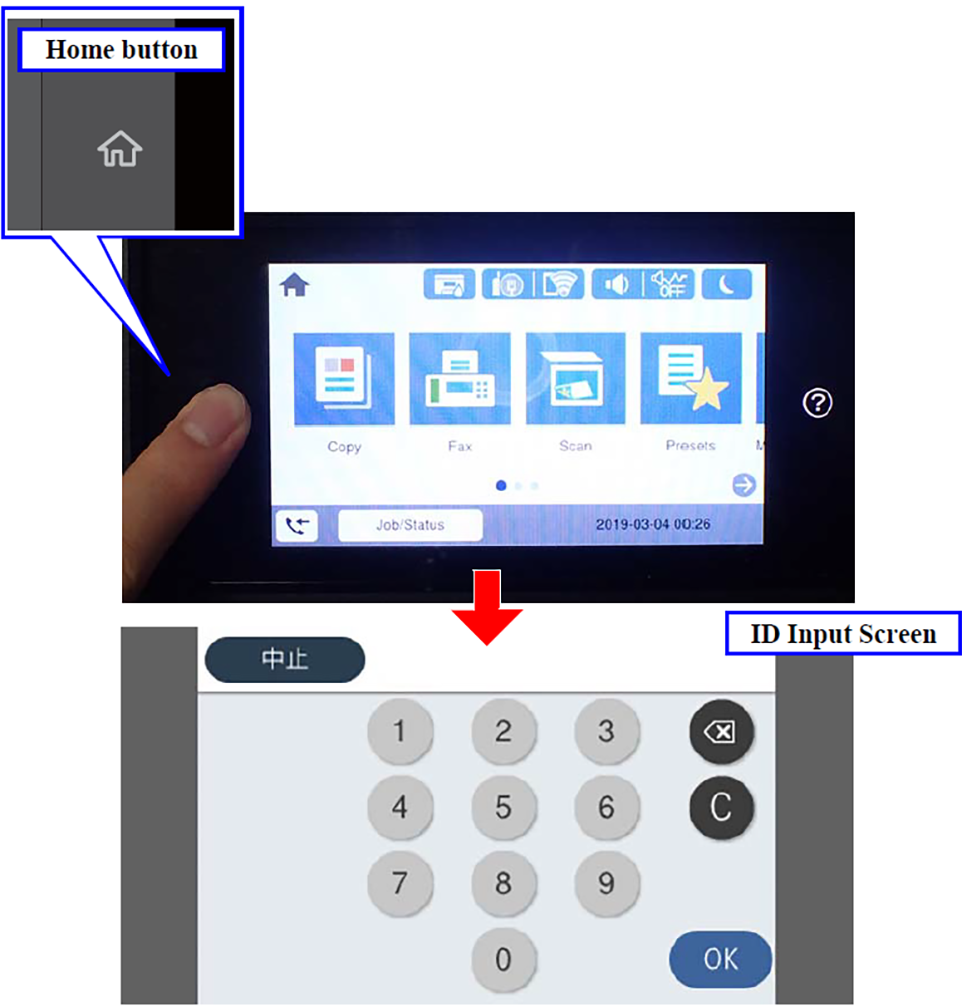
- Make sure that this device is started up in the normal mode. (Home Screen)
- Hold down the [Home] button to display the ID input screen.
- In the mode ID input screen, enter [98308] and press the [OK] button.
 Caution / 注意
- Solution if enter and execute the wrong ID
- When a different mode starts: If you enter the wrong ID and a different mode starts, there is the possibility of changing important settings of the unit, so press the power button to turn off the power immediately and then perform the process again to enter the correct ID number.
- When non-existent ID number: The following panel LCD display appears and the power is turned off automatically.

- Solution if enter and execute the wrong ID