Overview
This section explains how to take over various setting information when the printer is swapped over to a new product.
When the printer main unit must be swapped due to a product malfunction, for example, the various information settings of the malfunctioning printer can be taken over to the normally working hardware (hardware to swap with). This eliminates the need to reset the various settings and allows settings to be restored quickly.
The various information of the product are stored in PCB Rom. This information can be taken over by moving the PCB Rom to a normally working hardware (hardware to swap with) from the malfunctioning printer.
The following information is stored on PCB Rom:
- PCB Rom stored information
The following two types of information are stored on the PCB Rom:- Mech Unique data (Adjustment value etc.)
- User Setting Data (User Setting data, Serial Number etc)
When perform the product swap, it is necessary to take over the “user setting data” only to swapping product. Therefore, you need over write the “Mech Unique data” of swapping product after moving the PCB ROM.
The work procedure at product swap will be explained from the next section.
 Check Point / チェックポイント Check Point / チェックポイント |
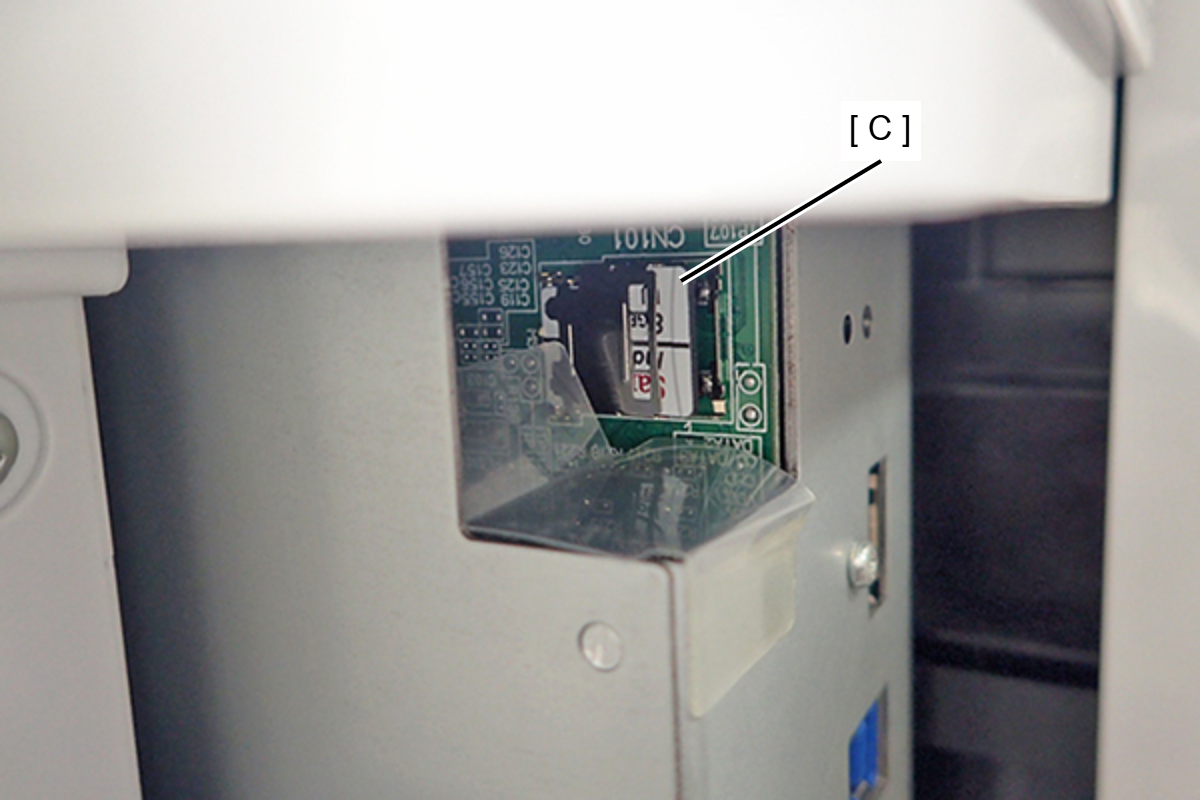
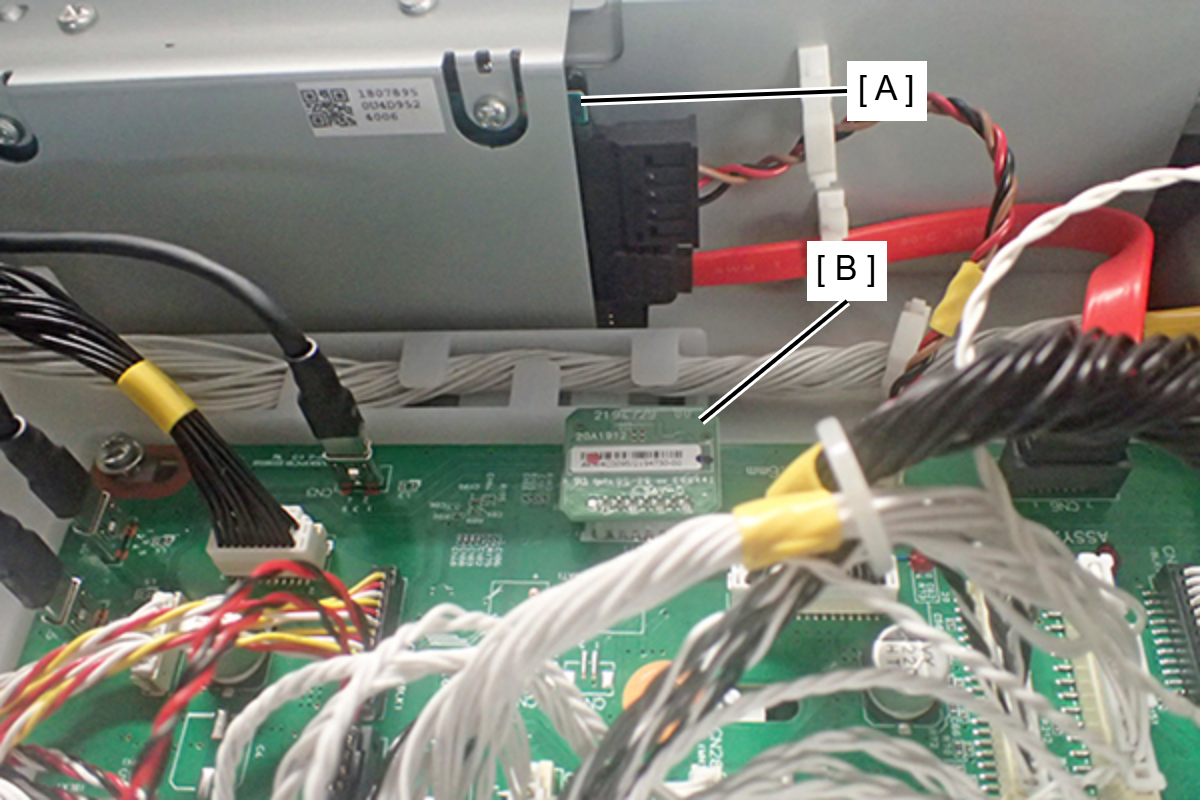
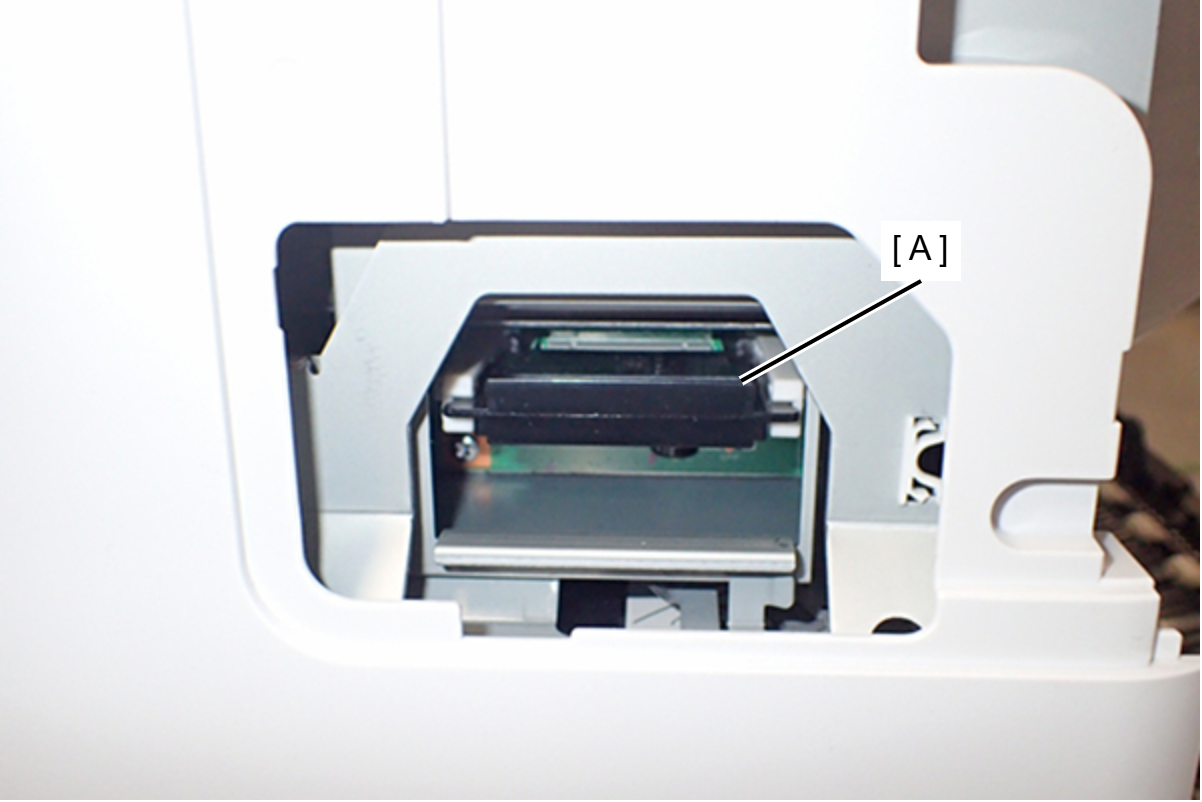
The PCB Rom (A) can be moved from the position shown in the following Figure.
|
 Caution / 注意 Caution / 注意 |
|