
PE SENSOR CHECK PATTERN [B75]
- Start service support mode.
- Select “Adjustment Main Unit: MENU” from the service support mode top menu.
- Select “Periodic Maintenance: MENU” from the Adjustment Main Unit menu.
- Select “PE Sensor Check Pattern”.
- The following screen will be displayed.
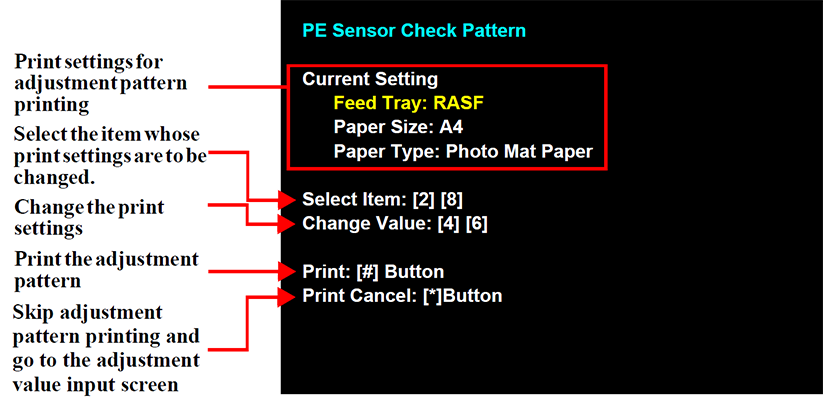
- Load paper into the rear tray.
- Press the [#] button to print the check patterns.
 Check Point / チェックポイント Check Point / チェックポイント |
For details on how to use the PE Sensor check pattern, refer to “PE Sensor” at “All Sensor Check Items” |