
Counter reset [B16]
- Start service support mode.
- Select “Adjustment Main Unit: MENU” from the service support mode top menu.
Select [Counter reset].
 Check Point / チェックポイント
Select and execute the corresponding adjustment item using either procedure below.
- Selecting by entering the program number
- Select “Input B No.-Main Unit Adjust” from the Adjustment menu.
- Press the [#] button and software number key is displayed on LCD. Enter programnumber “16”.
- Press the [#] button.
- Selecting from menu
- Select “Individual Adjustment: MENU” from the Adjustment menu.
- Select “Initial Setting Menu” from the Individual Adjustment menu.
- Select “Counter Reset” from the Initialize menu.
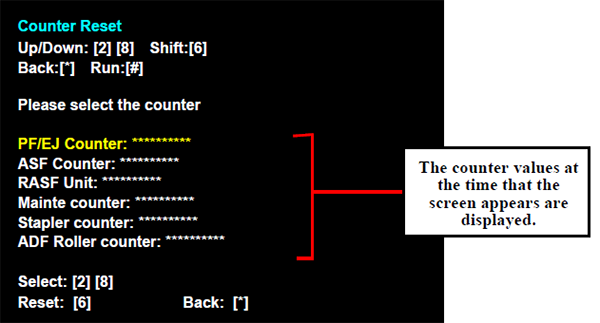
- The following screen will be displayed. Select the counter to reset, and press the [#] button.
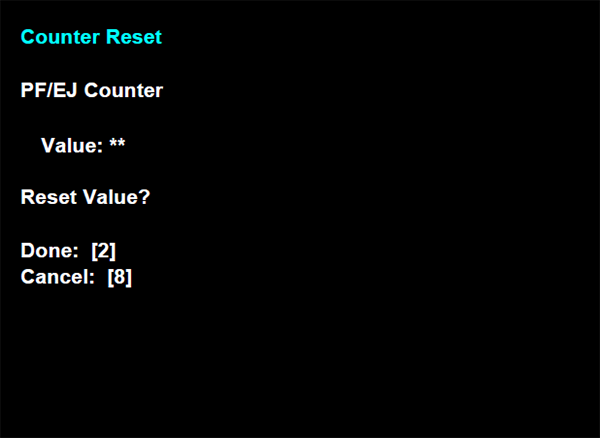
- [2] Press the button to execute initialization.(To not execute it, press the [8] button to return to the Initial Setting menu)
- After counter initialization is executed, check that the values of the initialized counters have changed to [0] in the counter reset screen