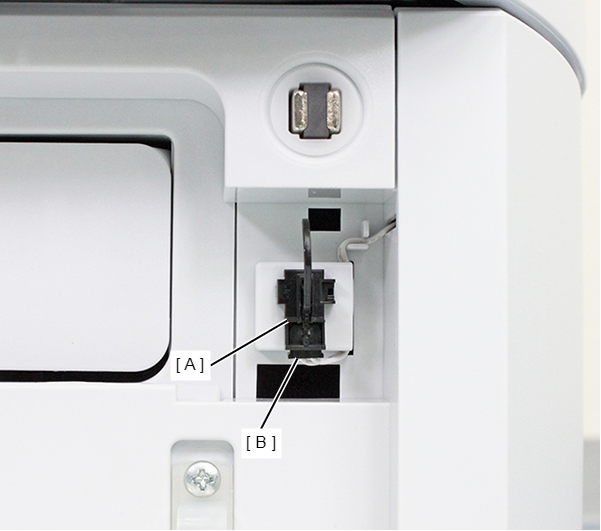
Ink Pack Cover Open Sensor
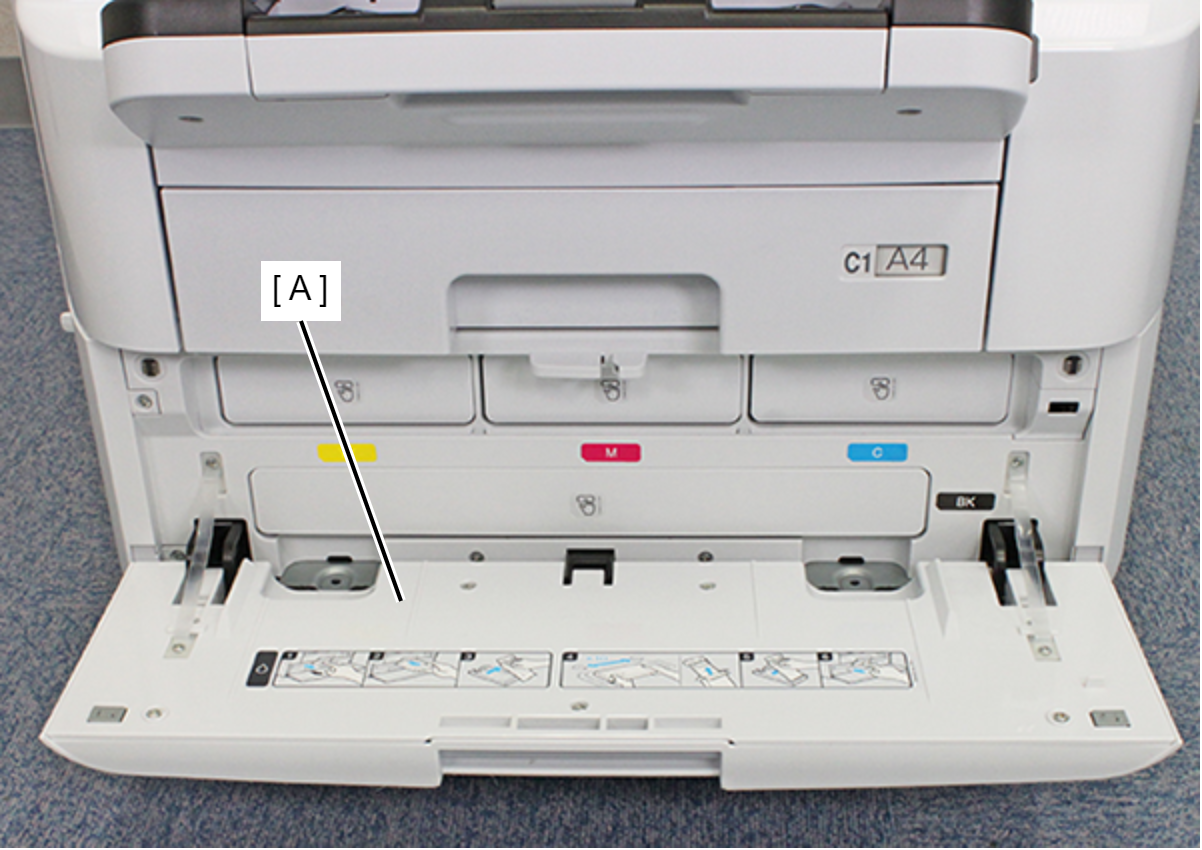
- Open the Ink Pack Cover (A).
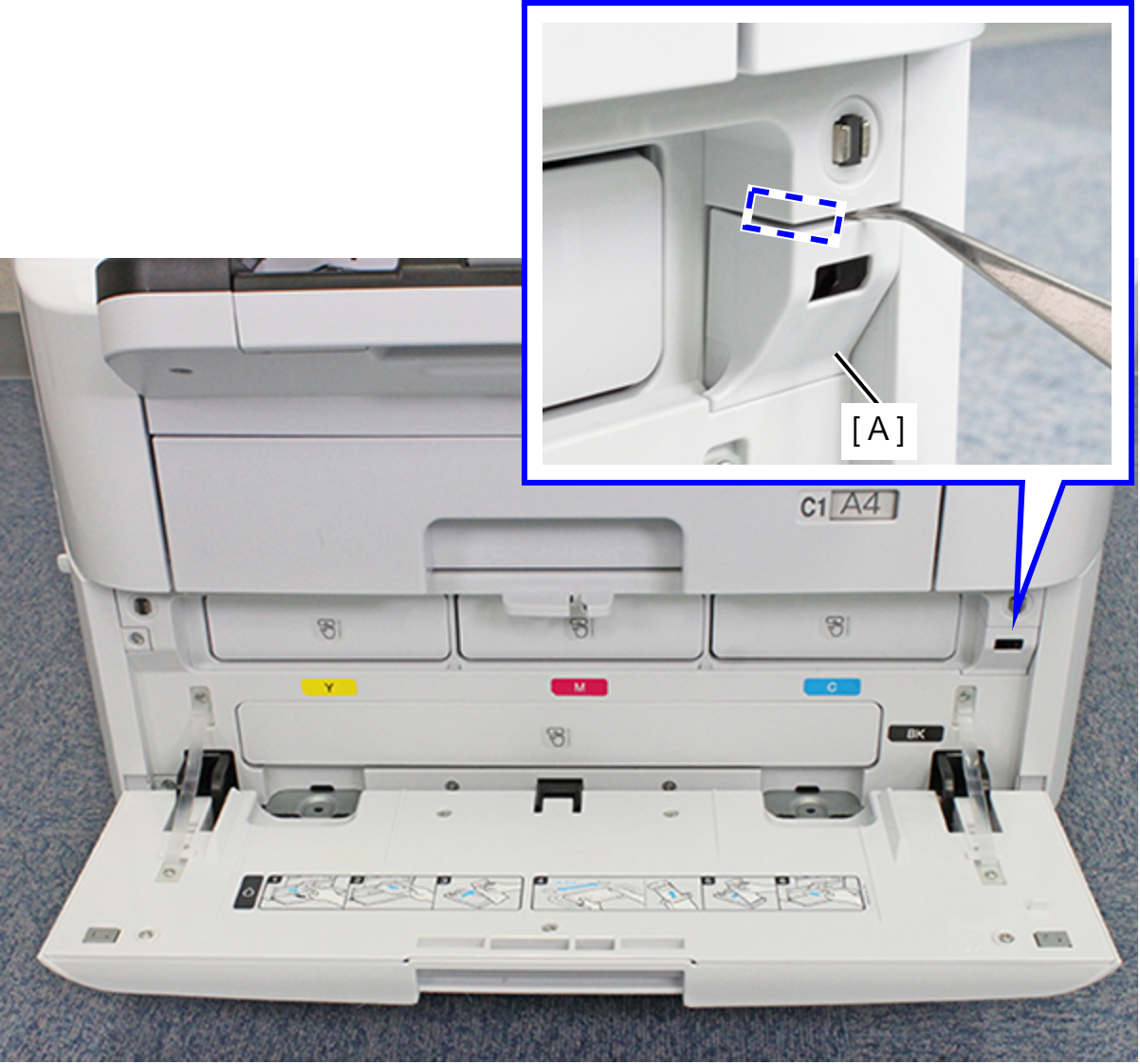
- Release the hook by inserting a narrow-tipped object, such as tweezers or the like, as shown above, and remove the Ink Pack Cover Open Sensor Holder (A).
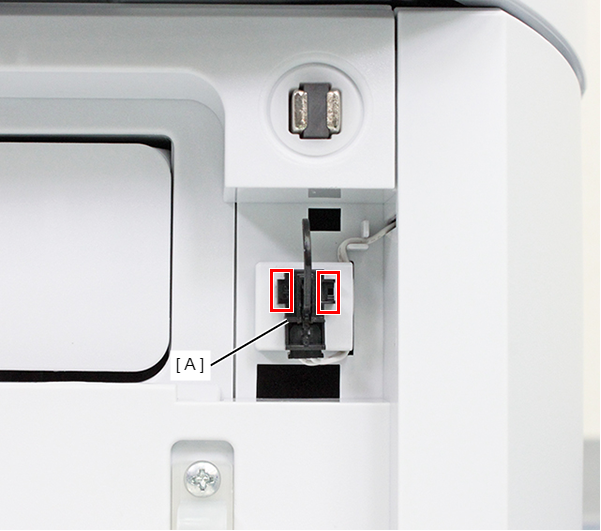
- Release the two hooks and remove the Ink Pack Cover Open Sensor (A).
- Remove the cable from the connector (B) of the Ink Pack Cover Open Sensor (A), and remove the Ink Pack Cover Open Sensor.