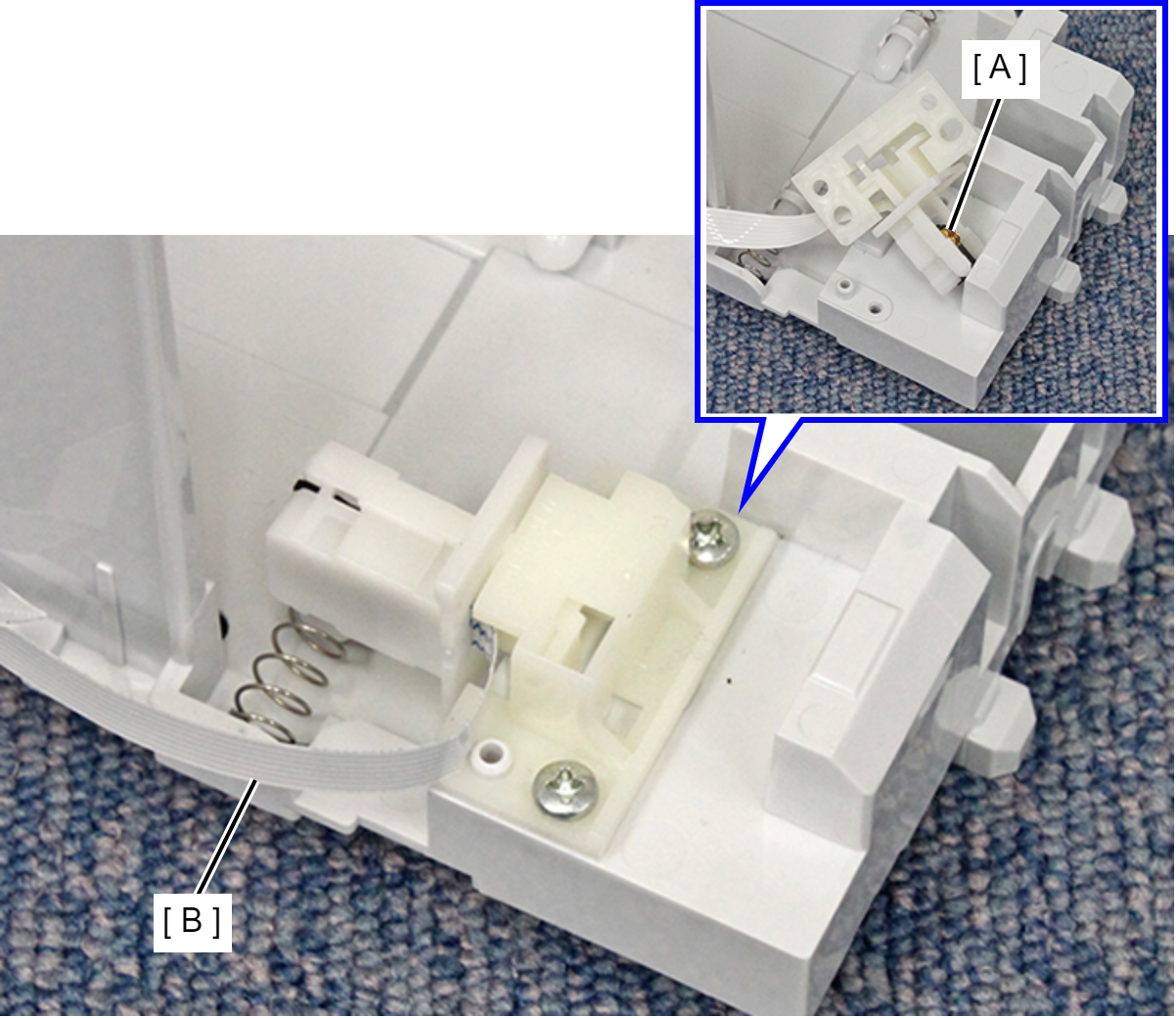
Maintenance Box CSIC
- Open the Duplex Print Cover (A).
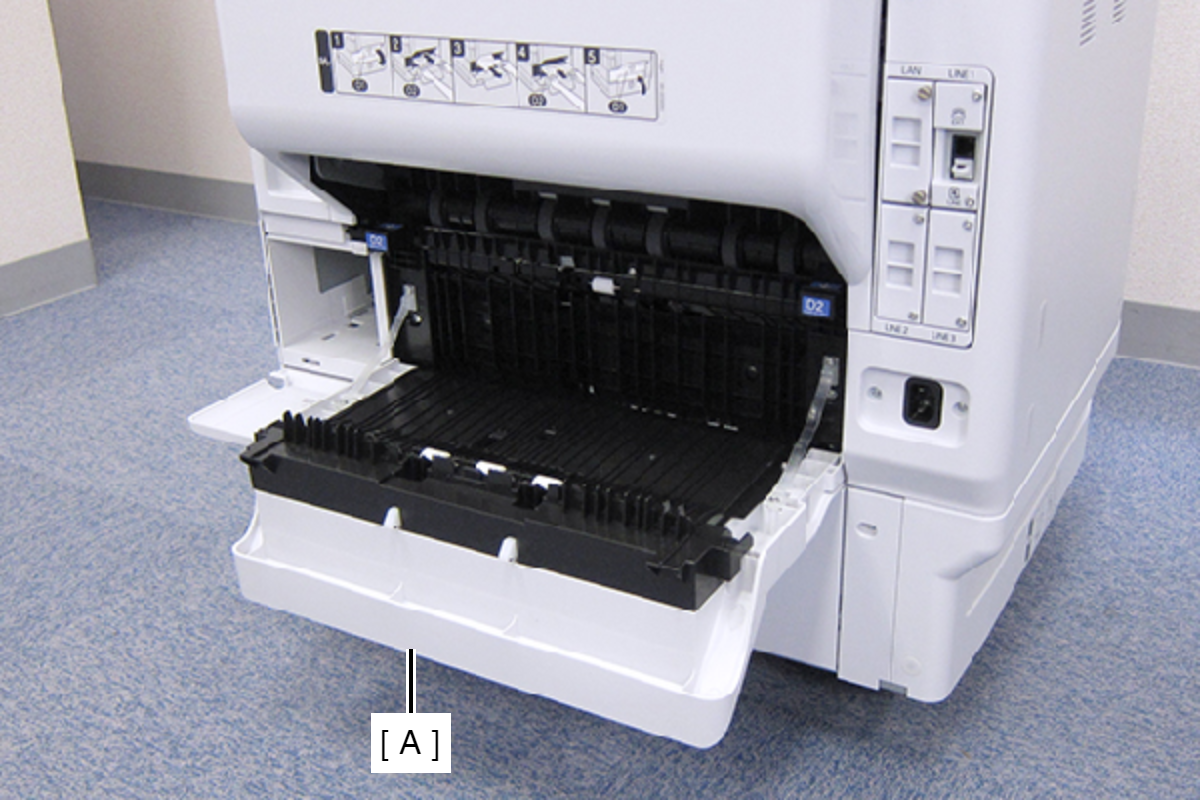
- Remove the two screws, then remove the Connector Cover (A).
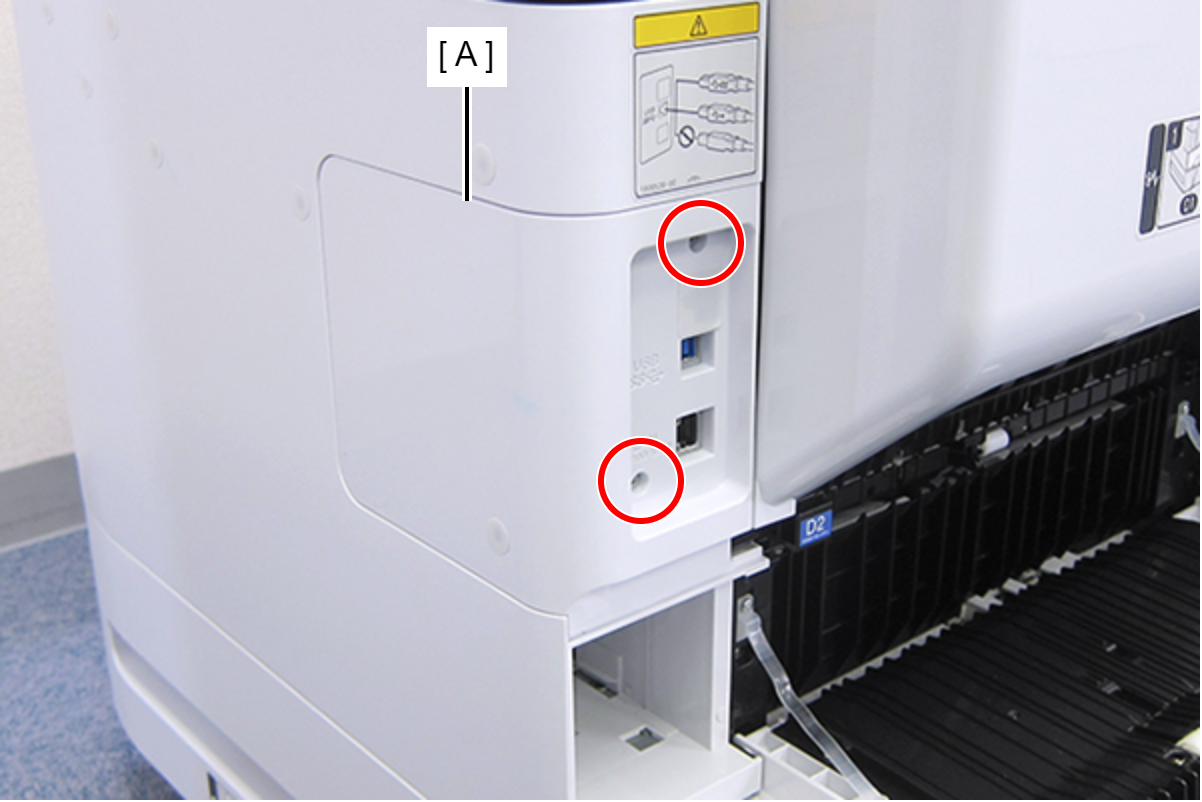
 : C.B.S-TITE-SCREW-3x8-F.ZN-3C
- Remove the two screws, then remove the Right Housing Assy (A) toward the rear of the product.
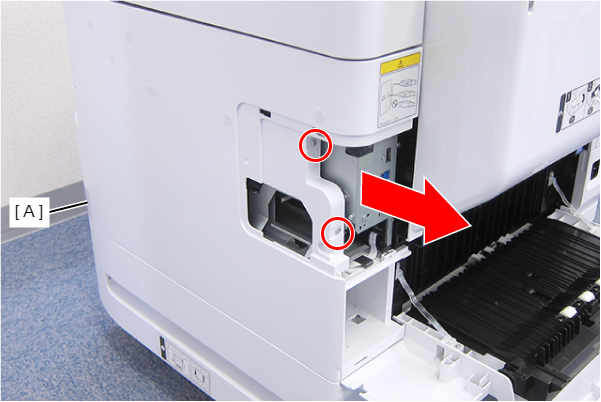
- : C.B.S-TITE-SCREW-3x8-F.ZN-3C
- Remove the Stacker Assy (A).
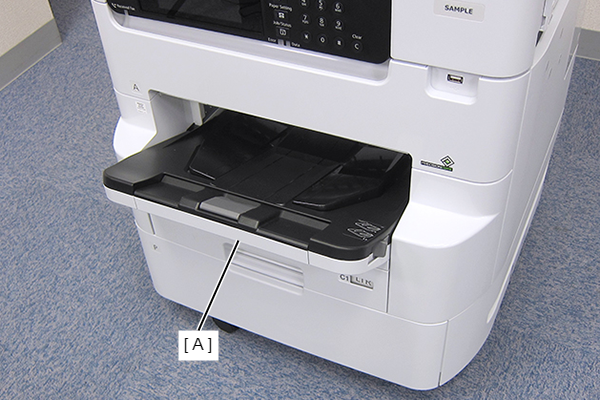
- Remove the Cassette Assy (A).
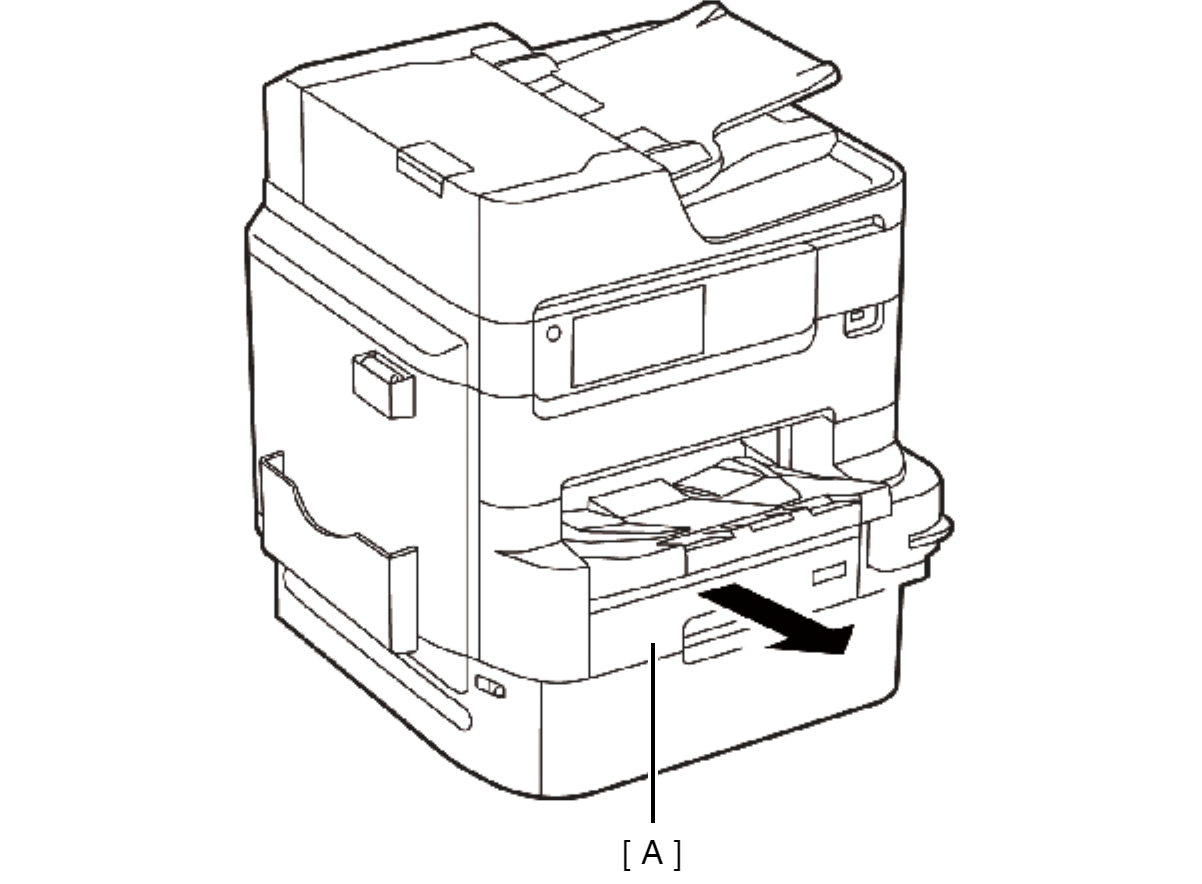
- Open the Front Cover Assy (A).
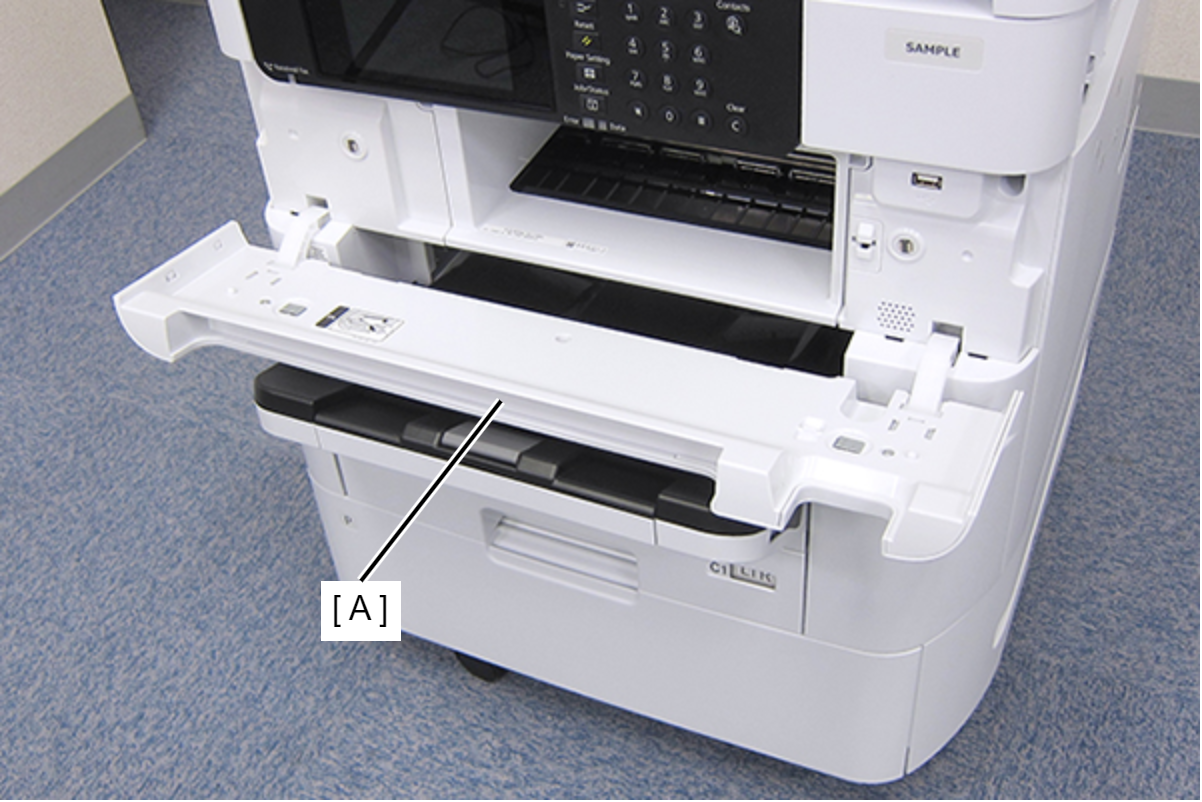
- While pressing the two hooks of the hinge (A), remove the Front Cover Assy (A) frontward.
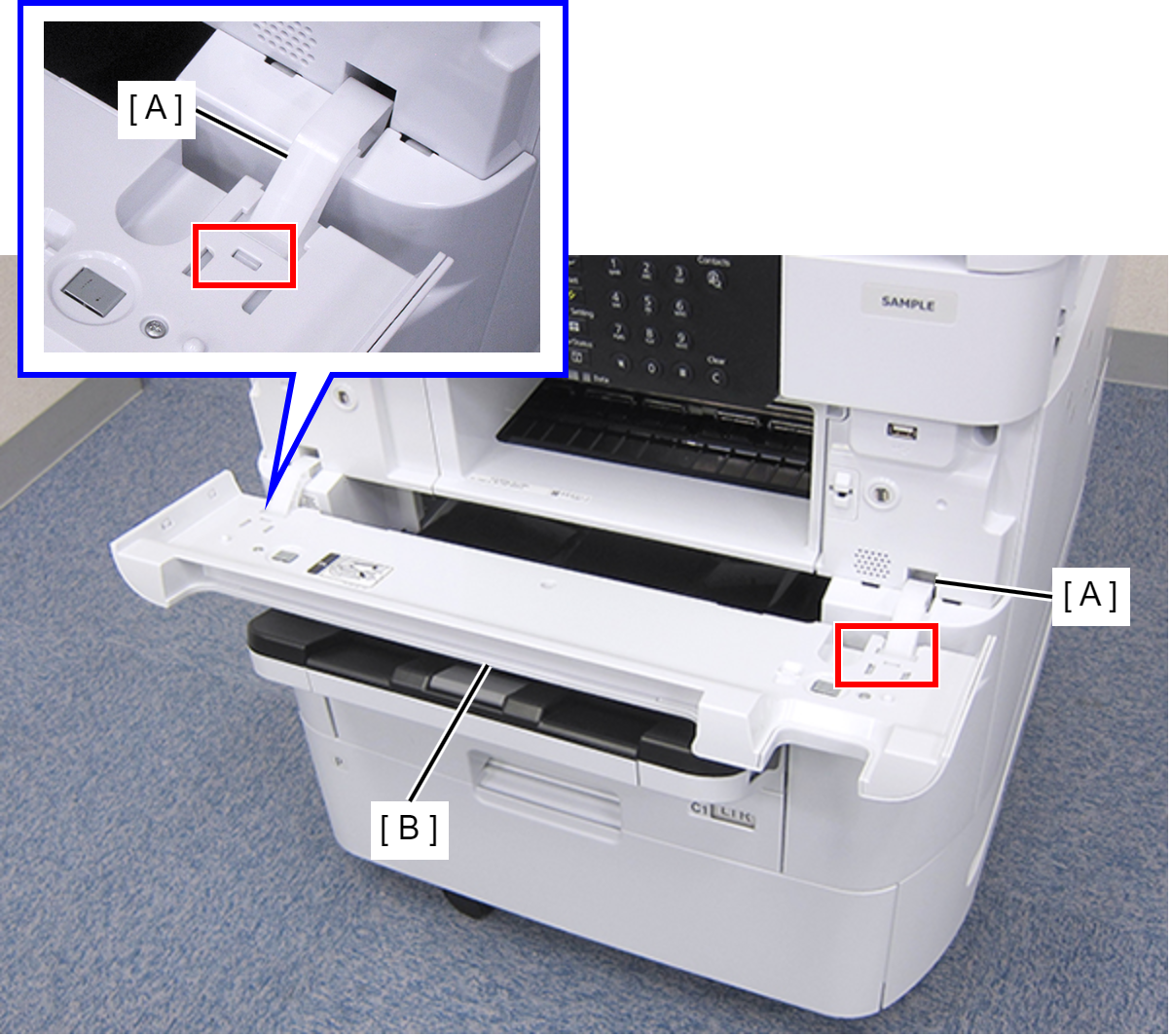
- Remove the three screws that secures the Front Right Housing (A).
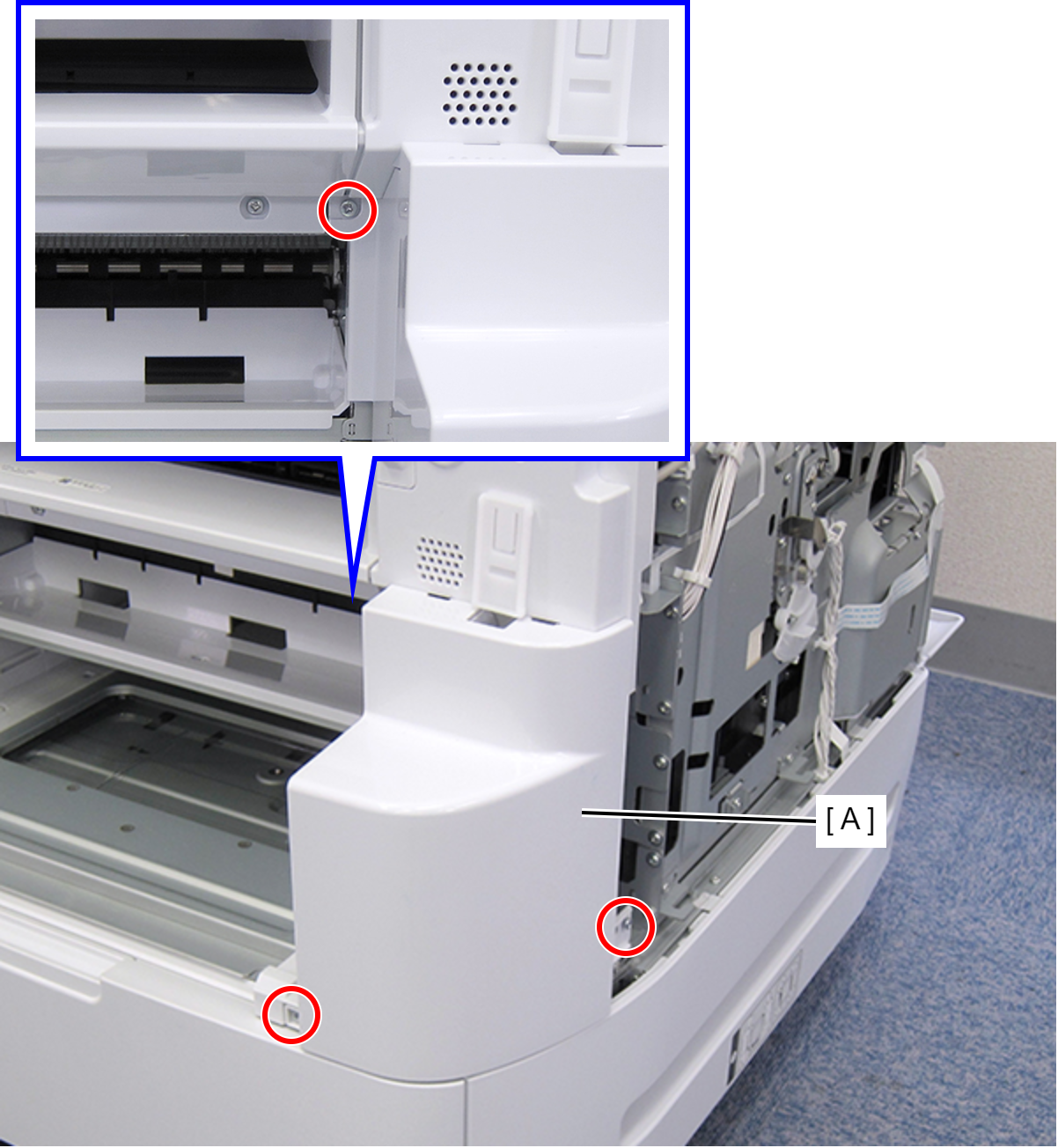
- : C.B.S-TITE-SCREW-3x8-F.ZN-3C
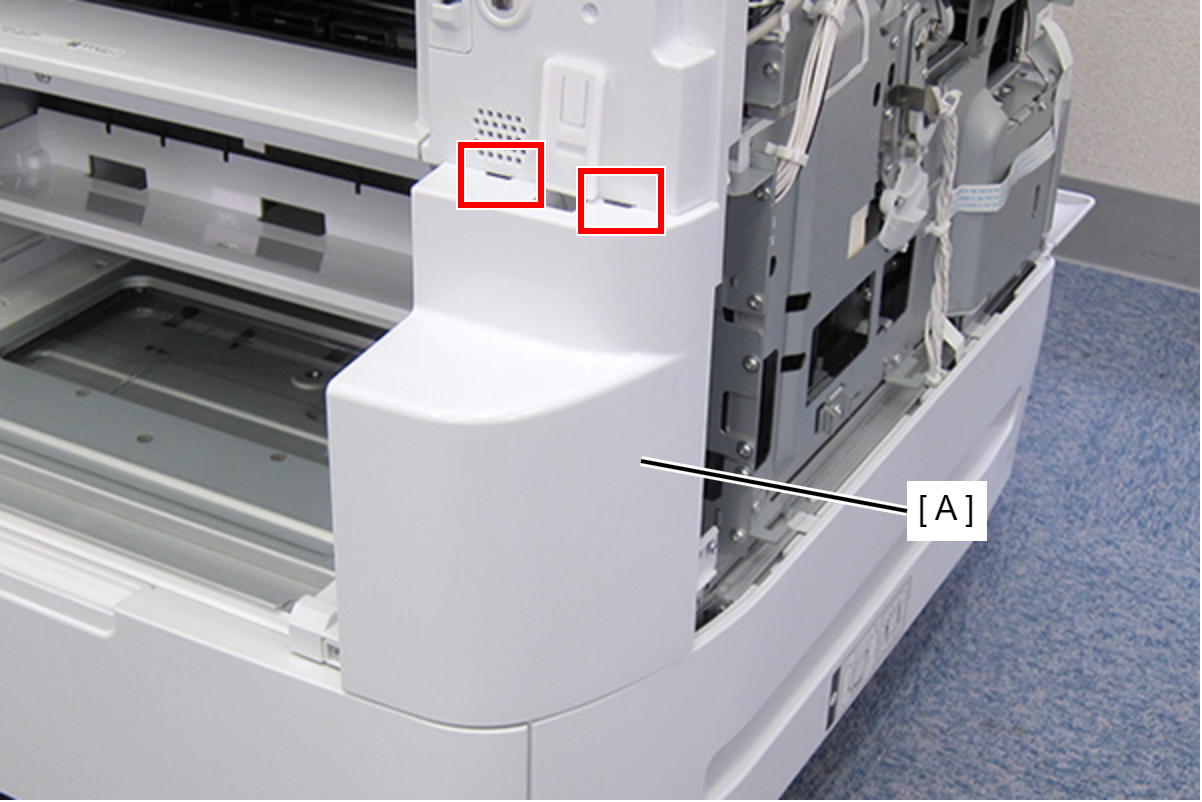
- Disengage the two hooks, and remove the Front Right Housing (A).
- Remove the four screws, then remove the Front Middle Frame (A).
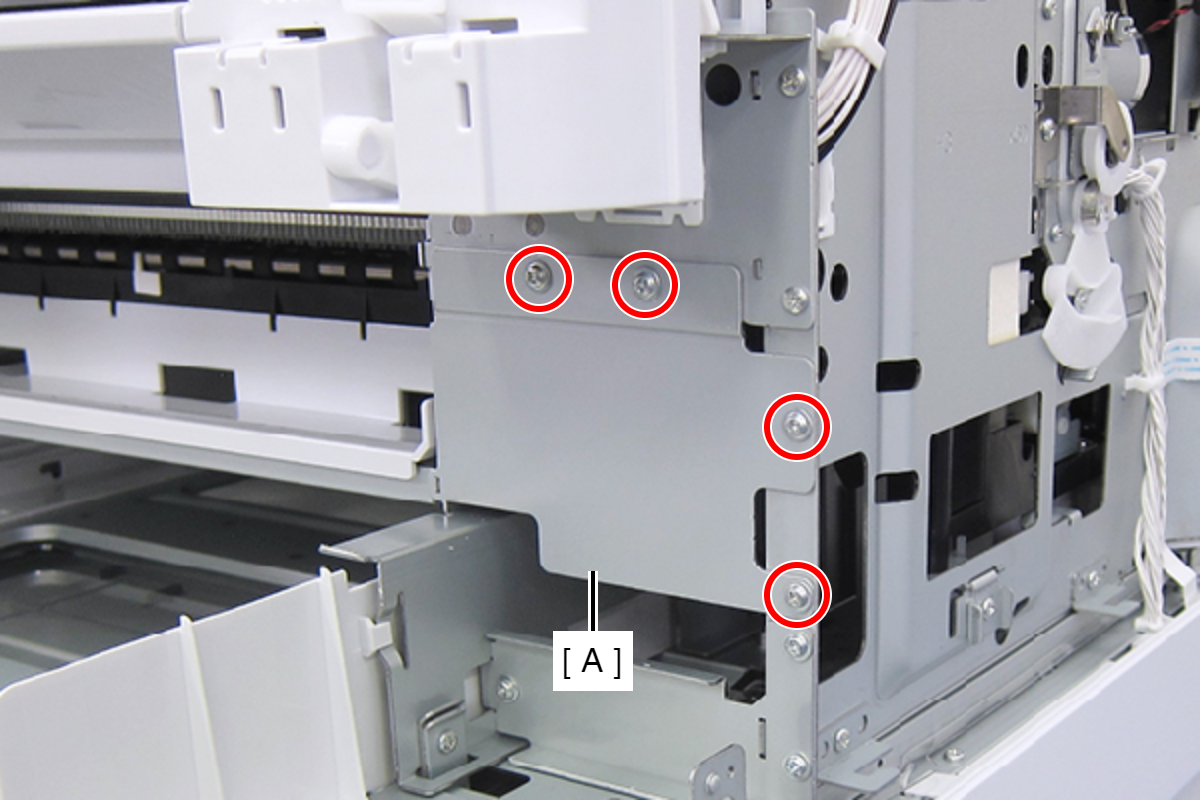
- : C.C.S-TITE-SCREW-3x5-F.ZN-3C
- Remove the screw, then remove the IS Holder Plate (A) in the direction of the arrow.
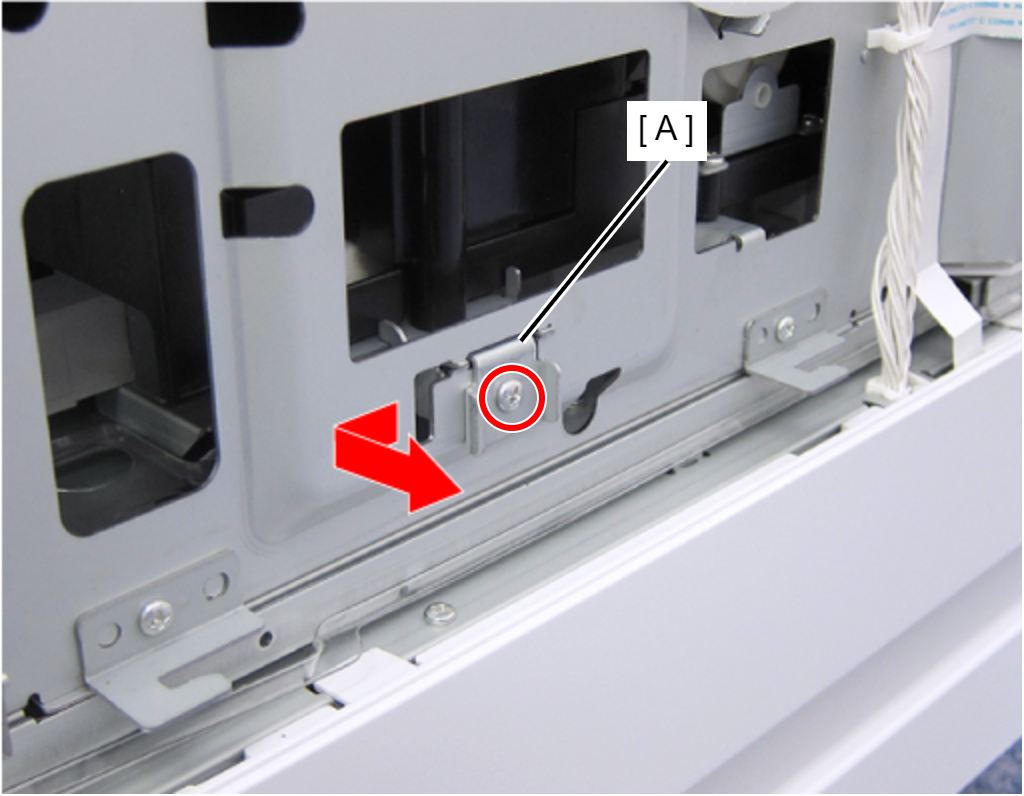
 : C.B.S-TITE-SCREW-3x8-F.ZN-3C
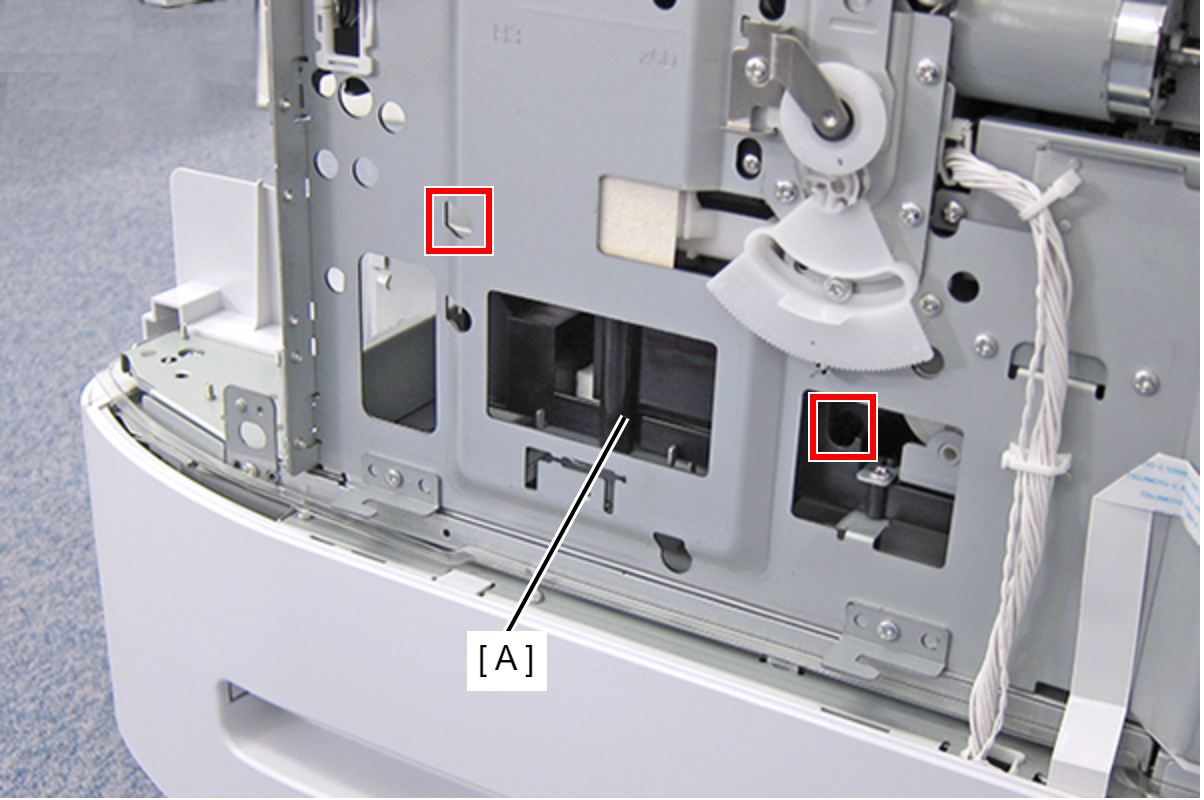
- Insert the screwdriver into the hole and turn each of the two screws that secure the Ink System Assy (A) until you feel the screw is spinning free.
 Check Point / チェックポイント
- Release the CR lock, then move the CR Unit to center before removing the Ink System Assy.
- Because the screws are captive screws, they do not come off.
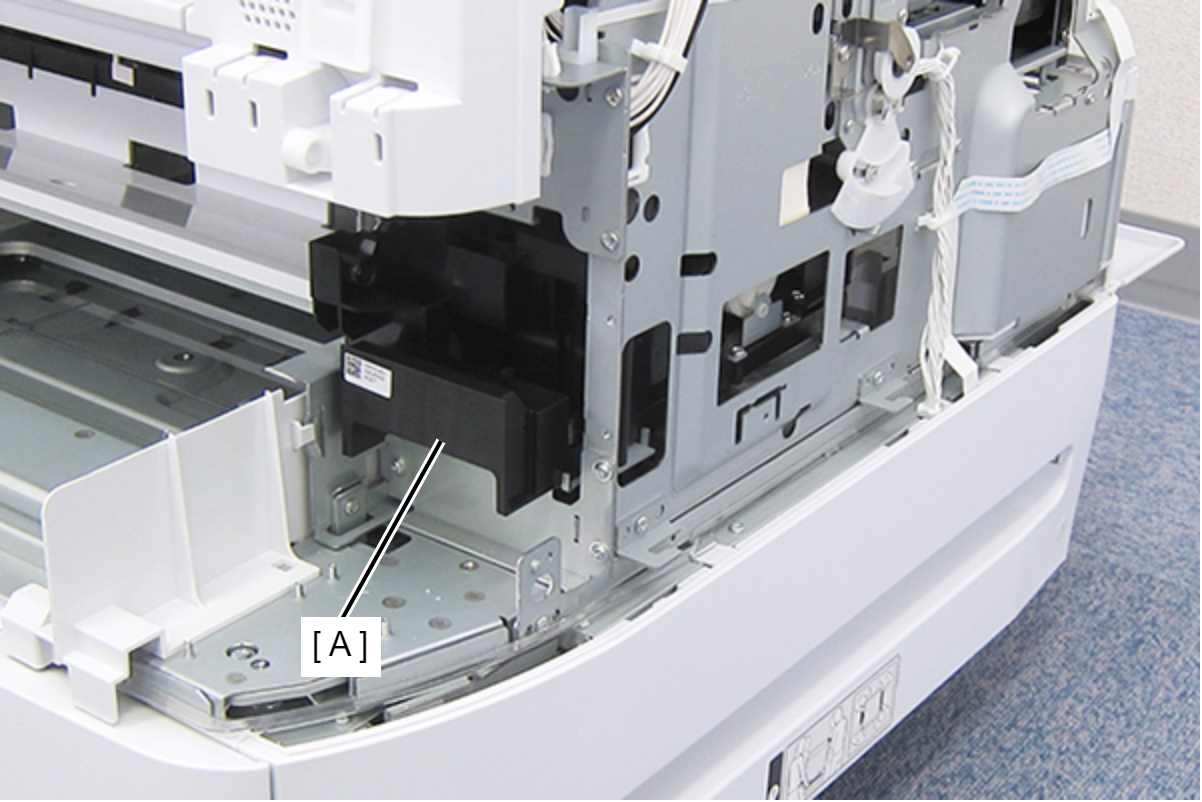
- Remove the Ink System Assy frontward (A).
 Check Point / チェックポイント
- Do not touch the to-be-capped section (A) of the Ink System Assy.
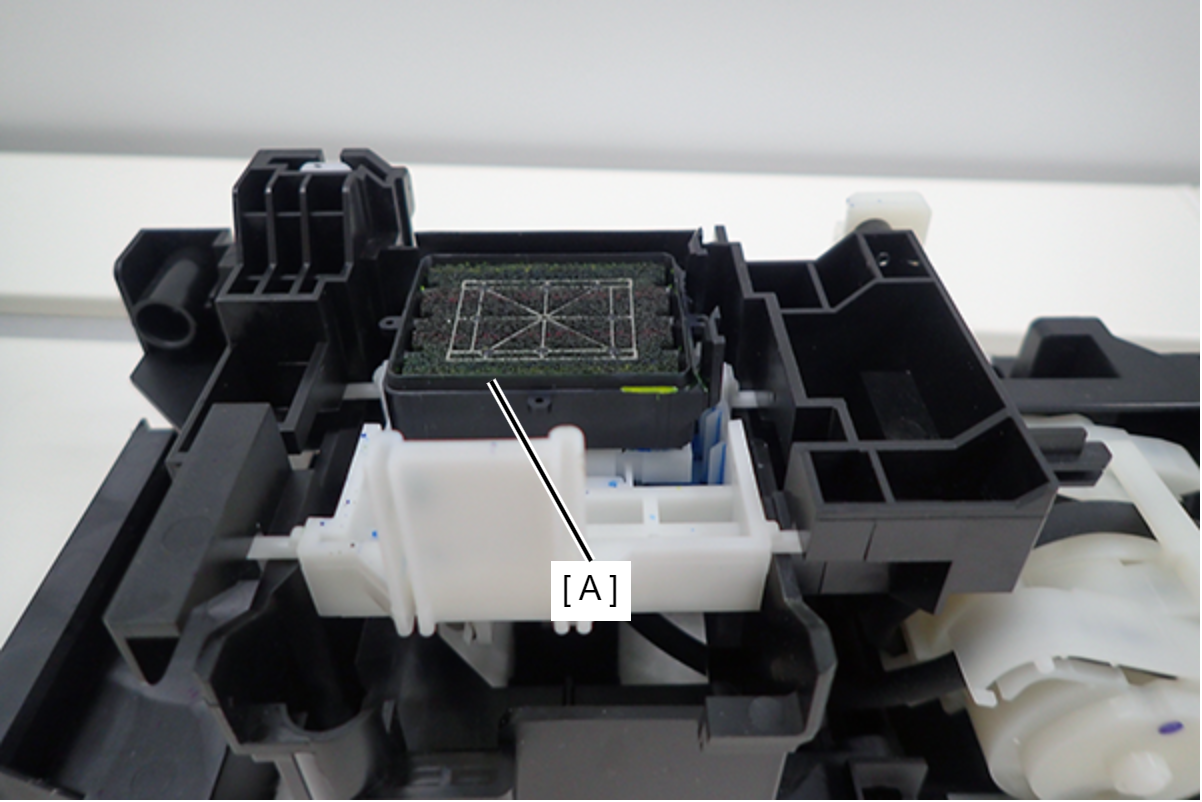
- Make sure the to-be-capped section is level. If the section is tilted, the rib (A) on the back is trapped. Release the rib and make sure the to-be-capped section is level.
- If the printer is used with the to-be-capped section tilted, the Print head will not be capped correctly, causing the ink nozzles to clog.
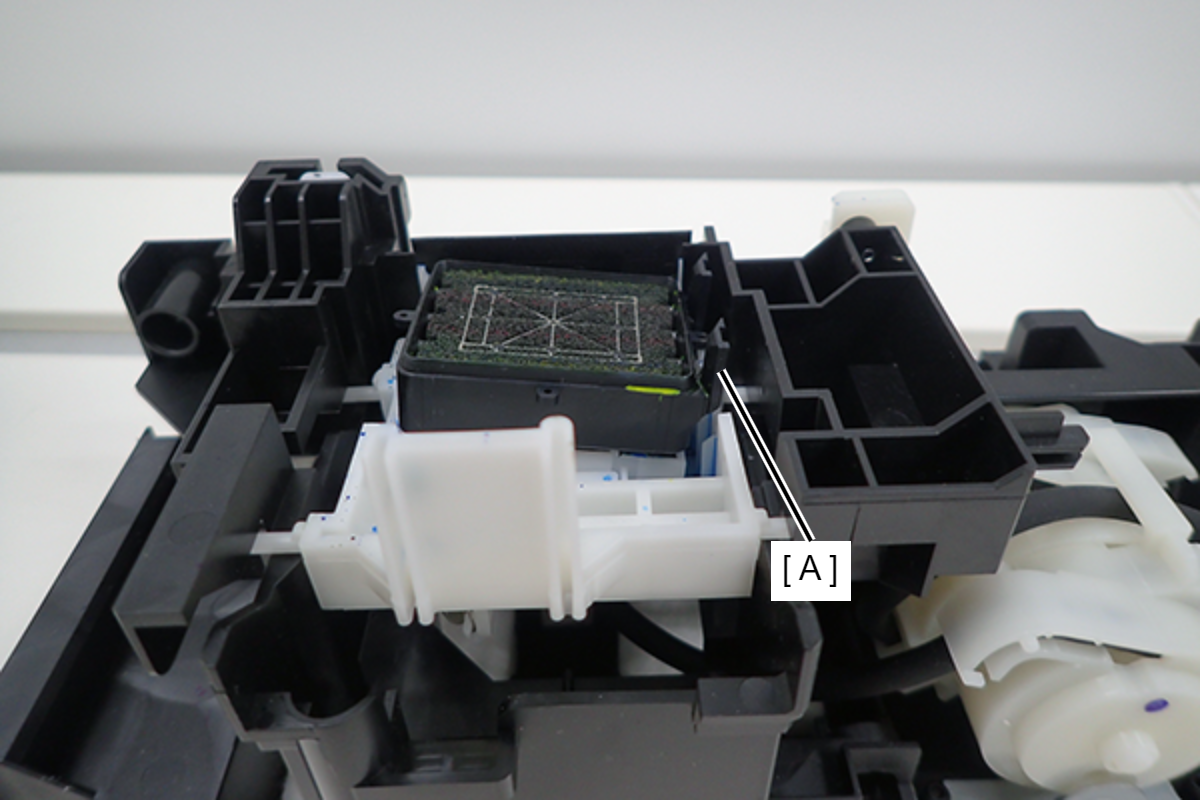
- If the printer is used with the to-be-capped section tilted, the Print head will not be capped correctly, causing the ink nozzles to clog.
- Do not touch the to-be-capped section (A) of the Ink System Assy.
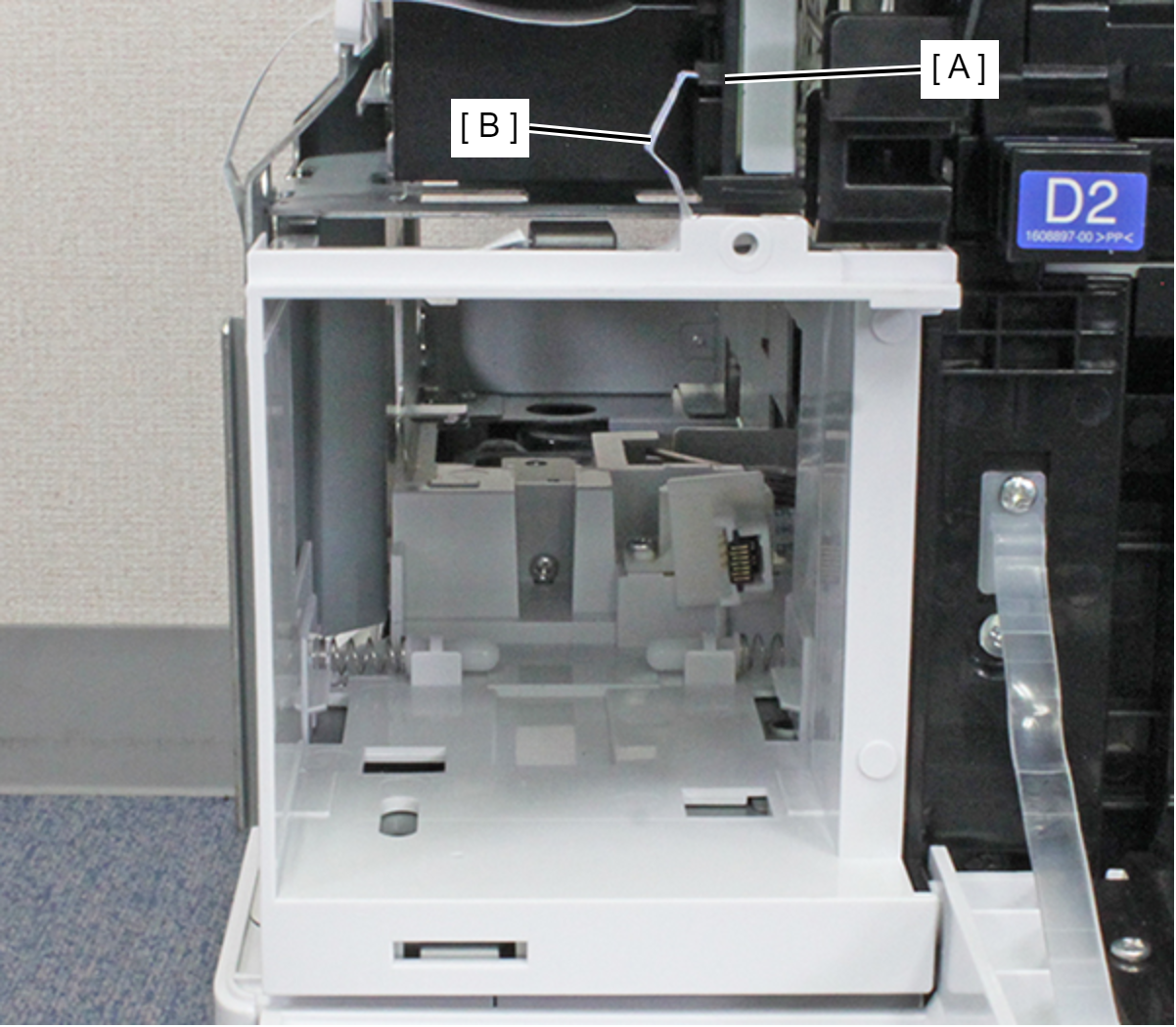
- Remove the MB CSIC FFC (B) from the connector (CN707) (A) of the Main Board.
Remove the screw.
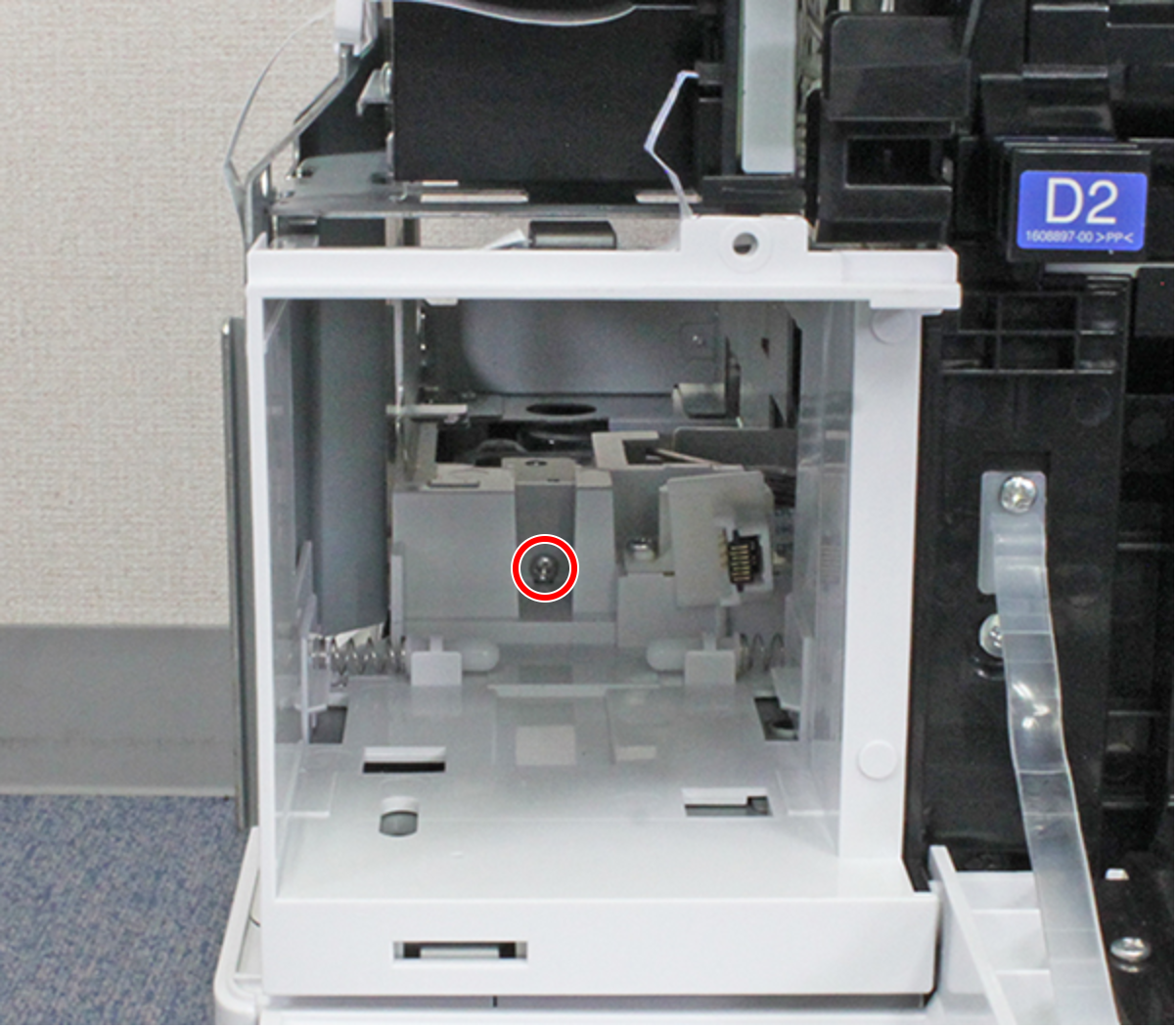
- : C.B.S-TITE-SCREW-3x8-F.ZN-3C
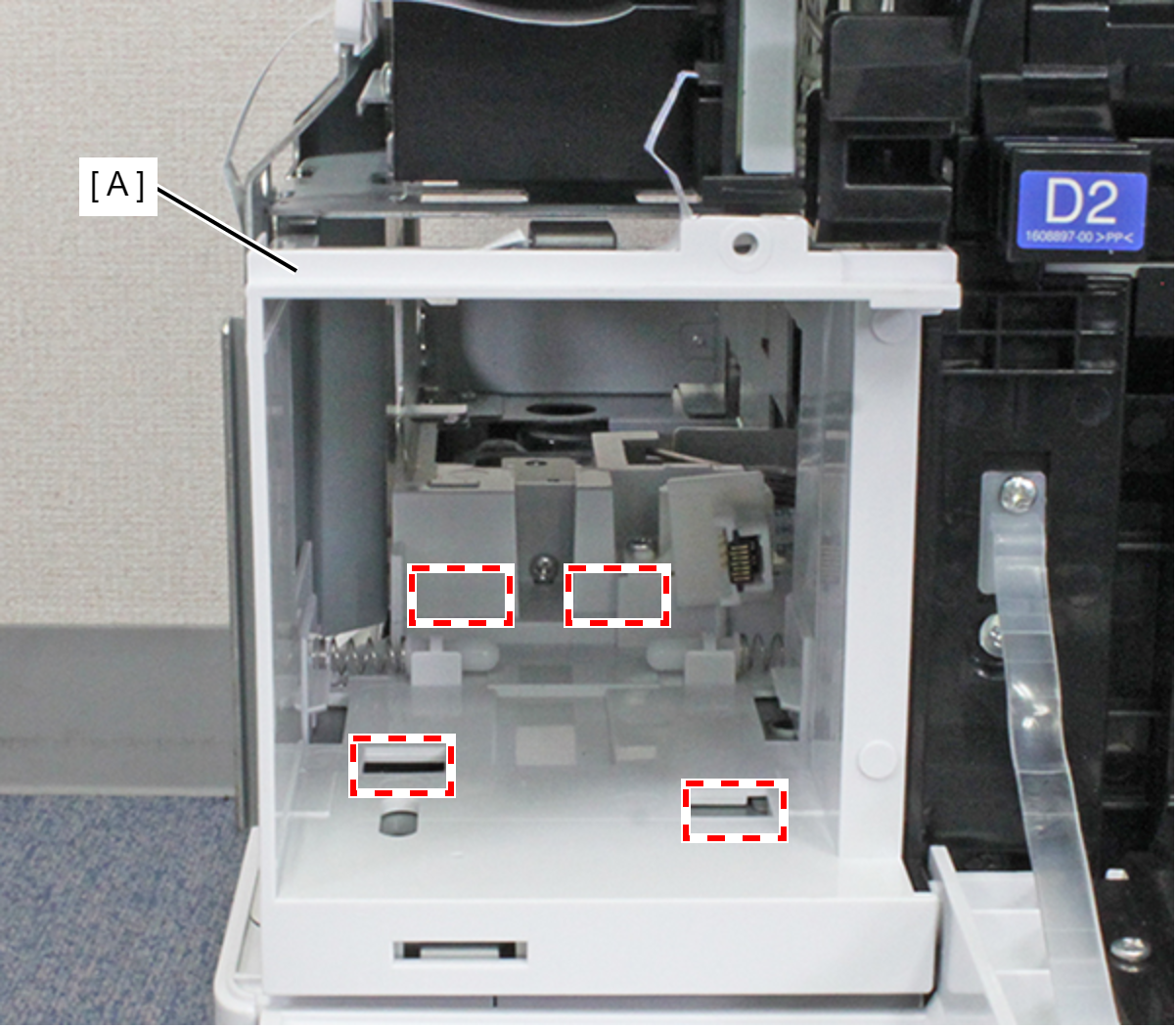
- Release the four hooks by pulling the Maintenance Box Holder Assy (A) toward the rear of the product, and remove the Maintenance Box Holder Assy (A).
- Remove the two screws.
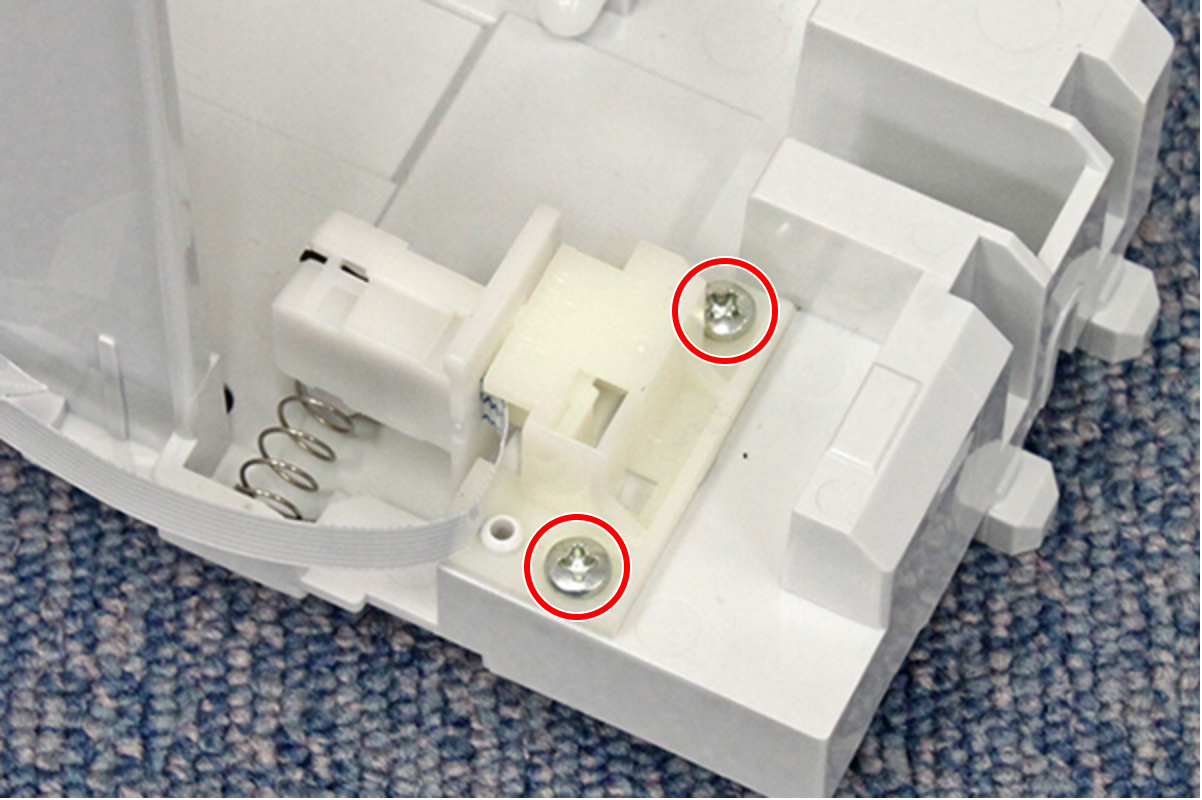
- : C.B.P-TITE-SCREW-3x10-F.ZN-3C
- Release the hook and remove the Maintenance Box CSIC Holder (A).
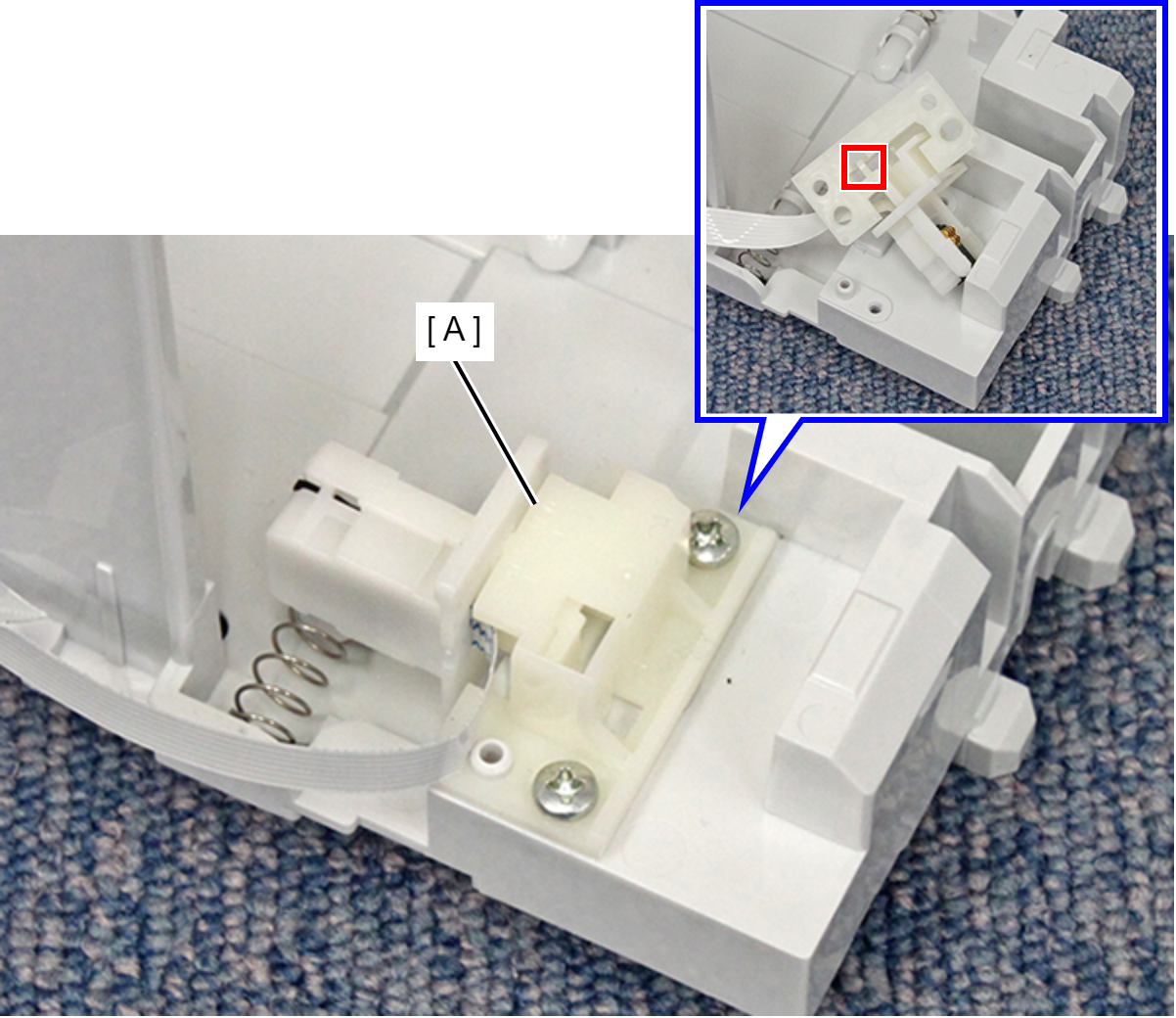
- Remove the MB CSIC FFC (B) from the connector of the Maintenance Box CSIC and remove the Maintenance Box CSIC (A).