107 INK Low Disp Change
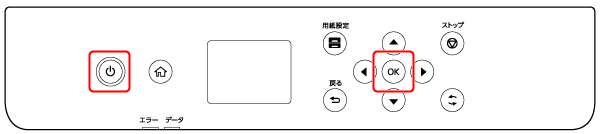
With the status of Power OFF, press the following button while long pressing the [Power] button.
- EM-C800 Series: [#] button
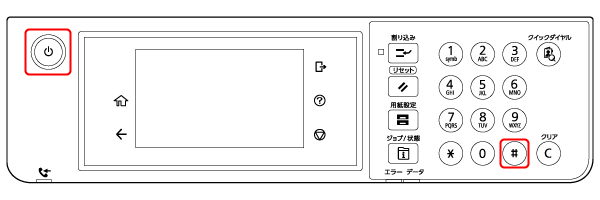
- EP-C800 Series: [OK] button
- EM-C800 Series: [#] button
- If the starting succeeds, the ID input screen will be displayed.
- EM-C800 Series

- EP-C800 Series
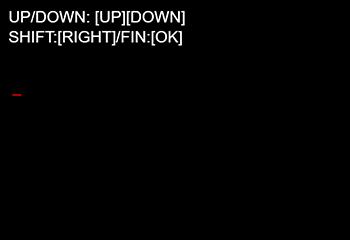
- EM-C800 Series
Press the following button and enter the startup ID.
- ID : 20405
Operation EM-C800 Series EP-C800 Series Increase the input number by 1 [2] button [
 ] button
Reduce the input number by 1 [8] button [
 ] button
Move the input digit to the left [4] button [
 ] button
Move the input digit to the right [6] button [
 ] button
Complete input [#] button [OK] button - The printer starts up in Installation Mode.
 Note / 補足
In the subsequent steps, press the buttons shown below to operate. If operating instructions are displayed on the screen, follow the instructions.
Operation EM-C800 Series EP-C800 Series Move to upper menu level: Up [2] [
] buttonMove to lower menu level: Down [8] [
] buttonReturn to upper menu level [*] [
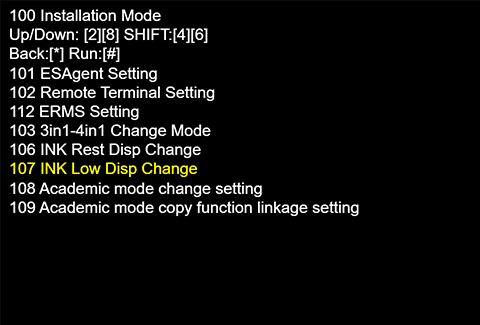
] buttonExecute the currently selected menu [#] [OK] button - Select [107 INK Low Disp Change] and tap [#].
- When the screen below appears, press the button that corresponds to the settings you want.
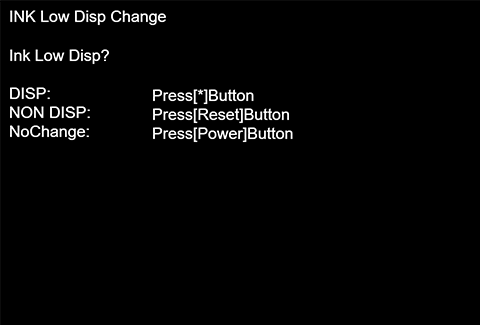
Indicates Ink Low: Press [*] button.
Does not indicate Ink Low: Press [Reset].
Exits without changing setting: Press [Power] button.Setting value Overview DISP Display the Ink remaining amount NON DISP Not Display the Ink remaining amount
*Reflected in Operation Panel of Main Unit、WebConfig、NetConfig、EDA、iPrint
NoChange Do not change configuration Note / 補足When 107 INK Low Disp Change is set to DISP, the setting of 106 INK Rest Disp Change is forcibly changed to DISP.
The available setting combinations are as follows.
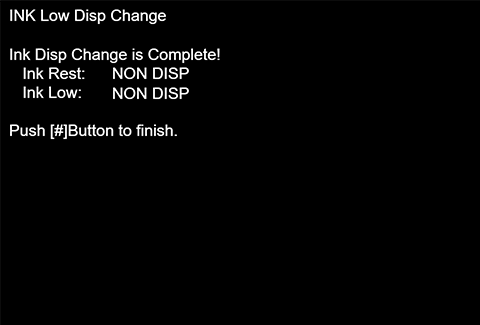
Menu Default Setting Selectable Selectable Not selectable 106 INK Rest Disp Change DISP DISP NON DISP NON DISP 107 INK Low Disp Change DISP NON DISP NON DISP DISP - After changing the setting, the complete screen below is indicated. After changing the setting, the complete screen below is indicated. Confirm the setting is set to “Ink Low: NON DISP”, and finish by pressing the [#] button.