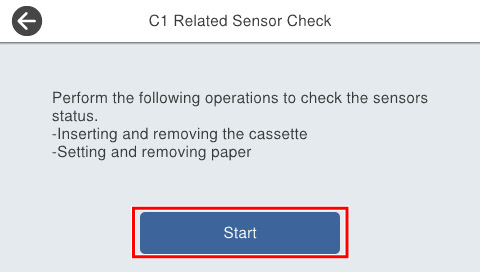
301 Failure Diagnostics Sequence
You can check the situation for each part displayed on the menu.
Menu list
| Unit | Program No. | Menu Name | Overview | Remarks |
|---|---|---|---|---|
| Main Unit | 30101 | C1 Related Sensor Check | Perform the following operations to confirm the situation of the C1 Cassette sensor and the C1 paper sensor.
|
--- |
| Optional Paper Cassette | 30102 | C2 Related Sensor Check | Perform the following operations to confirm the situation of the C2, C3, and C4 cassette sensors, the paper sensor, and the hopper sensor.
|
Displayed only when the option is connected. |
| 30103 | C3 Related Sensor Check | |||
| 30104 | C4 Related Sensor Check | |||
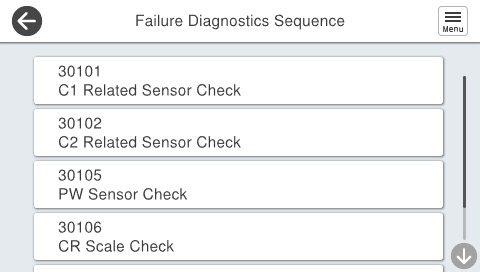
| Main Unit | 30105 | PW Sensor Check | The Failure Diagnostics Sequence for each part is executed, and when there is a problem the error is displayed. |
--- |
| 30106 | CR Scale Check | |||
| 30107 | PE Sensor Lever Check |
Procedure
- Start the service support mode. (Starting Service Support Mode)
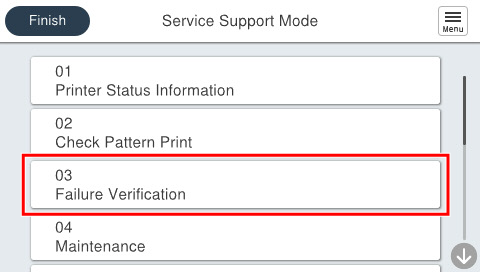
- Select [03 Failure Verification].
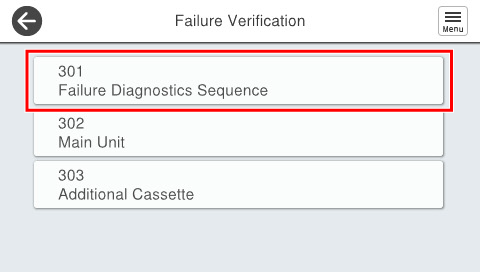
- Select [301 Failure Diagnostics Sequence].
- Select the menu the user wishes to execute.
- Press [Start].