
90201 Data Backup
- Start service support mode. (Starting Service Support Mode)
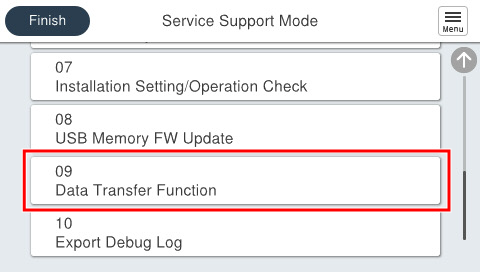
- Select [09 Data Transfer Function].
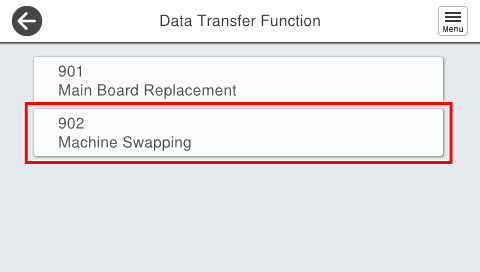
- Select [902 Machine Swapping].
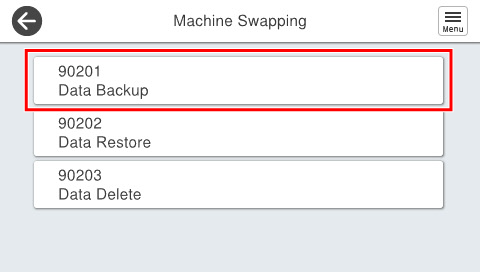
- Select [90201 Data Backup].
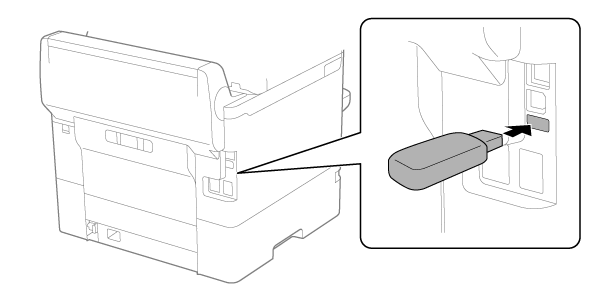
- Connect a USB memory to the USB port.
- EM-C800 Series
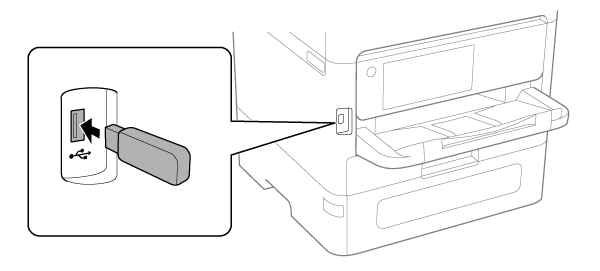
- EP-C800 Series
 Check Point / チェックポイント
For EP-C800 Series, peel off the piece of tape on the USB port before connecting the USB memory.
- EM-C800 Series
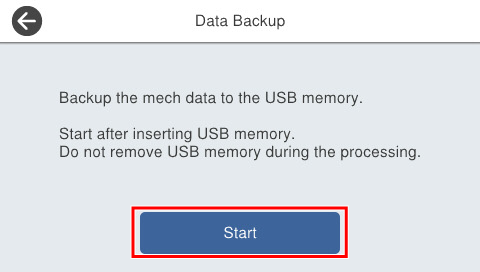
- Press [Start] to begin the data backup.
 Caution / 注意
While data backup is underway, do not remove the USB flash drive or turn the power off.
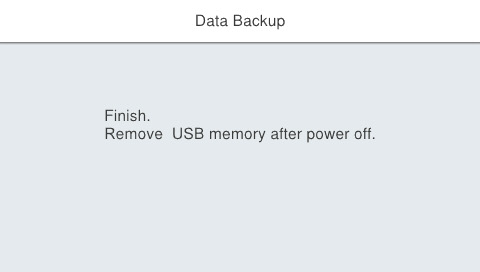
- If the following screen is displayed, turn off the power and remove the USB flash drive.
 Check Point / チェックポイント
If an error occurs while executing a backup, backup data already on the USB memory will be saved and it will not be possible to overwrite data. For this reason,90103 Data Deletethe backup data is deleted and then the backup is performed again.