Firmware Update
When turning on the printer for the first time, start it in the service support mode. (See "Starting Service Support Mode".)
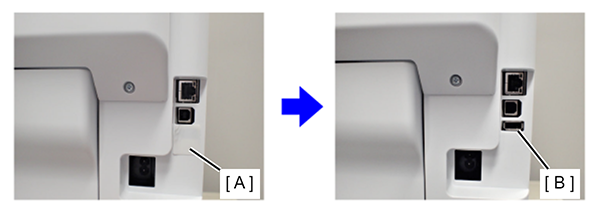
After the printer has started, connect the USB flash drive, in which the latest firmware is stored, to the USB port of the printer. Then select [08 USB Memory FW Update] in the service support mode menu to check the firmware version of the printer.
 Check Point / チェックポイント Check Point / チェックポイント |
|