
Unlocking the CR Unit (EM-C800 Series)
- Remove the four screws, then remove the Rear Cover (Back) (A).
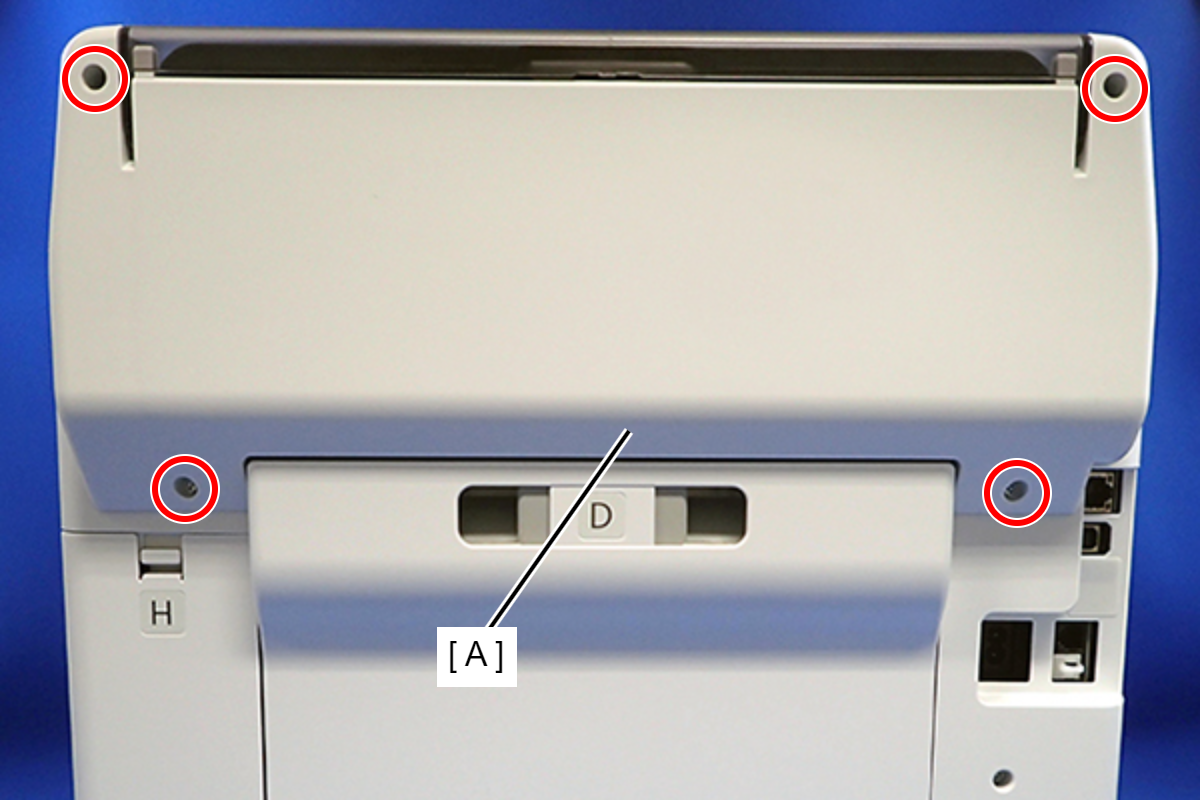
 : C.B.P-TITE-SCREW-3x10-F.ZN-3C
 Assembly / 組み立て
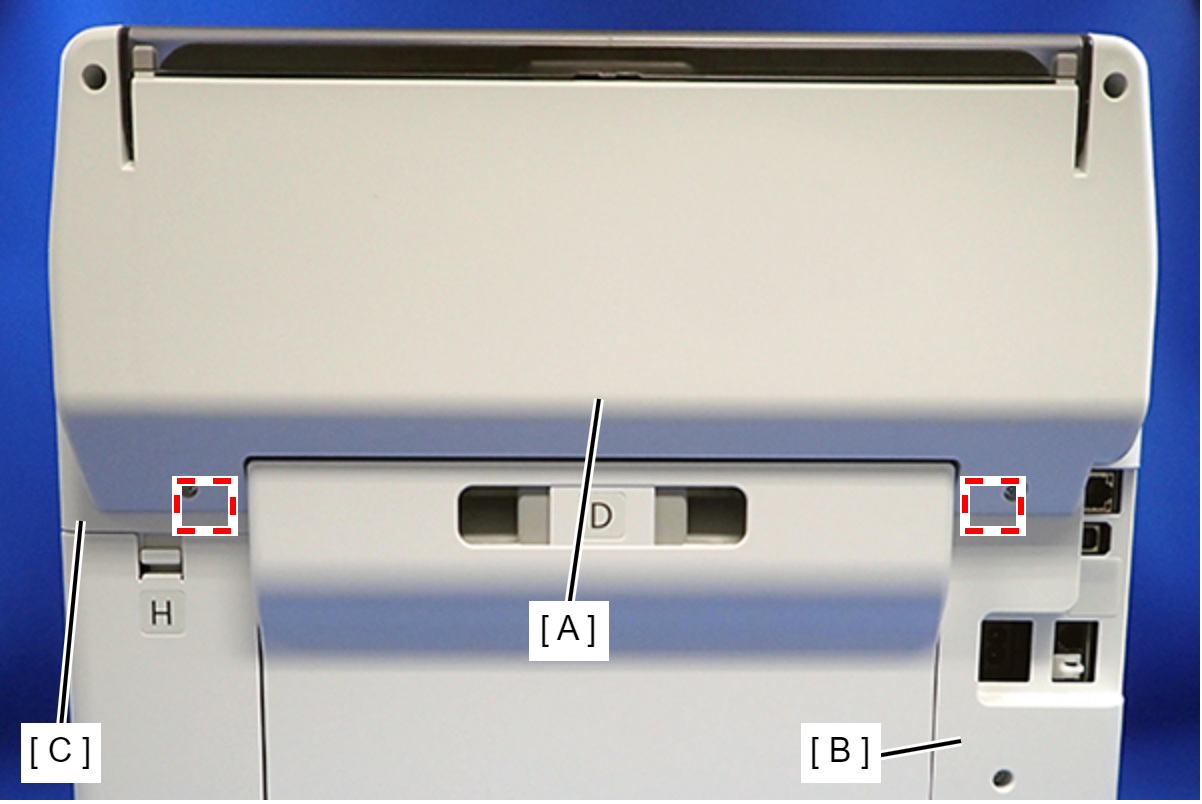
Attach the two dowels of the Rear Cover (Back) (A) to the positioning holes on the Housing Left (B) and Housing Right (C).
- Remove the two screws, then remove the Rear Top Cover (A).
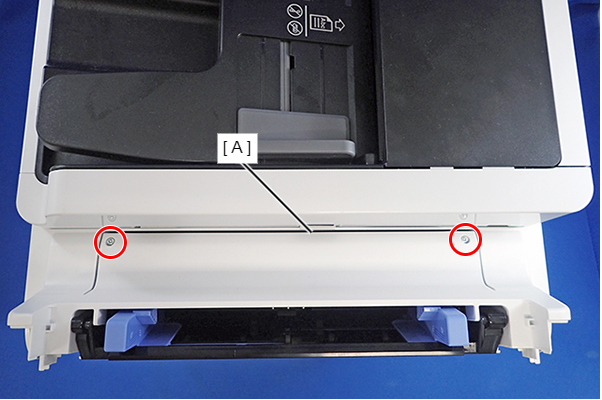
- : C.B.P-TITE-SCREW-3x10-F.ZN-3C
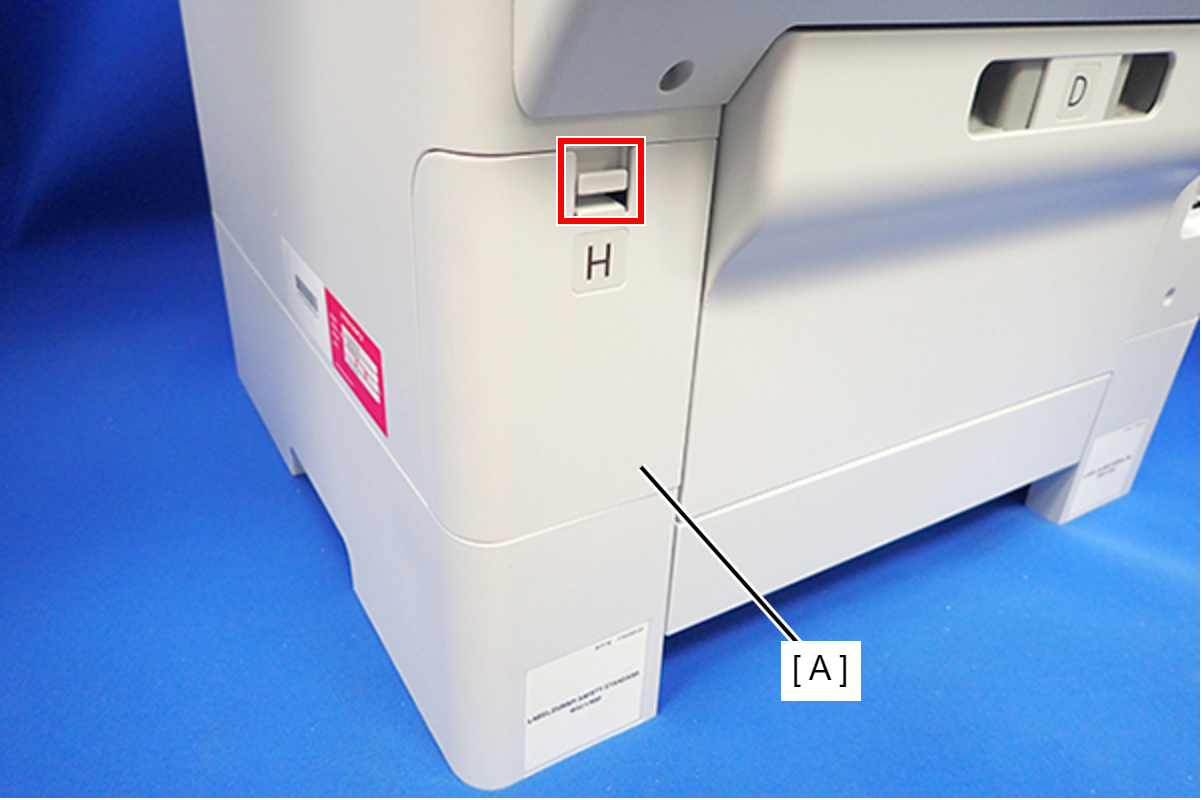
- Disengage the hook, and remove the Maintenance Box Cover (A).
- Open the ADF/SCN Unit and remove the four screws that secure the Housing Right (A).
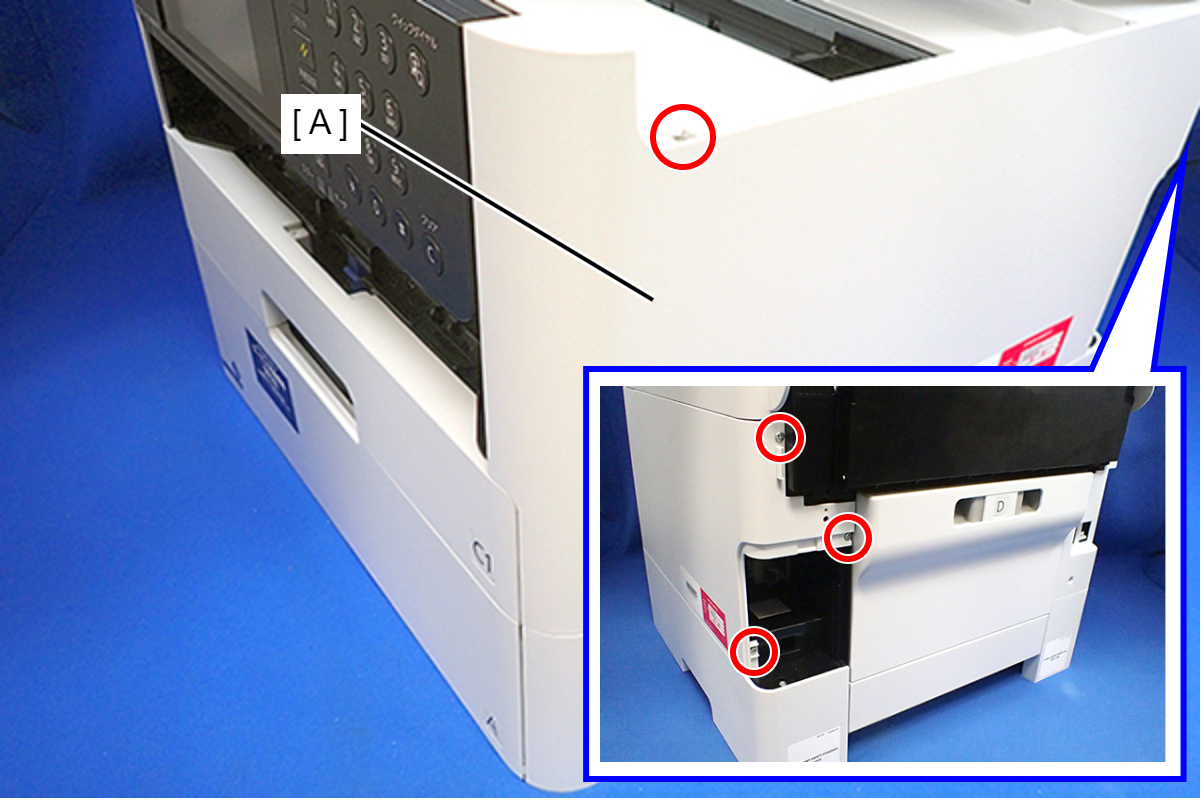
- : C.B.P-TITE-SCREW-3x10-F.ZN-3C
- Lift the Housing Right to release the two hooks on the front side of the Housing Right, then remove the Housing Right.
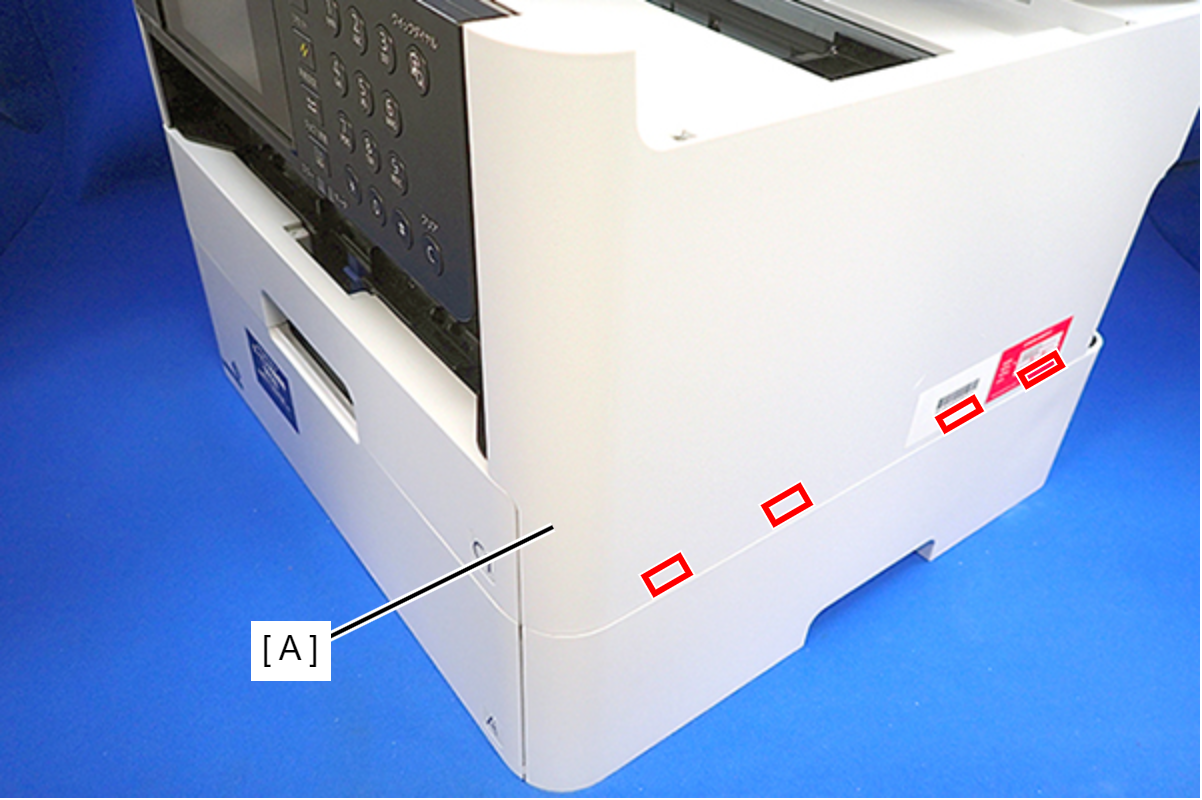
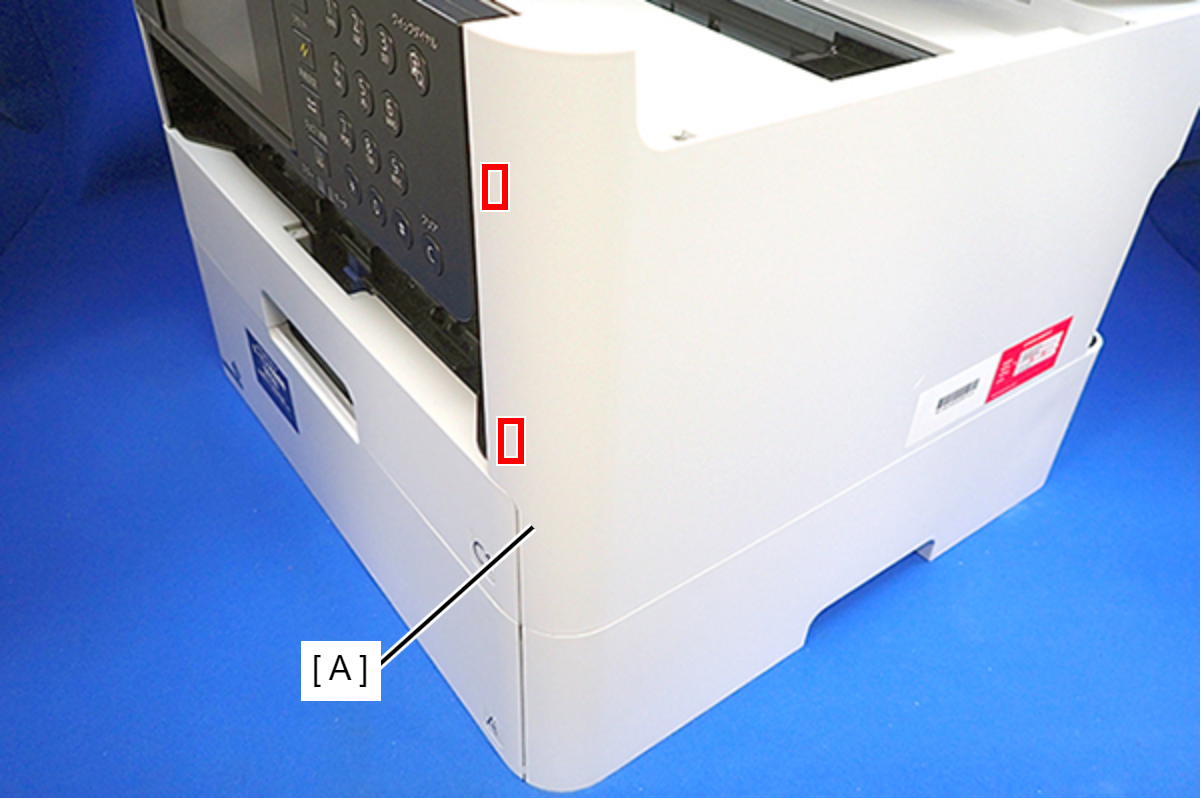 Assembly / 組み立て
Insert the four tabs of the Housing Right (A) to the positioning holes on the Ink Supply Unit.
Follow the steps below to unlock the carriage (CR).
 Check Point / チェックポイント
If the carriage is already unlocked and the CR Unit (A) can move freely, as shown below, this step is not necessary.
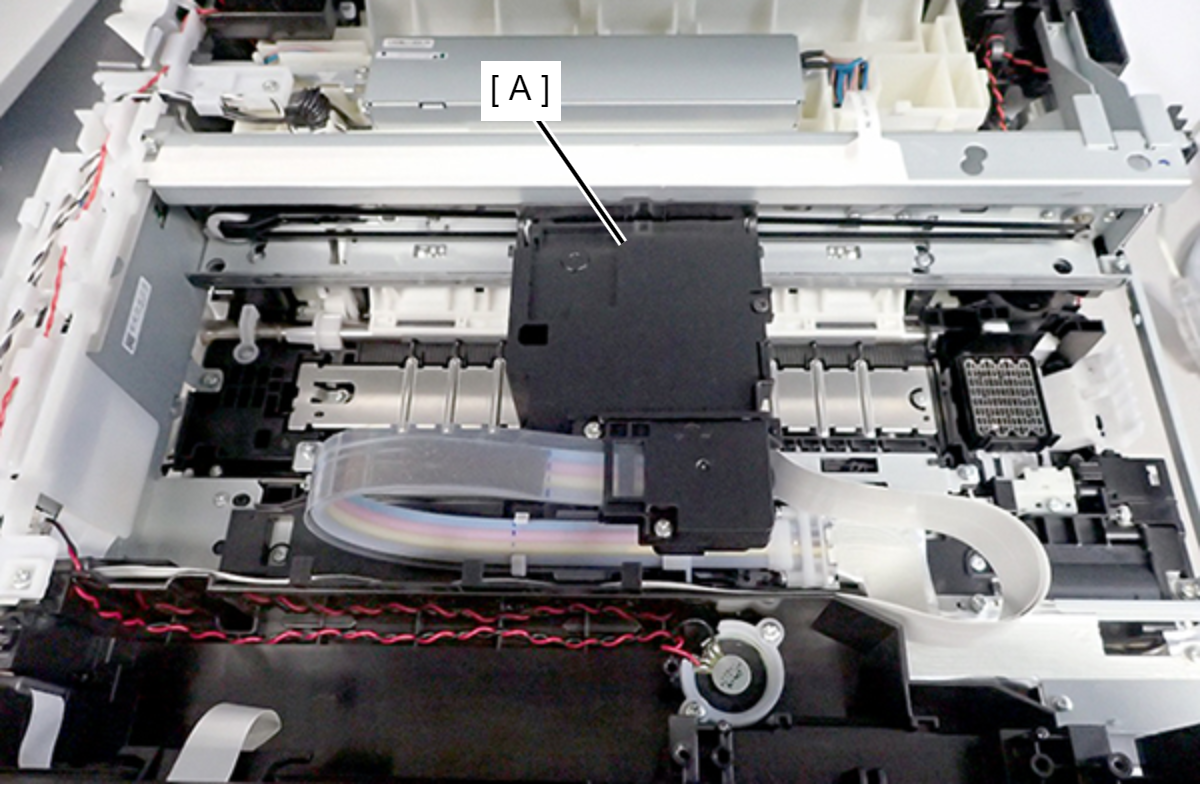
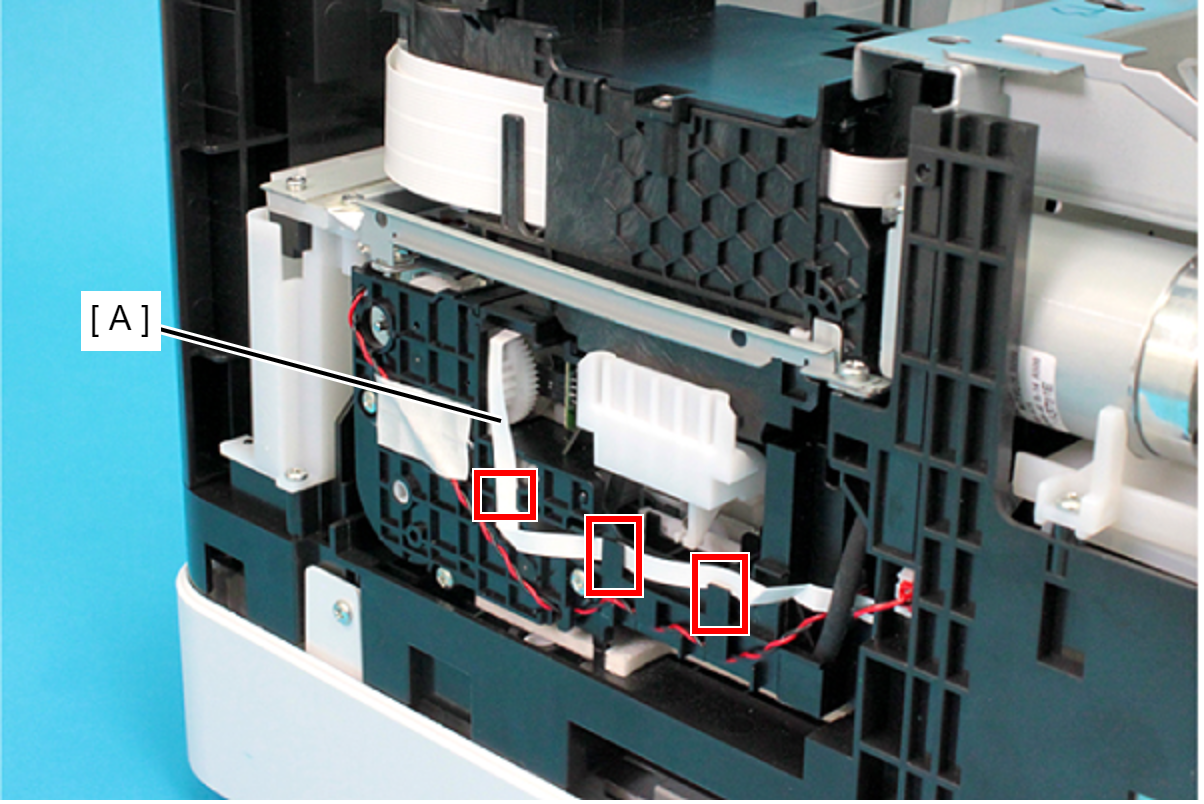
- Release the FFC (A) from the three hooks.
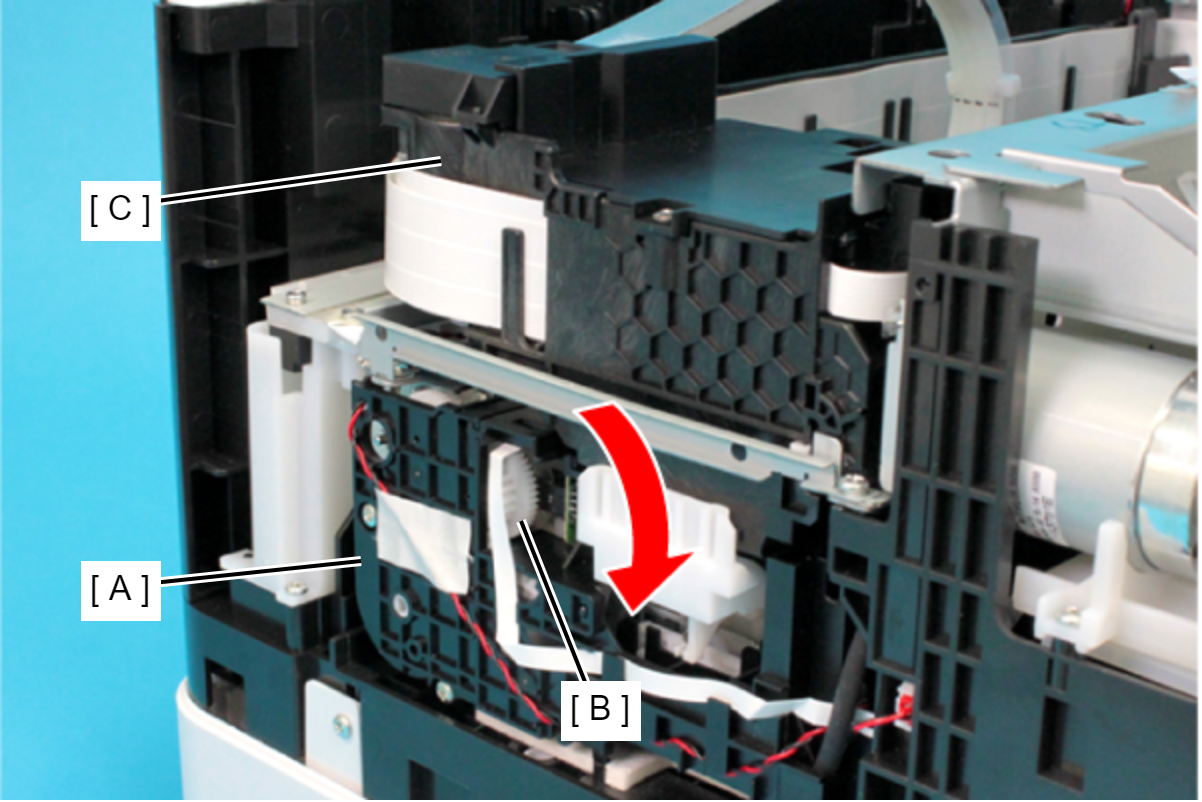
Rotate the gear (B) of the Ink System Unit (A) in the direction of the arrow, and move the CR Unit (C) to the left side.
 Caution / 注意
When rotating the gear of the Ink System Unit, take extra care not to damage or disconnect the FFC by touching it.
- Release the FFC (A) from the three hooks.