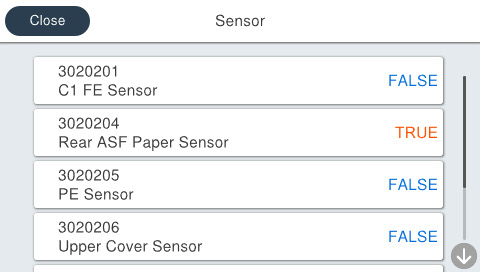
30202 Sensor
You can check the situation of each sensor displayed on the menu.
Menu list
| Program No. | Menu Name | Judgment method | Remarks |
|---|---|---|---|
| 3020201 | C1 Paper Feed Sensor | Insert the paper into the sensor parts. | TRUE: Detection FALSE: No Detection Default: FALSE |
| 3020204 | Rear ASF Paper Detection Sensor | Insert the paper into Rear ASF. | TRUE: With paper FALSE: Without paper Default: FALSE |
| 3020205 | PE Sensor | Insert the paper into the sensor parts. | TRUE: Detection FALSE: No Detection Default: FALSE |
| 3020206 | Upper Cover Sensor | Open/close the scanner unit or housing upper. | TRUE: Open FALSE: Closed Default: FALSE |
| 3020207 | Rear Cover Sensor | Attach/detach the Rear Unit. | TRUE: Removed FALSE: Installed Default: FALSE |
| 3020208 | RIPS Cover Sensor | Open/close the Ink cover. | TRUE: Open FALSE: Closed Default: FALSE |
Procedure
- Start the service support mode. (Starting Service Support Mode)
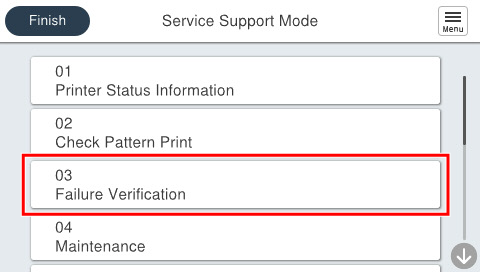
- Select [03 Failure Verification].
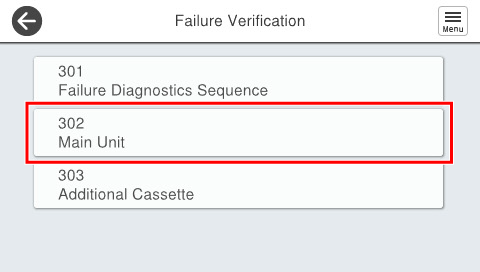
- Select [302 Main Unit].
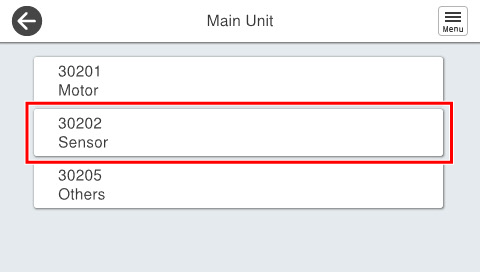
- Select [30202 Sensor].
- Check the situation displayed.