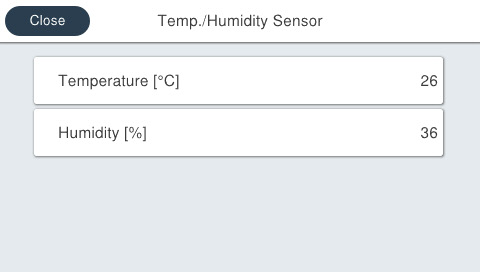
30205 Others
You can check the situation and detected temperature of each sensor displayed on the menu.
Menu list
| Program No. | Menu Name | Judgment method | Remarks |
|---|---|---|---|
| 3020501 | Temperature and Humidity Sensor | Check the indicated values of temperature and humidity. | --- |
| 3020502 | Ink End Sensor |
|
TRUE: Ink End FALSE: Ink Remaining Default: FALSE |
| 3020503 | Ink Leak Sensor | There are two types of Ink Supply Units. Depending on whether the installed Ink Supply Unit is an old type or a new type, the screen showing the detection status of the ink leakage sensors will differ. For the details, see 3020503 Ink Leakage Sensor. |
Be sure to run the ink leakage sensor check with the latest firmware. |
| 3020507 | Head Temperature |
|
--- |
Procedure
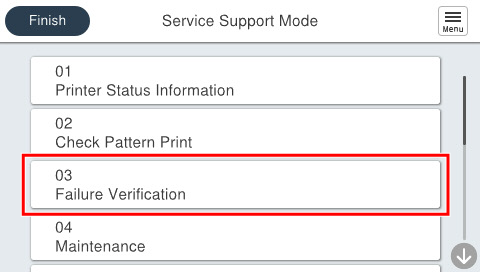
- Start service support mode. (Starting Service Support Mode)
- Select [03 Failure Verification].
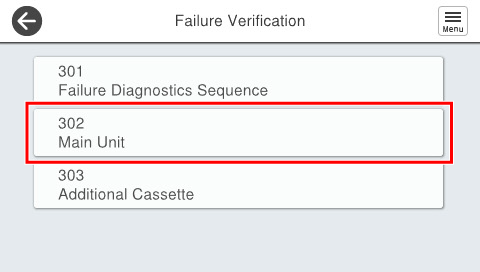
- Select [302 Main Unit].
- Select [30205 Others].
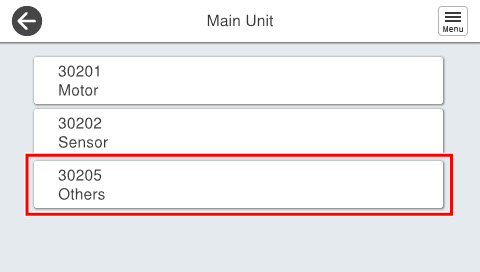
- Select the menu the user wishes to execute.
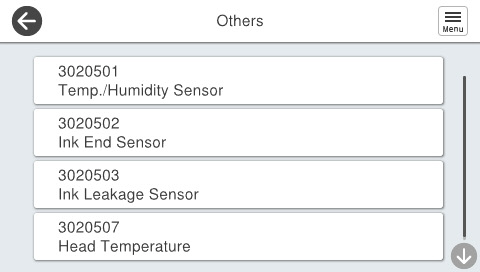
- Check the situation displayed.