
Additional Cassette Feed Roller
 Adjustment / 調整 Adjustment / 調整 |
When replacing this part, you need to run the menu from the service support mode before replacing it. |
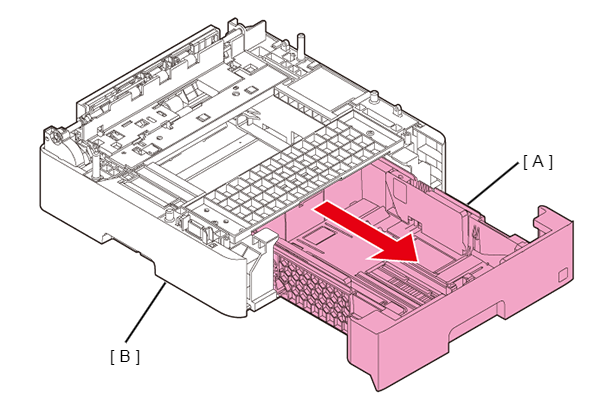
- Pull out the Paper Cassette 2nd Assy (A), then remove the Paper Cassette 2nd Assy (A) from the Optional Paper Cassette (B).
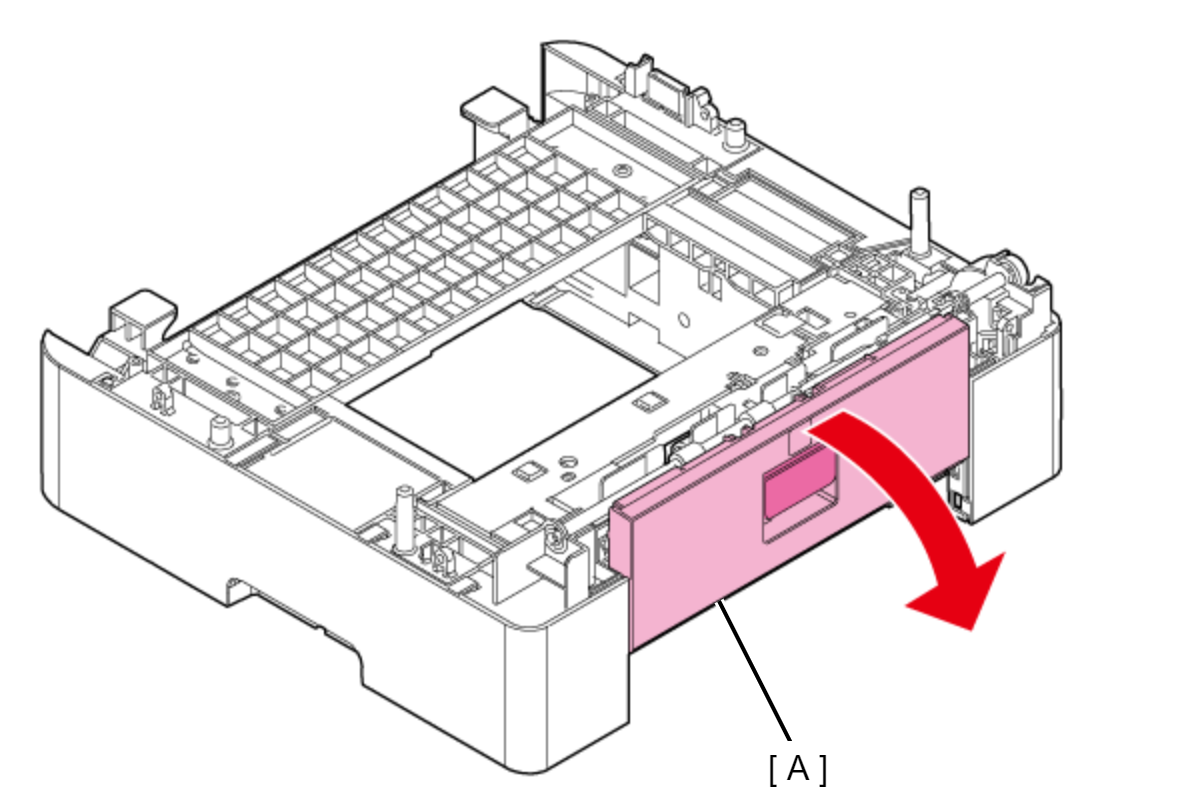
- Open the Optional Paper Cassette Rear Cover (A).
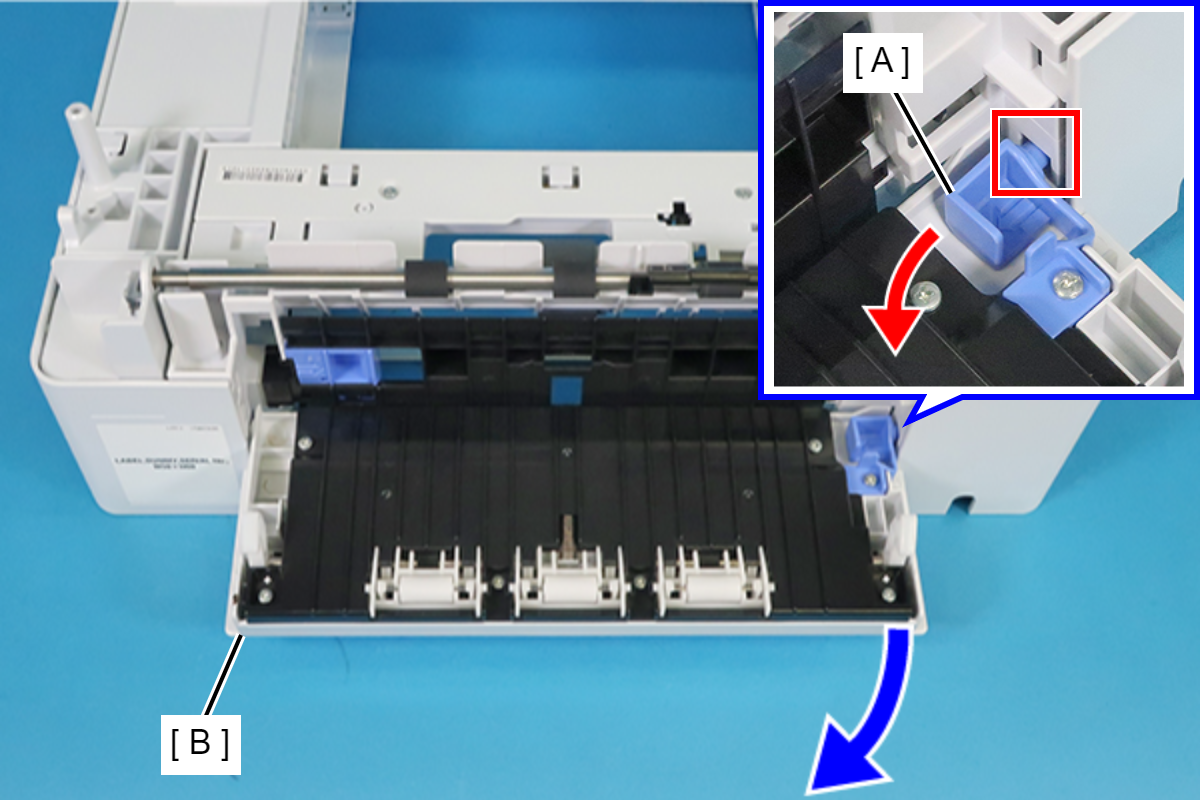
- Push the Optional Paper Cassette Rear Cover Slider (A) in the direction of the red arrow to disengage the dowel from the hole in the frame, and then remove the Rear Housing (B) by pulling it in the direction of the blue arrow.
 Assembly / 組み立て
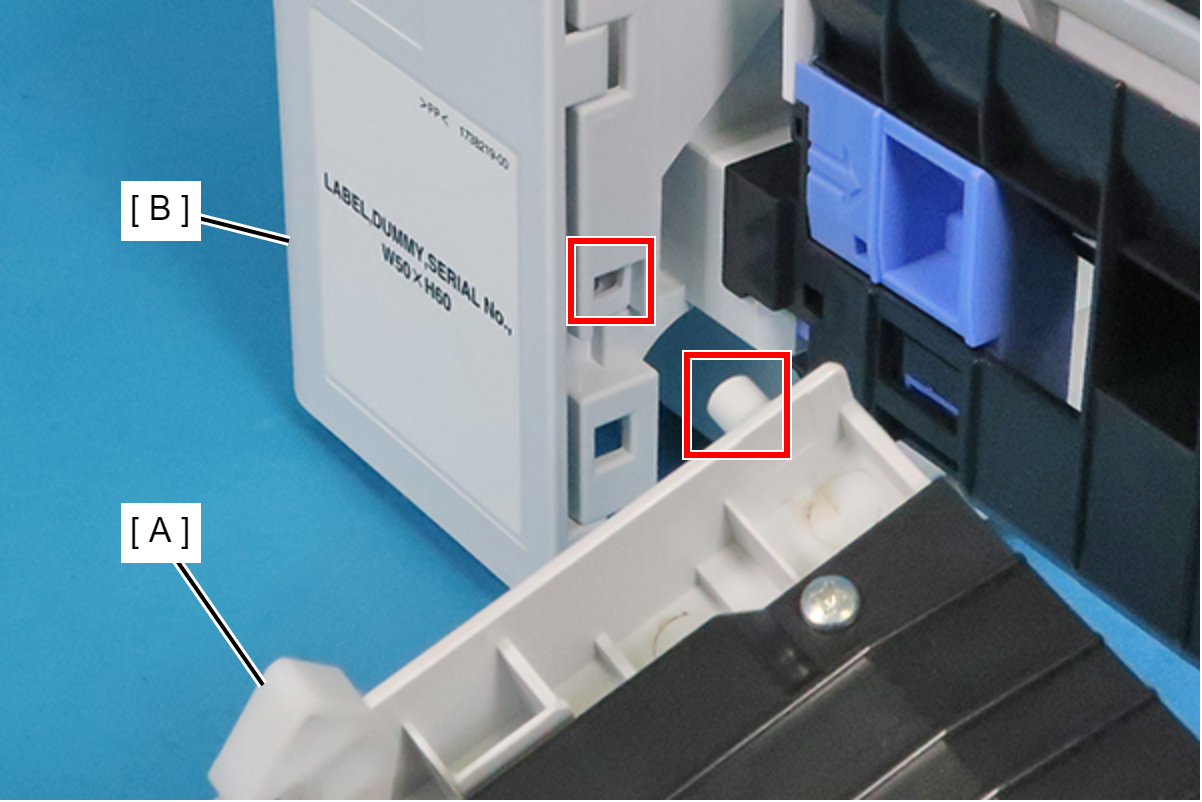
When installing the Rear Housing (A), first insert the dowel shown below into the hole in the frame (B).
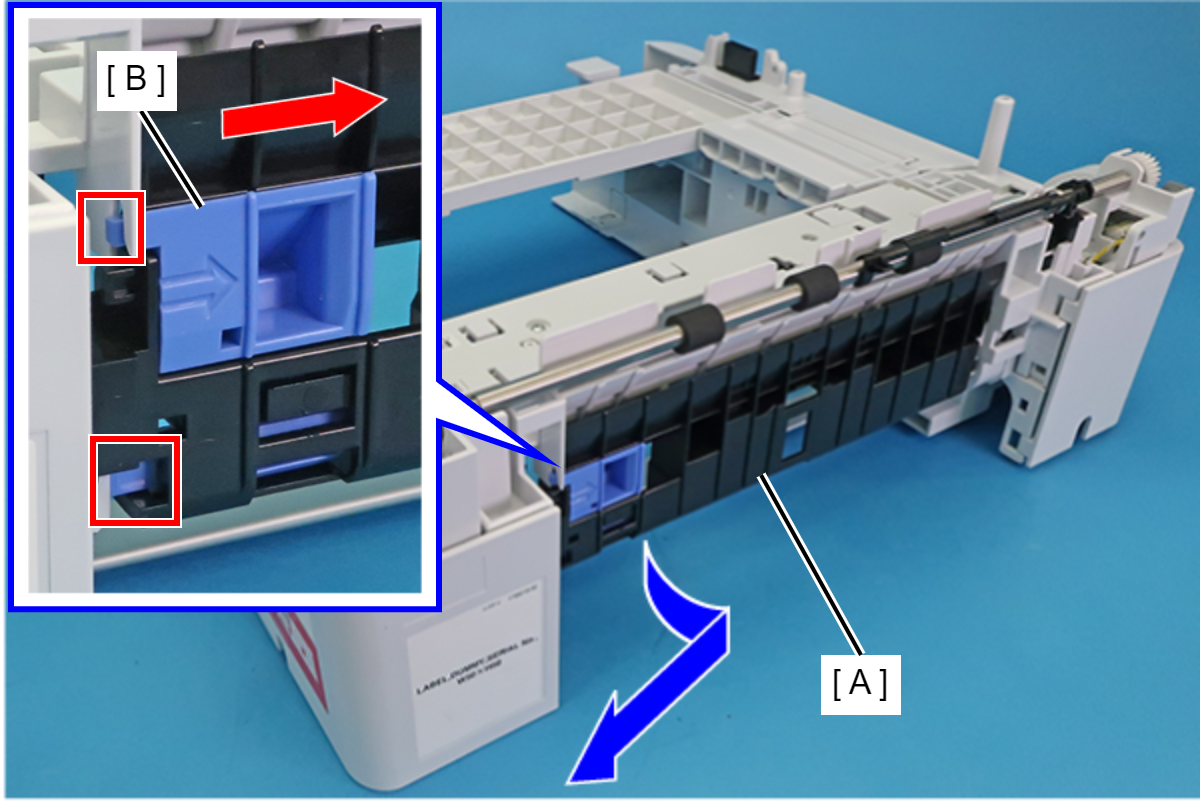
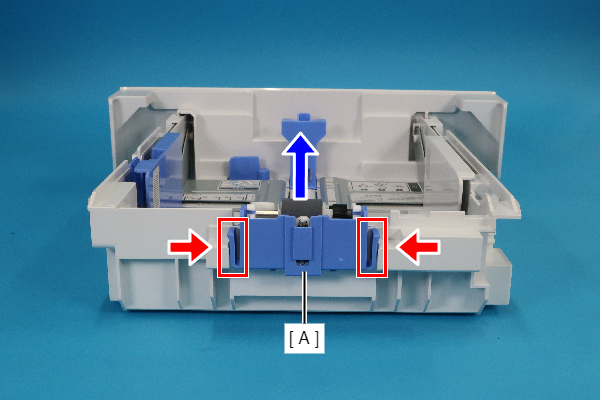
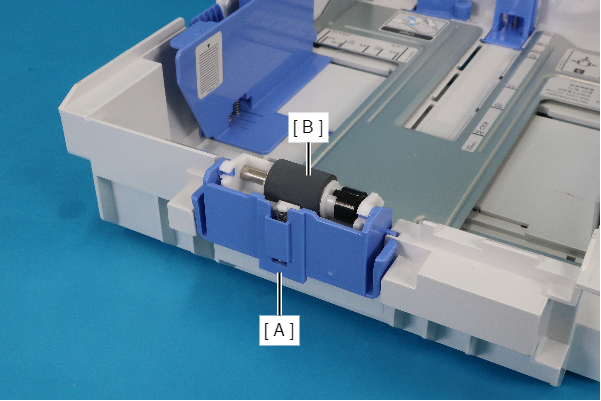
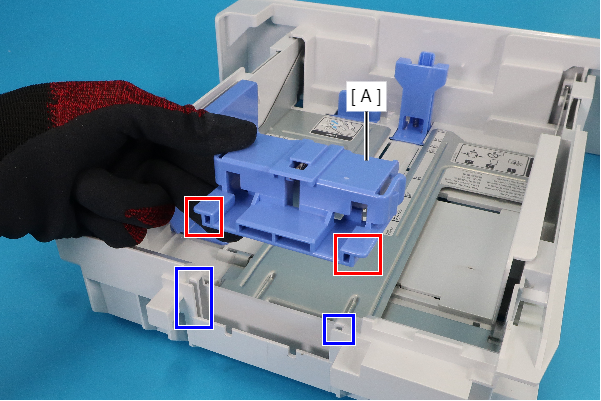
- Slide the lock (B) of the Paper Guide Sub (A) in the direction of the red arrow to release it from the two holes in the frame, and remove the Paper Guide Sub (A) in the direction of the blue arrow.
 Assembly / 組み立て
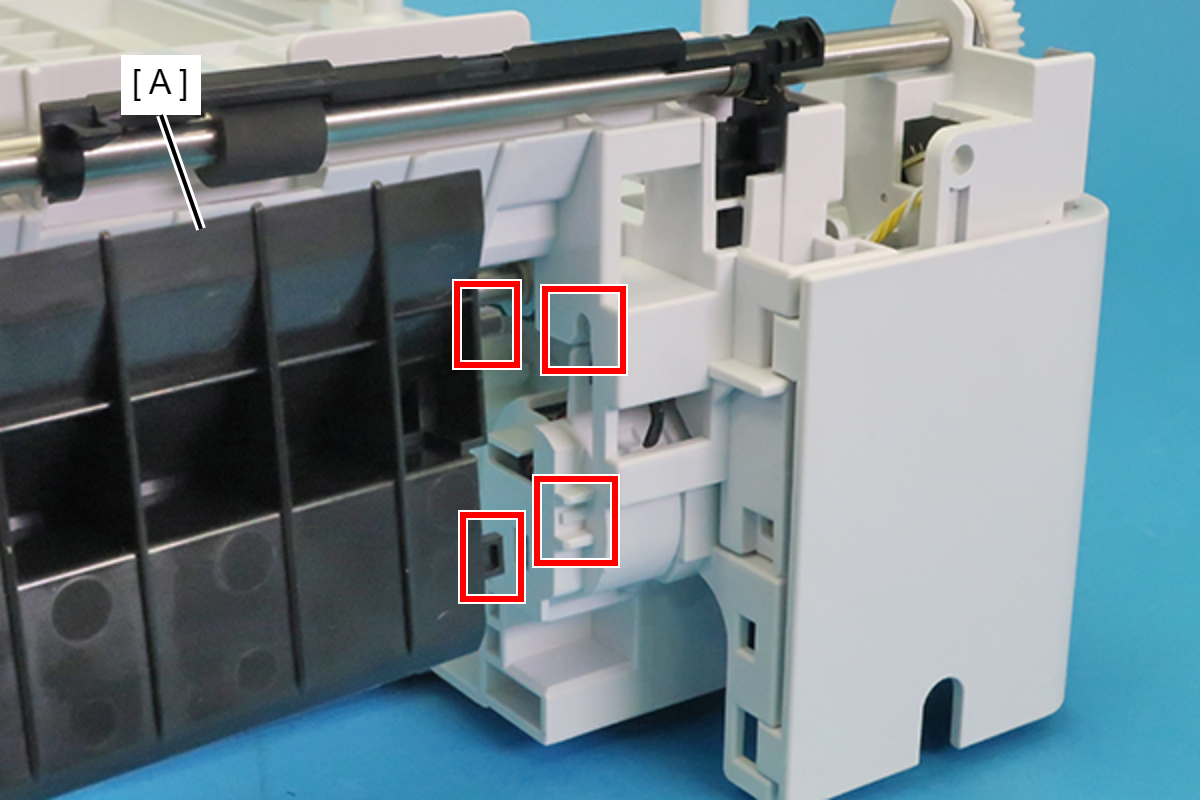
When installing the Paper Guide Sub (A), first align its two protrusions with the hole and guide in the frame.
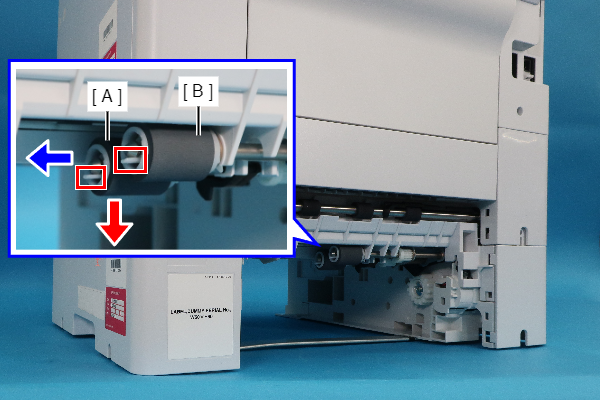
- While pushing the tabs (one each) in the direction of the red arrow, remove the Pickup Roller (A) and Separation Roller (B) in the direction of the blue arrow.
 Caution / 注意
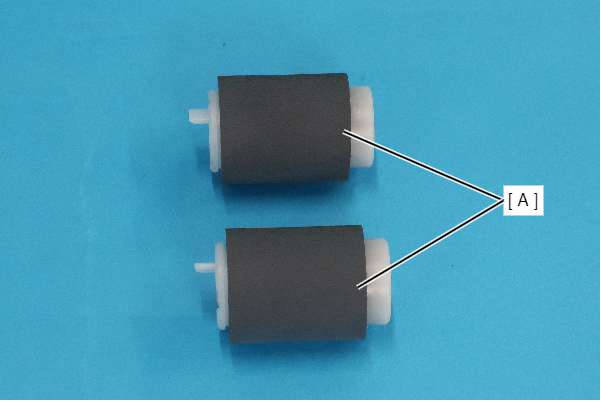
When replacing the Pickup Roller and Separation Roller, be careful not to touch the roller surface (A) shown in the figure below.
- While disengaging the two hooks in the direction of the red arrow, remove the Retard Roller (A) in the direction of the blue arrow.
 Caution / 注意
When replacing the Retard Roller (A), be careful not to touch the roller surface (B) shown in the figure below.
 Assembly / 組み立て
Install the Retard Roller (A) by placing its two ribs in the two grooves.
| Adjustment / 調整 |
After replacing this part, you need to run the menu from the service support mode. (If you ran the Before-replacement menu before replacing the part, it will start automatically when you turn the power on.) |