
20102 Check Pattern Print (Matte)
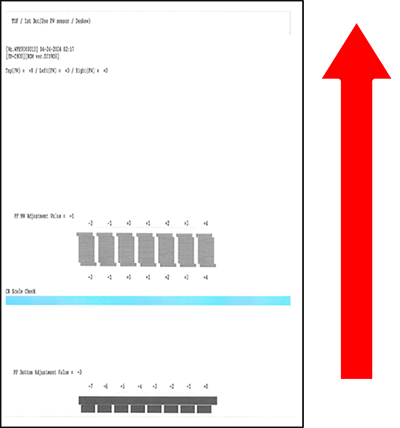
| Program No. | Program Name | Specifications | Pattern Image (Paper transport direction: arrow direction) |
Target image quality defect |
|---|---|---|---|---|
| 20102 | Check Pattern Print (Matte) |
|
|
|
Procedure
- Start service support mode. (Starting Service Support Mode)
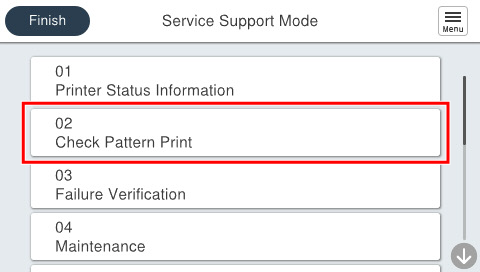
- Select [02 Check Pattern Print].
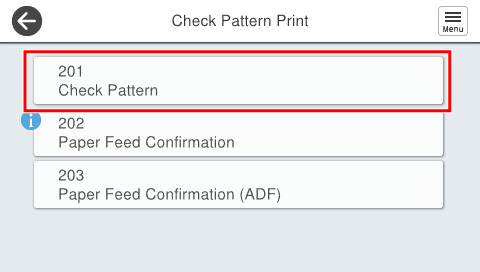
- Select [201 Check Pattern].
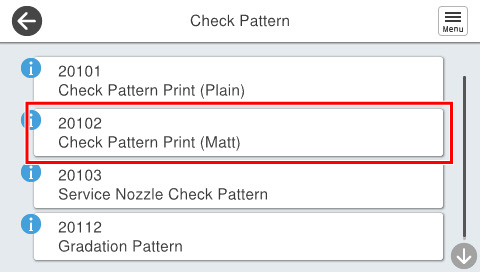
- Select [20102 Check Pattern Print (Matte)].
- Press each setting item button to confirm print settings.
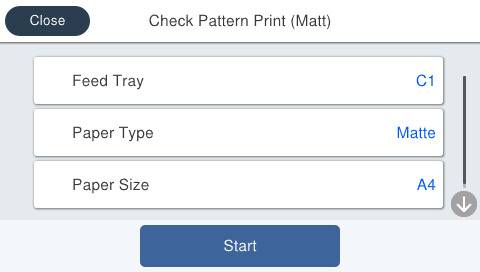
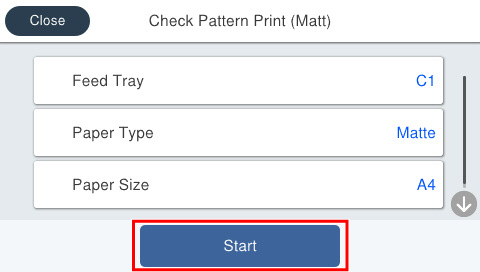
Setting Items Choice Remarks Feed Tray C1 Setting change not possible Paper Type Matte Paper-Heavy weight/Premium Presentation Paper Matte Setting change not possible Paper Size A4 Setting change not possible - Load paper in the selected feed tray and press [Start].
- Check the output pattern status.
(Refer to Remedy of When The Check Pattern is not appropriate “Check Pattern Print (Matte)”.)