
90102 Data Restore
- Start service support mode. (Starting Service Support Mode)
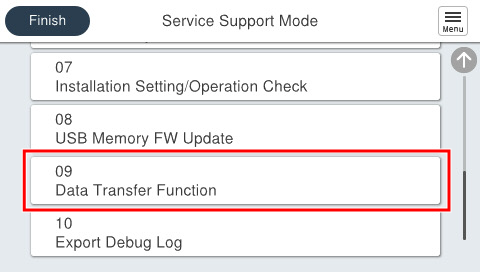
- Select [09 Data Transfer Function].
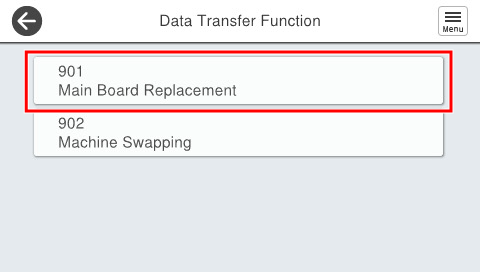
- Select [901 Main Board Replacement].
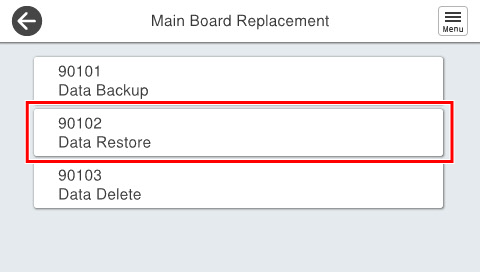
- Select [90102 Data Restore].
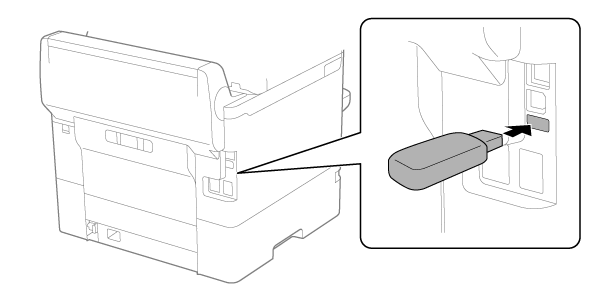
- Connect a USB memory to the USB port.
- EM-C800 Series
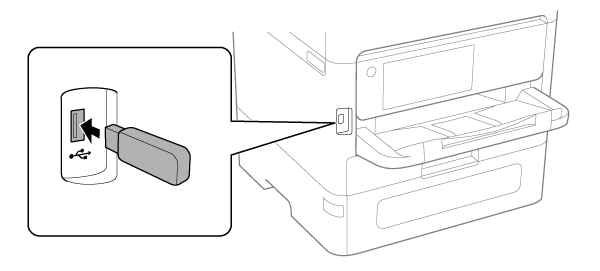
- EP-C800 Series
 Check Point / チェックポイント
For EP-C800 Series, peel off the piece of tape on the USB port before connecting the USB memory.
- EM-C800 Series
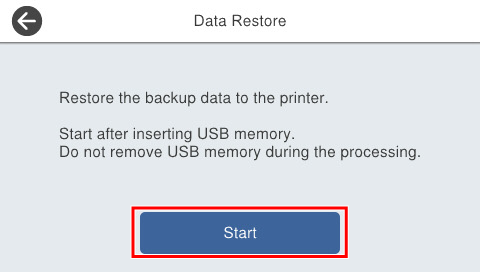
- Press [Start] to begin the data restore.
 Caution / 注意
While data restore is underway, do not remove the USB memory or turn the power off.
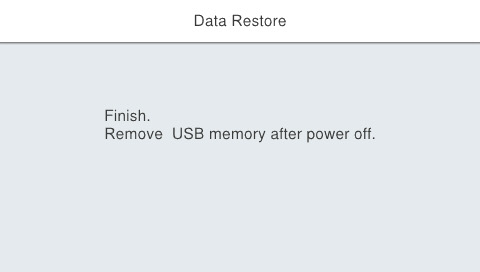
- If the following screen is displayed, turn off the power and remove the USB flash drive.
 Check Point / チェックポイント
- If an error is displayed during data restore, perform this menu again.
- If data restore fails repeatedly, a main board analysis is required. Contact the Epson Service Support department.