
EM-C800 Series transport preparations
When you need to transport the printer, follow the steps below to pack the printer.
 Caution / 注意 Caution / 注意 |
|
- Turn off the printer.
Make sure the power light turns off, and then unplug the power cord.
Caution / 注意Unplug the power cord when the power light is off. Otherwise, the Printhead does not return to the home position causing the ink to dry, and printing may become impossible.
- Disconnect all cables such as the power cord and USB cable.
- Remove all of the paper from the printer.
- If the printer supports external storage devices, make sure they are not connected and make sure there are no originals on the printer.
- Open the scanner unit with the document cover closed. Secure the Printhead to the case with tape.
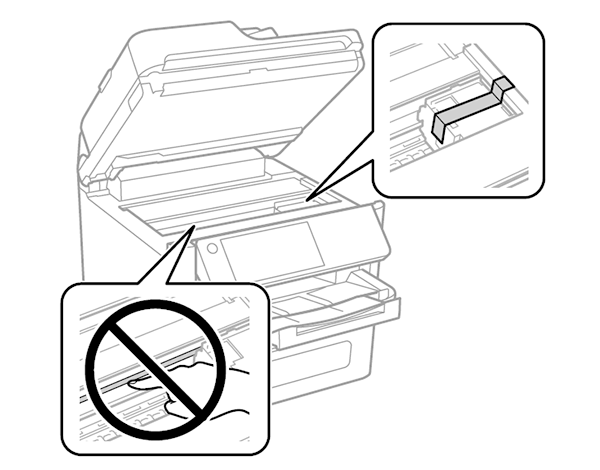
- Close the ADF/SCN Unit.
- Open the Ink cover.
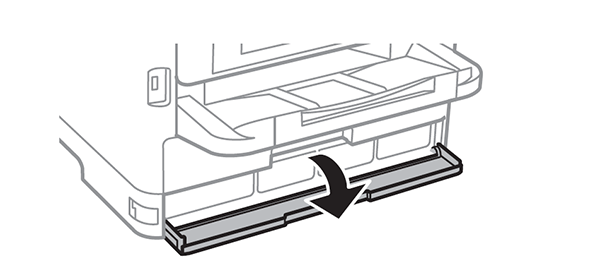
- If the ink cover is locked, you cannot open it. Release the cover lock.
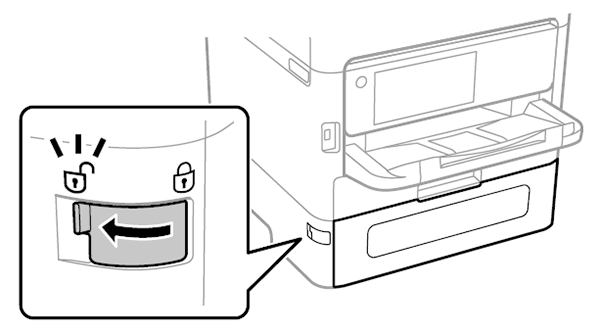
- Secure the ink tray by attaching the supplied protective material with tape so that the tray can not open.
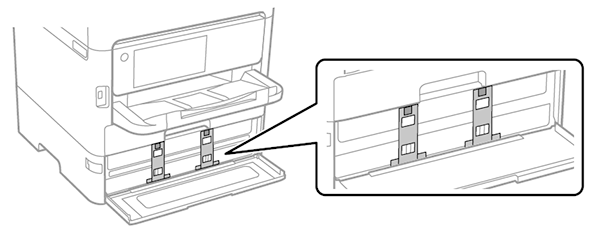
- Close the Ink cover.
- Uninstall the optional paper cassette unit if it is installed.
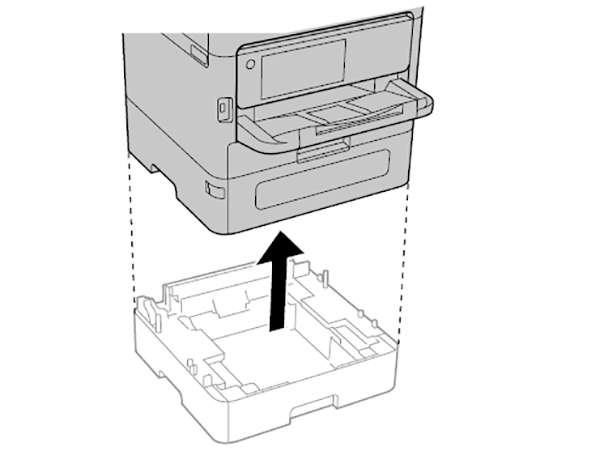
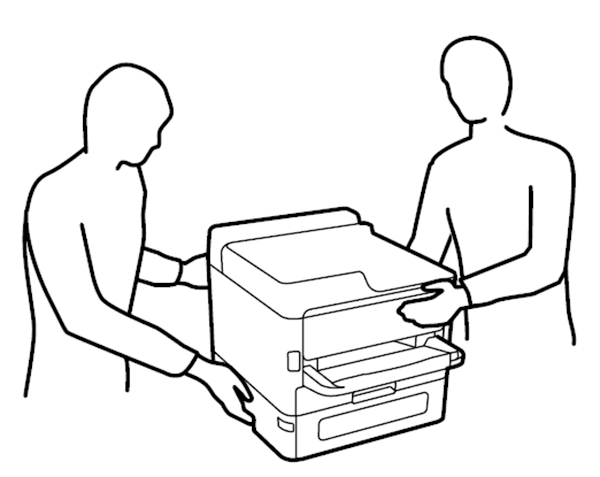
- Prepare to pack the printer as shown below.
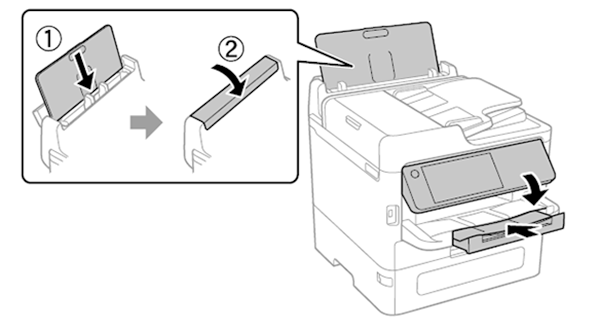
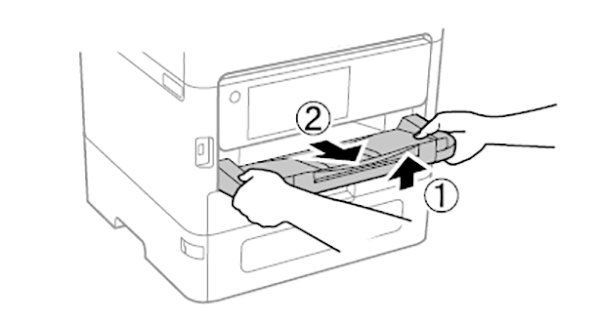
- Remove the output tray from the printer.
- Pack the printer in its box, using the protective materials.
 Check Point / チェックポイント Check Point / チェックポイント |
When you use the printer again, make sure you remove the tape securing the print head and the protective material attached on the ink tray. If print quality has declined the next time you print, clean and align the print head. |