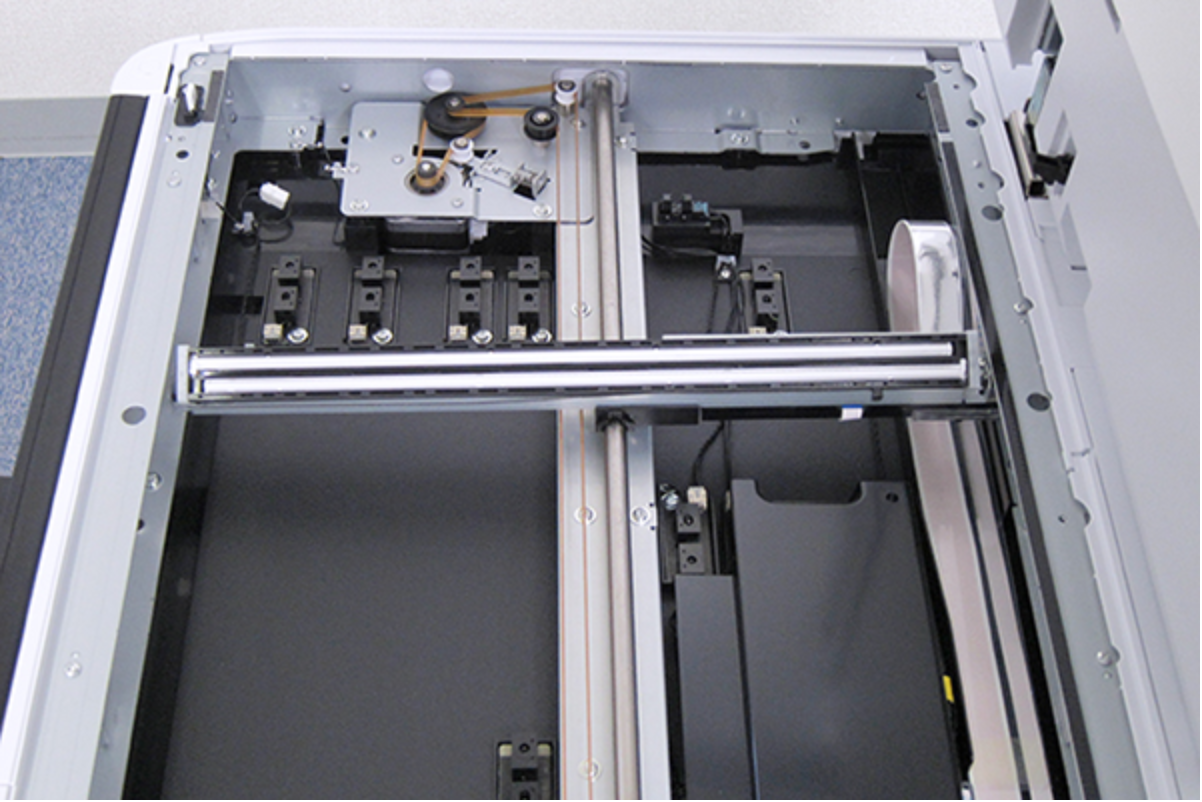
CIS Unit (SCN)
- Remove the 5 screws, then remove the Rear ADF Cover Assy (A).
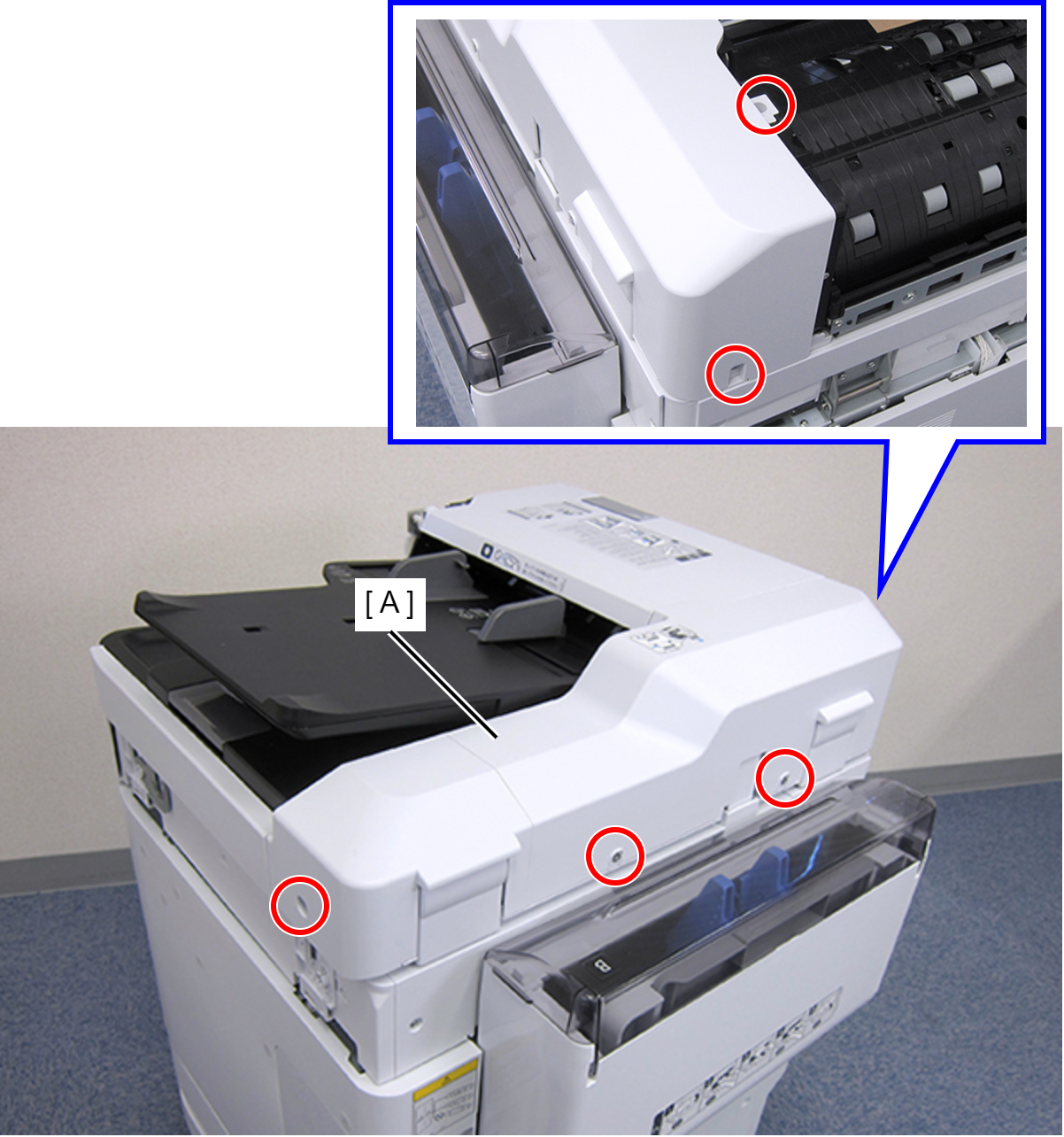
 : C.SHOULDER S-TITE,3X5
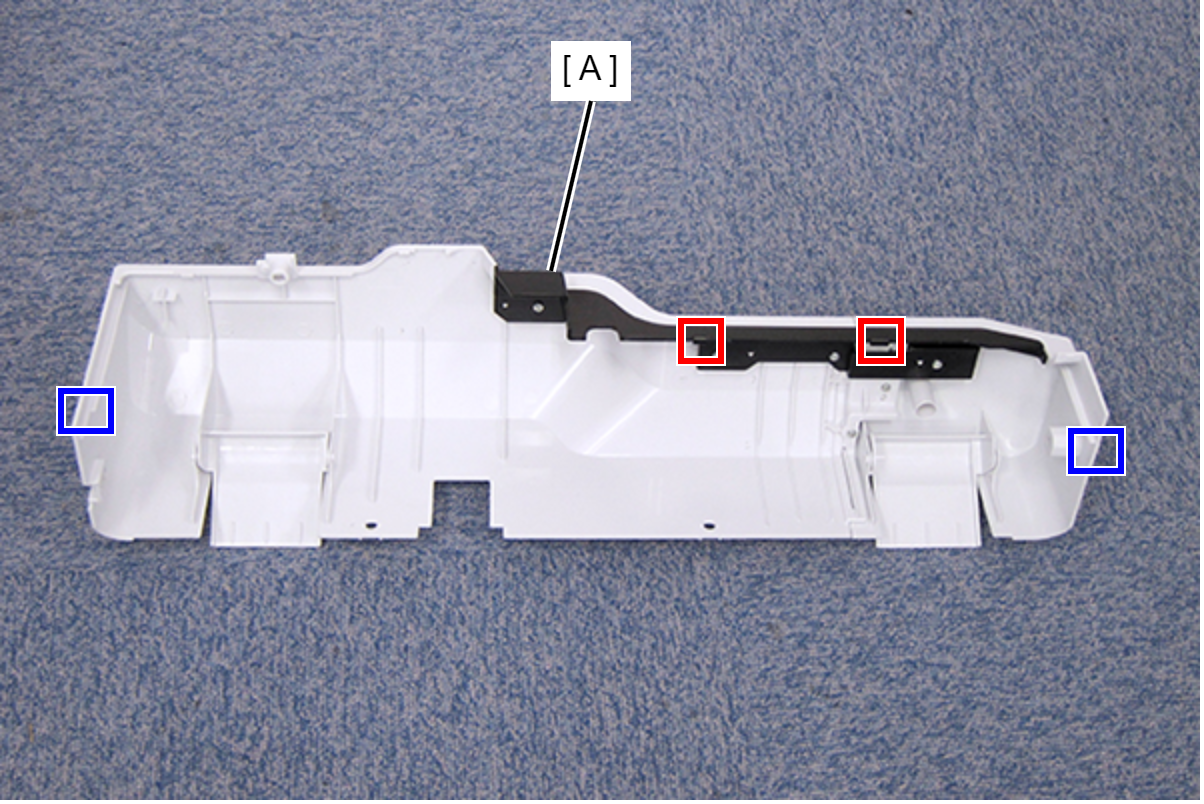
- Disengage the two hooks and the two tabs, then remove the Rear ADF Cover Assy (A).
- Remove the two C-ring (A), and pull out the two Stopper Shaft (B).
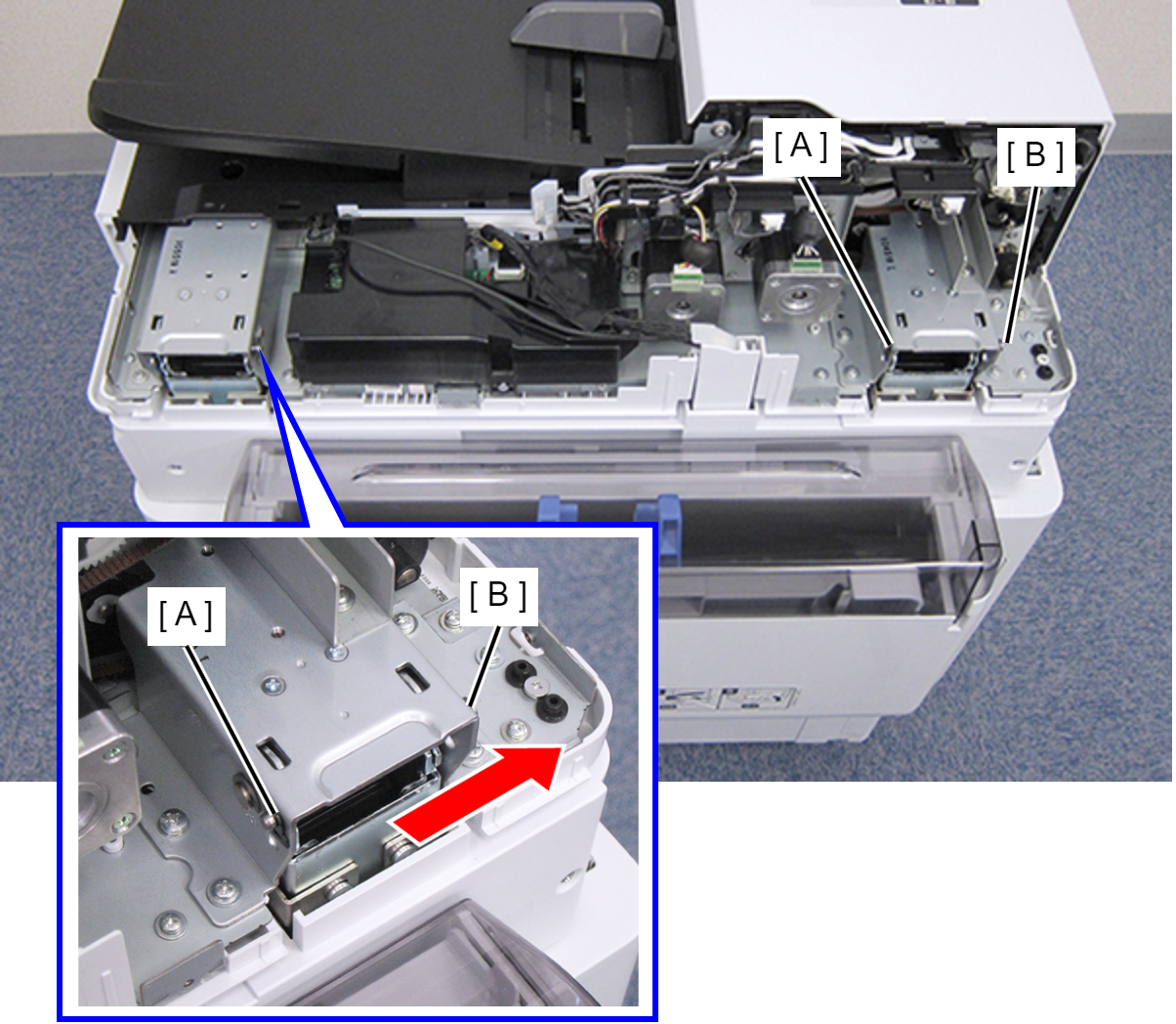
- Open the ADF Unit until it stands upright.
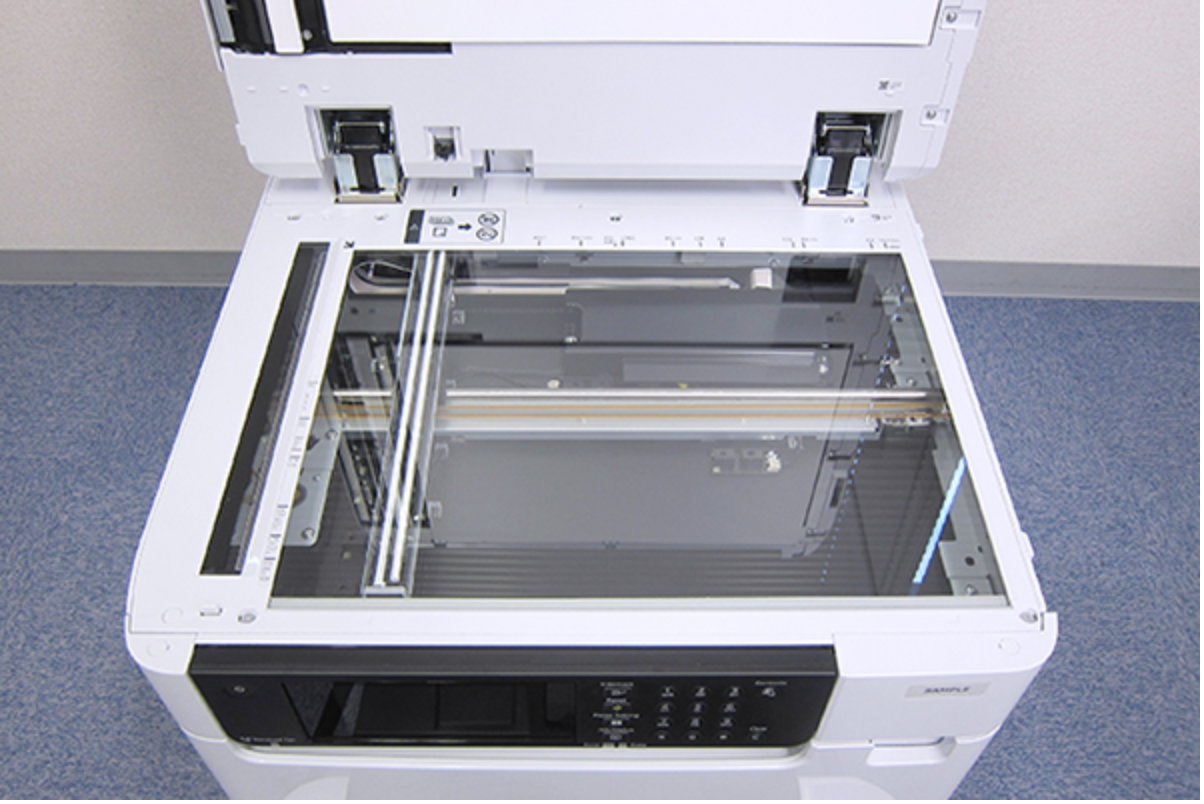
- Insert a fine-tipped tool such as tweezers to disengage the hook, then remove the six SCN Housing Caps (A).
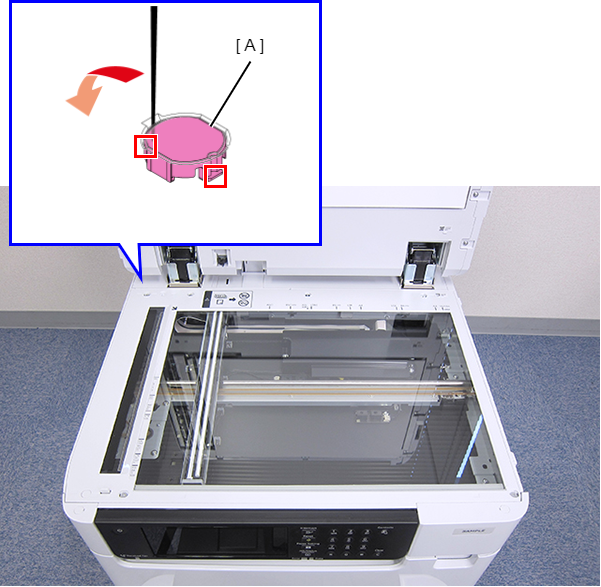
- Remove the six screws, then remove the SCN Upper Case (A).
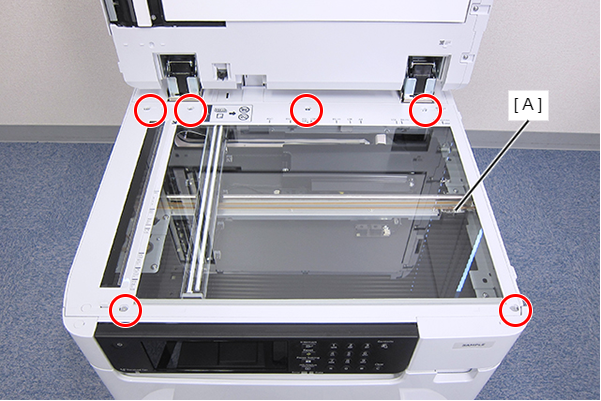
- : C.SHOULDER S-TITE,3X5
 Caution / 注意
After removing the SCN Upper Case, do not place it glass-inner-side down to prevent the inner side from being contaminated by dust or other foreign matters.
 Assembly / 組み立て
- After installing the SCN Upper Case, make sure to clean the glass with a clean cloth such as a dust-free cloth. (Refer to Cleaning)
In addition, make sure that the glass is clean without any dirt or foreign matters by visually checking it with lighting. - After reinstalling the SCN Upper Case, make some copies of any printed images or charts, and check that no banding or streaks are observed on the copies.
- Pull out the dowels of CIS Unit (SCN) (A) from the two holes on the frame.
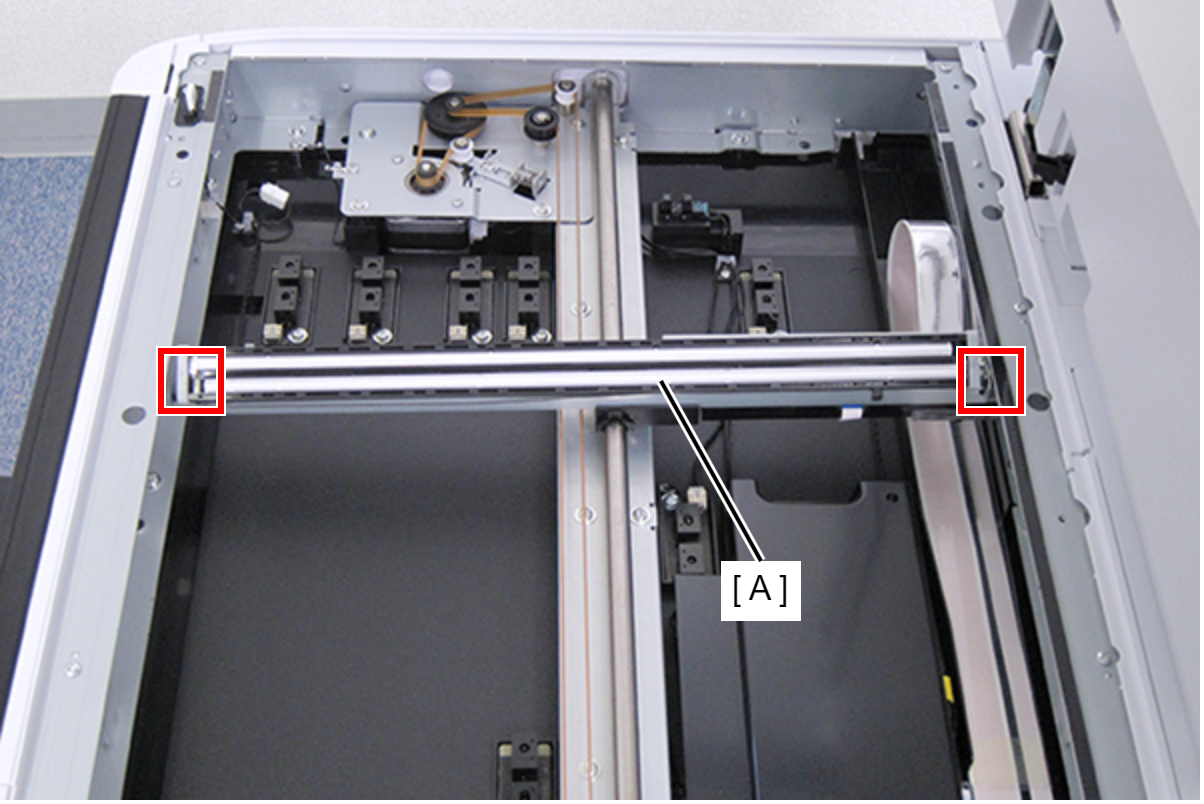
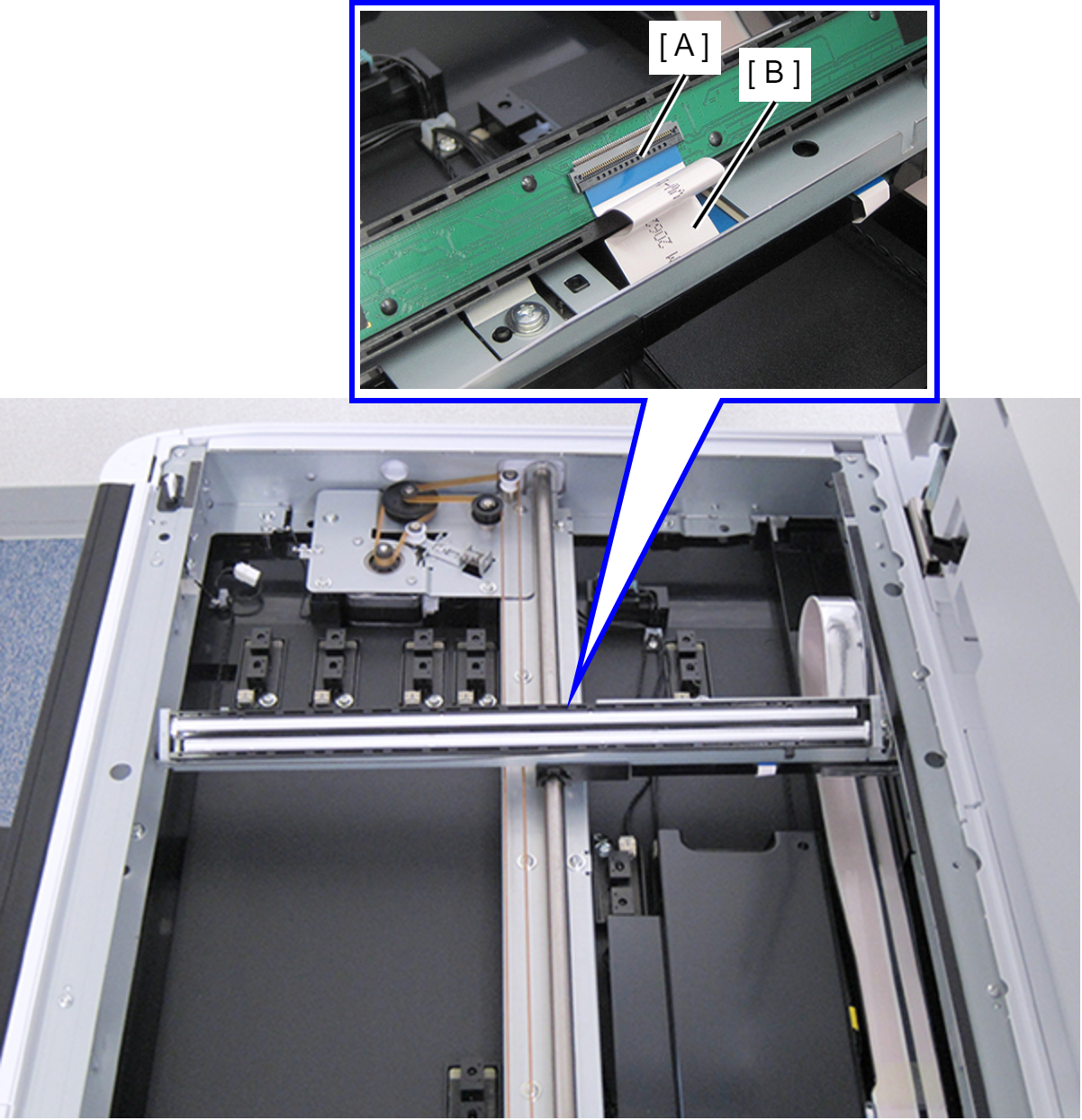
- Raise the connector lock (A), and then disconnect the FFC (B).
 Assembly / 組み立て
- Be careful not to touch the scanning area of the CIS.
- The SCN carriage sliding portion is lubricated. Be careful not to touch the portion.
- When connecting the FFC, be careful not to damage it such as folding it or deforming the terminal, and not to insert it diagonally.
- After installing the CIS, make sure to clean the glass surface with a clean cloth such as a dust free cloth. (Refer to Cleaning) After cleaning the glass, light the scanning area and make sure that the area is clean without any dirt or foreign matters.
- Be careful not to forget to attach the two CIS Spacers.
- Confirm the following points after reinstalling the CIS Unit (SCN).
- The spring is correctly attached to the SCN Carriage without being skewed.
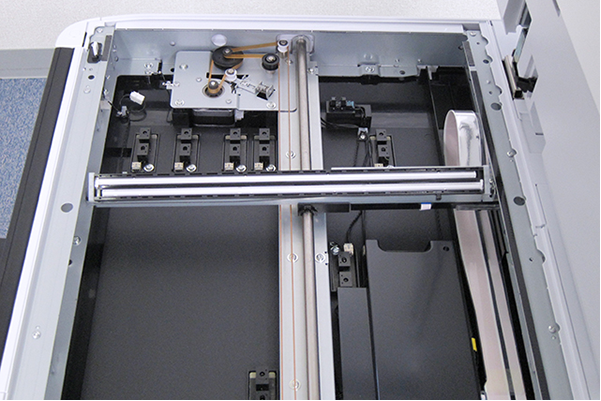
- When the spacer of the CIS Unit (SCN) is pressed with a hand, it returns to its original state.
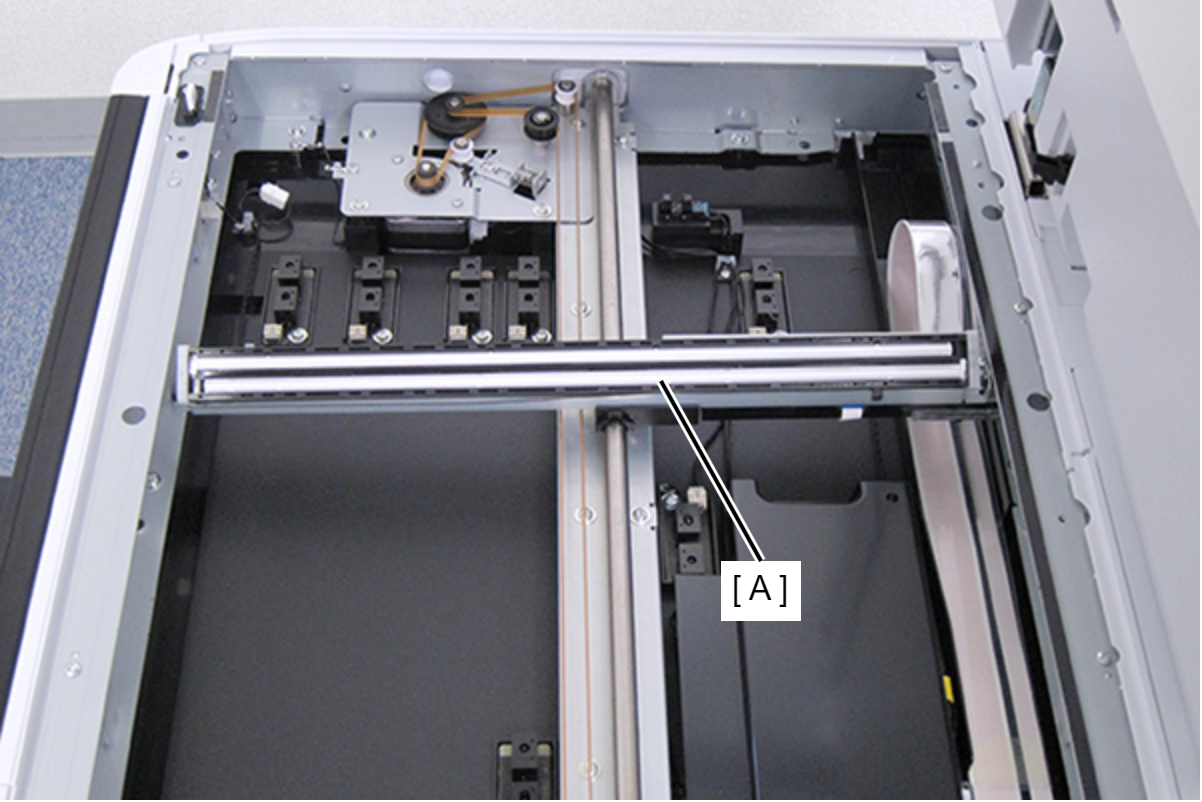
- Visually check the scanning area with lighting. The scanning area is clean without any dirt or foreign matters.