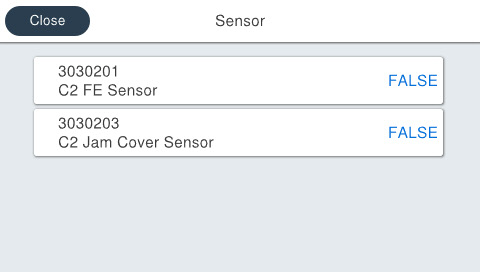
30302 Sensor
You can check the situation of each sensor displayed on the menu.
Menu list
| Program No. | Menu Name | Judgment method | Remarks |
|---|---|---|---|
| 3030201 | C2 Paper Feed Sensor | Insert the paper into the sensor parts. | TRUE: Detection FALSE: No Detection Default: FALSE |
| 3030203 | C2 Jam Cover Sensor | Open and close the Rear Cover. | TRUE: Open FALSE: Closed Default: FALSE |
| 3030211 | C3 Paper Feed Sensor | Insert the paper into the sensor parts. | TRUE: Detection FALSE: No Detection Default: FALSE |
| 3030213 | C3 Jam Cover Sensor | Open and close the Rear Cover. | TRUE: Open FALSE: Closed Default: FALSE |
| 3030221 | C4 Feed sensor | Insert the paper into the sensor parts. | TRUE: Detection FALSE: No Detection Default: FALSE |
| 3030223 | C4 Jam Cover Sensor | Open and close the Rear Cover. | TRUE: Open FALSE: Closed Default: FALSE |
Procedure
- Start service support mode. (Starting Service Support Mode)
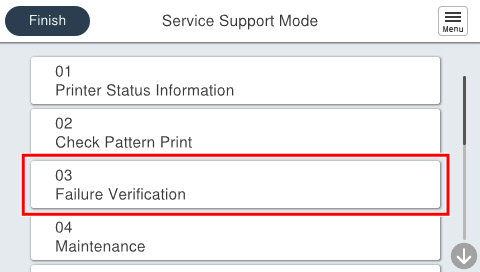
- Select [03 Failure Verification].
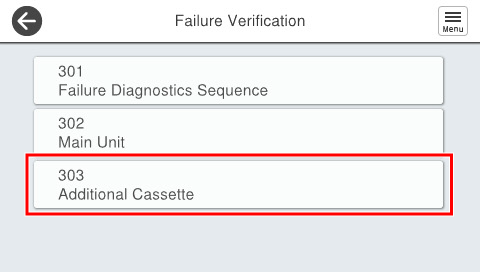
- Select [303 Additional Cassette].
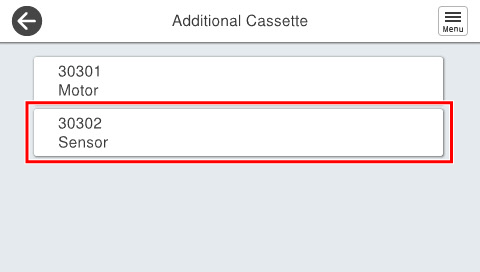
- Select [3030202 Sensor].
- Check the situation displayed.