
PCB ROM
- Remove the two screws, then remove the Connector Cover (A).
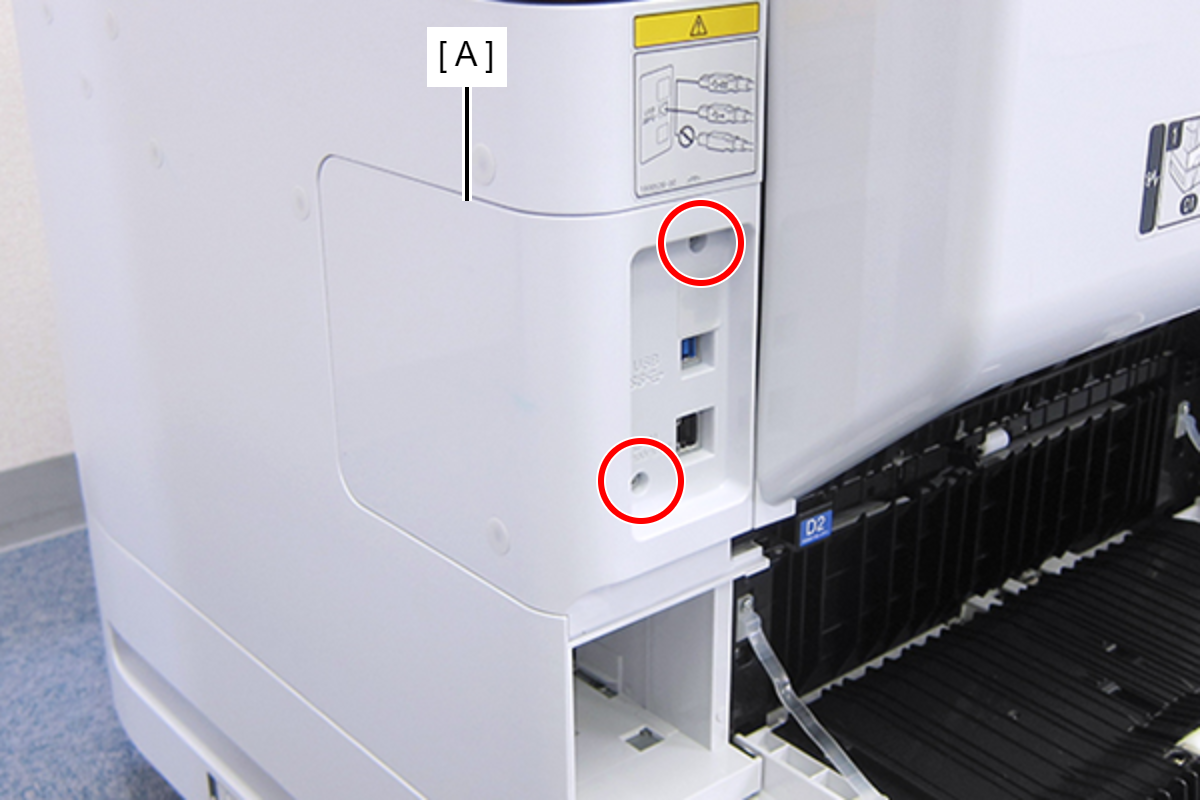
 : C.B.S-TITE-SCREW-3x8-F.ZN-3C
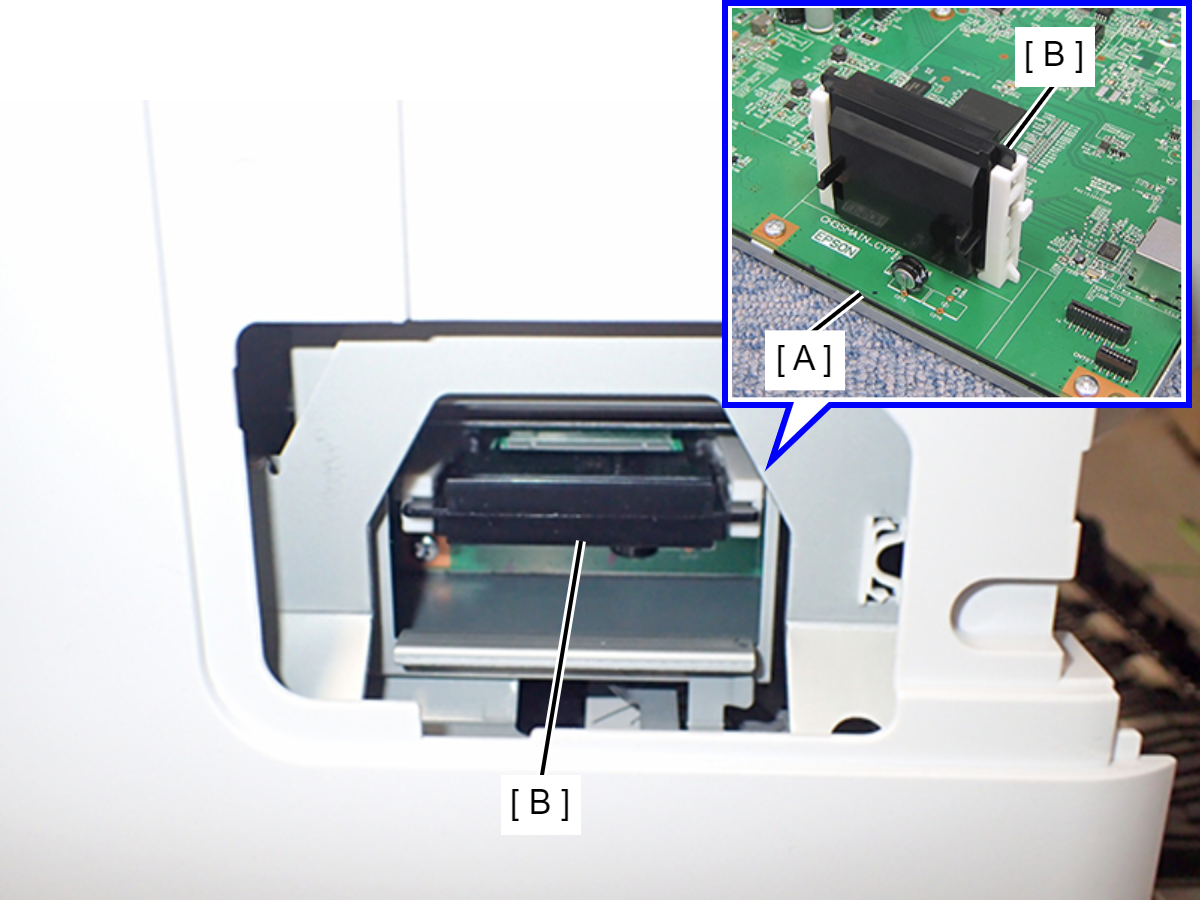
- Remove the PCB ROM (B) from the Main Board (A).
 Caution / 注意
In the event of PCB ROM malfunction, necessary data must be written to the PCB ROM (this is not possible at the repair site), so please contact the Epson Service Support department. For recovery, the PCB ROM and the Main Board installed at the time of malfunction will be required. Do not dispose of the removed PCB ROM or Main Board.
 Check Point / チェックポイント
The PCB ROM retains all data within the printer. Therefore, the data can be easily transferred by replacing the PCB ROM.