
Option Rear Cover
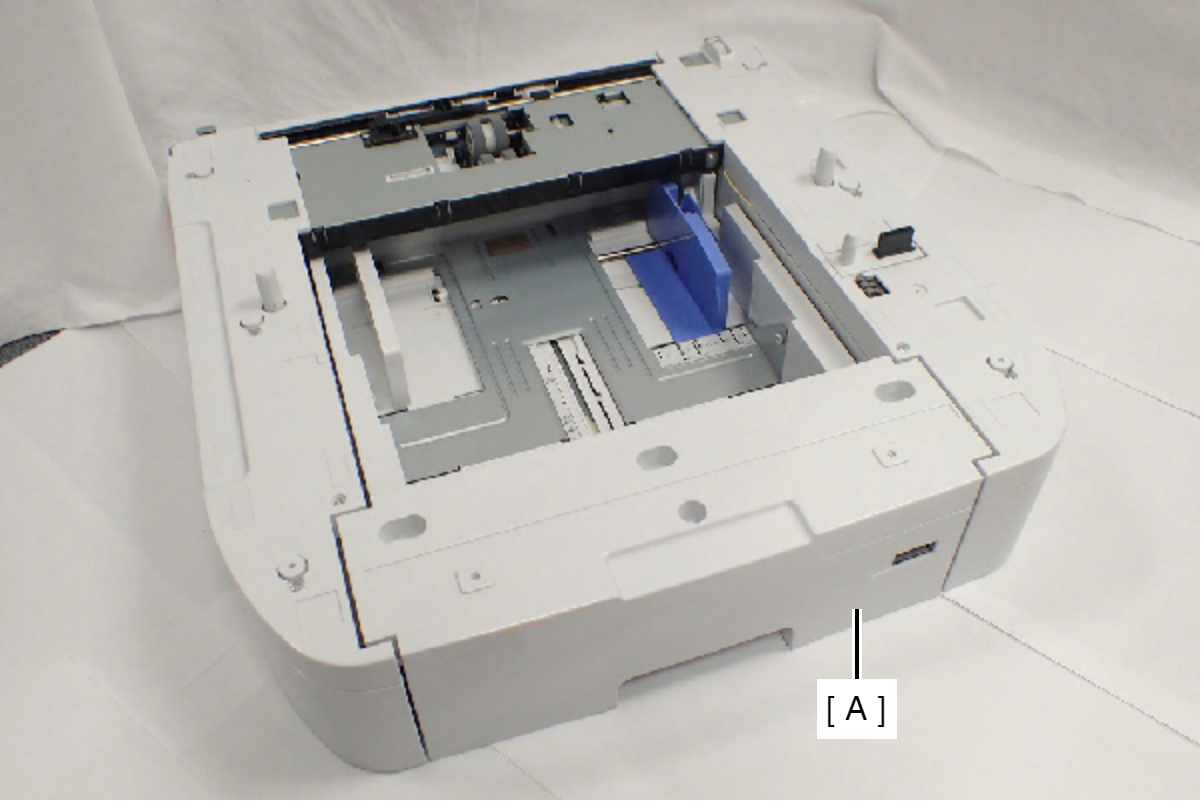
- Remove the Printer Main Unit from Option Cassette Unit (A).
- Remove the four screws, then remove the Option Right Cover (A).
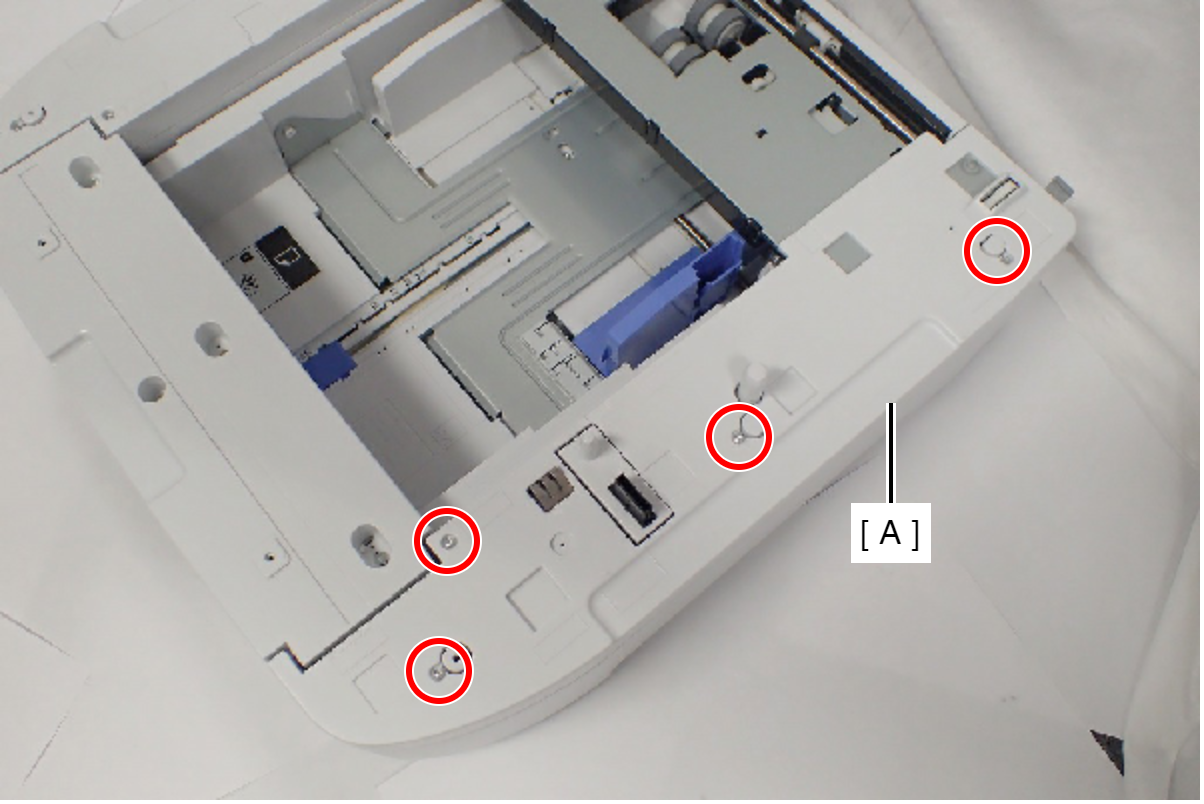
 : C.B.P-TITE-SCREW-3x10-F.ZN-3C
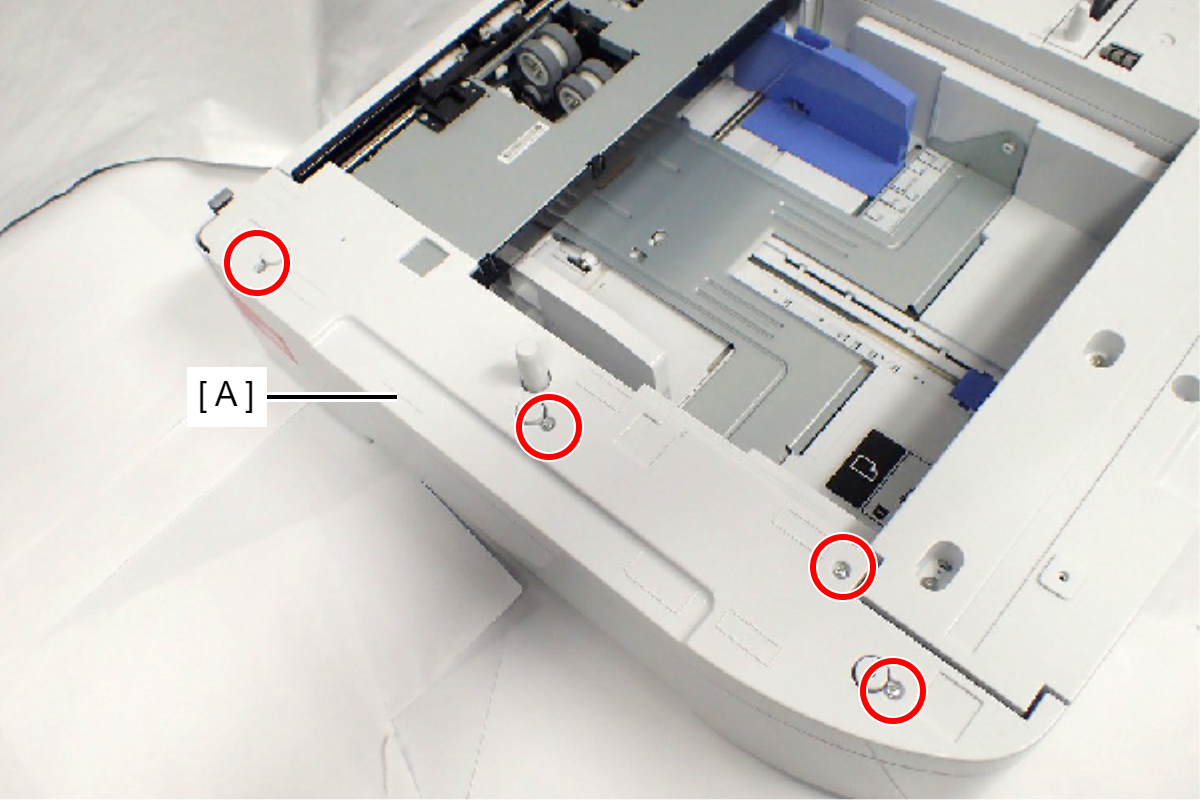
- Remove the four screws, then remove the Option Left Cover (A).
- Remove the two screws, then remove the Option Rear Fitting Frame (A).
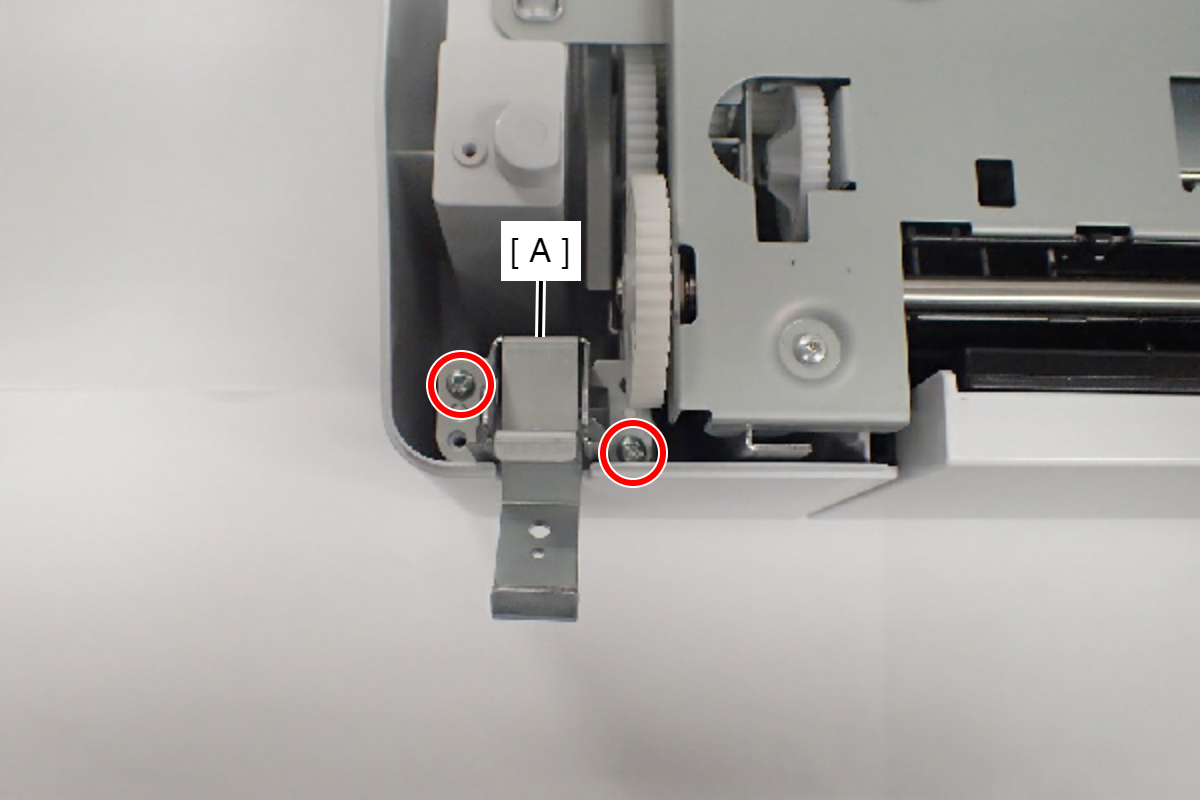
- : C.B.P-TITE-SCREW-3x10-F.ZN-3C
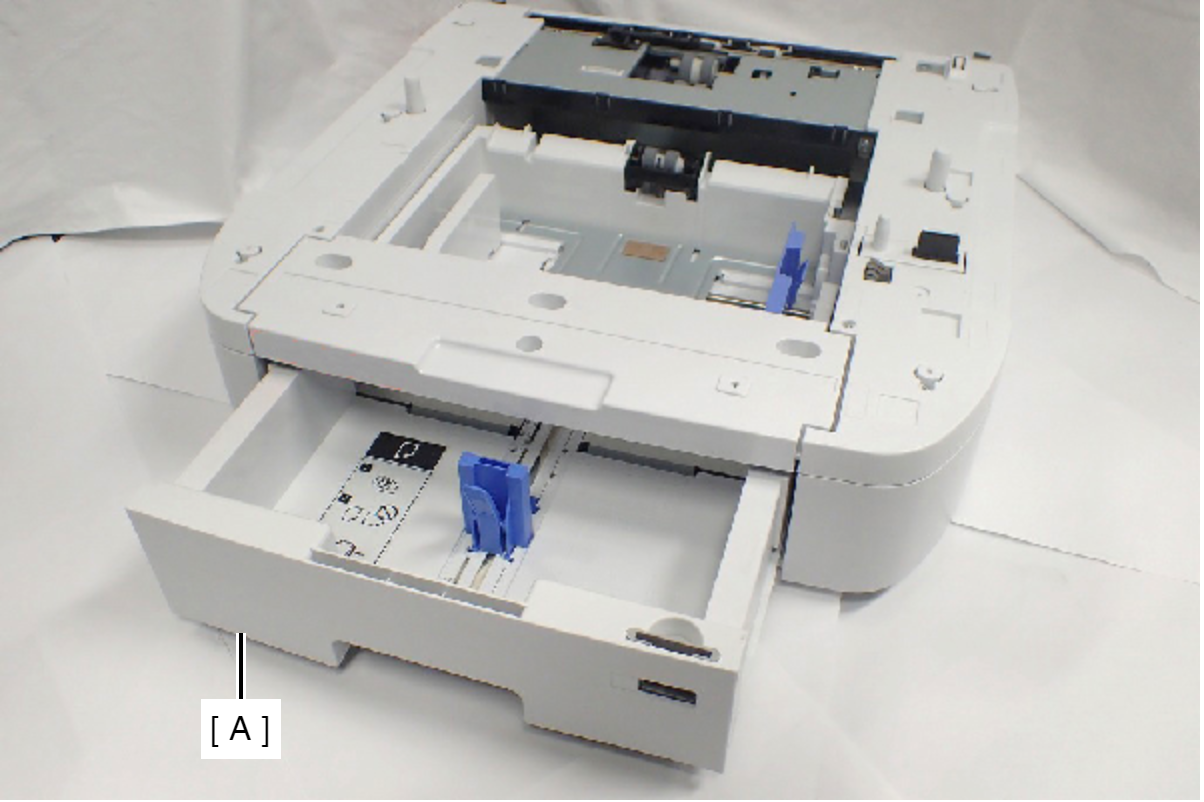
- Remove the Option Paper Cassette (A).
- Remove the two screws, and remove the Grounding Frame Assy (A).
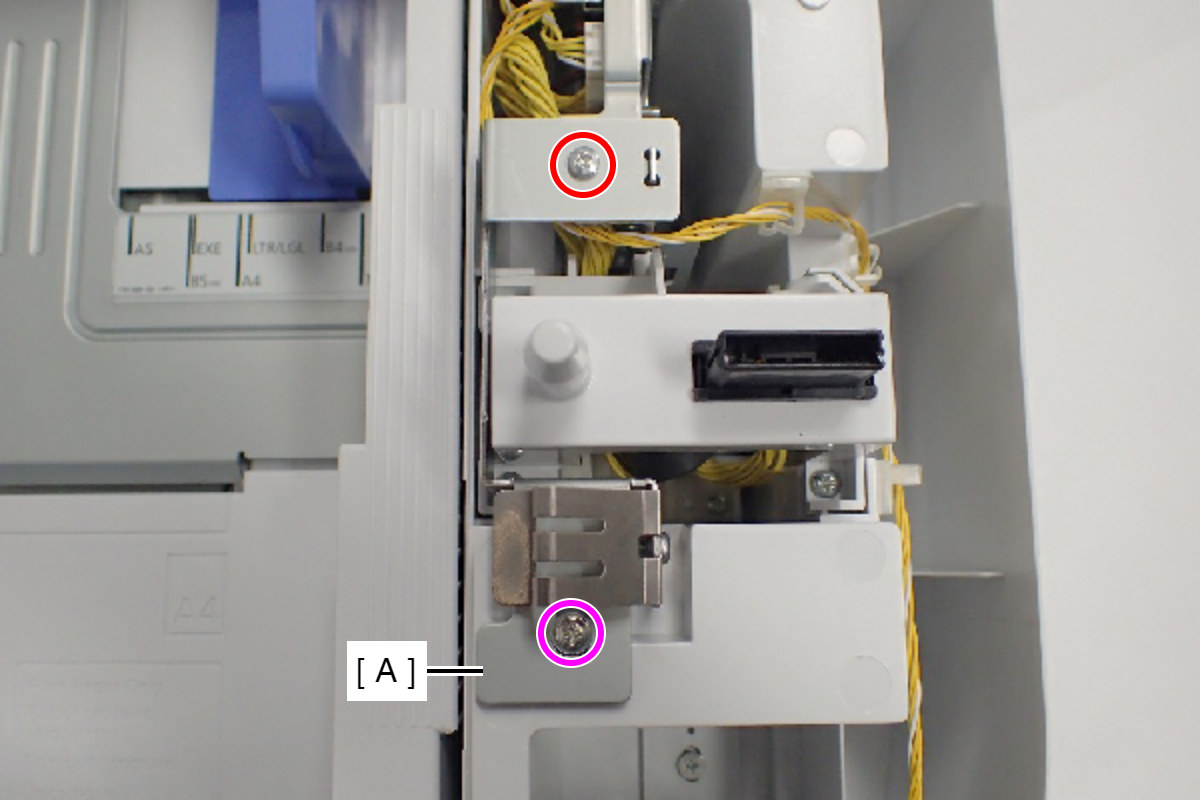
- : C.B.S-TITE-SCREW-3x6-F.ZN-3C
 : C.C.P-TITE-SCREW-3x8-F.ZN-3C
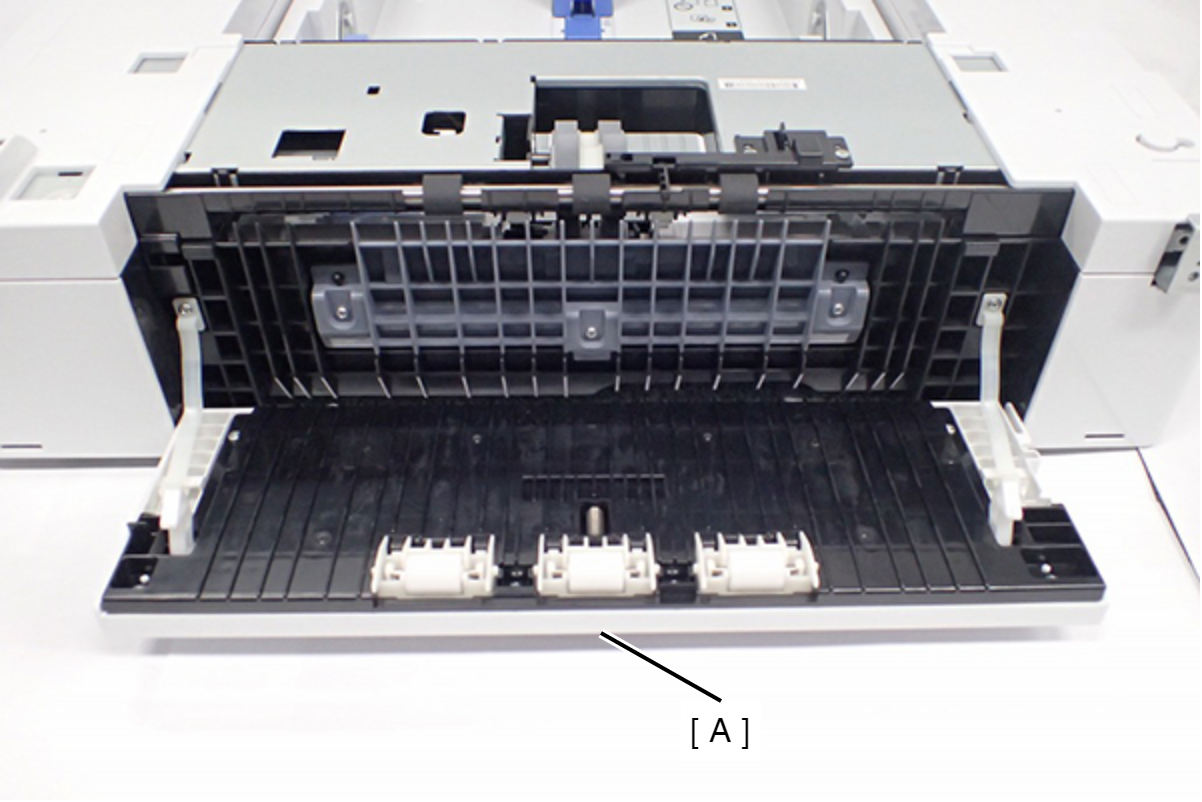
- Open the Option Rear Cover (A).
- Remove the five screws fixing the Cassette Drawers.
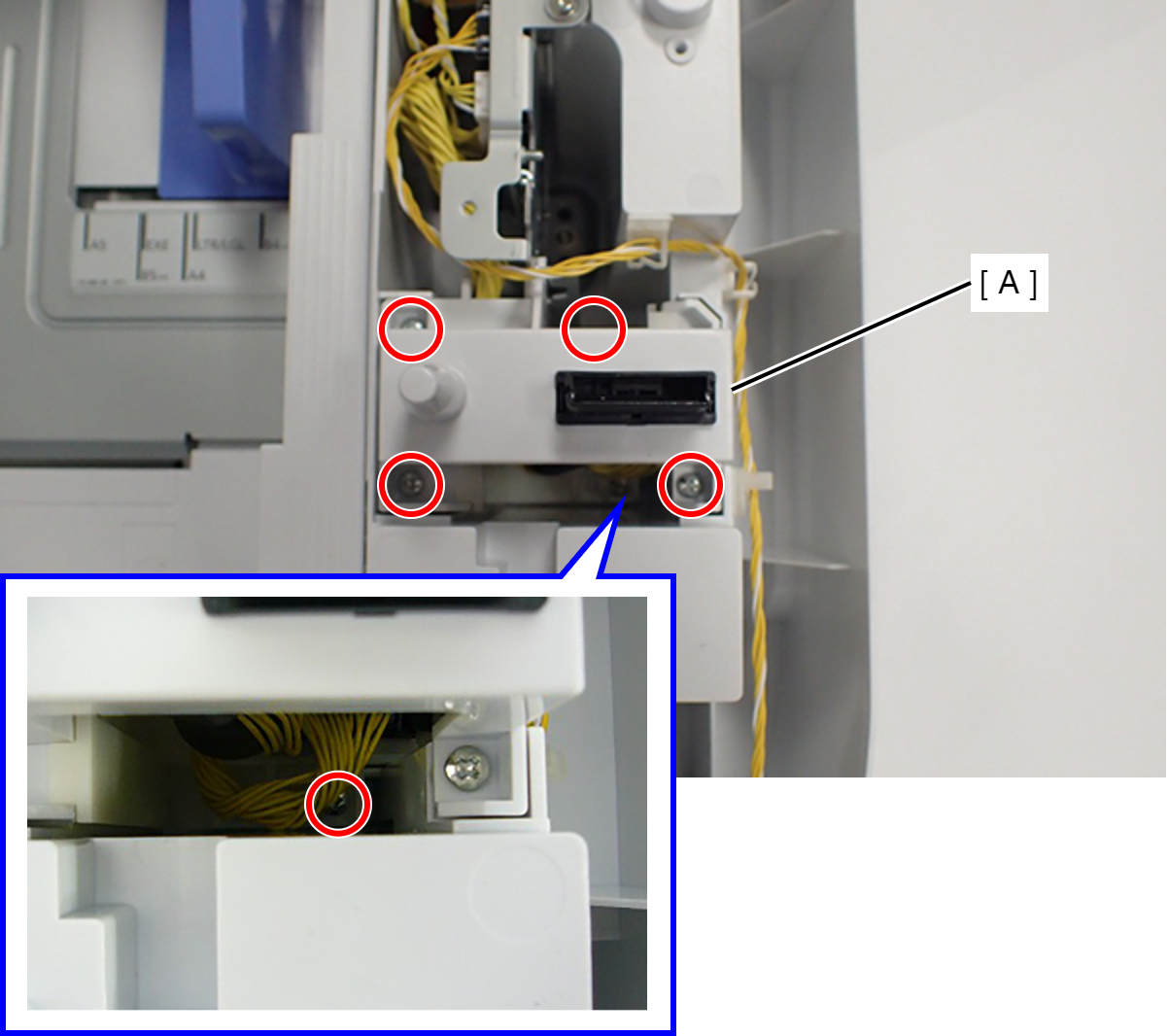
- : C.B.P-TITE-SCREW-3x10-F.ZN-3C
- Remove the five screws fixing the Option Drive Frame Assy (A).
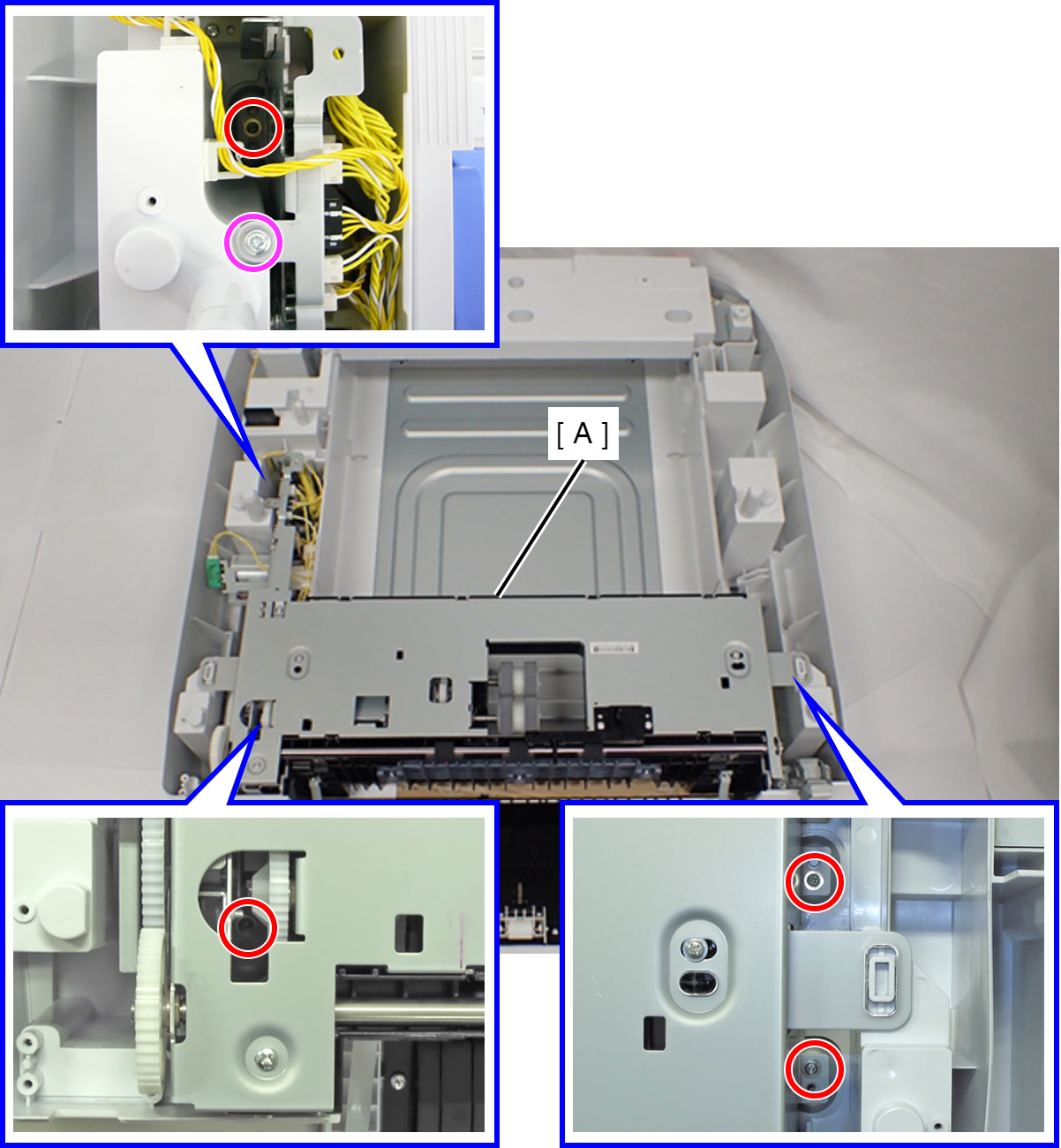
- : C.POLWAVE.D-TITE-A-SCREW-3x6-F.ZN3C
- : C.C.P-TITE-SCREW-3x8-F.ZN-3C
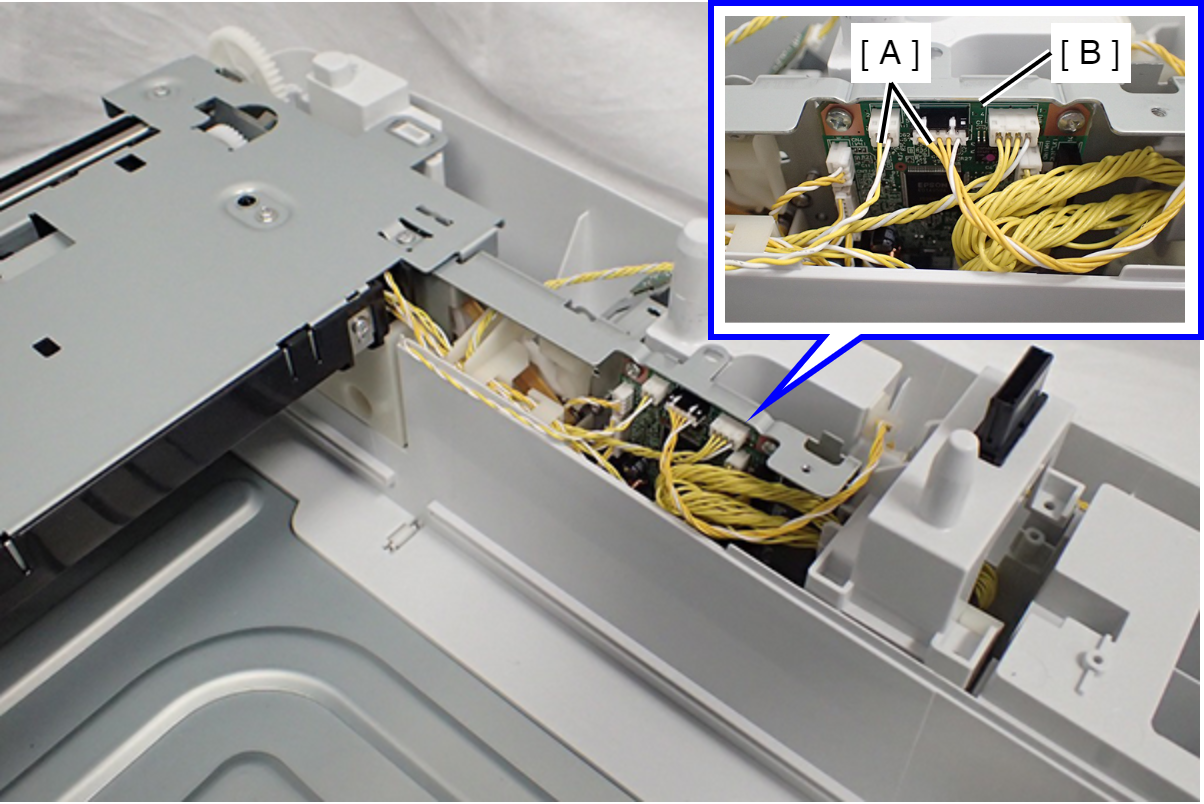
- Disconnect the two cables (A) from the Option Cassette Board (B).
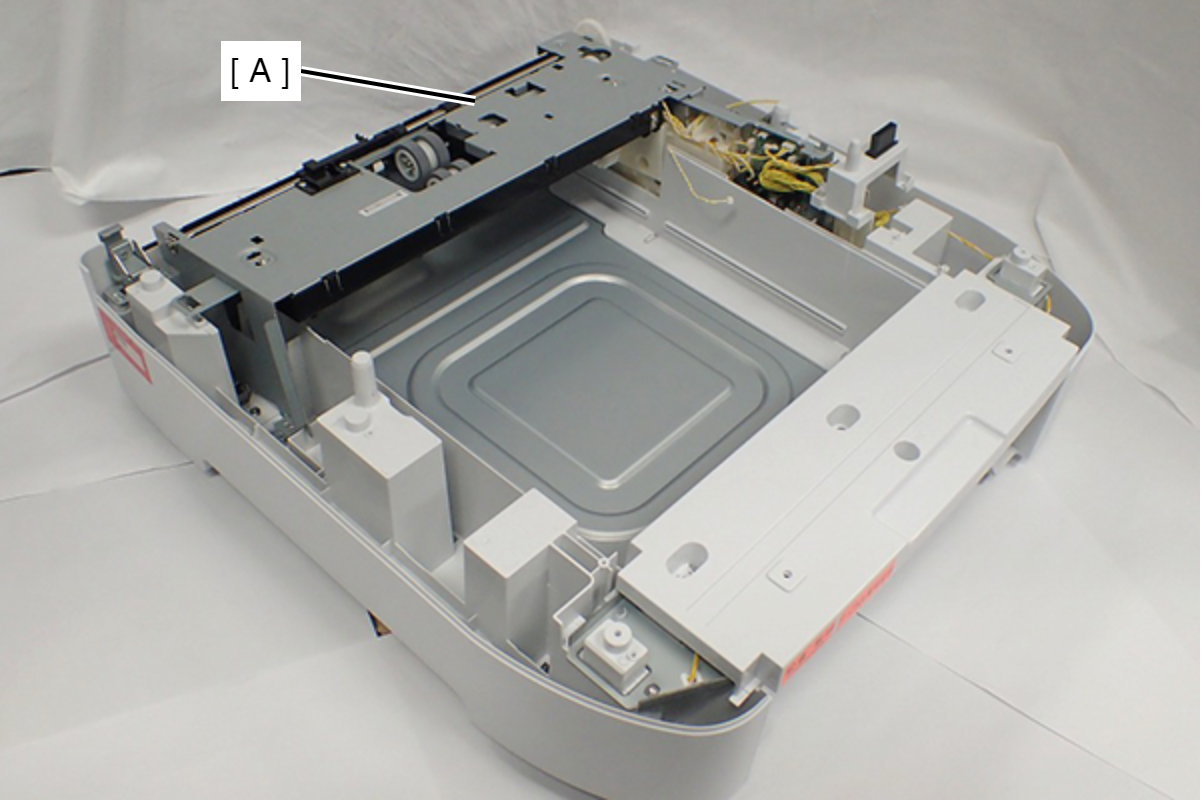
- Remove the Option Drive Frame Assy (A).
- Remove the two screws.
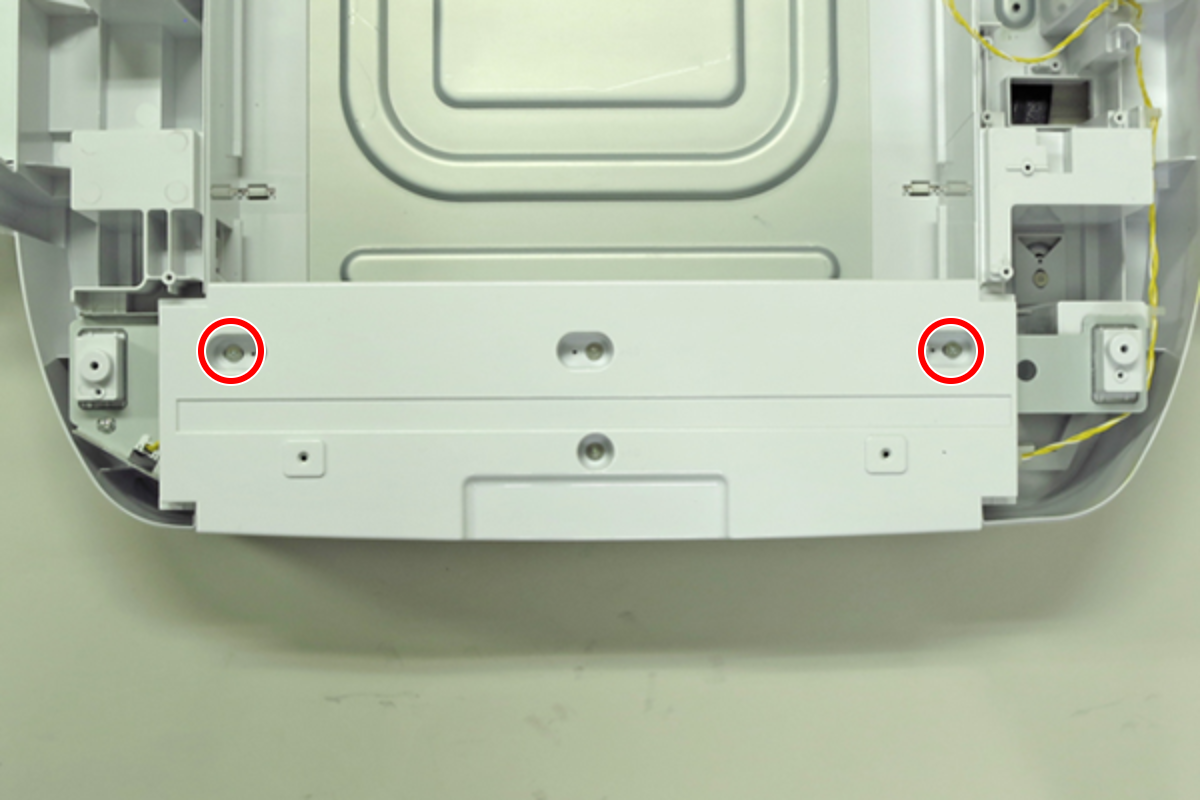
- : C.B.S-TITE(P4), SCREW, 3X10, F/ZN-3C
- Remove the two screws, then remove the Option Front Cover (A).
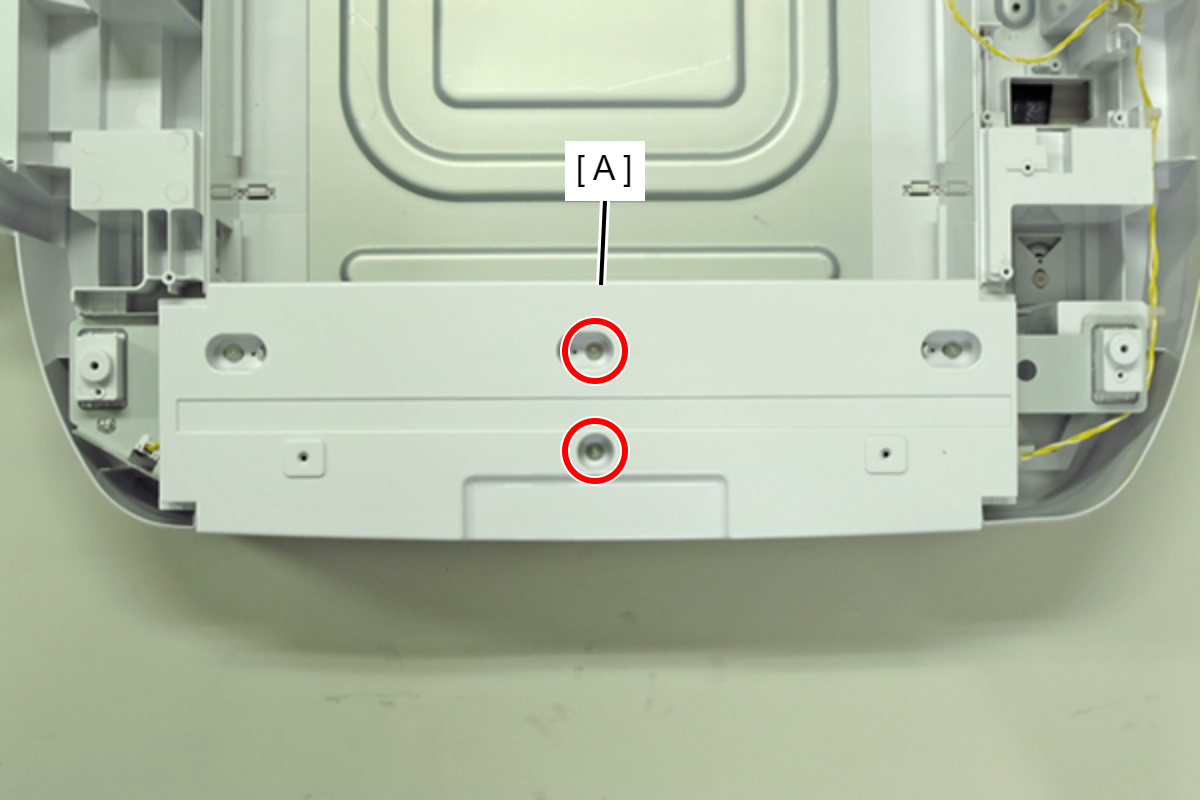
- : C.SHOULDER S-TITE, SCREW, 3X5
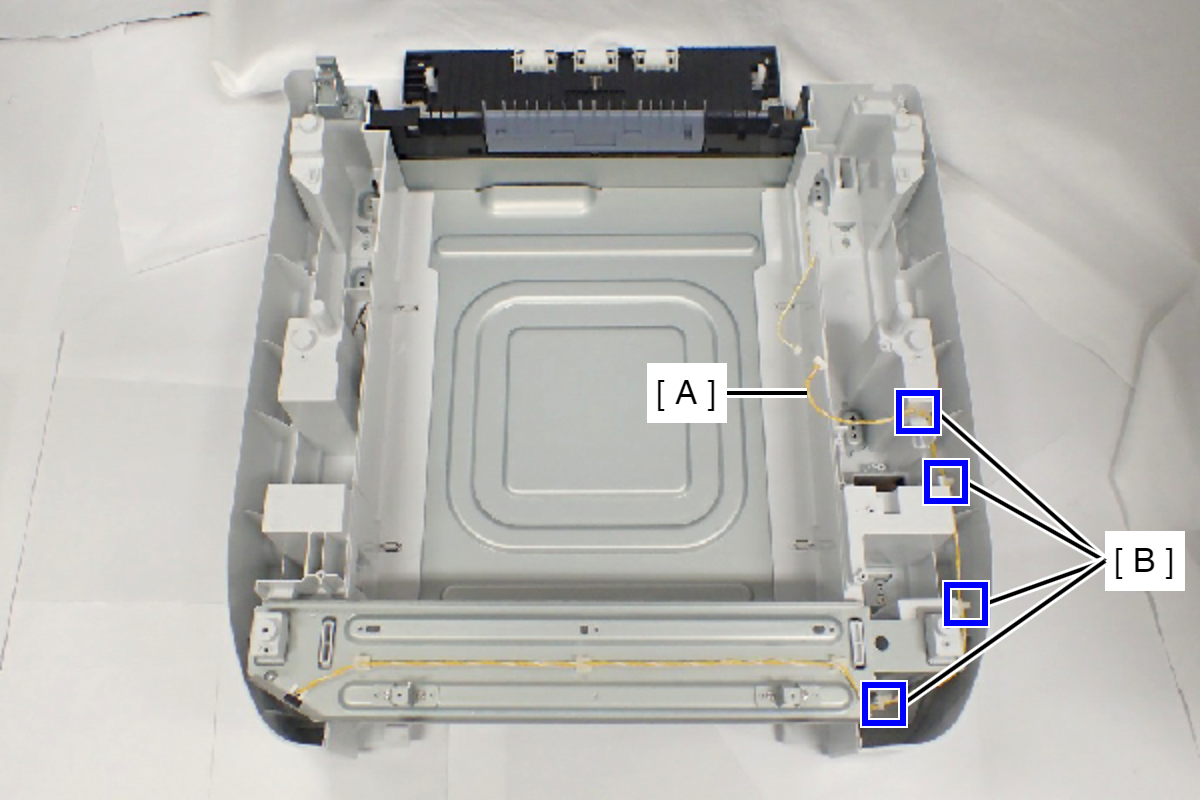
- Release the sensor cable (A) from the four clamps (B).
- Remove the four screws fixing the Option Left Housing and the Option Front Frame Assy (A).
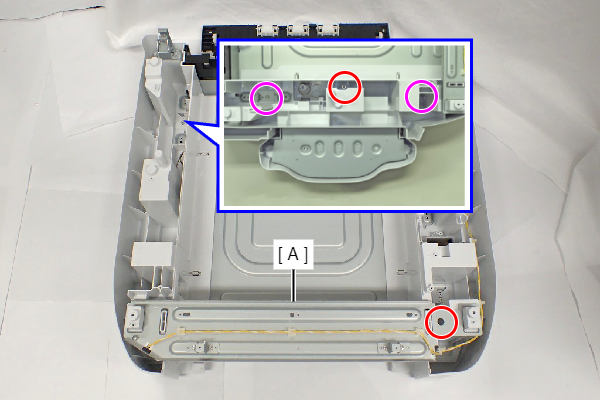
- : C.POLWAVE.D-TITE-A-SCREW-3x6-F.ZN3C
- : C.SHOULDER S-TITE,3X5
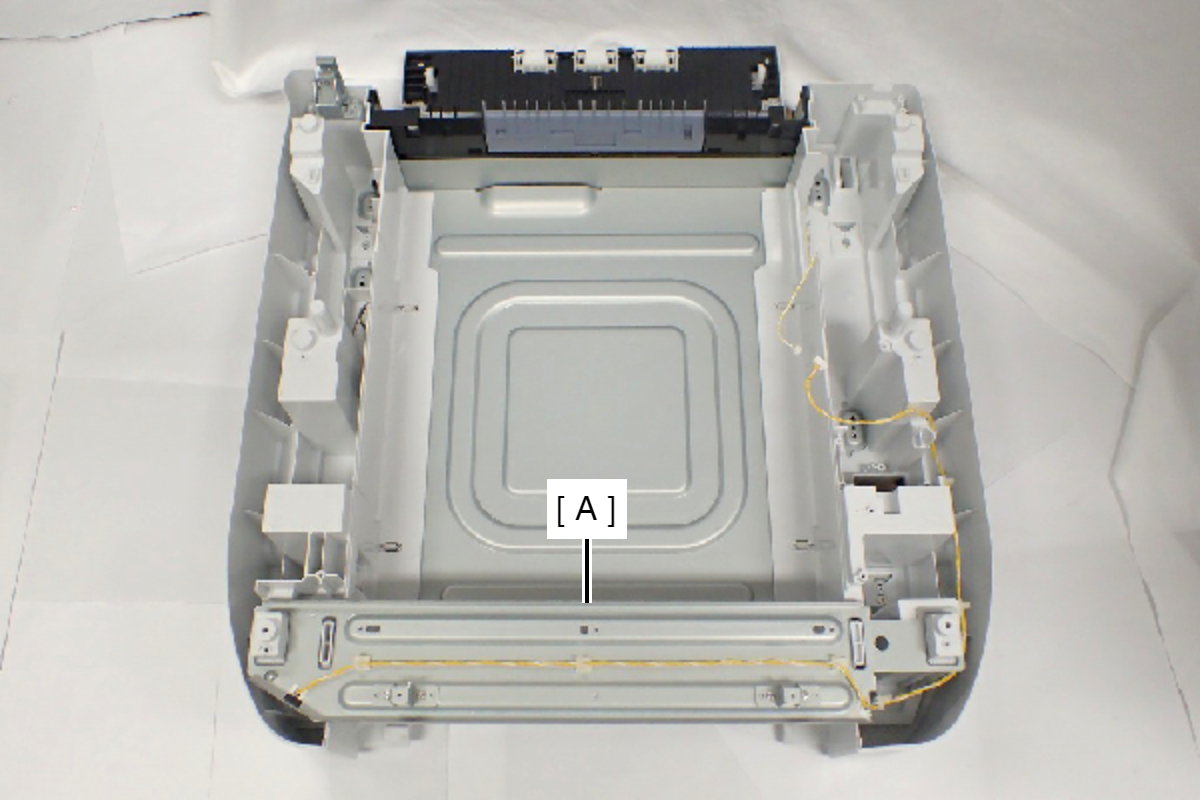
- Pull the Option Left Housing and the Option Front Frame Assy (A) upward to remove it.
- Remove the two screws, then remove the Option Rear Cover Belt (A).
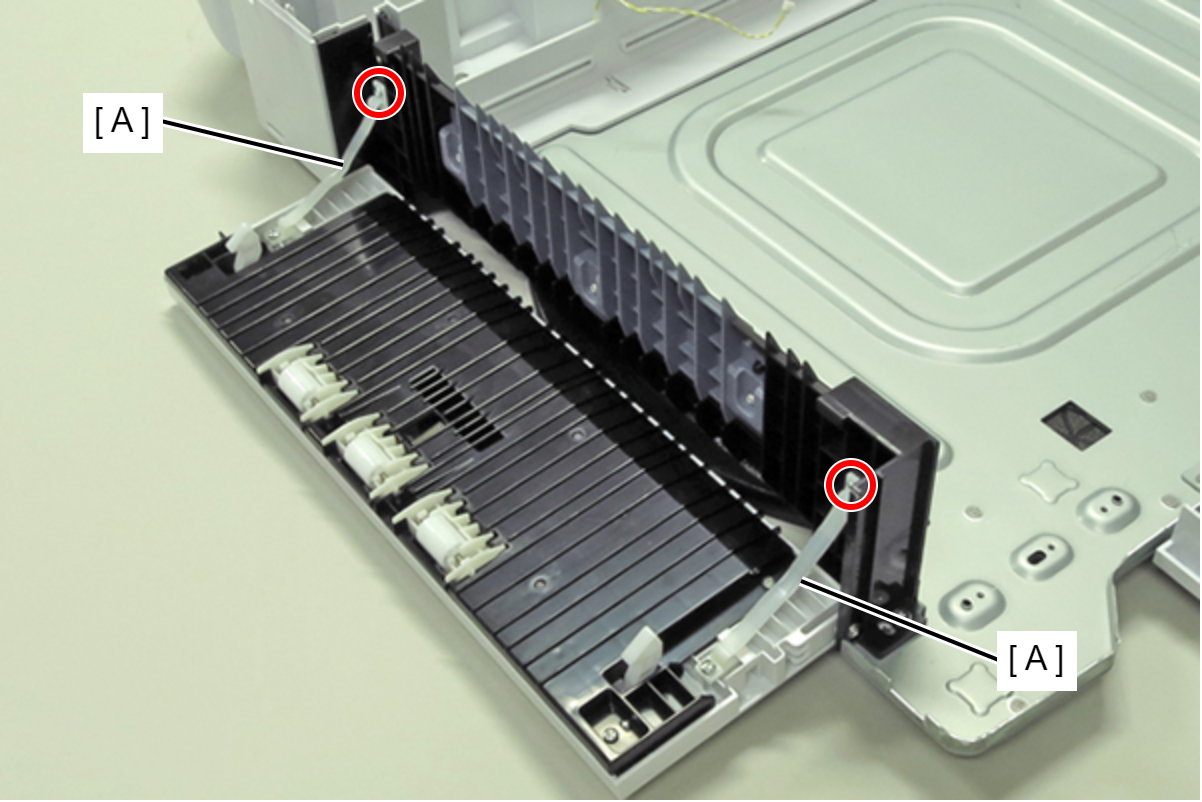
 : C.C.P-TITE-SCREW-3x8-F.ZN-3C
- Remove the screw, then remove the Option Rear Cover (A).
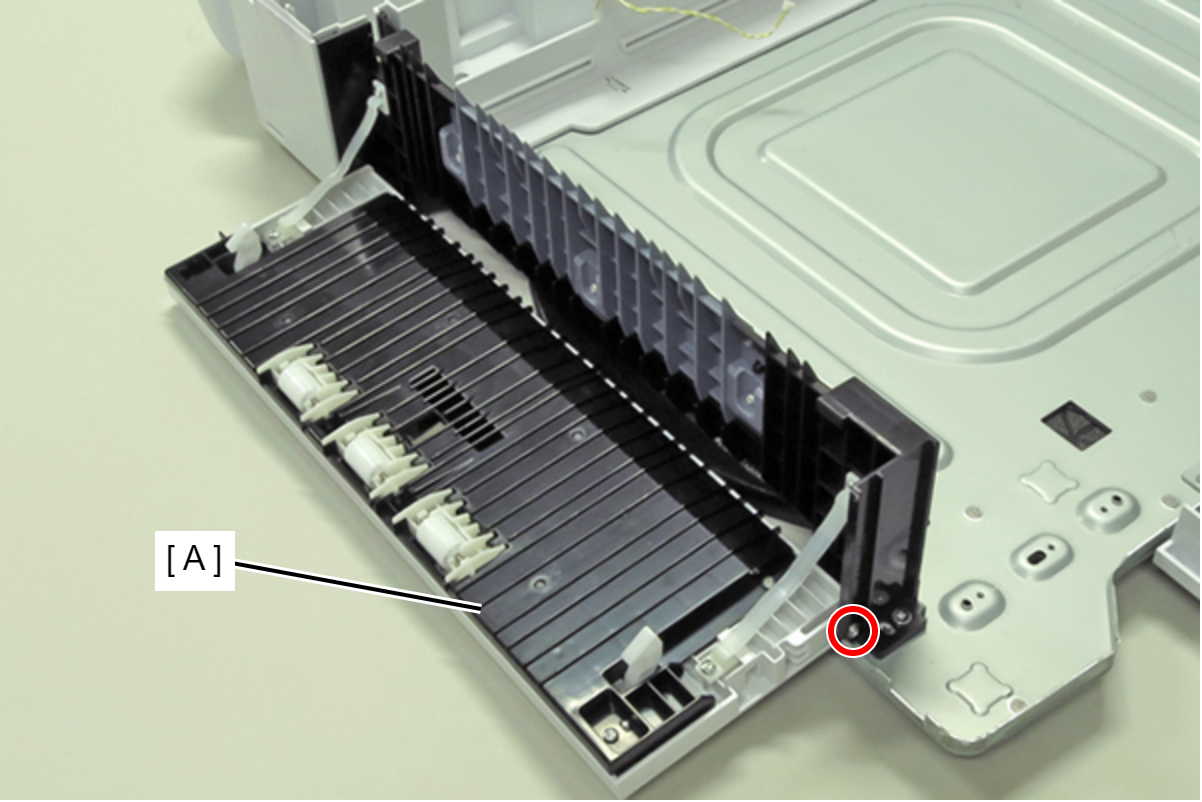
- : C.B.P-TITE-SCREW-3x10-F.ZN-3C
-
- : C.B.P-TITE-SCREW-3x10-F.ZN-3C