
ADF Retard Roller
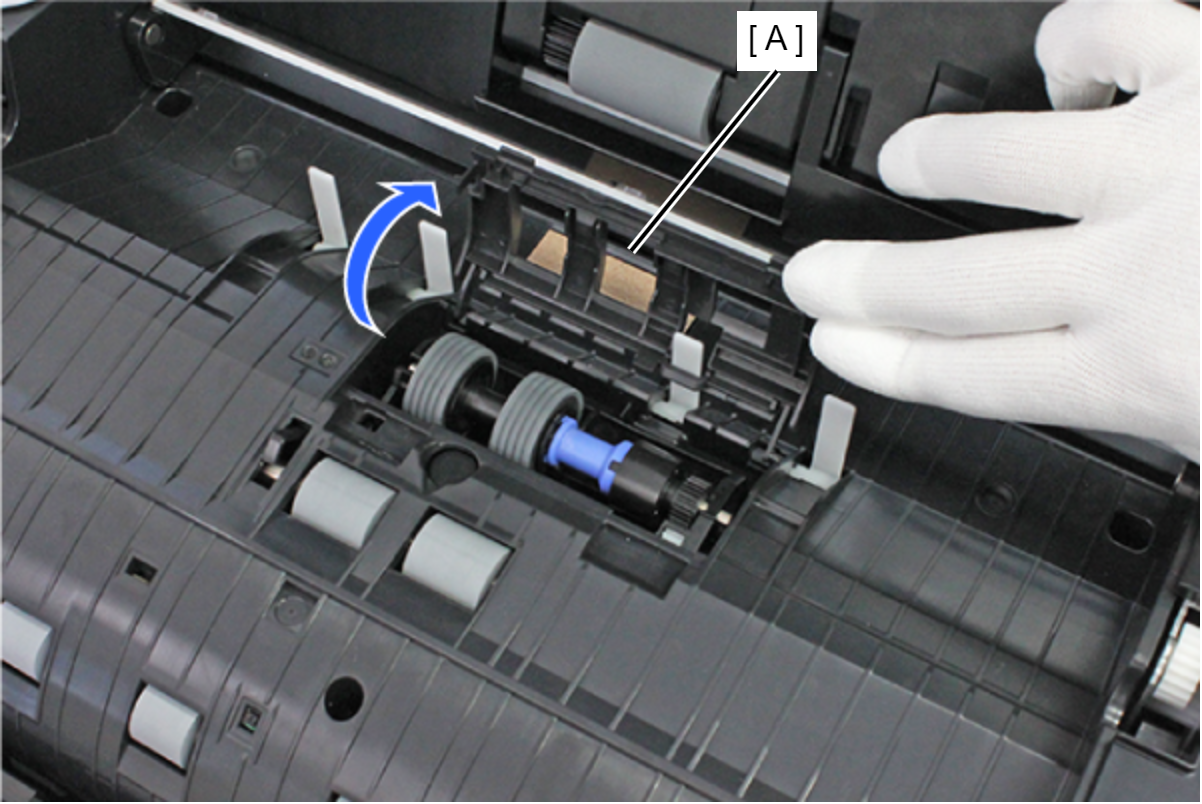
- Open the ADF Retard Roller Cover (A).
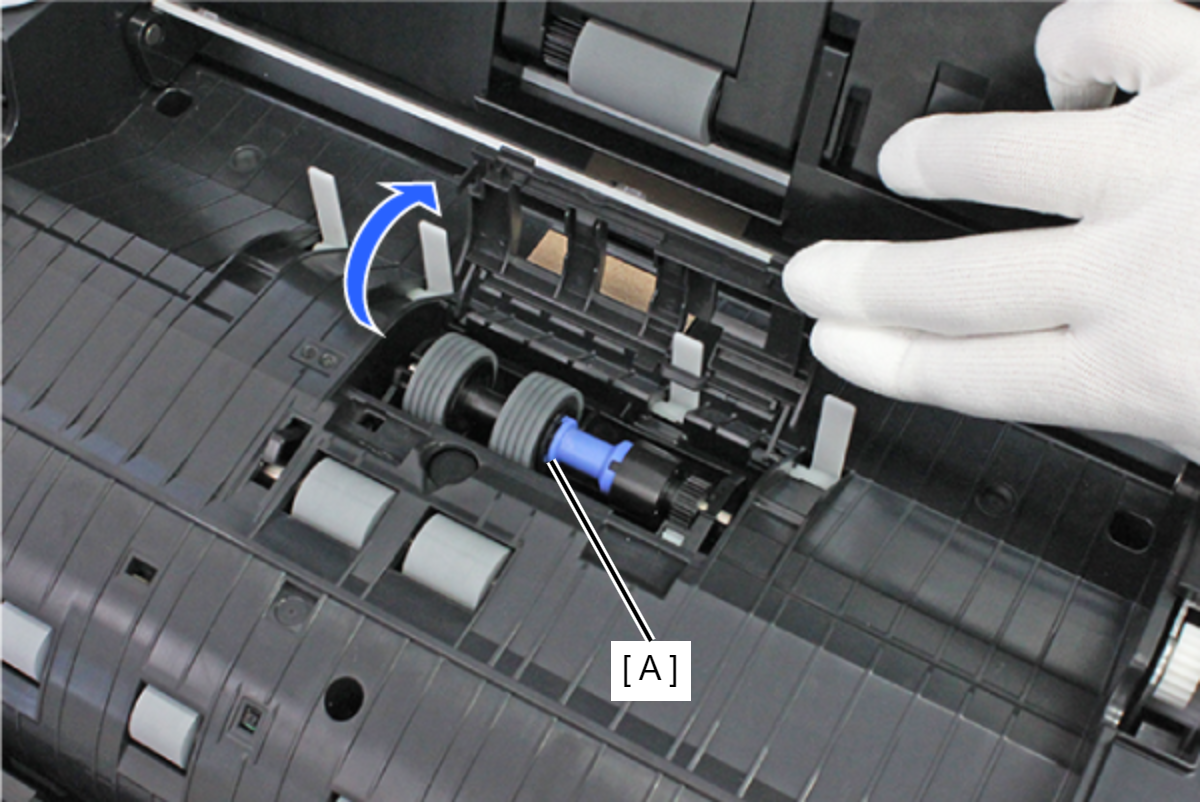
- Remove the ADF Retard Roller (A).
 Check Point / チェックポイント
To prevent false detection of paper due to paper dust, clean the ADF Pick Up Roller Assy and ADF Retard Roller after replacement, referring to the “Cleaning” - “ADF/SCN Unit” section (Cleaning) in Chapter 8.