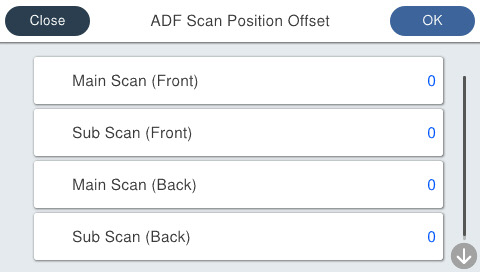
60207 ADF Scan Position Offset
Overview
Manually adjust the reading start position when scanning using the ADF.
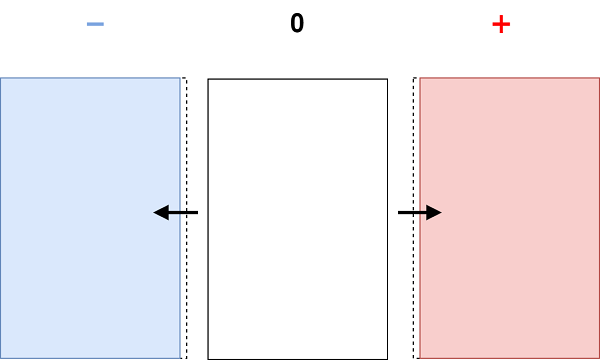
- Main Scan
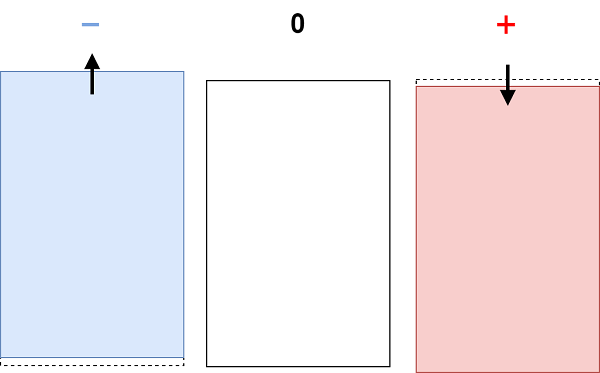
- Sub Scan
| Setting value name | Input range | Initial value | Amount of change |
|---|---|---|---|
| Main Scan (Front) | -53 to 54 | 0 | about 0.1 mm |
| Main Scan (Back) | -53 to 54 | 0 | about 0.1 mm |
| Sub Scan (Front) | -53 to 54 | 0 | about 0.1 mm |
| Sub Scan (Back) | -53 to 54 | 0 | about 0.1 mm |
Procedure
- Start service support mode. (Starting Service Support Mode)
- Select [06 Individual Adjustment].
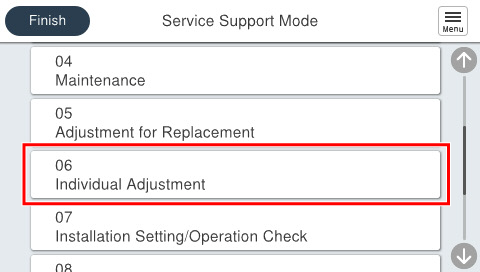
- Select [602 ADF/SCN].
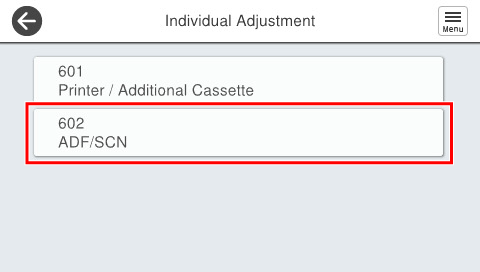
- Select [60207 ADF Scan Position Offset].
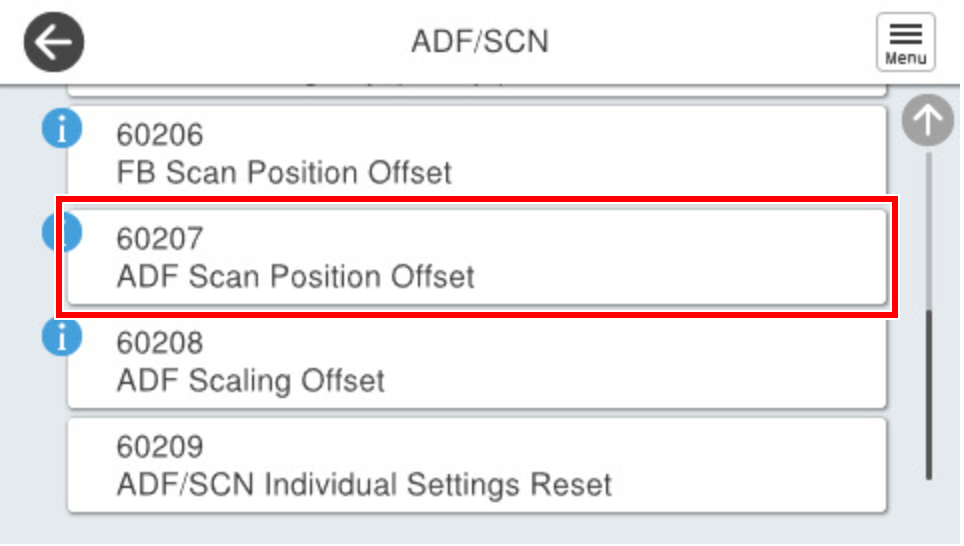
Press [Main Scan (Front)] and enter the desired adjustment value.
Press [Main Scan (Back)] and enter the desired adjustment value.
Press [Sub Scan (Front)] and enter the desired adjustment value.
- Press [Sub Scan (Back)] and enter the desired adjustment value.
Press [OK].