
Option Cassette Paper Size Sensor Lever
- Remove the Printer Main Unit from Option Cassette Unit (A).
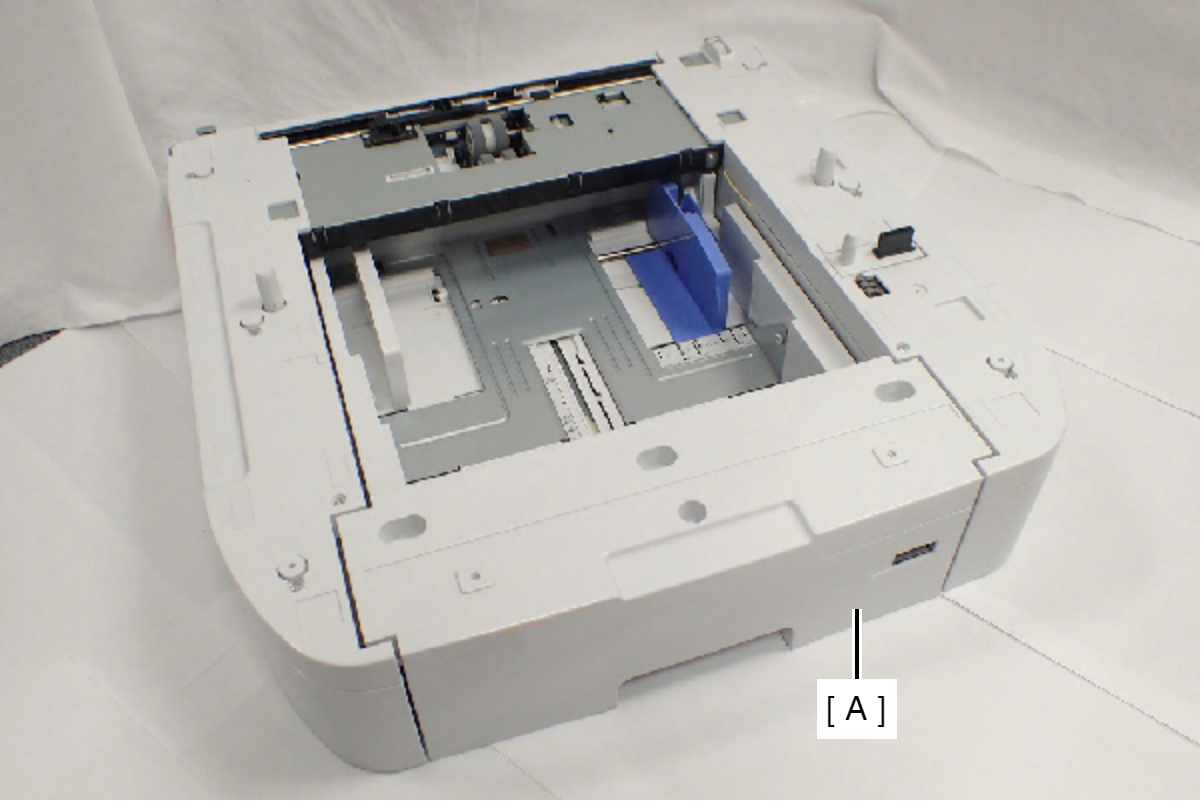
- Remove the four screws, then remove the Option Right Cover (A).
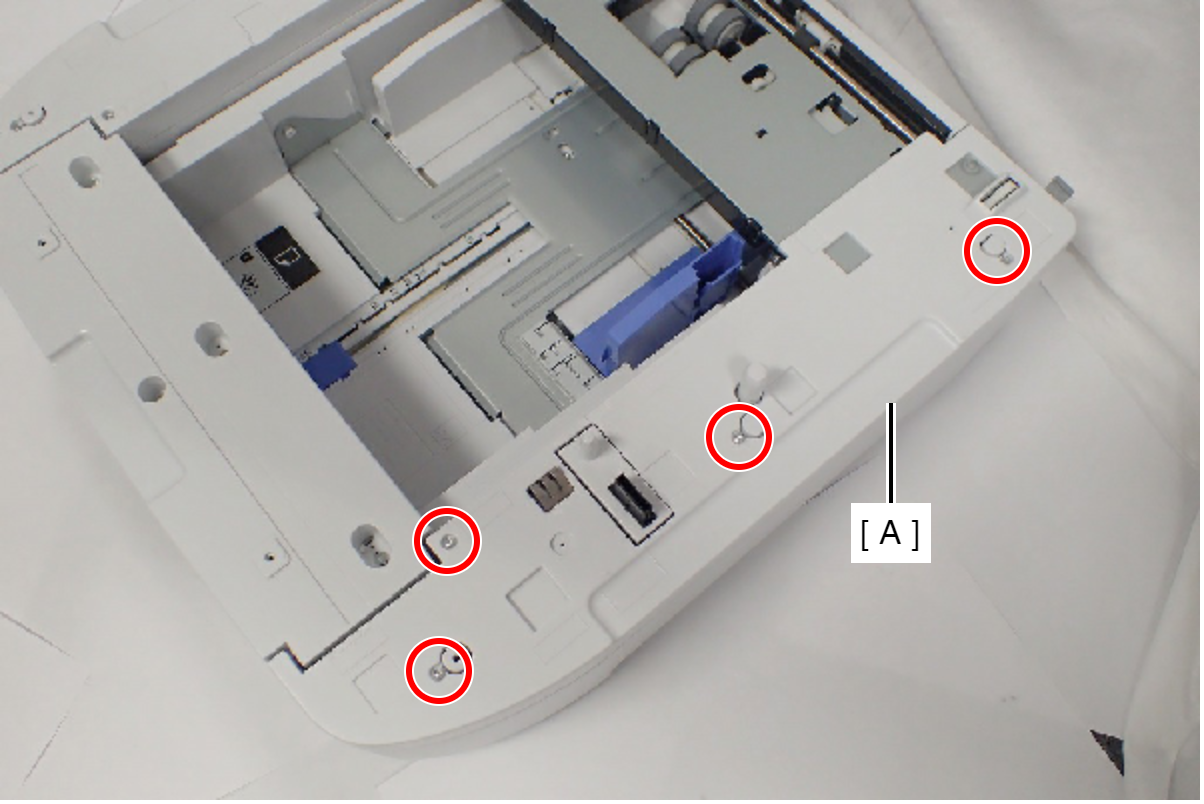
 : C.B.P-TITE-SCREW-3x10-F.ZN-3C
- Remove the four screws, then remove the Option Left Cover (A).
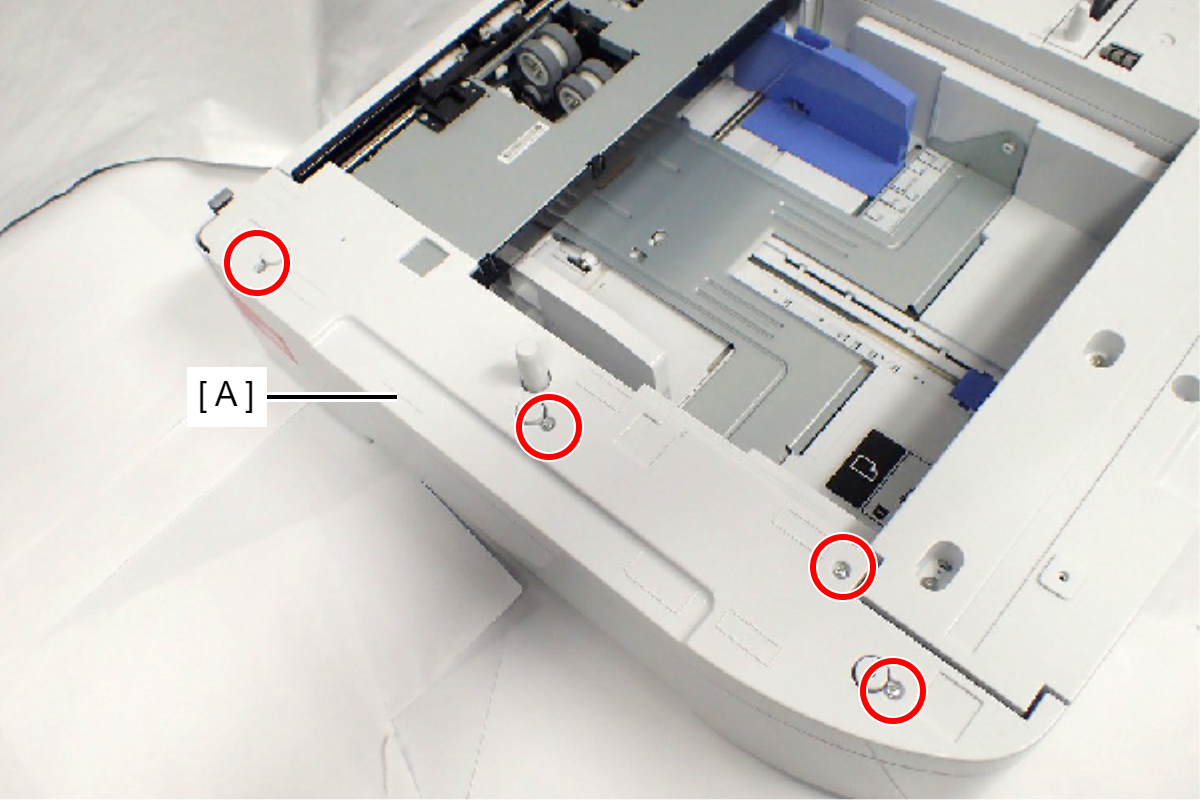
- Remove the two screws.
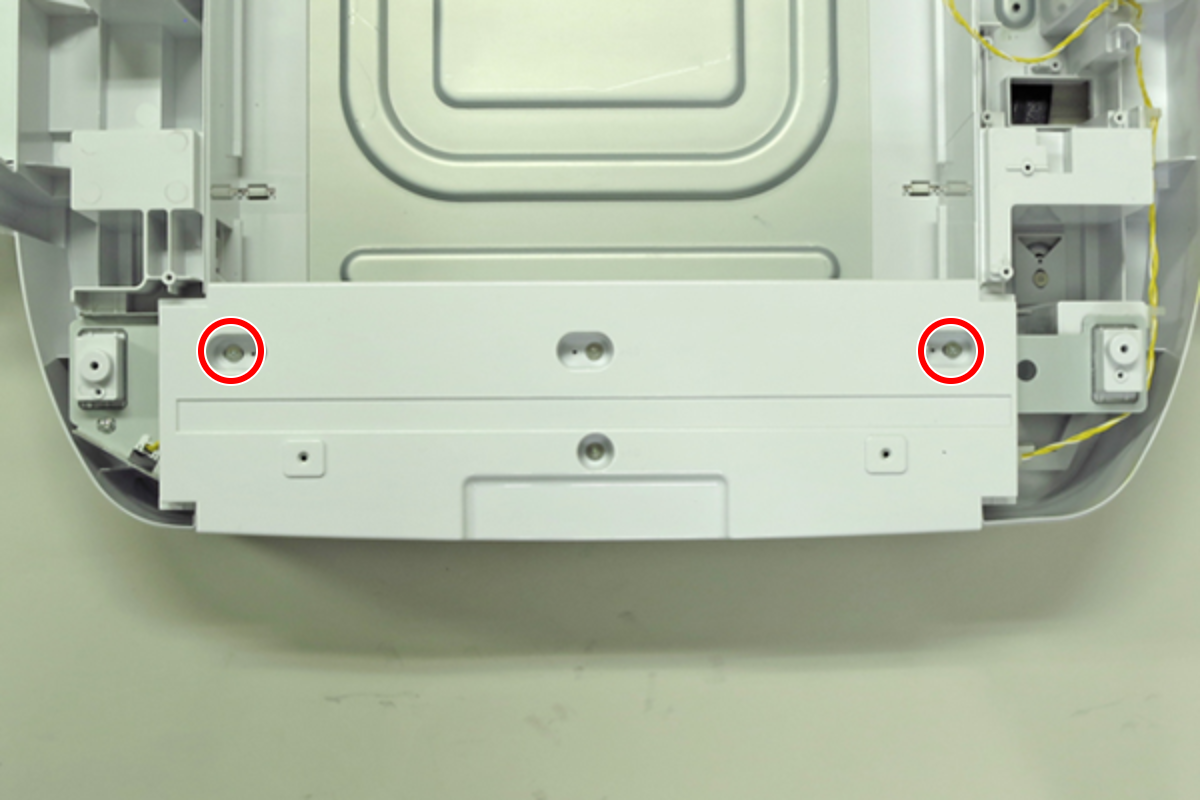
- : C.B.S-TITE(P4), SCREW, 3X10, F/ZN-3C
- Remove the two screws, then remove the Option Front Cover (A).
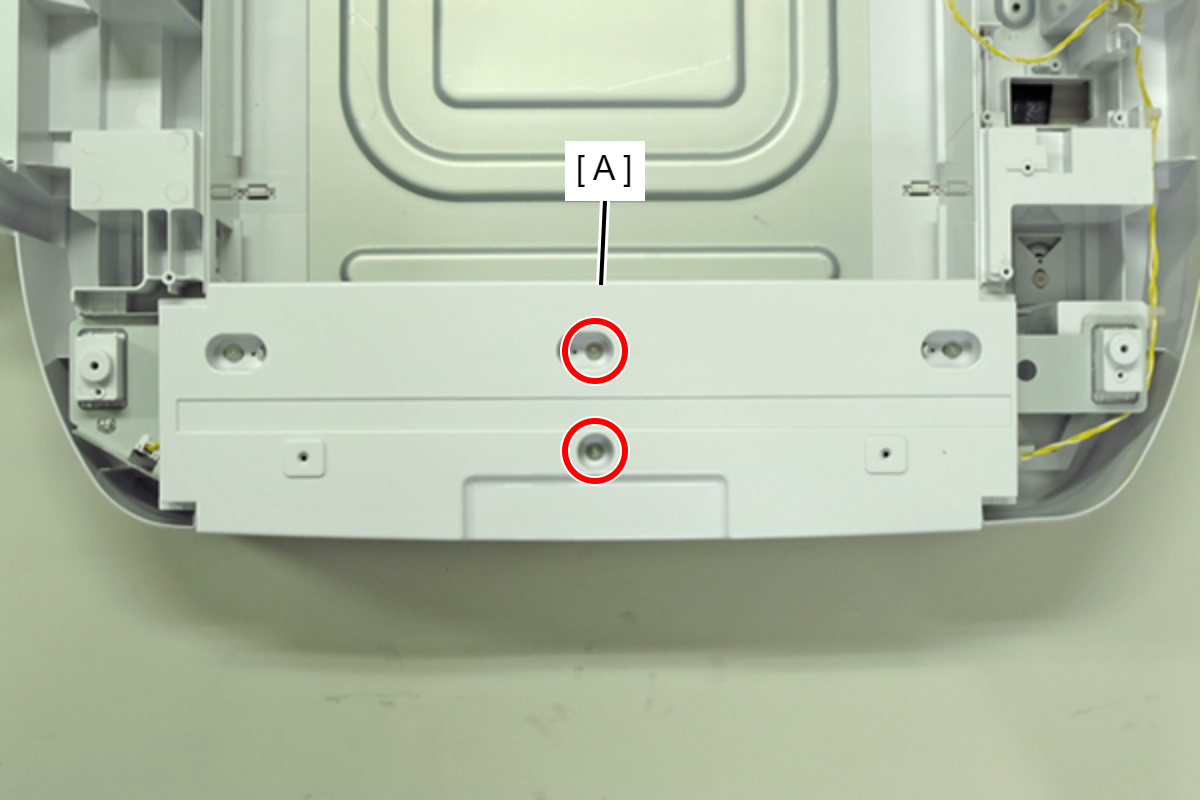
- : C.SHOULDER S-TITE, SCREW, 3X5
- Remove the Option Paper Cassette (A).
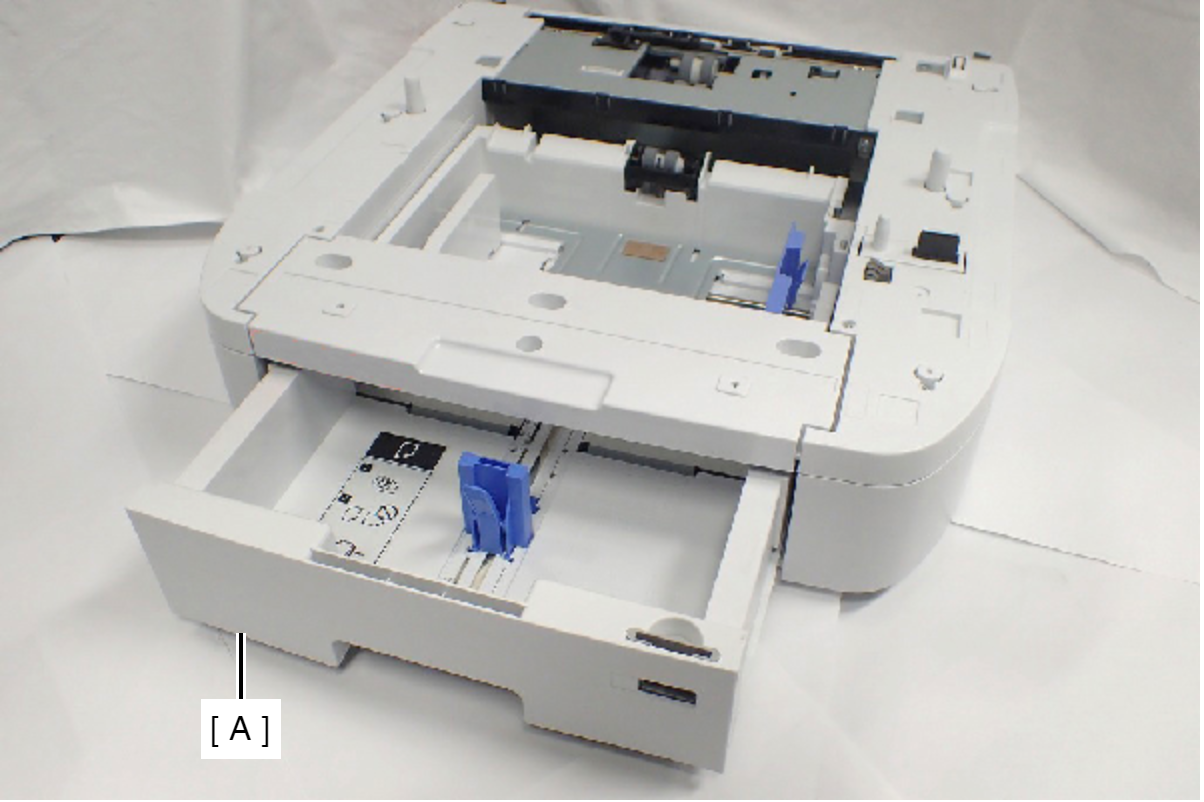
- Disconnect the Option Cassette Paper Size Sensor Cable (A) from Option Cassette Board.
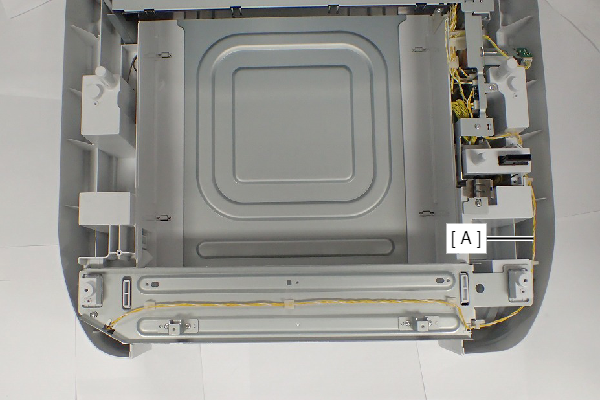
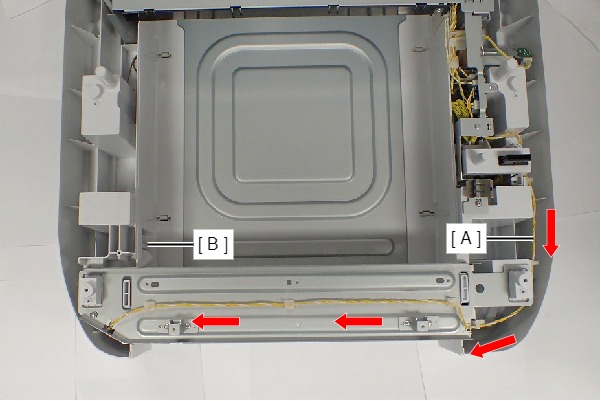
- Feed the Additional Cassette Paper Size Sensor cable (A) in the direction of the arrow so that the cable will not be pulled when pulling out the Additional Cassette Paper Size Sensory (B).
- Remove the two screws, and pull out the Option Cassette Paper Size Sensor Assy (A).
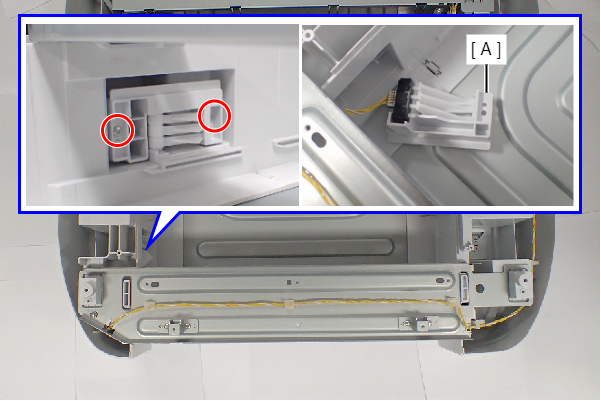
- : C.B.P-TITE-SCREW-3x10-F.ZN-3C
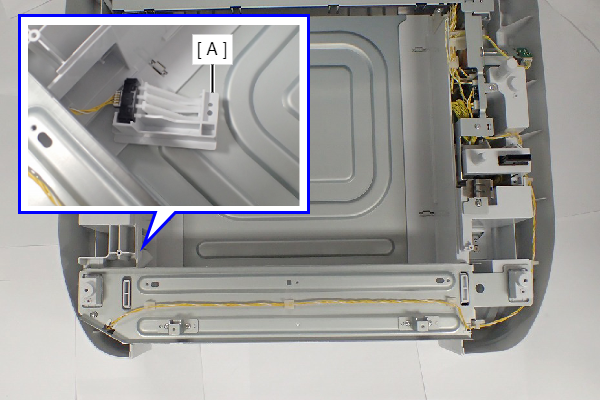
- Disconnect the cable from the Option Cassette Paper Size Sensor Assy (A).
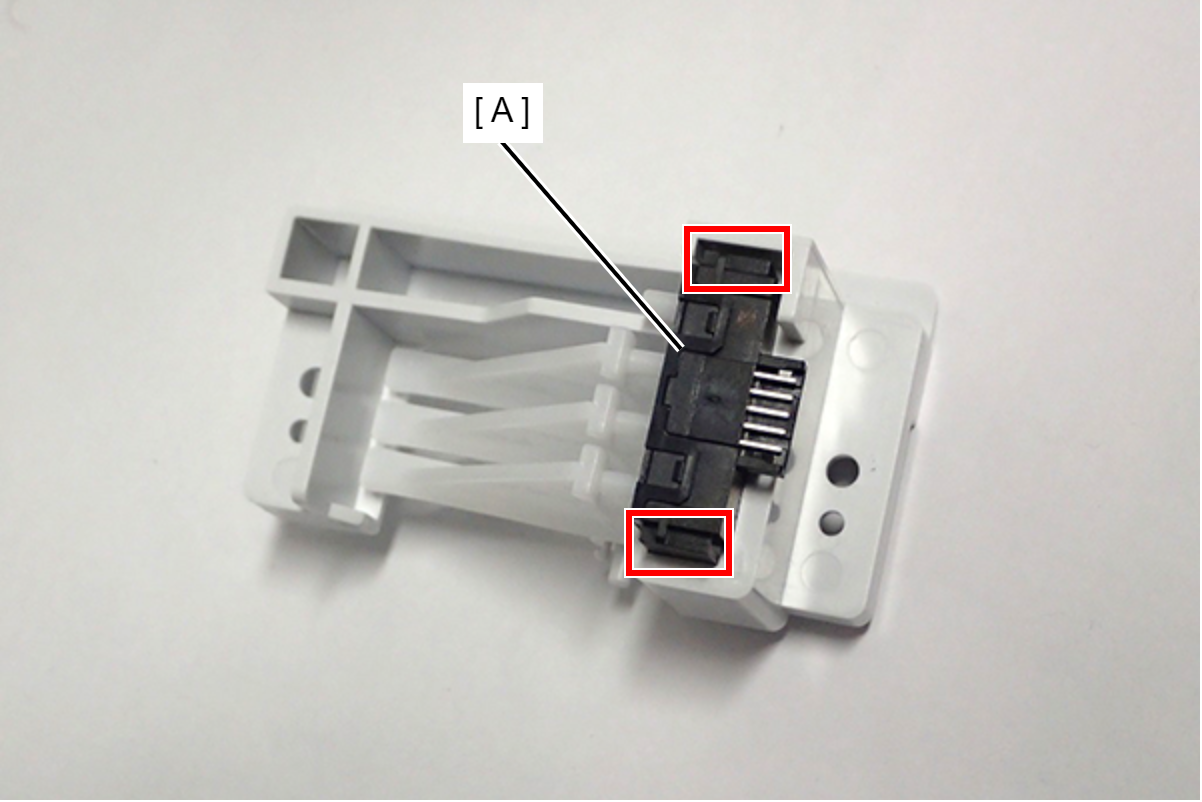
- Release the hook, and remove the Option Cassette Paper Size Sensor (A).
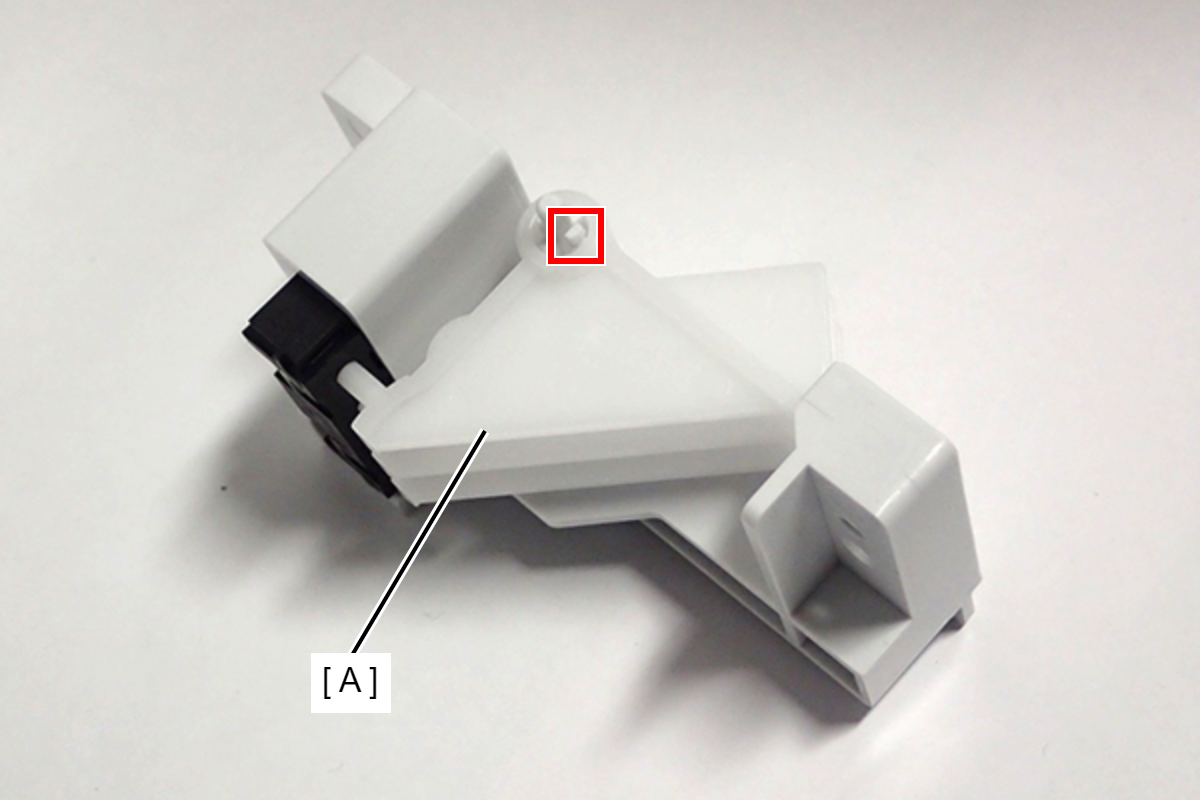
- Release the hook, and remove the Option Cassette Paper Size Sensor Lever (A).
-
 : C.B.P-TITE-SCREW-3x10-F.ZN-3C