Printer Status Information
This printer allows you to check the current firmware version and the latest error histories when printing cannot be made due to Fatal Error or the like.
 Check Point / チェックポイント Check Point / チェックポイント |
|
HOW TO CHECK THE PRINTER STATUS INFORMATION
- Start the printer in the service mode. (Service mode startup and operating procedures)
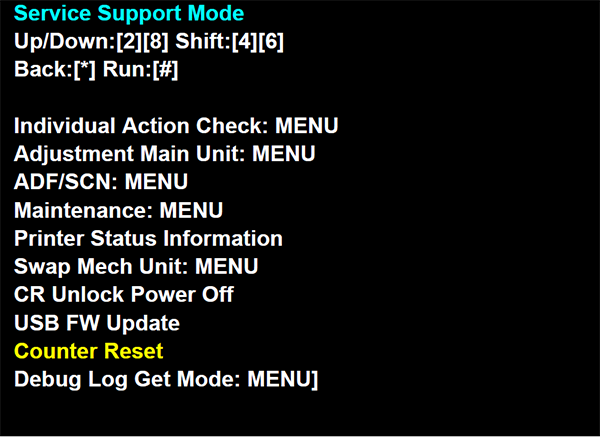
- Select “Printer Status Information” from service support mode top menu.
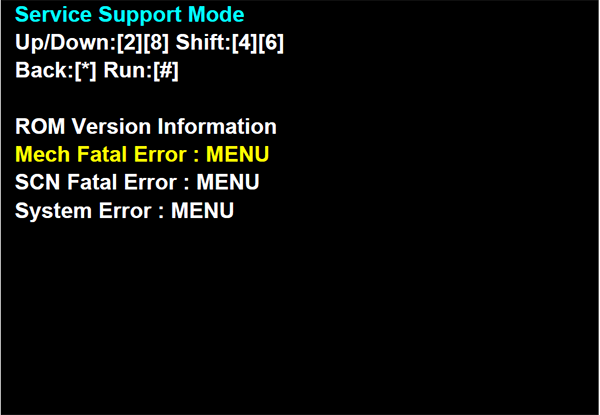
- The printer status information is displayed as shown below.
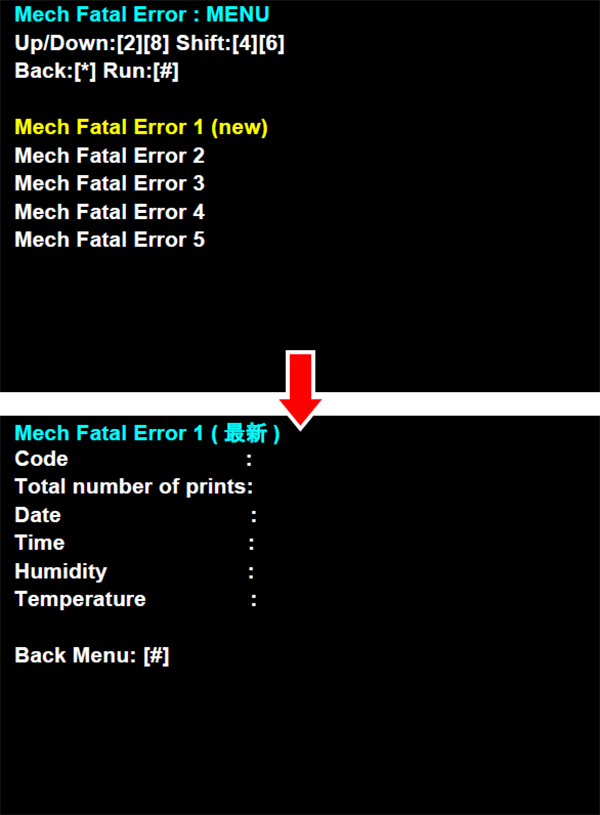
- When you select each item, the information is shown below.