Option Feed Lever
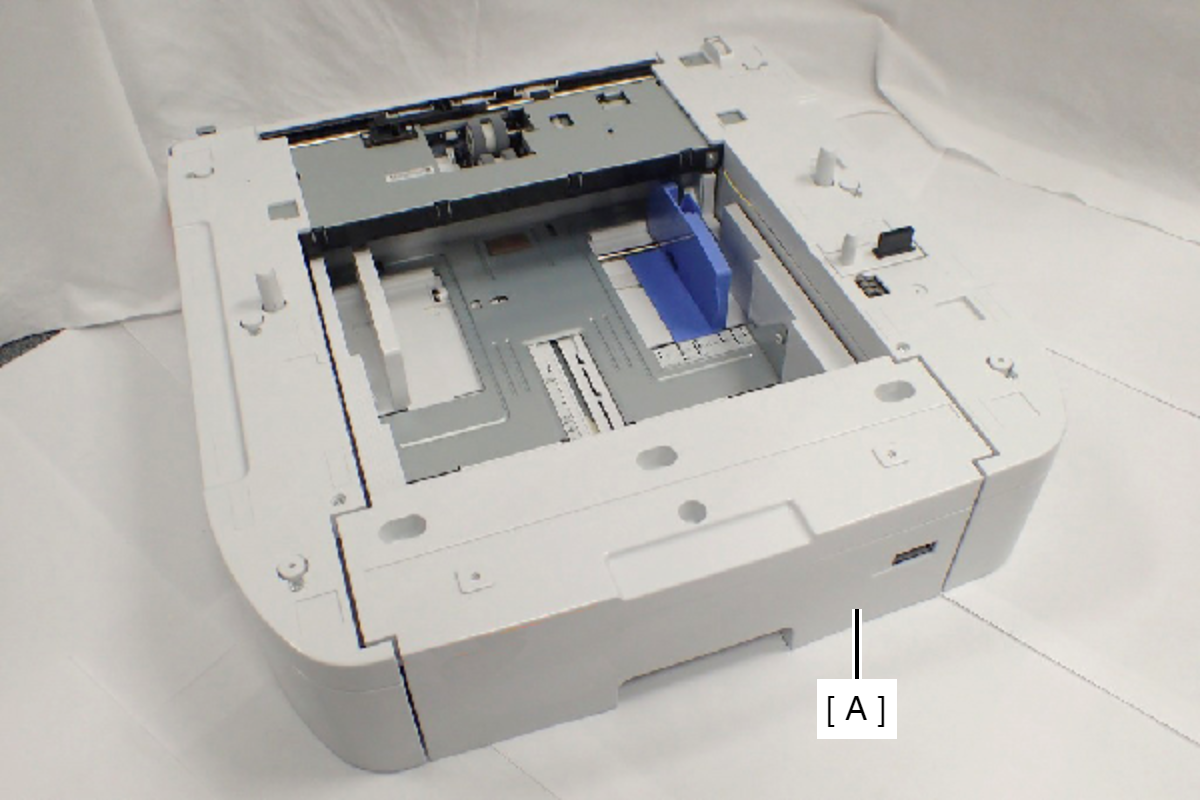
- Remove the Printer Main Unit from Option Cassette Unit (A).
- Remove the two screws, then remove the Option Feed Lever Cover (A).
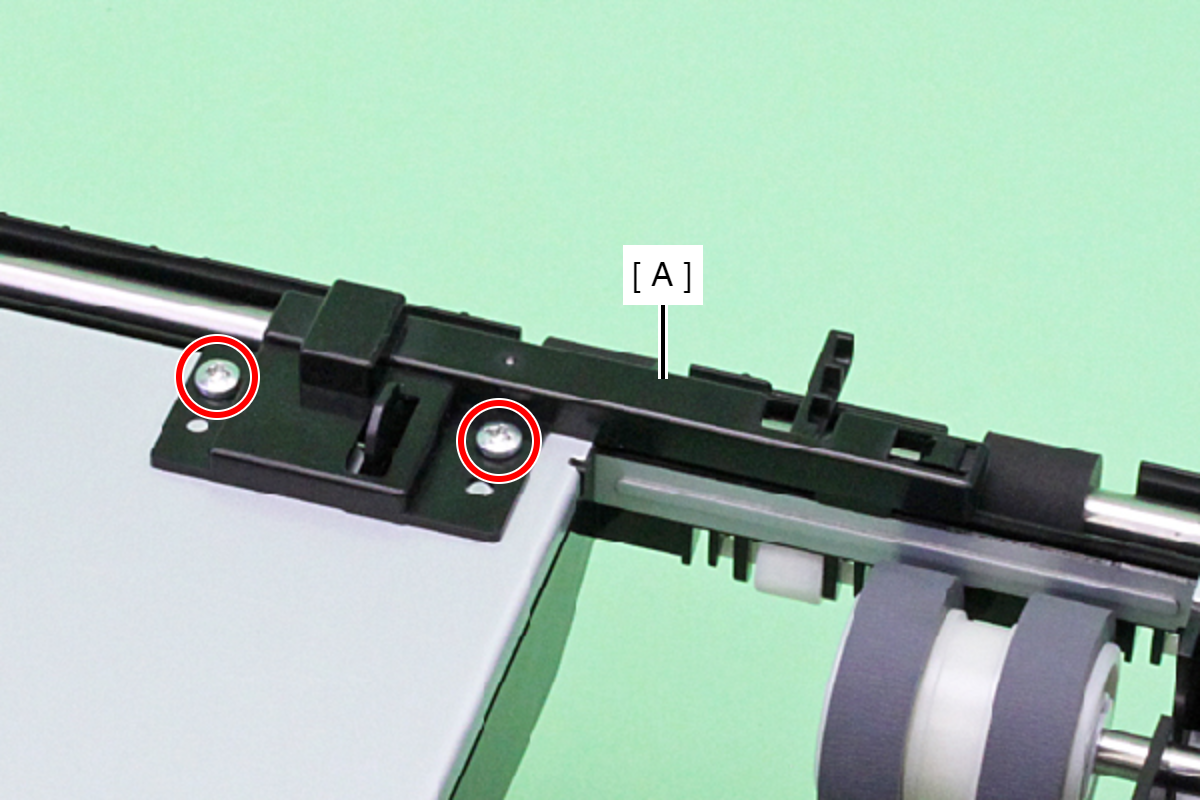
 : C.B.P-TITE-SCREW-3x8-F.ZN-3C
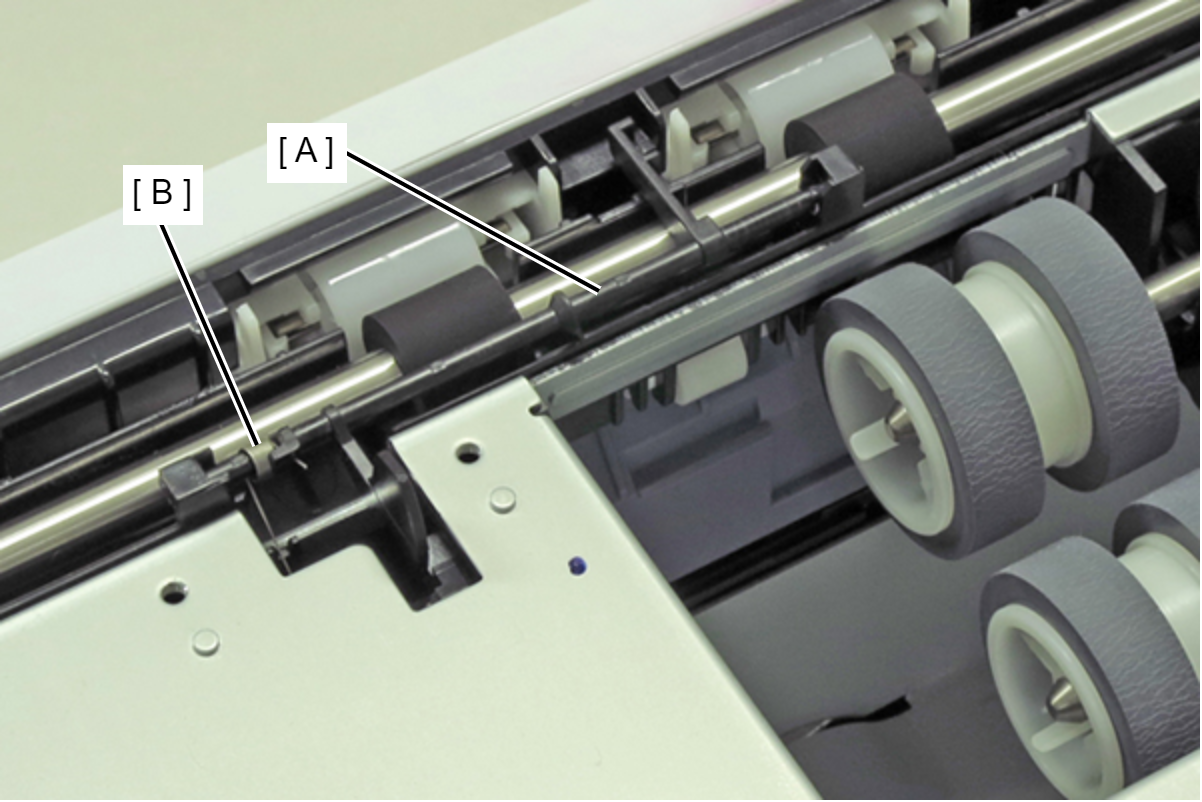
- Release the Option Feed Lever (A) from the holes of the cover.
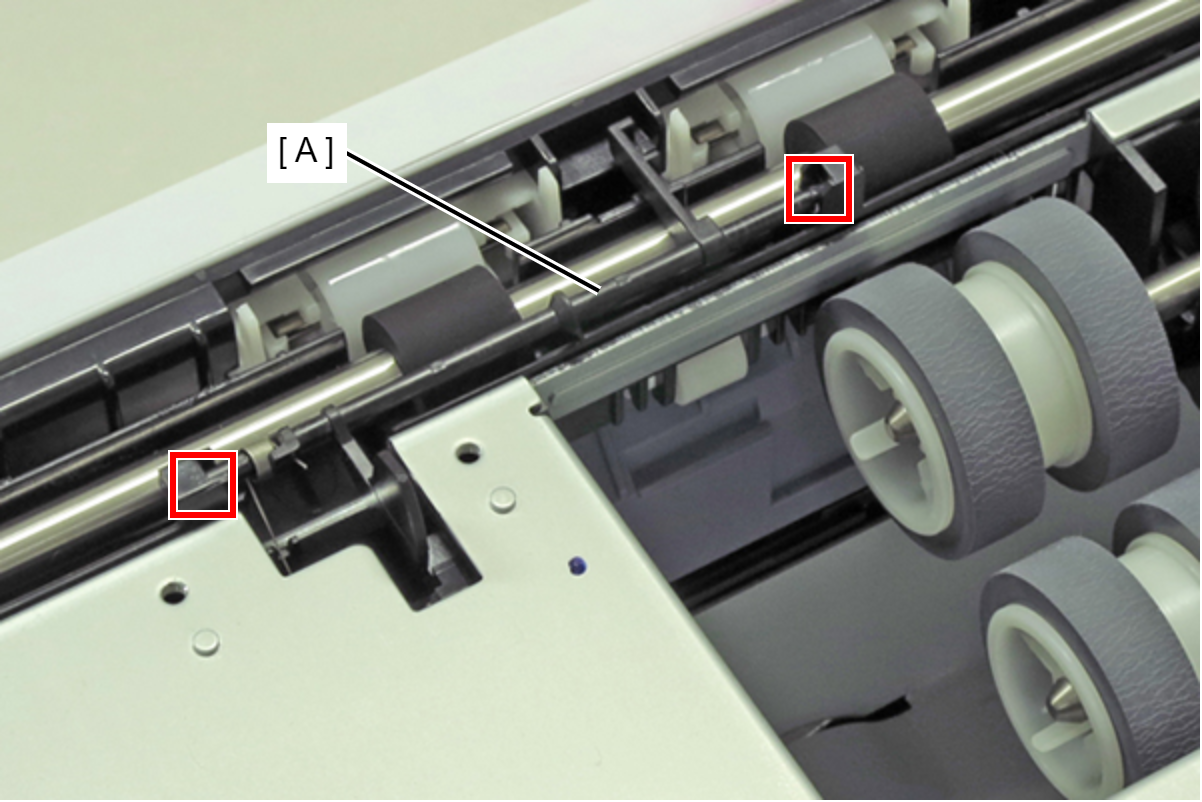
- Remove the Option Feed Lever (A) with the spring (B).
 Assembly / 組み立て
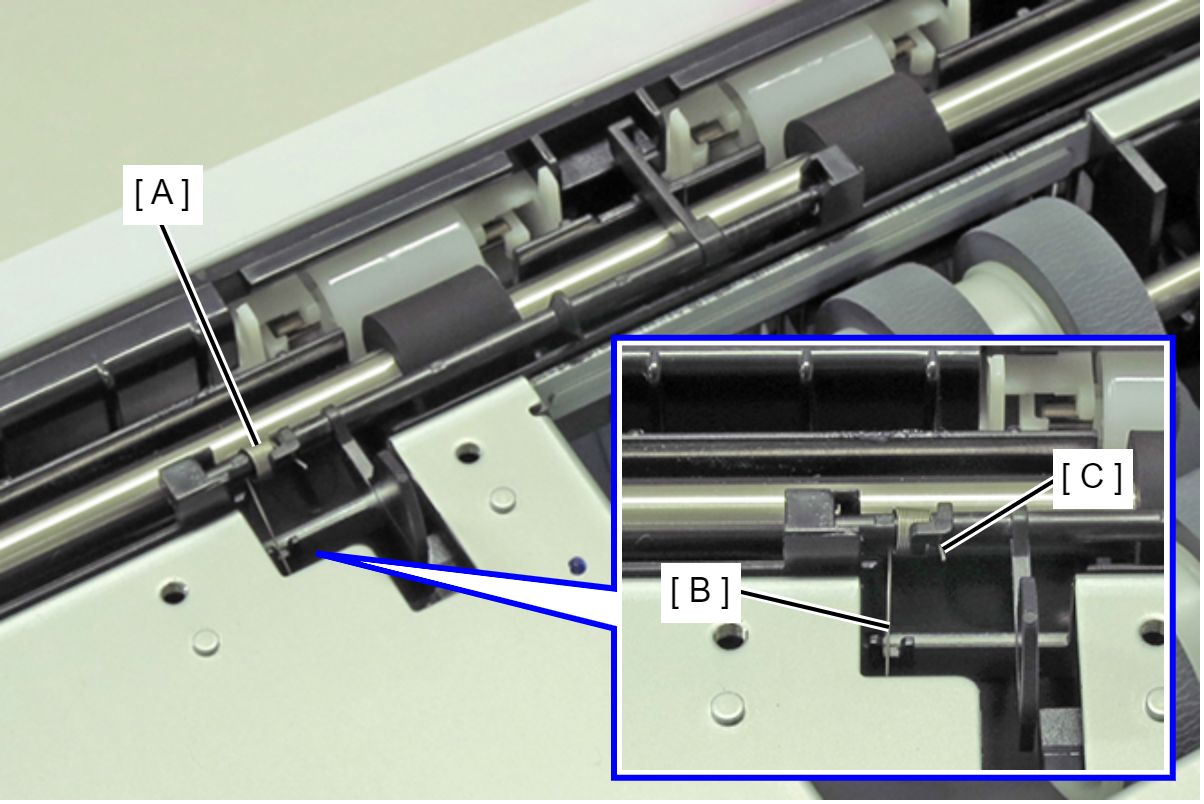
Engage long leg (B) and short leg (C) of the spring (A), and attach the spring (A).