
Rear ASF Unit
- Start the printer in the service mode. (Refer to Service mode startup and operating procedures)
- From the service support mode top menu, select “Counter Reset”.
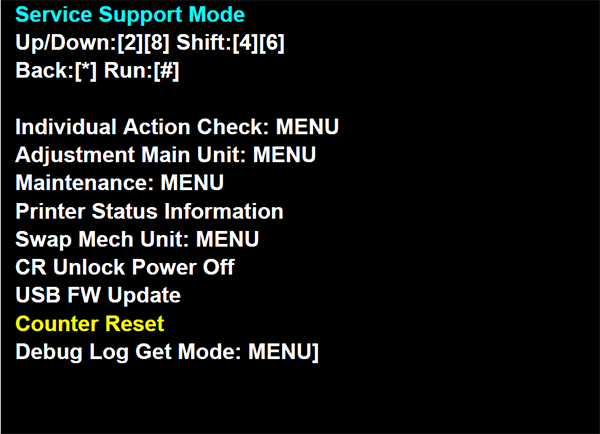
- Select the item according to the part that was replaced, and reset the counter.
Example: When resetting the RASF Unit Counter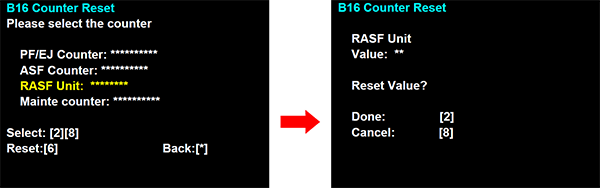
 Check Point / チェックポイント
Counter values displayed on the ASF counter and PF/EJ counter are not the counts for fed paper, but are instead count values that factor in a coefficient based upon the size of fed paper and the cassette position. The internal correction value will vary depending on that counter value. Therefore, when replacing related parts (refer to Adjustment and Inspection List), it is necessary to reset the counter.