Rear RIPS Housing
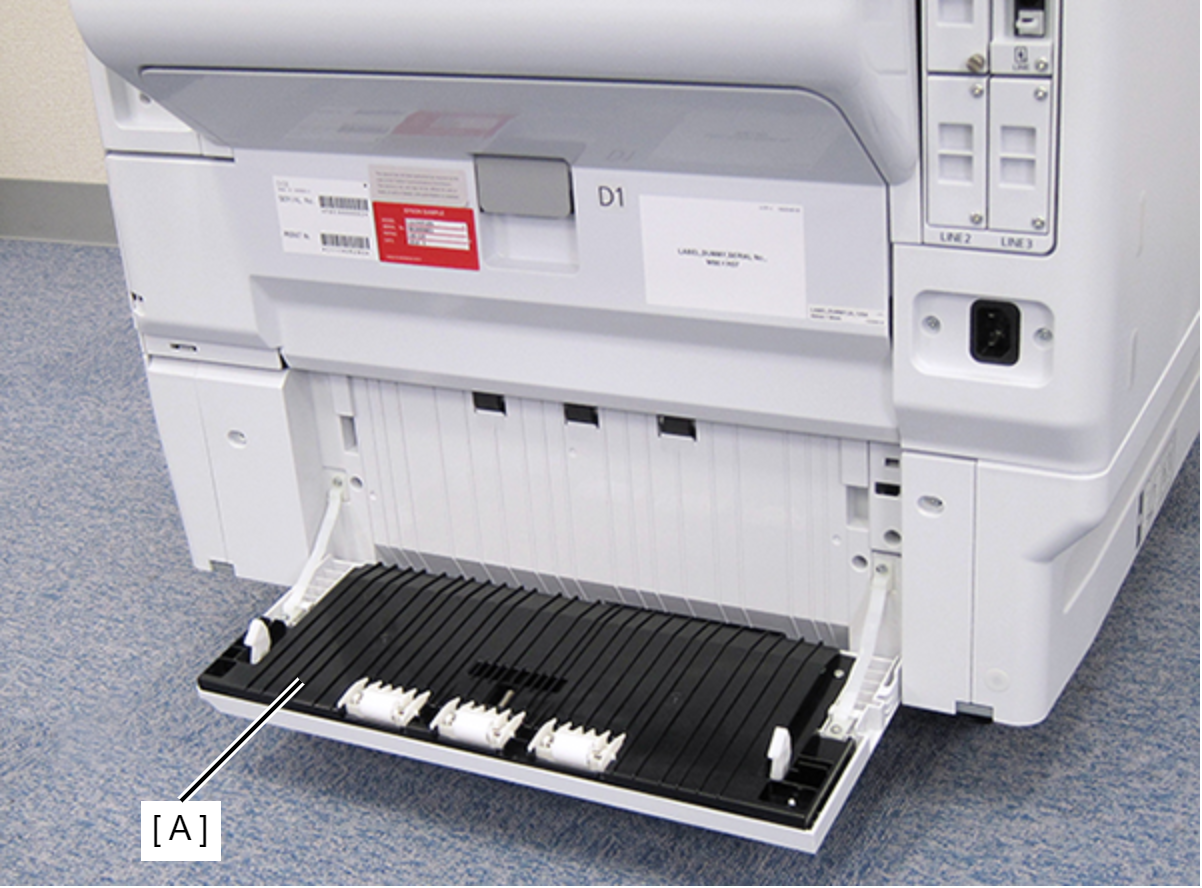
- Open the Paper Jam Clear Cover (A).
- Remove the two screws.
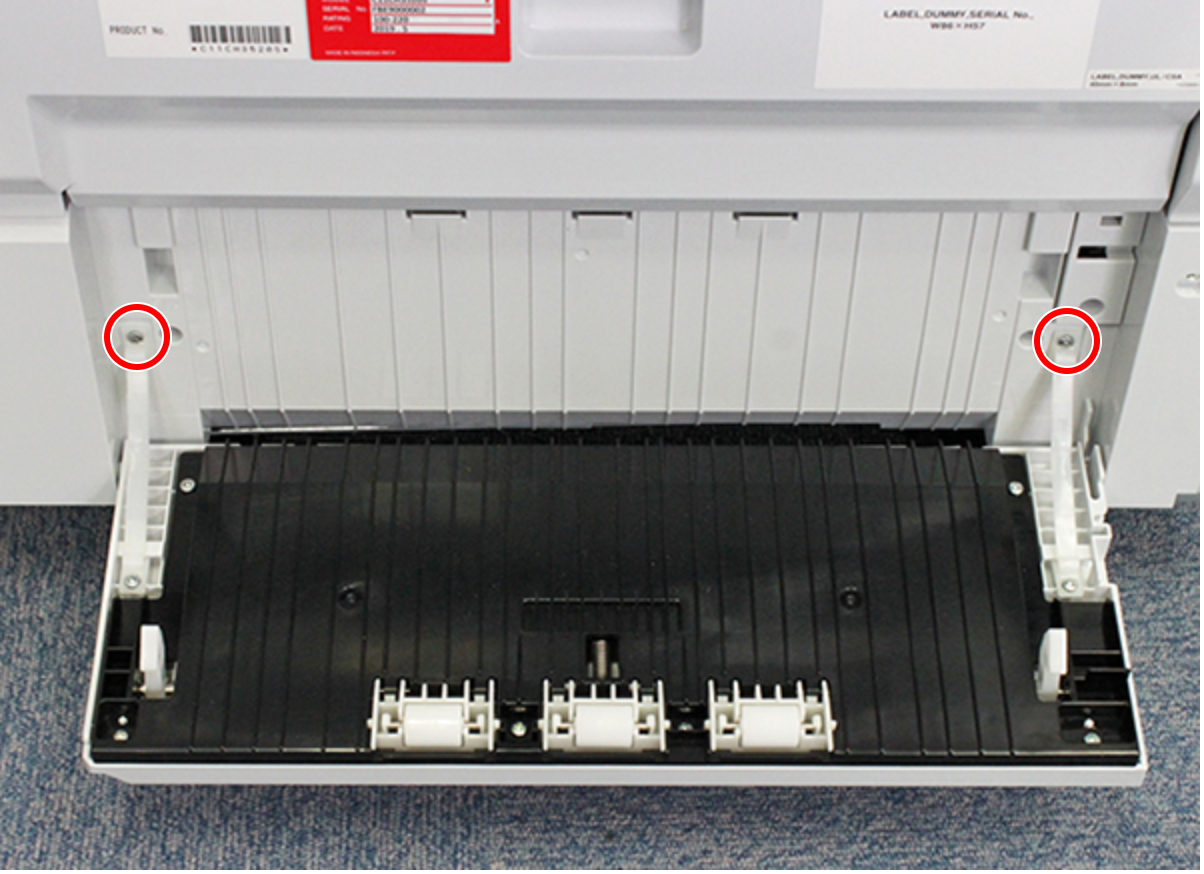
 : C.B.P-TITE-SCREW-3x10-F.ZN-3C
- Release the two hooks and remove the Paper Jam Clear Cover Belt (A) from the Rear RIPS Housing (B).
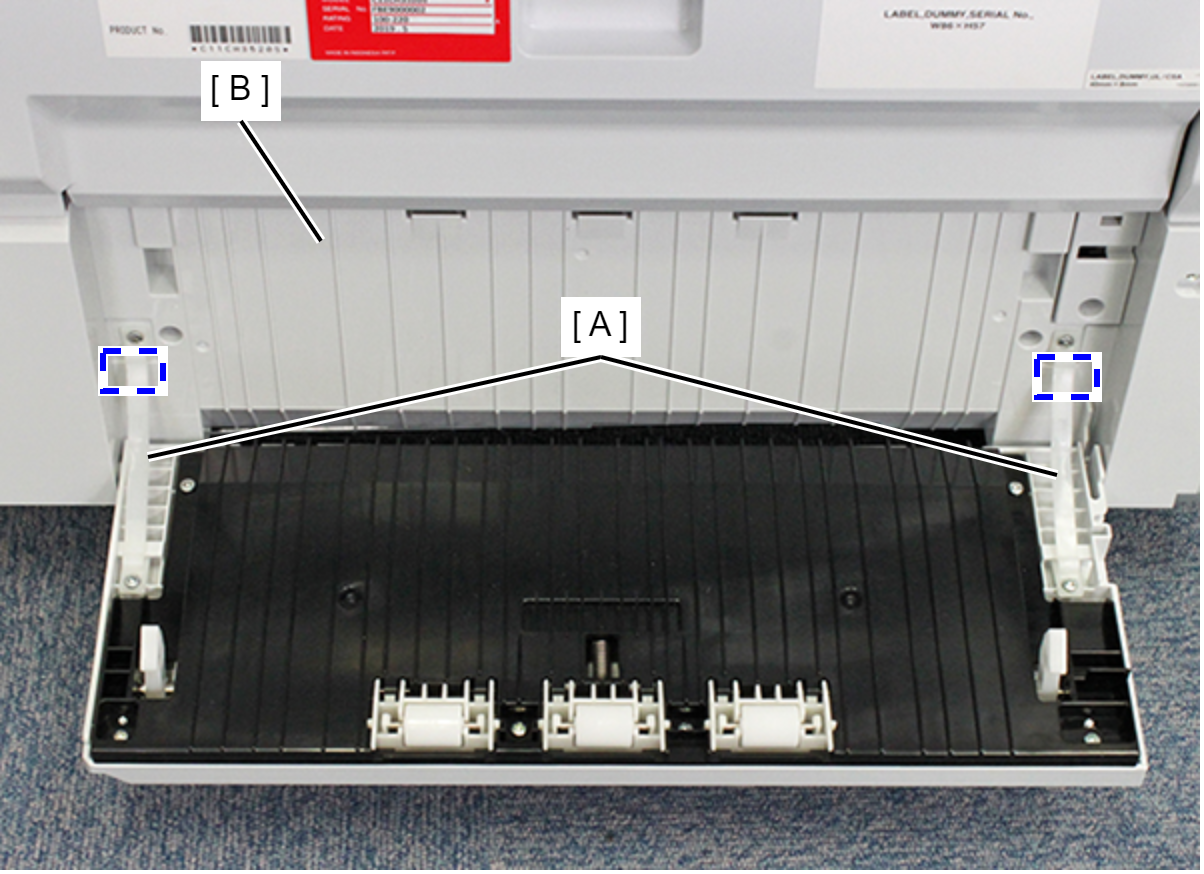
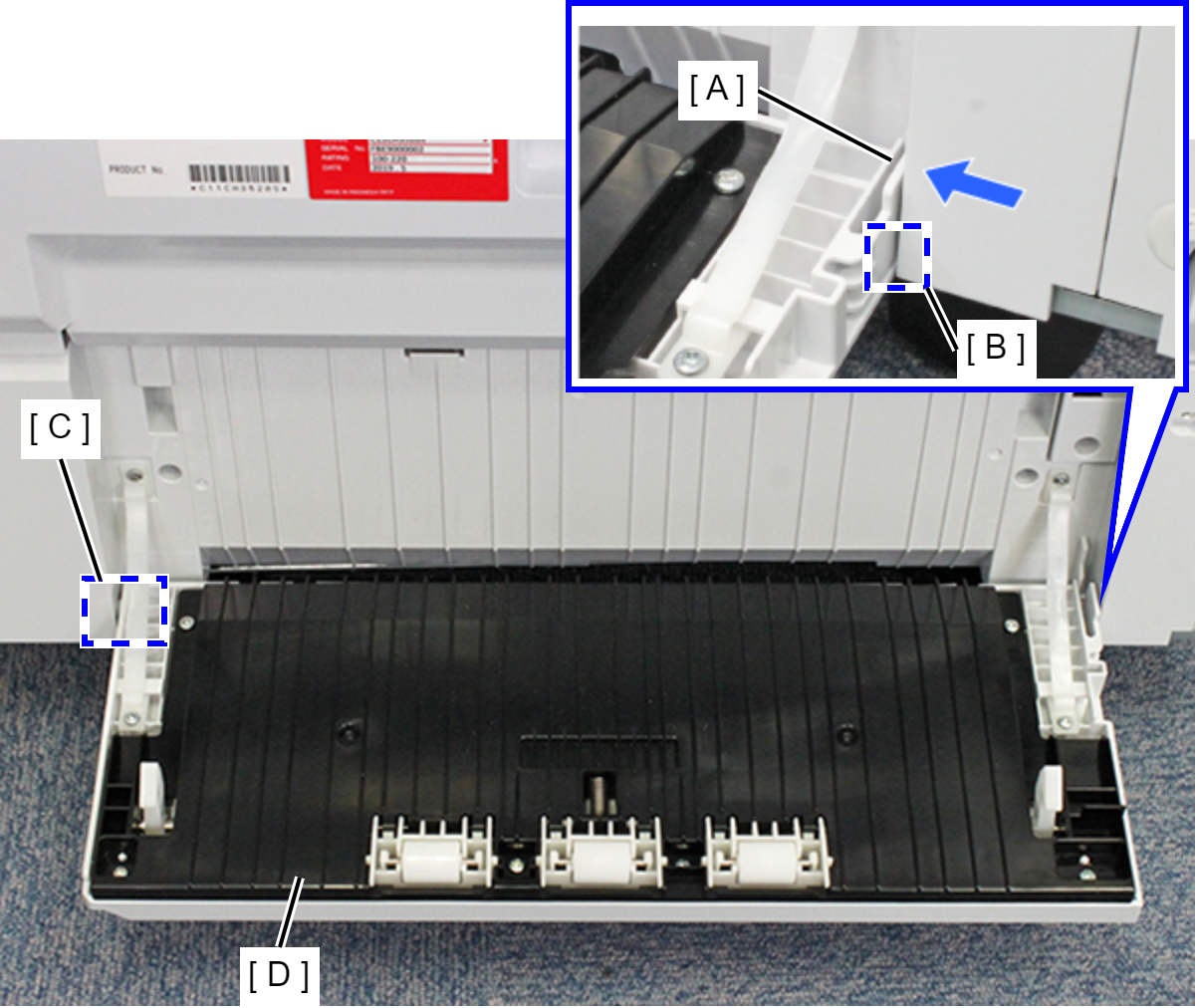
- Remove the right-side dowel (B) while pushing the tab (A) on the Paper Jam Clear Cover, and remove the Paper Jam Clear Cover Assy (D) by removing the left-side dowel (C).
- Remove the screw on the rear side of the product, then remove the Paper Jam Clear Cover Holder (A).
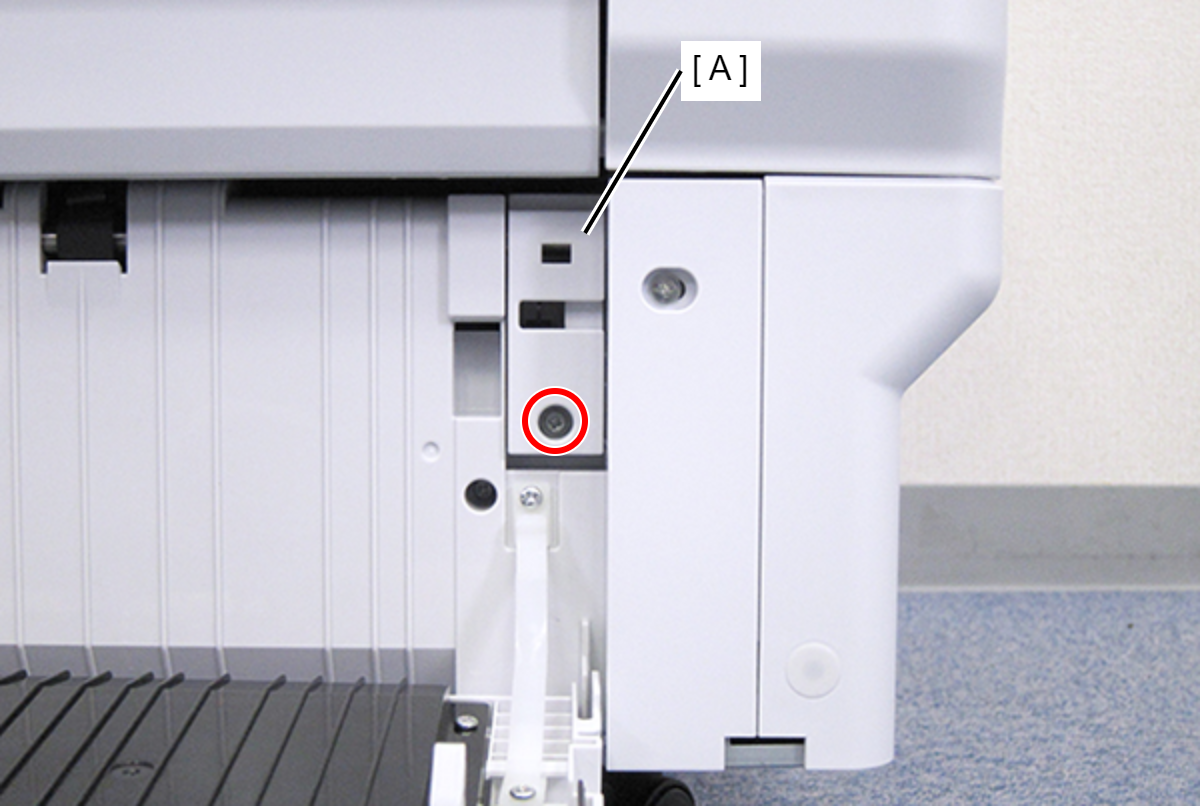
 : C.B.S-TITE-SCREW-3x8-F.ZN-3C
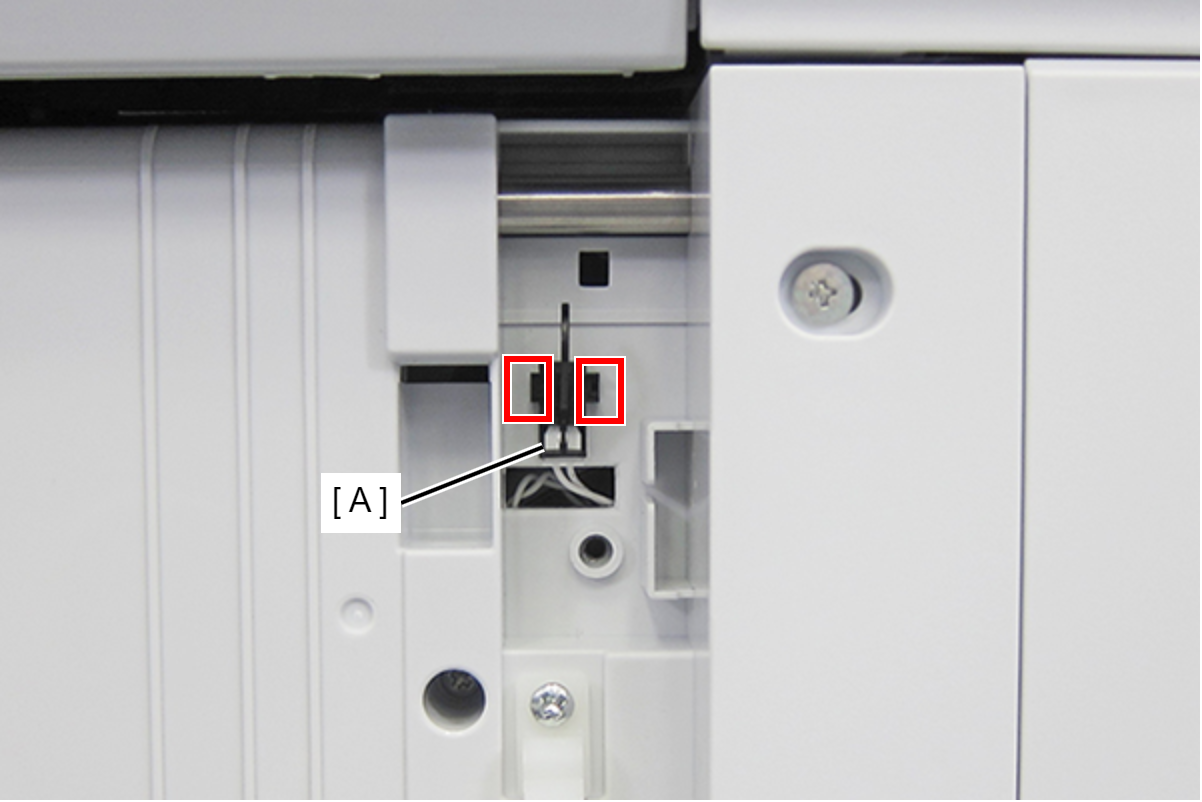
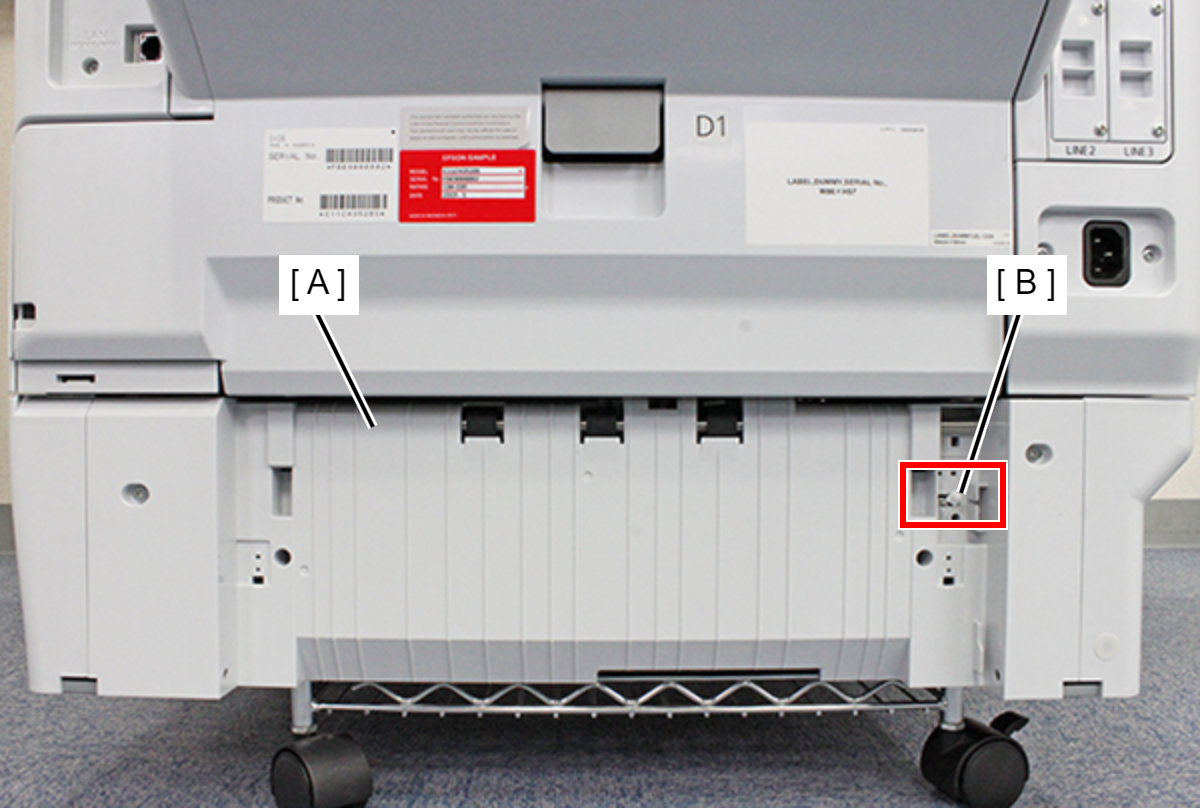
- Release the two hooks on the rear side of the product and remove the Paper Jam Clear Cover Open Sensor (A).
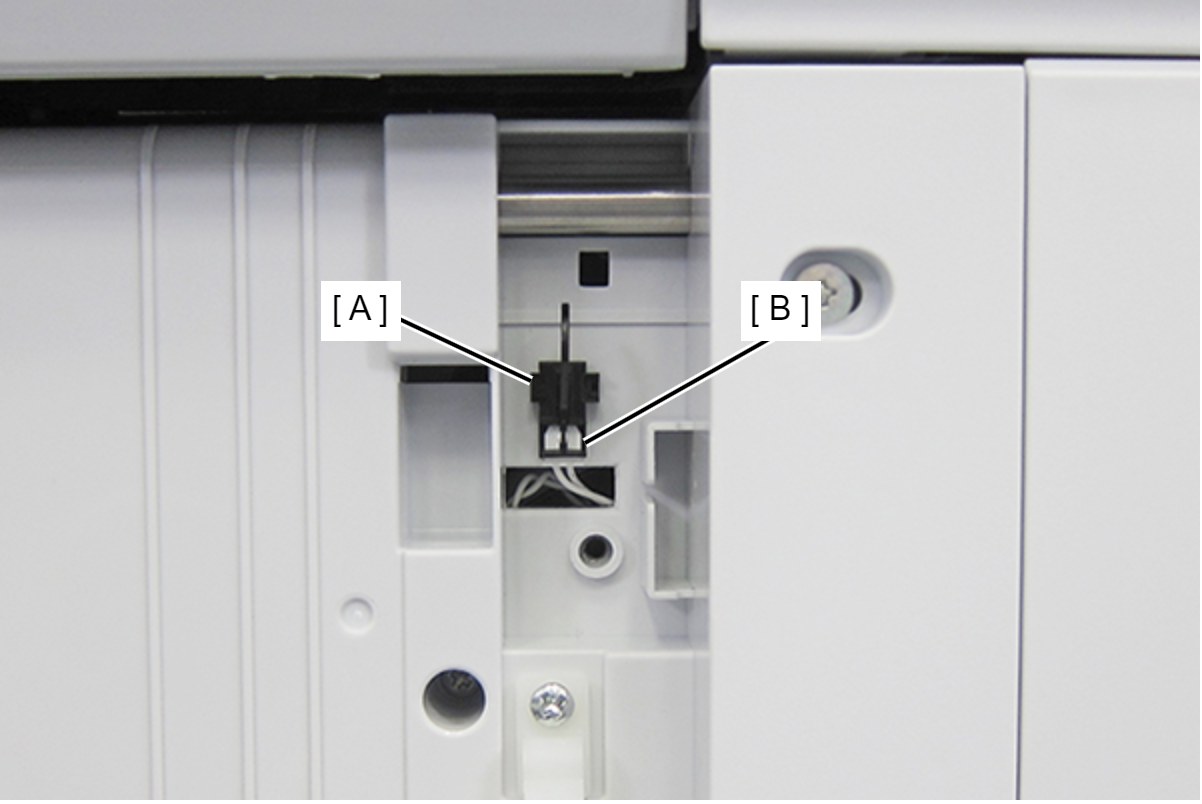
- Remove the cable from the connector (B) of the Paper Jam Clear Cover Open Sensor (A) and remove the Paper Jam Clear Cover Open Sensor (A).
- Remove the four screws fastening the Rear RIPS Housing (A).
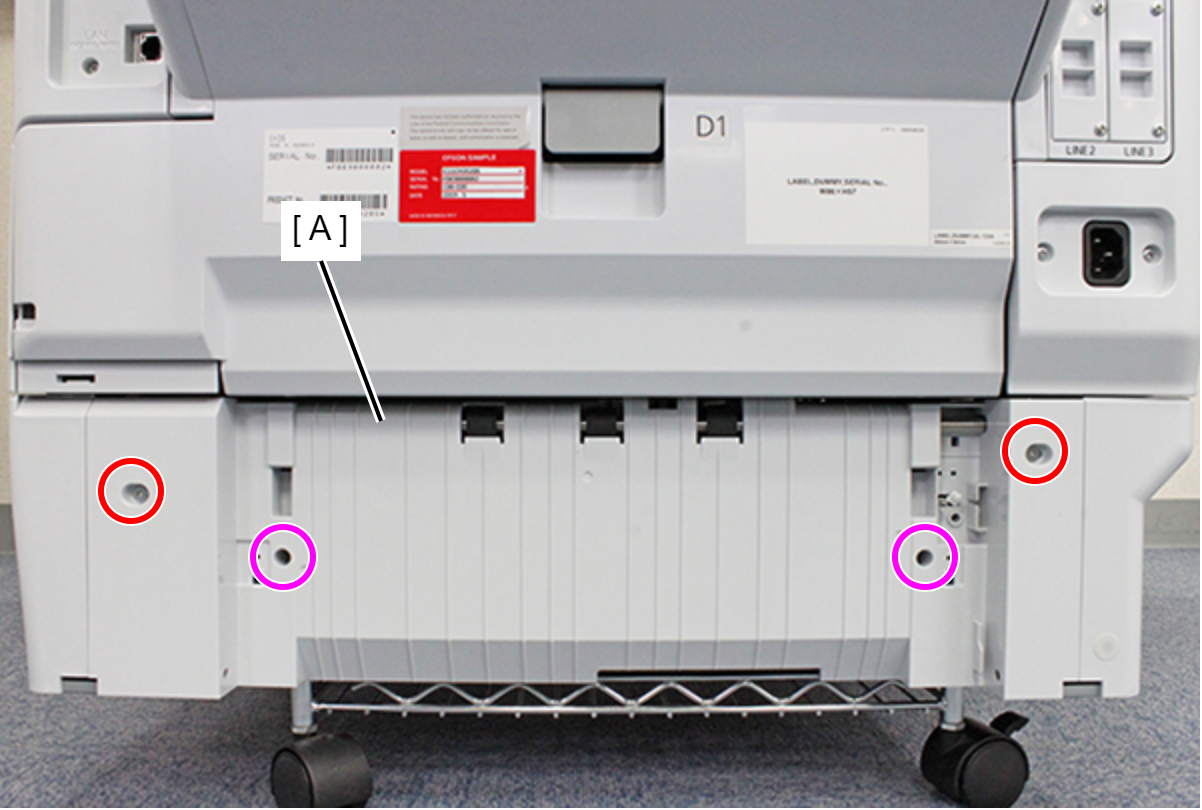
- : C.SHOULDER S-TITE,3X5
 : C.B.P-TITE-SCREW-3x10-F.ZN-3C
- Remove the Rear RIPS Housing while pulling the cable (B) from the hole in the Rear RIPS Housing (A).
 Assembly / 組み立て
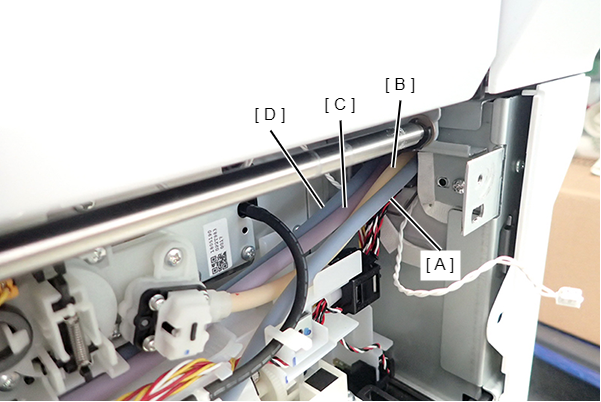
Before mounting the Rear RIPS Housing, see the picture above to check that the Ink Tubes are arranged in the order of Black (A), Yellow (B), Magenta (C), and Cyan (D), from the back face side. If the Ink Tubes are not arranged in order, arrange them correctly.