How to perform individual action checks
There are the following two ways to perform individual action checks so select one of the ways to perform the checks.
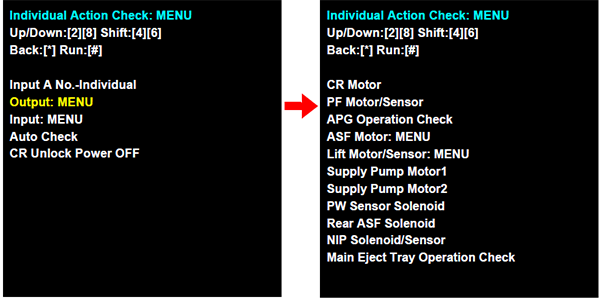
A:Select a check item from the list to execute the check.
- Select “Output: MENU (output system parts)” or “Input: MENU (input system parts)” from the individual action check mode menu screen.
- Select the target check items from the corresponding menu to execute the checks.
B:Enter the program number execute.
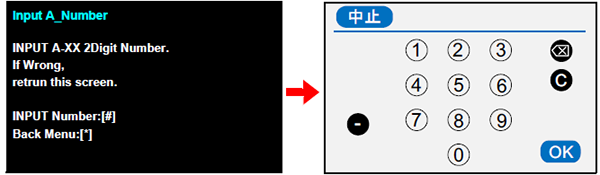
Select “A00 Individual -Input A Number” from the individual action check mode menu.
Press the [#] button to display the program number input screen. To return to the previous menu screen, press the [*] button.
- When the program number input screen appears, refer to the check item list Verification Items listand then enter the program number of the corresponding check item and press the [OK] button. (Example: In the case of the CR motor check, enter “10”.)