AFTER REPAIR ADJUSTMENT [B82] (INK SYSTEM ASSY)
- Start the service support mode. (Service mode startup and operating procedures)
- Select “Adjustment Main Unit: MENU” from the service support mode top menu.
Select “Ink Supply Unit: MENU” - “After Repair Operation”.
 Check Point / チェックポイント
Select and execute the corresponding adjustment item using either procedure below.
Selecting by entering the program number
- Select “Input B No.-Main Unit Adjust” from the Adjustment menu.
- Press the [#] button and software number key is displayed on LCD. Enter program number “82”.
- Press the [#] button.
Selecting from menu
- Select “Main Parts Adjust: MENU” from the Adjustment Main Unit menu.
- Select “Ink System Assy: MENU” from the Main Parts Adjust menu
- Select “After Repair Operation” from the Ink System Assy menu.
- In the following screen, press the [#] button to perform the Mainte Unit Replace Sequence.
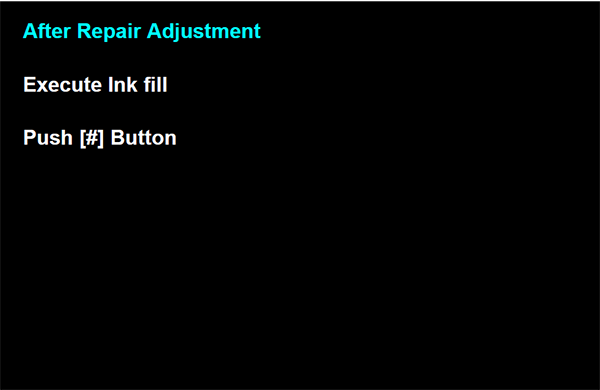
- After performing ink filling, the screen in the following appears.
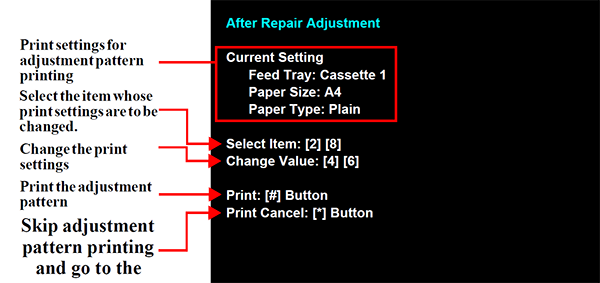
- Load paper into the paper feed tray.
- Press the [#] button to print the check patterns.
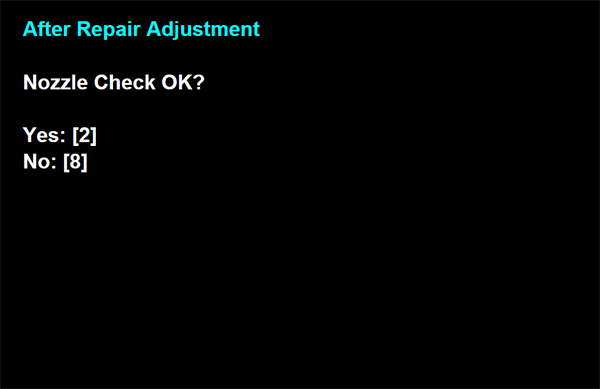
- When the screen in the following appears, check the nozzle check result. If there is no problem, press the [2] button to end the I/S Unit Replace Sequence.