
Ink cartridge detection error
Error name
Ink cartridge detection Read error
Black (Error code: 920621)
Cyan (Error code: 920622)
Magenta (Error code: 920623)
Yellow (Error code: 920624)
Ink cartridge detection Write error
Black (Error code: 920641)
Cyan (Error code: 920642)
Magenta (Error code: 920643)
Yellow (Error code: 920644)
Error occurrence condition
- Occurs if the data written to CSIC of the ink pack differs from normal or cannot be recognized.
- Occurs when there is still ink remaining in the ink pack, even if the buffer does not expand because of defective ink suction (= the main unit determines that an ink end has occurred). (Technical Information: TE20-0765)
Trouble related parts and causes
Ink pack attachment failure
CSIC contact parts dirty (printer side, maintenance box side)
Ink pack CSIC failure
CSIC contact part failure (Ink Supply Unit)
- Mechanism Relay Board ink detector harness has been inserted diagonally (ink end sensor cable (A))
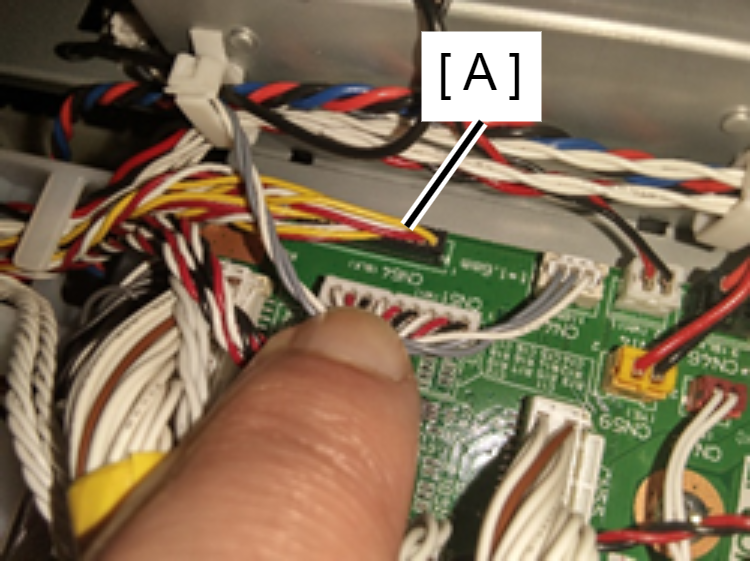
- Defective FFC connection between CRCM and CSIC, FFC defect
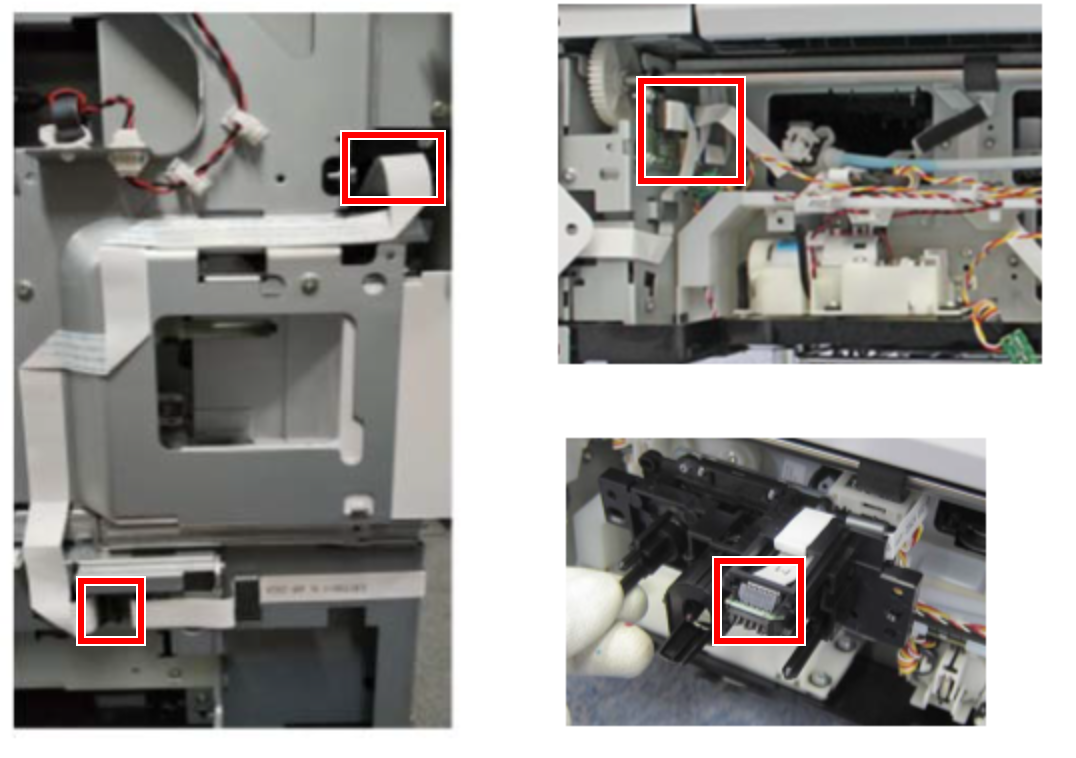
Troubleshooting
| Step | Check and measure | Yes | No |
|---|---|---|---|
| 1 | Reattach the ink pack Does the error occur? |
Go to step 2 |
End |
| 2 | Clean the CSIC contact parts. Clean the Ink pack CSIC with a dust-free cloth. Does the error occur? |
If the error did not occur, go to step 3. | End |
| 3 | Attach a new ink pack Does the error occur? |
Go to step 4 |
End |
| 4 | Check the CRCM FFC and ink end sensor cable connections. |
Replace the CSIC contact parts. (If the problem persists, contact EPSON Local Service Representatives) |
End |