Precautions of relocation and transportation the product
The following describes the precautions for relocating or transporting the printer.
- Remove the overturn prevention legs on the exclusive printer stand to move the printer.
- Parts that are not fastened in place, such as the paper output tray and manual rack and others could fall, so they must be removed.
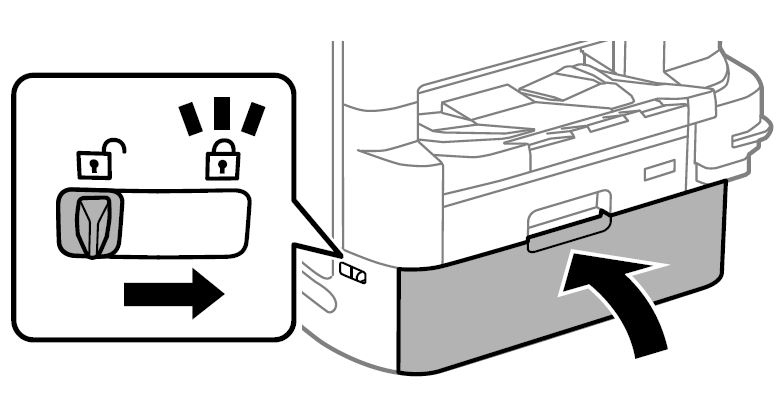
- The cover must be locked so that the Ink Pack Cover does not open.
- Because the nozzle may come out of the print head after relocation or transporting, check the nozzle check pattern, and if necessary, perform head cleaning.
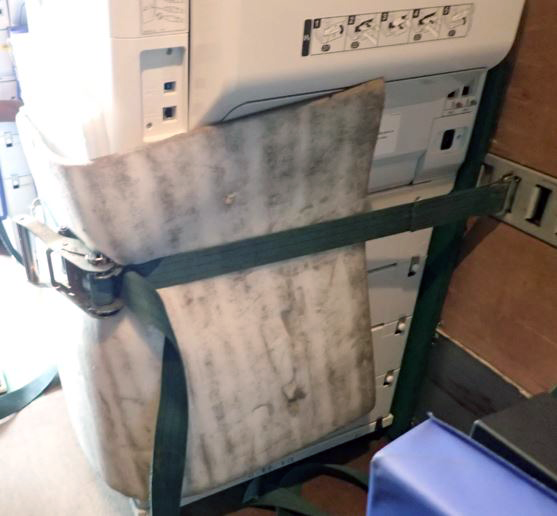
- When transporting the printer by truck, cover the whole units with quilting covers for transportation. When fixing the units in the container of a truck, fix them with belts while the surfaces shown below touch the wall.
Make sure to put buffer pads at the contact points between the belts/wall surfaces and the units.
Fixed by belt
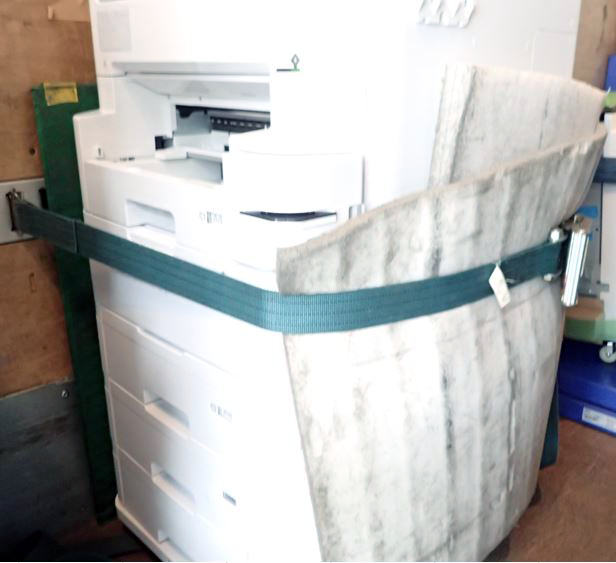
Fixed by belt