
60111 Nozzle Detect Check
Overview
Check that the nozzle diagnostic functions are operating normally.
Required Tool
---
Procedure
- Start service support mode. (Starting Service Support Mode)
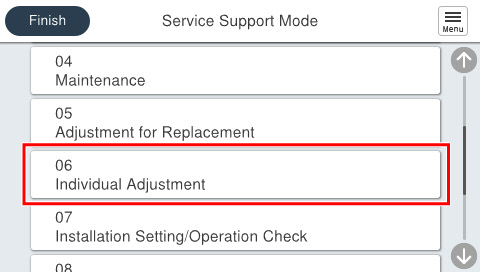
- Select [06 Individual Adjustment].
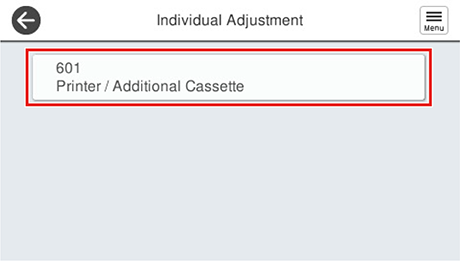
- Select [601 Printer/Additional Cassette].
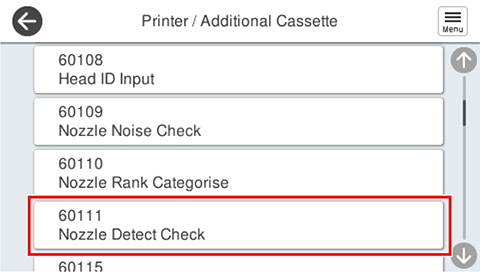
- Select [60111 Nozzle Detect Check].
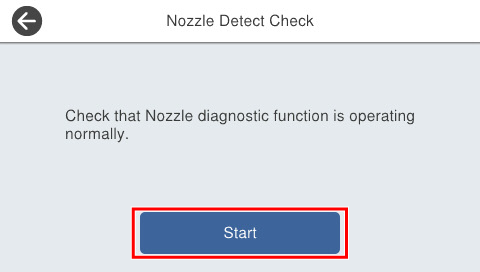
- Press [Start].
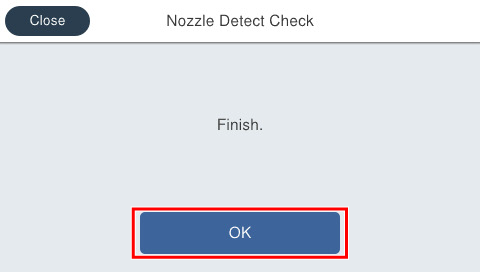
- If the following screen is displayed, press [OK] to complete.
 Check Point / チェックポイント
If an error is displayed, performHead cleaning ensure that all nozzles are ejecting ink normally, and then perform it again.