401 Head Cleaning
Perform head cleaning.
 Note / 補足 Note / 補足 |
|
Menu list
| Program No. | Menu Name | Overview | Required time |
|---|---|---|---|
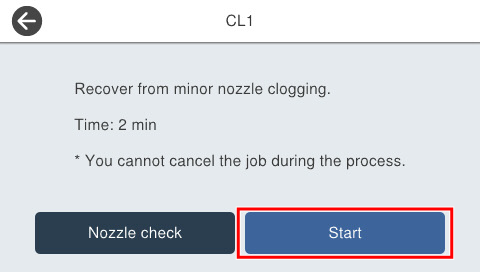
| 40102 | CL1 | Perform recovery from slightly clogged nozzles. |
Approx. 2 minutes |
| 40103 | CL2 | Perform recovery from clogged nozzles. |
Approx. 4 minutes |
| 40104 | CL3 | Perform recovery from seriously clogged nozzles. |
Approx. 5 minutes |
| 40105 | Strong CL | Perform recovery from seriously clogged nozzles with large amount of ink consumed. |
Approx. 9 minutes |
| 40106 | Ink Replacement | Perform recovery from seriously clogged nozzles with large amount of ink consumed. |
Approx. 15 minutes |
Procedure
- Start service support mode. (Starting Service Support Mode)
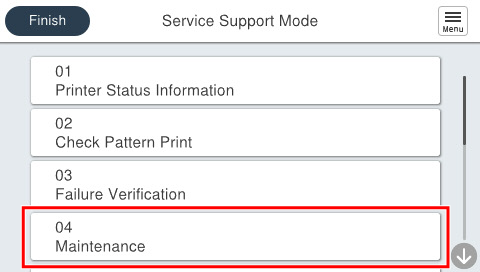
- Select [04 Maintenance].
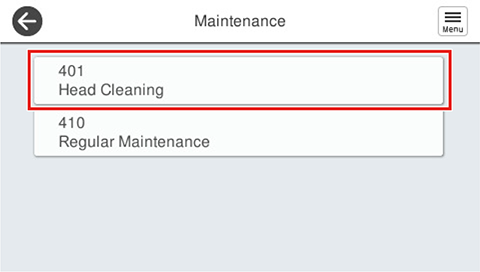
- Select [401 Head Cleaning].
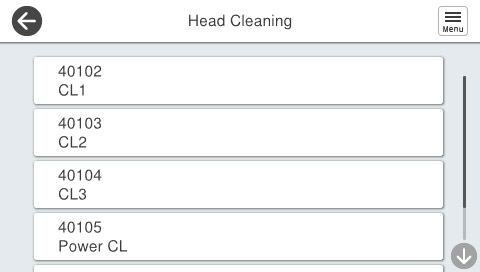
- Select the menu the user wishes to execute.
- Press [Start].